

Brookstone Iconvert Scanner(4)
Replacement Car DC Adapter Compatible with Brookstone iConvert 671669 PS-A620 Photo Scanner Vehicle Cigarette Lighter Plug Power Supply $15.99
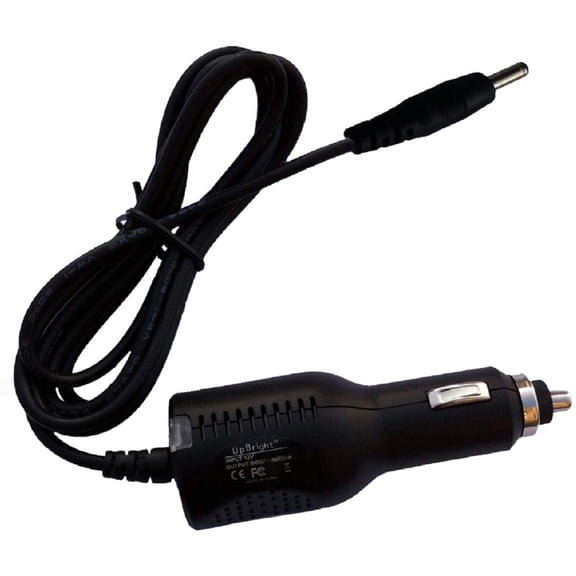
Replacement Car DC Adapter Compatible with Brookstone iConvert 671669 PS-A620 Photo Scanner Vehicle Cigarette Lighter Plug Power Supply
Yustda New Car DC Adapter for Brookstone iConvert 771237 S400 Scanner (for iPad) Auto Vehicle Boat RV Cigarette Lighter Plug Power Supply Cord Cable PS Battery Charger Mains PSU $19.48

Yustda New Car DC Adapter for Brookstone iConvert 771237 S400 Scanner (for iPad) Auto Vehicle Boat RV Cigarette Lighter Plug Power Supply Cord Cable PS Battery Charger Mains PSU
PKPOWER Car DC Adapter For Brookstone iConvert 771237 S400 Scanner (For ) Auto Vehicle Boat RV Plug Power Supply Cord Cable PS Battery Charger Mains PSU $18.88

PKPOWER Car DC Adapter For Brookstone iConvert 771237 S400 Scanner (For ) Auto Vehicle Boat RV Plug Power Supply Cord Cable PS Battery Charger Mains PSU
Kircuit New Car DC Adapter for Brookstone iConvert 771237 S400 Scanner (for iPad) Auto Vehicle Boat RV Cigarette Lighter Plug Power Supply Cord Cable PS Battery Charger Mains PSU $13.48

Kircuit New Car DC Adapter for Brookstone iConvert 771237 S400 Scanner (for iPad) Auto Vehicle Boat RV Cigarette Lighter Plug Power Supply Cord Cable PS Battery Charger Mains PSU
FAQ
Can I use the scanner in my car?
If you're looking to use your scanner while on the road, many models come with car DC adapters that plug into your vehicle's cigarette lighter outlet. This setup can help you scan documents or photos during travel.
- Check if your scanner includes a car adapter or if you need to purchase one separately.
- Make sure your vehicle's power outlet matches the adapter requirements.
Using the scanner in your car can be convenient, especially for road trips or mobile work setups.
How do I pick the right DC adapter?
Choosing the right DC adapter for your scanner is important for safe and reliable operation. Start by checking your scanner's model number and voltage requirements.
- Look for adapters specifically labeled as compatible with your scanner model.
- Confirm the voltage and amperage match your device's specs.
- Consider cord length if you'll be using the scanner in different vehicles.
Matching these details can help prevent power issues and keep your scanner working smoothly.
What can I scan with this device?
This type of scanner is generally designed for digitizing photos, documents, and similar flat items. It's handy for preserving memories or backing up important paperwork while on the go.
- Photos: Scan old prints to create digital copies.
- Documents: Digitize receipts, letters, or forms.
- Artwork: Capture sketches or small drawings.
Always check the maximum size and thickness your scanner can handle for best results.
Are replacement adapters easy to find?
If your adapter is damaged or lost, replacement car DC adapters are available for many scanner models. Look for options that list compatibility with your specific scanner.
- Check product listings for your model number.
- Read descriptions to confirm plug type and power specs.
- Consider buying from reputable retailers for peace of mind.
Having a spare adapter can help keep your scanner running wherever you need it.
Any tips for scanning in a vehicle?
Scanning documents or photos in a vehicle can be convenient, but a few practical steps may help improve your experience.
- Park safely before setting up your scanner.
- Use a stable surface to avoid movement while scanning.
- Make sure the power outlet is functioning and not overloaded by other devices.
Taking these precautions can make mobile scanning easier and help protect your equipment.
Popular in Brookstone iConvert Scanner Car DC Adapters Online
Related Products
SiriusXM SXDPIP1 SXDPIP1 5V PowerConnect Car Power Adapter
 SiriusXM SXDPIP1 SXDPIP1 5V PowerConnect Car Power Adapter$21.89current price $21.89
12/24V DC Car Cigarette Lighter Female Socket Plug Connector Adapter Cable
 12/24V DC Car Cigarette Lighter Female Socket Plug Connector Adapter Cable$11.49current price $11.49
KOQICALL 2 Pack 12 Volt Cigarette Lighter Male Plug, 16AWG Extension Cord with 10A Fuse, Replacement Power Connector for Car Vehicle CB Radio
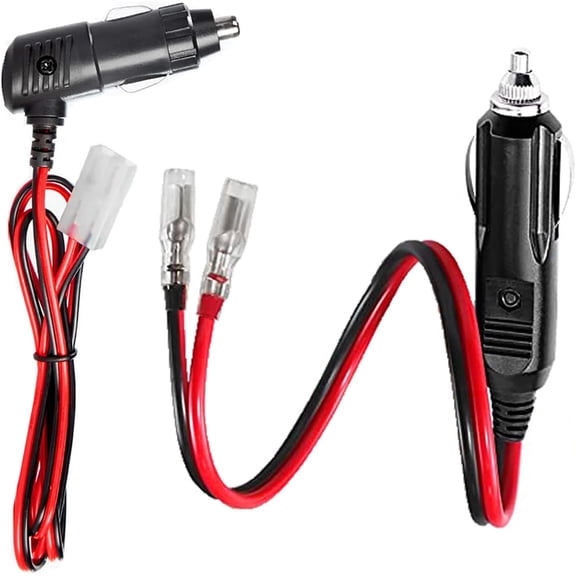 KOQICALL 2 Pack 12 Volt Cigarette Lighter Male Plug, 16AWG Extension Cord with 10A Fuse, Replacement Power Connector for Car Vehicle CB Radio$11.19current price $11.19
DEXIMRO Cigarette Lighter Extension Cord 12V 24V Cigarette Lighter Plug Extension Heavy Duty 16AWG 15A Fuse with LED Light and Waterproof Cover Suitable for Cars, Motorcycles, Boats (0.5 m/1.6FT)
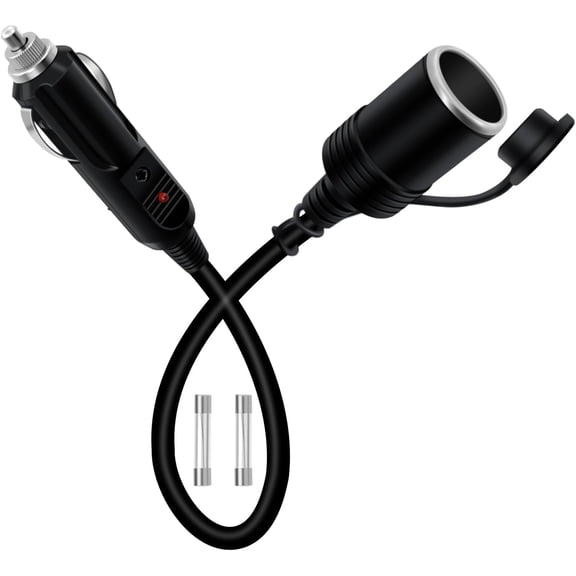 DEXIMRO Cigarette Lighter Extension Cord 12V 24V Cigarette Lighter Plug Extension Heavy Duty 16AWG 15A Fuse with LED Light and Waterproof Cover Suitable for Cars, Motorcycles, Boats (0.5 m/1.6FT)$10.39current price $10.39
12V Fused Male Cigarette Lighter Plug, Replacement Car Adapter with Leads and LED Light, 16AWG Extension Cable with 15A Fuse, Automotive Power Supply Connectors Accessories (2)
 12V Fused Male Cigarette Lighter Plug, Replacement Car Adapter with Leads and LED Light, 16AWG Extension Cable with 15A Fuse, Automotive Power Supply Connectors Accessories (2)$8.99current price $8.99
Universal Motorcycle Truck Car Cigarette Lighter Power Plug Cable Adapter Male Lighter with Switch Button Built-in 12V-24V 5A (10FT/3 Meters with Indicator Light)
Universal Motorcycle Truck Car Cigarette Lighter Power Plug Cable Adapter Male Lighter with Switch Button Built-in 12V-24V 5A (10FT/3 Meters with Indicator Light)
Emlimny Starlink Mini Cable 12V Power Cable 3M/10FT, Starlink Mini Accessories 16AWG Cigarette Lighter to DC Cord, 12V-48V Car Charger Car Adapter
 Emlimny Starlink Mini Cable 12V Power Cable 3M/10FT, Starlink Mini Accessories 16AWG Cigarette Lighter to DC Cord, 12V-48V Car Charger Car Adapter$11.39current price $11.39
Nilight 2 Pack Car Cigarette Lighter Socket DC 12V Waterproof Power Outlet Adapter Replacement with Terminals Wires and Screws for Marine Boat Motorcycle, Boat, Car,Truck, RV, ATV
 Nilight 2 Pack Car Cigarette Lighter Socket DC 12V Waterproof Power Outlet Adapter Replacement with Terminals Wires and Screws for Marine Boat Motorcycle, Boat, Car,Truck, RV, ATV$10.50current price $10.50
12V 24V 15A Heavy Duty Car Lighter Socket Male Female Extension Cord Power Supply Cable with Fused 3.7M
 12V 24V 15A Heavy Duty Car Lighter Socket Male Female Extension Cord Power Supply Cable with Fused 3.7M$12.23current price $12.23
Ampeak 750 Watts Power Inverter, 12V DC to 110V AC Converter with Dual 3.1A USB Dual AC Outlets Safe and Automatic Car Inverter,ETL certified
Ampeak 750 Watts Power Inverter, 12V DC to 110V AC Converter with Dual 3.1A USB Dual AC Outlets Safe and Automatic Car Inverter,ETL certified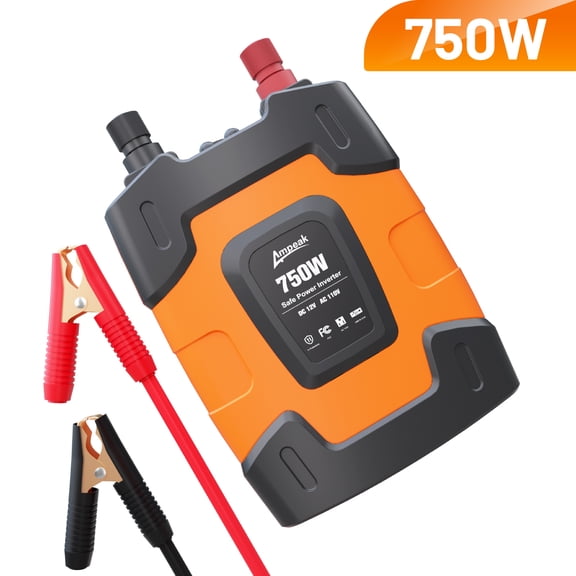
Lectron NACS to CCS Electric Vehicle Adapter with Interlock - (500A/1,000V) - Compatible with Tesla Superchargers - CCS1 EV Fast Charging with Vortex Plus - UL 2252
 Lectron NACS to CCS Electric Vehicle Adapter with Interlock - (500A/1,000V) - Compatible with Tesla Superchargers - CCS1 EV Fast Charging with Vortex Plus - UL 2252$199.99current price $199.99
Starlink Mini Cable, 3 in 1 Starlink Mini DC Power Cable Car Charger and Cigarette Lighter Adapter 12V-48V with Digital Display, USB-C and USB-A Ports for Trucks and Cars, 10FT Cable
 Starlink Mini Cable, 3 in 1 Starlink Mini DC Power Cable Car Charger and Cigarette Lighter Adapter 12V-48V with Digital Display, USB-C and USB-A Ports for Trucks and Cars, 10FT Cable$24.47current price $24.47
Replacement Car DC Adapter Compatible with Uniden AD-70 AD-70U Scanner Vehicle Boat RV Cigarette Lighter Plug Power Supply
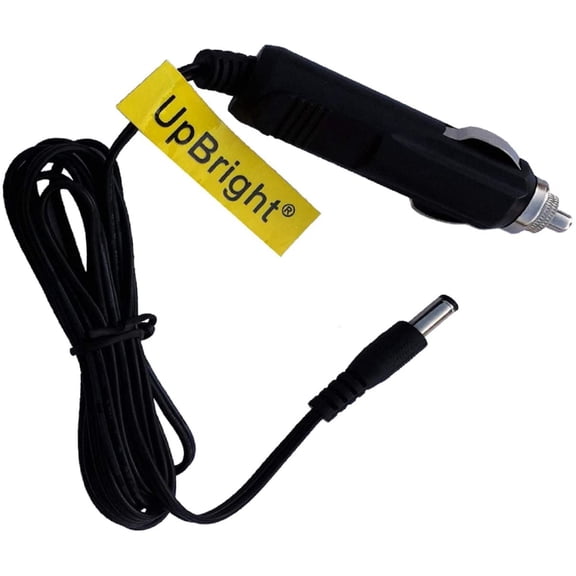 Replacement Car DC Adapter Compatible with Uniden AD-70 AD-70U Scanner Vehicle Boat RV Cigarette Lighter Plug Power Supply$18.85current price $18.85
EDO Tech Direct Hardwire Vehicle 5V Power Cord Adapter Kit for Sirius XM Radio PowerConnect Dock Onyx Edge Lynx Stratus Starmate Sportster 6 7 8
 EDO Tech Direct Hardwire Vehicle 5V Power Cord Adapter Kit for Sirius XM Radio PowerConnect Dock Onyx Edge Lynx Stratus Starmate Sportster 6 7 8$16.00current price $16.00

