

Bric(1)
Snap Circuits BRIC: Structures | Brick & Electronics Exploration Kit | Over 20 Stem & Brick Projects | Full Color Project Manual | 20 Parts | 75 BRIC-2-Snap Adapters | 140+ BRICs $24.99 Was $44.95
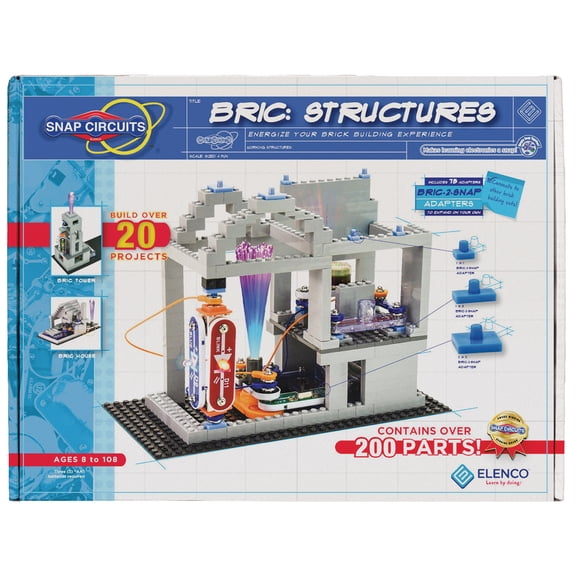
Snap Circuits BRIC: Structures | Brick & Electronics Exploration Kit | Over 20 Stem & Brick Projects | Full Color Project Manual | 20 Parts | 75 BRIC-2-Snap Adapters | 140+ BRICs
Other options to consider(2)
Guidecraft Guidecraft Texo 100 Piece Set - 3D Geometric Designs Educational Interlocking Shapes- Architectural Building-Bricks STEM Toys For Kids $49.95 Was $74.95

Guidecraft Guidecraft Texo 100 Piece Set - 3D Geometric Designs Educational Interlocking Shapes- Architectural Building-Bricks STEM Toys For Kids
Mutual Industries 60070500-0-0 Fire Clay, 50 lb. Bag $70.89

Mutual Industries 60070500-0-0 Fire Clay, 50 lb. Bag
FAQ
How do you build a project with the kit?
Getting started with a brick and electronics exploration kit is pretty simple. Begin by picking a project from the included manual, which shows step-by-step instructions. Gather the parts listed for that project, then snap together the bricks and electronic components as shown. The adapters help connect the bricks and circuits securely.
- Follow visual guides in the manual.
- Use the adapters to join bricks and circuit parts.
- Test your build as you go.
You can also mix and match pieces to create your own unique designs.
Can you combine it with other building bricks?
This kit is designed to work with standard building bricks, so you can expand your projects beyond what's included. The adapters help connect the electronics to compatible bricks, letting you get creative with different shapes and sizes.
- Check the manual for compatibility info.
- Experiment with your own brick sets.
- Use adapters for a secure fit.
Combining kits can add new possibilities to your builds.
What age is the kit best for?
Brick and electronics kits are usually intended for kids around 8 years and up, but adults can enjoy them too. The included manual offers projects with varying levels of difficulty, so younger users may need some guidance, especially with the electronic parts.
- Check the packaging for age recommendations.
- Supervise younger children with small parts.
- Adjust project complexity based on skill level.
It's a fun way for families to learn and build together.
How do you store all the parts safely?
Keeping your kit organized helps prevent losing small pieces and makes future projects easier to start. Try using a divided storage box or resealable bags for the different parts. Store the manual separately so it's easy to find.
- Sort parts by type or color.
- Keep electronics away from moisture.
- Label bags or boxes for quick access.
A designated space helps keep your building area tidy and ready for your next project.
Are there instructions for extra projects?
The included manual features over 20 different projects, but you can also invent your own using the kit's parts. Some kits may have online resources or forums where users share new ideas and builds.
- Explore all manual projects first.
- Look online for inspiration from other builders.
- Experiment by combining components in new ways.
Trying custom designs is a fun way to stretch your creativity and learn more about electronics.
Popular in Shop BRIC Office Supplies and USB C Accessories
Related Products
OMNIHIL Replacement 2-Port USB Charger for Tipeye Newest Gear 06A 3D Doodler pen
 OMNIHIL Replacement 2-Port USB Charger for Tipeye Newest Gear 06A 3D Doodler pen$12.96current price $12.96
Zebra SC2 Smart Charger Cradle for Mobile Printer Batteries, 4-Slot Charging Dock, Part #P103165-063
 Zebra SC2 Smart Charger Cradle for Mobile Printer Batteries, 4-Slot Charging Dock, Part #P103165-063$96.00current price $96.00
AC Adapter for Zebra ZQ620 Healthcare Thermal Label Printer Labeler DC Power Supply Charger
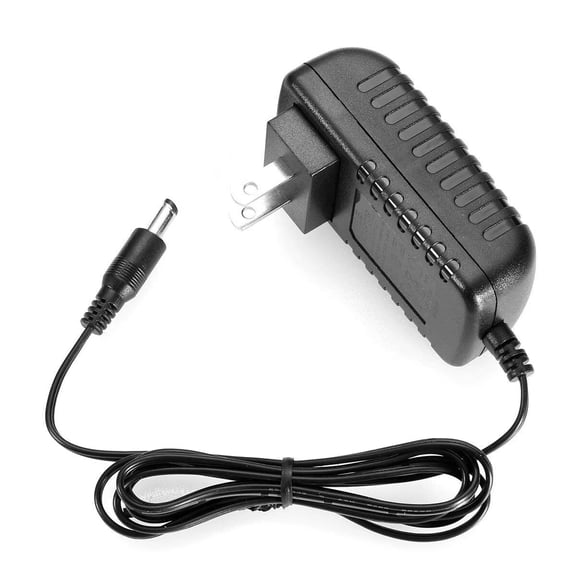 AC Adapter for Zebra ZQ620 Healthcare Thermal Label Printer Labeler DC Power Supply Charger$11.98current price $11.98
Zebra UCLI72-4 Quad Battery Charger (AC18177-5) – 4-Slot Multi-Battery Charging Dock for QL, RW, and ZQ Mobile Printer Series
 Zebra UCLI72-4 Quad Battery Charger (AC18177-5) – 4-Slot Multi-Battery Charging Dock for QL, RW, and ZQ Mobile Printer Series$300.00current price $300.00
Zebra UCLI72-4 Quad Battery Charger for QLn320, QLn420, ZQ520 Mobile Printers, Model UCLI72-4
 Zebra UCLI72-4 Quad Battery Charger for QLn320, QLn420, ZQ520 Mobile Printers, Model UCLI72-4$200.00current price $200.00
Multi Charging Tool Box 60W USB C to Micro USB to Lighting Fast Charging Adapter Kit by Tech Secure (Blue)
Multi Charging Tool Box 60W USB C to Micro USB to Lighting Fast Charging Adapter Kit by Tech Secure (Blue)
FITE ON 4ft USB Charger Charging Cable Cord Compatible with XUANAI Wand
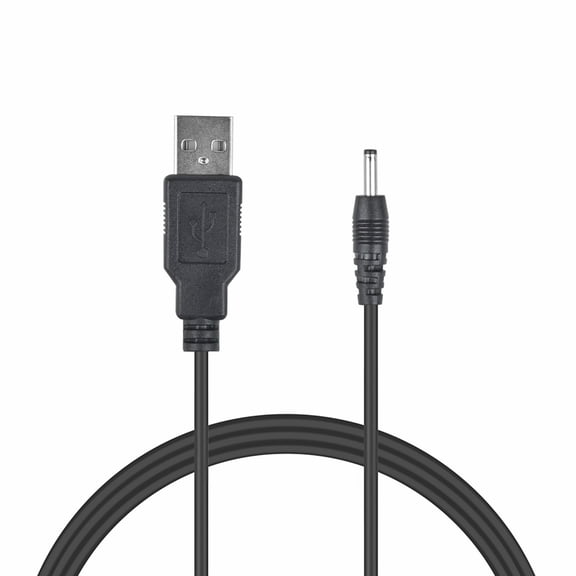 FITE ON 4ft USB Charger Charging Cable Cord Compatible with XUANAI Wand$7.99current price $7.99
PiTech 2.5A USB Adapter Universal Charger for Raspberry Pi 1, 2 and 3, 6-Feet
 PiTech 2.5A USB Adapter Universal Charger for Raspberry Pi 1, 2 and 3, 6-Feet$10.19current price $10.19
34W Home Charger w Retractable USB Cable Q9D for Acer Liquid Jade Primo - Alcatel PulseMix, 7, Idol 5S 5 4S - ASUS Zenfone V Live, ROG Phone, AR 6 5z 4 Pro - Blackberry Motion, Key2, KEYone
 34W Home Charger w Retractable USB Cable Q9D for Acer Liquid Jade Primo - Alcatel PulseMix, 7, Idol 5S 5 4S - ASUS Zenfone V Live, ROG Phone, AR 6 5z 4 Pro - Blackberry Motion, Key2, KEYone$33.77current price $33.77
OMNIHIL Replacement (6.5FT) USB-Adapter Charger for Canon IVY Wireless Bluetooth Mobile, Portable, Mini Photo Printer-(3204C003)
 OMNIHIL Replacement (6.5FT) USB-Adapter Charger for Canon IVY Wireless Bluetooth Mobile, Portable, Mini Photo Printer-(3204C003)$15.96current price $15.96
OMNIHIL Replacement (10FT) USB-Adapter Charger for Canon IVY Wireless Bluetooth Mobile, Portable, Mini Photo Printer-(3204C003)
 OMNIHIL Replacement (10FT) USB-Adapter Charger for Canon IVY Wireless Bluetooth Mobile, Portable, Mini Photo Printer-(3204C003)$15.96current price $15.96
OMNIHIL Replacement (5ft) 2.0 High Speed USB Cable for PISEN 10000mAh, 15000mAh, 20000mAh Portable Charger LED Display Ultra Slim Power Bank
 OMNIHIL Replacement (5ft) 2.0 High Speed USB Cable for PISEN 10000mAh, 15000mAh, 20000mAh Portable Charger LED Display Ultra Slim Power Bank$11.96current price $11.96
AC Adapter Charger For Zebra ZQ511 ZQ610 ZQ620 ZQ630 Thermal Label Printer Power Supply Cord Mains PSU
 AC Adapter Charger For Zebra ZQ511 ZQ610 ZQ620 ZQ630 Thermal Label Printer Power Supply Cord Mains PSU$11.99current price $11.99
Zebra 3-Slot Battery Charger SAC-MPP-3BCHGUS1-01 for ZQ600 and ZQ500 Mobile Printers, Model SAC-MPP-3BCHGUS1-01
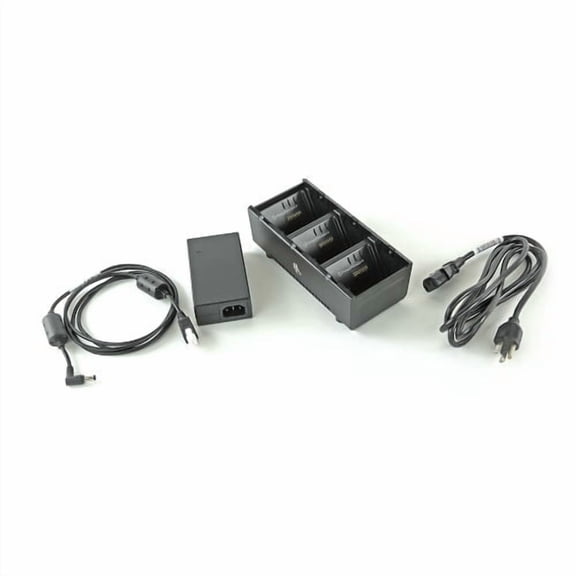 Zebra 3-Slot Battery Charger SAC-MPP-3BCHGUS1-01 for ZQ600 and ZQ500 Mobile Printers, Model SAC-MPP-3BCHGUS1-01$192.00current price $192.00
1pc OMNIPOWER SOLUTIONS BLK ALL-IN-ONE CHARGER KIT
 1pc OMNIPOWER SOLUTIONS BLK ALL-IN-ONE CHARGER KIT$19.99current price $19.99
Tc51 Charger,USB and Charger Cable for Zebra TC51 TC510K TC52 TC56 TC57,5V2A with 6ft Cable PDA Handheld Computer(CBL-TC51-USB1-01)
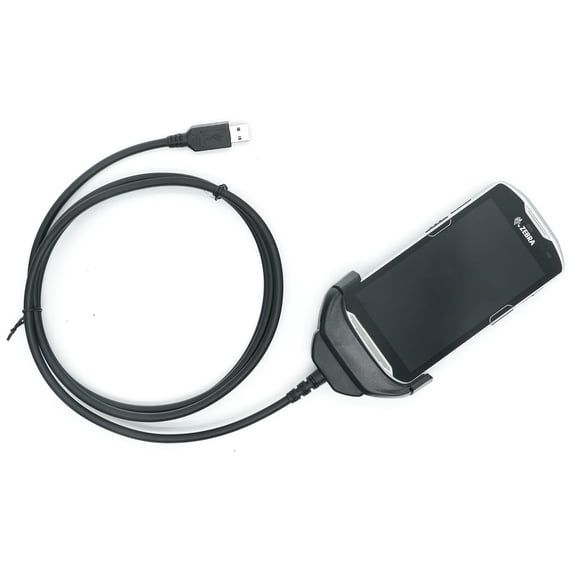 Tc51 Charger,USB and Charger Cable for Zebra TC51 TC510K TC52 TC56 TC57,5V2A with 6ft Cable PDA Handheld Computer(CBL-TC51-USB1-01)$27.78current price $27.78
6ft and 10ft USB Cable Charger Power Cord Type-C Wires Y4Q for Acer Liquid Jade Primo - Alcatel PulseMix, 7, Idol 5S 5 4S - ASUS Zenfone V Live, ROG Phone, AR 6 5z 4 Pro - Blackberry Motion
 6ft and 10ft USB Cable Charger Power Cord Type-C Wires Y4Q for Acer Liquid Jade Primo - Alcatel PulseMix, 7, Idol 5S 5 4S - ASUS Zenfone V Live, ROG Phone, AR 6 5z 4 Pro - Blackberry Motion$21.92current price $21.92
Sanyo / Kyocera OEM Micro USB AC Travel Charger - SCP-31ADT
 Sanyo / Kyocera OEM Micro USB AC Travel Charger - SCP-31ADT$8.59current price $8.59