

4K Monitors(3)
LESOWN 4K Portable Stretched Bar Monitor 14.1 inch 3840x1100 USB C HDMI IPS Sensor Panel PC Case Temp Display for Raspberry Pi Laptop $342.89

LESOWN 4K Portable Stretched Bar Monitor 14.1 inch 3840x1100 USB C HDMI IPS Sensor Panel PC Case Temp Display for Raspberry Pi Laptop
4K Stretched Strip Monitor 14.1 inch 3840x1100 USB-C HDMI IPS Ultra Wide Travel Monitor PC Case Display for Raspberry Pi Laptop $342.89

4K Stretched Strip Monitor 14.1 inch 3840x1100 USB-C HDMI IPS Ultra Wide Travel Monitor PC Case Display for Raspberry Pi Laptop
LESOWN 13.3 inch Auxiliary Monitor UHD 3840X2160 4K IPS Portable LCD Screen Display HDMI Type-c Port Built-in Speaker with Protective Case for Laptop Switch Xbox

LESOWN 13.3 inch Auxiliary Monitor UHD 3840X2160 4K IPS Portable LCD Screen Display HDMI Type-c Port Built-in Speaker with Protective Case for Laptop Switch Xbox
Other options to consider(1)
In 200+ people's carts, onn 22 in FHD (1920 x 1080) 100 Hz Office Monitor with 6 ft HDMI Cable, Matte Black $74.00

onn 22 in FHD (1920 x 1080) 100 Hz Office Monitor with 6 ft HDMI Cable, Matte Black
FAQ
What should I look for in a 4K monitor?
When shopping for a 4K monitor, consider these factors:
- Screen size and aspect ratio: Choose a size that fits your workspace and needs, whether it's a standard or ultra-wide display.
- Connectivity: Check for ports like HDMI, USB-C, or DisplayPort to match your devices.
- Panel type: IPS panels often offer better color accuracy and viewing angles.
- Refresh rate: Higher rates can provide smoother visuals, especially for gaming or video editing.
- Portability: Some monitors are designed for travel or use with laptops, making them easy to move around.
Think about how you'll use the monitor to find the best fit for your setup.
How do I connect a 4K monitor to my laptop?
To connect a 4K monitor to your laptop, follow these steps:
- Check your laptop's ports: Look for HDMI, USB-C, or DisplayPort outputs.
- Use the right cable: Match the monitor's input with your laptop's output. For example, use a USB-C to USB-C cable if both devices support it.
- Adjust display settings: Once connected, go to your laptop's display settings to select the correct resolution and configure multiple displays if needed.
Some laptops may require an adapter if the ports don't match. Always refer to your device manuals for compatibility details.
Can I use a 4K monitor for gaming?
Yes, many 4K monitors can be used for gaming. Here are a few things to keep in mind:
- Refresh rate: Higher refresh rates can make gameplay smoother, especially in fast-paced games.
- Response time: Lower response times help reduce motion blur.
- Compatibility: Make sure your gaming console or PC supports 4K output.
- Features: Some monitors offer gaming-specific features like adaptive sync technology or built-in speakers.
Pairing a 4K monitor with the right hardware can enhance your gaming experience, but performance may vary based on your system's capabilities.
How do I clean my 4K monitor safely?
To clean your 4K monitor safely:
- Turn off and unplug the monitor before cleaning.
- Use a soft, dry microfiber cloth to gently wipe the screen. Avoid using paper towels or rough fabrics.
- If needed, lightly dampen the cloth with water or a screen-safe cleaner. Never spray liquid directly onto the screen.
- Wipe in gentle, circular motions to avoid streaks or scratches.
Let the monitor dry completely before plugging it back in. Regular gentle cleaning can help maintain clear visuals and extend the life of your display.
Are portable 4K monitors good for travel?
Portable 4K monitors can be a great option for travel, especially if you need extra screen space on the go. They are typically lightweight, slim, and easy to pack with your laptop or other devices. Many models offer USB-C or HDMI connectivity, making setup quick and convenient. While they may not match the size of a full desktop monitor, they can boost productivity for work, presentations, or entertainment when you're away from your main setup. Always check the monitor's dimensions and compatibility with your devices before traveling.
About 4K Monitors
How is 4K different from high-definition monitors?
Simply put, you're going to get even better picture quality. Typically, 4K Ultra HD refers to 3840x2160 pixels, which has exactly twice as many pixel rows and columns as 1080p (1920 1080 pixels) for high definition.
What kind of HDMI cable do I need for 4K?
You will need HDMI 2.0. The maximum bit rate increase to 18 billion bits per second supports new formats such as Ultra High Definition 4K video at up to 60 frames per second.
What is the best size for a 4K monitor?
Look for something in the range of 24 to 30 inches.
Popular in 4K Monitors
Related Products
Sharp NEC Display MultiSync DD-EA272U 27" Class 4K UHD LED Monitor - 16:9 - 27" Viewable - In-plane Switching (IPS) Technology - LED Backlight - 3840 x 2160 - 16.7 Million Colors - 350 Nit - 6 ms -...
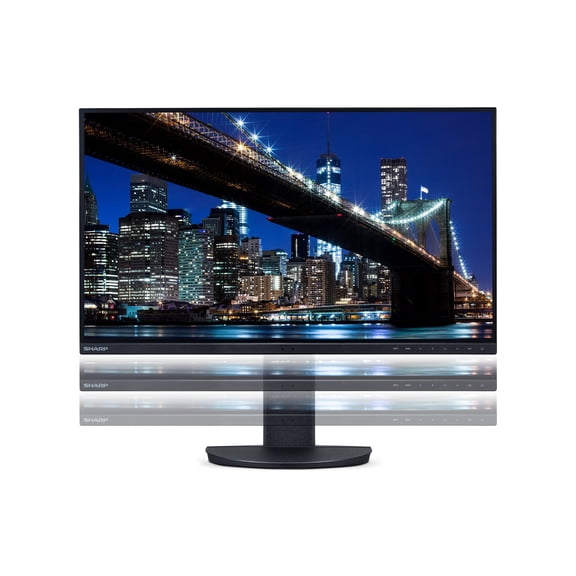 Sharp NEC Display MultiSync DD-EA272U 27" Class 4K UHD LED Monitor - 16:9 - 27" Viewable - In-plane Switching (IPS) Technology - LED Backlight - 3840 x 2160 - 16.7 Million Colors - 350 Nit - 6 ms -...$694.59current price $694.59
Sceptre Curved 24-inch Gaming Monitor 1080p R1500 98% sRGB HDMI x2 VGA Build-in Speakers, VESA Wall Mount Machine Black (C248W-1920RN Series)
 Sceptre Curved 24-inch Gaming Monitor 1080p R1500 98% sRGB HDMI x2 VGA Build-in Speakers, VESA Wall Mount Machine Black (C248W-1920RN Series)$79.98current price $79.98
Sceptre New 34-inch Curved Gaming Monitor 3440 x 1440 180Hz DP HDMI Build-in Speakers 2026
 Sceptre New 34-inch Curved Gaming Monitor 3440 x 1440 180Hz DP HDMI Build-in Speakers 2026$199.98current price $199.98
ViewSonic IPS Monitor VP3881a 38" Curved Ultrawide WQHD+ ColorPro™with 90W USB C
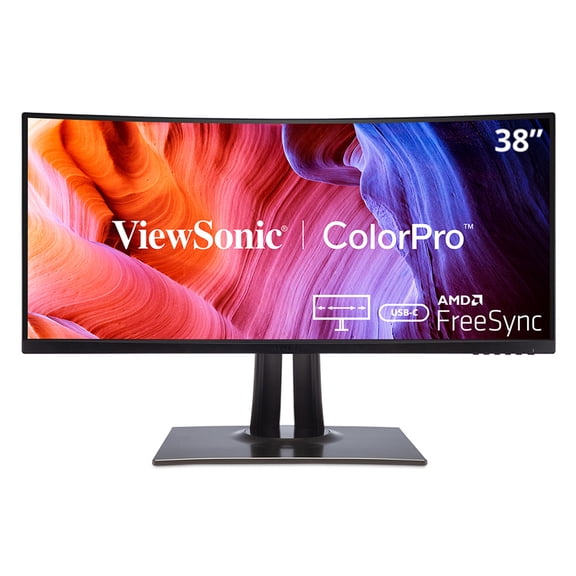 ViewSonic IPS Monitor VP3881a 38" Curved Ultrawide WQHD+ ColorPro™with 90W USB C$1349.99current price $1349.99
Sceptre C305B-200UN1 30" 2560 x 1080 VA Curved Computer Monitor, Black
 Sceptre C305B-200UN1 30" 2560 x 1080 VA Curved Computer Monitor, Black$149.98current price $149.98
Sceptre C275B-FWT240 27-Inch LED Curved Gaming Monitor with 240Hz Refresh Speed, 1080P FHD Resolution, and Built-In Speakers (Black)
 Sceptre C275B-FWT240 27-Inch LED Curved Gaming Monitor with 240Hz Refresh Speed, 1080P FHD Resolution, and Built-In Speakers (Black)$99.98current price $99.98
Sceptre New Curved 27-inch Gaming Monitor 100Hz 1500R HDMI x2 Build-in Speakers 2025
 Sceptre New Curved 27-inch Gaming Monitor 100Hz 1500R HDMI x2 Build-in Speakers 2025$84.98current price $84.98
Sceptre New Curved 24-inch Gaming Monitor up to 180Hz HDMI DP Build-in Speakers 2025
 Sceptre New Curved 24-inch Gaming Monitor up to 180Hz HDMI DP Build-in Speakers 2025$89.98current price $89.98