

Wing Office(5)
200 Label Outfitters Memorex Format CD - DVD Labels with Perforated Core Label $22.95

200 Label Outfitters Memorex Format CD - DVD Labels with Perforated Core Label
Fragile Sticker Handle with Care Shipping Labels-Self-Adhesive Stickers (1000 (1" x 3"))

Fragile Sticker Handle with Care Shipping Labels-Self-Adhesive Stickers (1000 (1" x 3"))
Wing Pro Office Premium 200 CD/DVD Labels Matte Memorex Core Compatible Labels for Laser Printers and Ink Jet Printers, White, Made in USA, Pack of 100 From $20.95

Wing Pro Office Premium 200 CD/DVD Labels Matte Memorex Core Compatible Labels for Laser Printers and Ink Jet Printers, White, Made in USA, Pack of 100
4000 Half Sheet Shipping Labels for Laser/InkJet 5-1/2" x 8-1/2" $193.50

4000 Half Sheet Shipping Labels for Laser/InkJet 5-1/2" x 8-1/2"
Wing Office Premium Self-Adhesive 3000 Address Labels for Laser Printers and Ink Jet Printers, White, Made in USA, 1 x 2.62 Inches $21.95

Wing Office Premium Self-Adhesive 3000 Address Labels for Laser Printers and Ink Jet Printers, White, Made in USA, 1 x 2.62 Inches
FAQ
What's the difference between address and shipping labels?
Address labels and shipping labels serve different purposes in mailing and organizing packages.
- Address labels are usually smaller and used to display sender or recipient information on envelopes or packages.
- Shipping labels are typically larger, often including more details like tracking barcodes, handling instructions, and shipping addresses.
Choosing the right type depends on your mailing needs. For general letters, address labels work well, while packages and parcels may require shipping labels for better visibility and tracking.
Can I print CD labels with any printer?
Many CD and DVD labels are compatible with both inkjet and laser printers, but it's important to check the product packaging or description to be sure.
- Some labels are designed specifically for inkjet, laser, or both types of printers.
- Using the wrong type may lead to smearing or poor adhesion.
Before printing, always verify your label sheets match your printer type for best results and to avoid jams or misprints.
How do I apply labels without bubbles or wrinkles?
Applying labels smoothly can help them look professional and stay in place.
- Start by cleaning and drying the surface where the label will go.
- Peel the label carefully, avoiding touching the adhesive too much.
- Align one edge first, then slowly smooth the rest down using a flat edge, like a credit card, to press out air bubbles as you go.
Taking your time with each step can help ensure a clean, wrinkle-free application.
Are these labels good for organizing at home?
Labels are a simple and effective way to keep things organized around the house.
- Use address or shipping labels on storage bins, pantry items, or files for easy identification.
- CD/DVD labels can help you sort and find media quickly.
Many labels are self-adhesive and come in bulk packs, making them convenient for large or ongoing organization projects.
What should I know before buying bulk labels?
Buying labels in bulk can save time and money, but a few things are good to consider first.
- Check the compatibility with your printer type (inkjet or laser).
- Look at the label size and sheet format to make sure they meet your needs.
- Consider storage space, as large packs can take up room.
Thinking about these factors can help you choose the right bulk labels for your projects without waste.
Popular in Office Supplies and Printable Labels for Organization
Related Products
This Side Up 500 Labels per Roll 3"x5" by Sutter Signs
 This Side Up 500 Labels per Roll 3"x5" by Sutter Signs$13.61current price $13.61
Personalized Return Address Labels, 250 Custom Printed Peel & Stick White Stickers
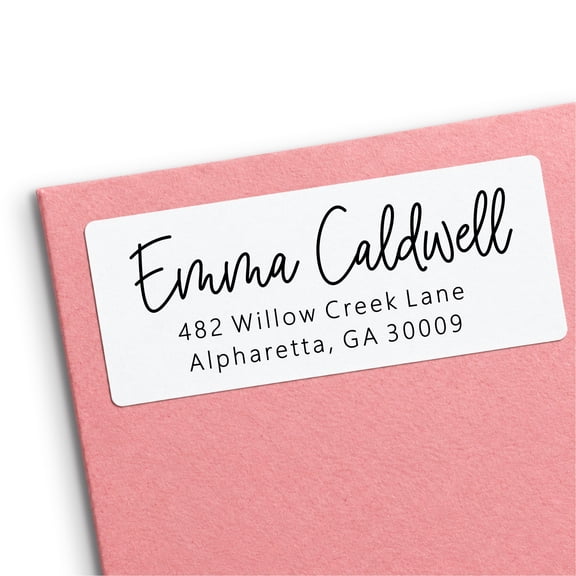 Personalized Return Address Labels, 250 Custom Printed Peel & Stick White Stickers$19.97current price $19.97
Avery Kraft Brown Round Labels, 2.5" Diameter, 90ct (22818)
 Avery Kraft Brown Round Labels, 2.5" Diameter, 90ct (22818)$5.99current price $5.99
Avery® Kraft Brown Round Labels, 2" Diameter, 180 Labels
 Avery® Kraft Brown Round Labels, 2" Diameter, 180 Labels$18.90current price $18.90
Round Labels, 2 1/2" Diameter, 225 Customizable Blank Labels Total, Laser/Inkjet Printable Labels
 Round Labels, 2 1/2" Diameter, 225 Customizable Blank Labels Total, Laser/Inkjet Printable Labels$9.99current price $9.99
3 Rolls of Tear-Resistant Waterproof Portable Handwritten Labels, Printable Tags for Marking, Compatible with Printer, 160 Labels per Roll, Self-Adhesive, Quality & Convenient
 3 Rolls of Tear-Resistant Waterproof Portable Handwritten Labels, Printable Tags for Marking, Compatible with Printer, 160 Labels per Roll, Self-Adhesive, Quality & Convenient$9.98current price $9.98
700 Pack Polyester Garment Size Labels for Clothing, 7 Assorted Sizing Tags for Retail, 100 Pieces per Size (0.39 x 0.71 In)
 700 Pack Polyester Garment Size Labels for Clothing, 7 Assorted Sizing Tags for Retail, 100 Pieces per Size (0.39 x 0.71 In)$8.46current price $8.46
Avery® Matte White Barbell Labels, 1/2" x 2-1/2", 1,125 Total
 Avery® Matte White Barbell Labels, 1/2" x 2-1/2", 1,125 Total$19.93current price $19.93
Tag-A-Room Moving Labels Content Pro Pack, 19 Content Labels, 190 Count, 1" x 4 " Permanent Labels, Moving Supplies, Bundle
 Tag-A-Room Moving Labels Content Pro Pack, 19 Content Labels, 190 Count, 1" x 4 " Permanent Labels, Moving Supplies, Bundle$7.75current price $7.75
Avery Oval Scroll Labels, Kraft Brown, 1-1/8" x 2-1/4", 24 Labels (40151)
 Avery Oval Scroll Labels, Kraft Brown, 1-1/8" x 2-1/4", 24 Labels (40151)$9.99current price $9.99
1"x3" FRAGILE SHIPPING LABELS NEW DESIGN 1000 LABELS - FREE USA SHIPPED
 1"x3" FRAGILE SHIPPING LABELS NEW DESIGN 1000 LABELS - FREE USA SHIPPED$13.99current price $13.99
Clear Return Address Labels, Custom Printed Matte Frosted Clear Transparent Stickers, Personalized Labels, 5 Sheets, 150 Labels Total - Red Accent Heart Design
 Clear Return Address Labels, Custom Printed Matte Frosted Clear Transparent Stickers, Personalized Labels, 5 Sheets, 150 Labels Total - Red Accent Heart Design$29.97current price $29.97
Avery Kraft Brown Round Labels, 3" Diameter, 90 Labels
 Avery Kraft Brown Round Labels, 3" Diameter, 90 Labels$18.90current price $18.90
Avery Kraft Brown Round Labels, 1" Diameter, 720 Labels
 Avery Kraft Brown Round Labels, 1" Diameter, 720 Labels$17.09current price $17.09
Water-Resistant Arched Labels, 3-1/2" x 4-3/4", 40 Labels (22826)
 Water-Resistant Arched Labels, 3-1/2" x 4-3/4", 40 Labels (22826)$16.76current price $16.76