

Moxee(1)
Straight Talk Prepaid Home Phone Base by Moxee $49.88
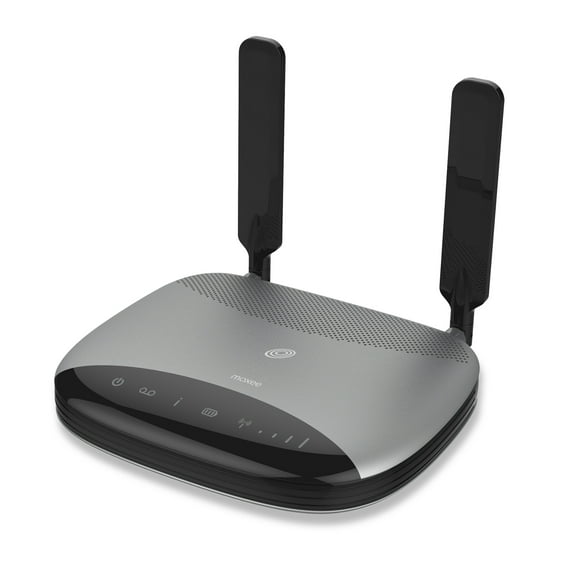
Straight Talk Prepaid Home Phone Base by Moxee
FAQ
What is a Moxee hotspot?
A Moxee hotspot is a portable device that lets you connect to the internet wherever you go. It's designed to create a secure Wi-Fi network using cellular data, so you can use your phone, tablet, or laptop even when you're away from home. It's great for travel, work, or anytime you need reliable internet access on the move. Just power it on, connect your device to its Wi-Fi signal, and you're ready to browse, stream, or work online. You can find Moxee hotspots in the cell phones section at Walmart.
How do I log in to my Moxee hotspot?
- First, turn on your Moxee hotspot and wait for it to fully start.
- On your phone or computer, search for available Wi-Fi networks and select your Moxee hotspot's name (SSID).
- Enter the password found on the device or in the user manual.
- Once connected, open a web browser and type in the hotspot's login address (usually printed on the device or manual) to access settings.
- From here, you can manage your connection, check data usage, or adjust settings as needed.
How can I refill my Moxee hotspot?
- Visit the prepaid service provider's website or use their app.
- Log in to your account and select your Moxee hotspot.
- Choose a data plan or refill option that suits your needs.
- Follow the prompts to complete your purchase.
- Once your refill is processed, your hotspot will be ready for use again. If you need help, Walmart associates can guide you to the right refill cards or online resources.
What can I use a Moxee hotspot for?
You can use a Moxee hotspot to connect multiple devices to the internet when you're on the go. It's handy for streaming videos, checking emails, working remotely, or keeping kids entertained during travel. The hotspot creates a Wi-Fi network using cellular data, so you don't need a fixed internet connection. It's a flexible solution for students, travelers, or anyone needing reliable internet outside the home.
How do I set up a Moxee home phone base?
- Plug the Moxee home phone base into a power outlet.
- Connect your home phone to the base using a standard phone cable.
- Follow the instructions in the user manual to activate the device with your prepaid service.
- Once activated, you can make and receive calls just like a traditional landline.
- If you have questions, Walmart's cell phone department can help with setup tips and resources.