

Lvlup(3)
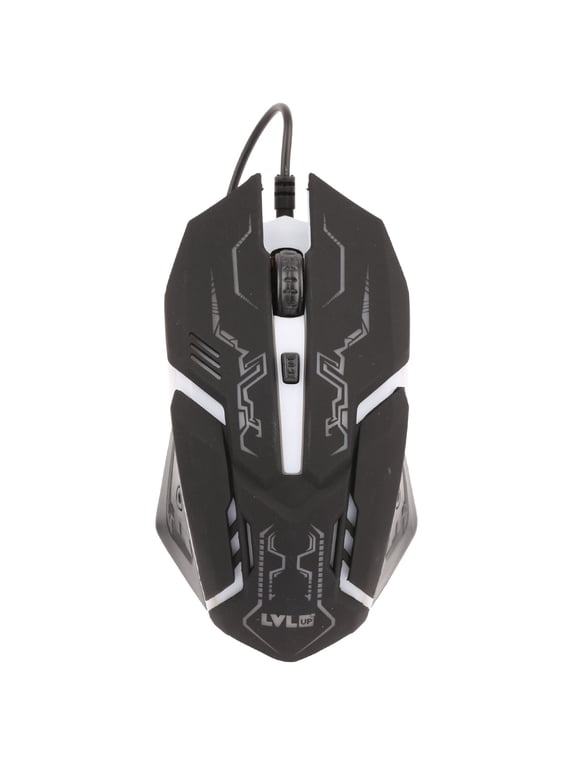
Lu737 Pro Gaming Mouse $12.99
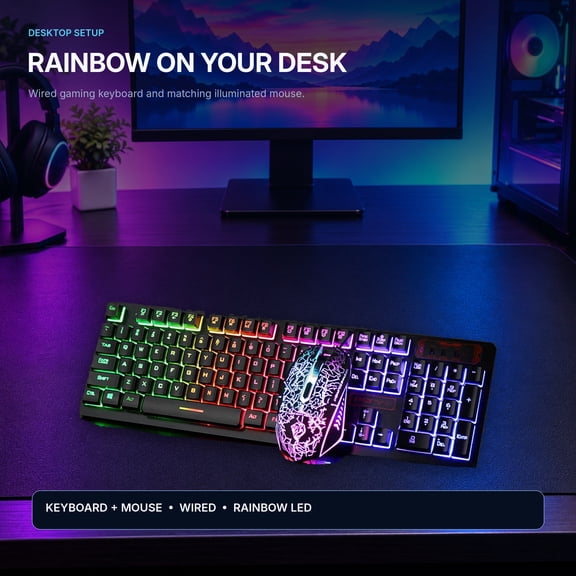
Lu734 Pro Gaming Keyboard $24.50

Lu731-blu Artillery Gaming Headset (blue) $15.99 Was $19.99

FAQ
How do I pick the right gaming headset?
Choosing a gaming headset comes down to comfort, sound quality, and features. Start by looking for adjustable headbands and cushioned ear cups, which can make long gaming sessions more enjoyable. It can also help to check if the headset has a built-in microphone for team chat and whether it offers noise-cancelling capabilities. If you play on multiple devices, look for a headset that's compatible with your setup. Wired and wireless options are available, so consider what works best for your gaming style. Trying on different models in-store can also help you find the best fit for you.
What makes a gaming mouse different from a regular one?
Gaming mice are designed with extra features to support fast-paced gameplay. Unlike regular mice, they often include:
- Higher sensitivity (DPI) settings for precise control.
- Additional programmable buttons for quick in-game actions.
- Ergonomic shapes to reduce hand fatigue.
Some also offer customizable lighting and adjustable weights. These upgrades can make gaming more comfortable and responsive, but you can still use them for everyday tasks if you want.
Can I use a gaming keyboard for school or work?
Absolutely! Gaming keyboards are equipped with features that can be helpful outside of gaming. Many models have:
- Backlit keys for low-light use.
- Durable construction for heavy typing.
- Programmable keys for shortcuts.
While they're designed for gaming, these keyboards can handle everyday tasks, making them a versatile choice for school or office work as well.
How do I clean my gaming mouse and keyboard?
Keeping your gaming mouse and keyboard clean can help them last longer and perform better. To clean them safely:
- Unplug both devices from your computer.
- Wipe surfaces with a slightly damp, lint-free cloth.
- Use compressed air to remove dust from crevices.
- Avoid harsh chemicals or soaking any part in liquid.
Regular cleaning can help prevent sticky keys and ensure smooth mouse movement.
Are gaming accessories easy to set up with my computer?
Most gaming accessories are designed for easy setup. Typically, you just need to:
- Plug the accessory into a USB port.
- Wait for your computer to recognize the device automatically.
- Install any included software for extra features, if you like.
Some accessories may offer additional customization through software, but basic functions usually work right out of the box.
Popular in Lvlup
- Headset And Mouse Combo
- Wireless Gaming Kit
- Harpoon Rgb
- Mac Gaming Wired Keyboard and Mouse Combo
- Wired Deals
- Rainbow Keyboard And Mouse White
- Gaming Keyboard Mouse Combo
- Mac Gaming Wireless Keyboard and Mouse Combo
- PC Gaming Wireless Keyboard and Mouse Combo
- PC Gaming Wired Keyboard and Mouse Combo
- PC Gaming Wireless Keyboards
- Mac Gaming Wired Keyboards
Related Products
HXSJ V700BW+X100 USB Keyboard and Mouse Combo, Wired Gaming Mouse, Colorful LED Lighting, 4-Level DPI Max.3600DPI for PC Laptop
 HXSJ V700BW+X100 USB Keyboard and Mouse Combo, Wired Gaming Mouse, Colorful LED Lighting, 4-Level DPI Max.3600DPI for PC Laptop$29.99current price $29.99
Gaming Keyboard and Mouse Combo with Headset,USB Wired RGB Rainbow Backlit Gaming Keyboard and Mice and Over Ear Headphone with Mic for XboxPS4 PC Computer Tablet
 Gaming Keyboard and Mouse Combo with Headset,USB Wired RGB Rainbow Backlit Gaming Keyboard and Mice and Over Ear Headphone with Mic for XboxPS4 PC Computer Tablet$38.90current price $38.90
HK GAMING GK61 SE 60% | Mechanical Gaming Keyboard | 61 Keys Multi Color RGB LED Backlit for PC / Mac Gamer | ANSI US American Layout ( Black , Mechanical Red )
 HK GAMING GK61 SE 60% | Mechanical Gaming Keyboard | 61 Keys Multi Color RGB LED Backlit for PC / Mac Gamer | ANSI US American Layout ( Black , Mechanical Red )$29.99current price $29.99
Party Zealot RGB Backlit Gaming Keyboard and Mouse Combo, Full Size Black Keyboard with Number Pad and Light Up Gaming Mouse, 2 Piece Set
 Party Zealot RGB Backlit Gaming Keyboard and Mouse Combo, Full Size Black Keyboard with Number Pad and Light Up Gaming Mouse, 2 Piece Set$19.99current price $19.99
Qian Keyboard and Mouse Kit. Wired, USB Model QKX-20603EN
 Qian Keyboard and Mouse Kit. Wired, USB Model QKX-20603EN$39.99current price $39.99
Mechanical RGB Tenkeyless Gaming Chronus Series Keyboard with Cherry MX Switches - Red Axis
 Mechanical RGB Tenkeyless Gaming Chronus Series Keyboard with Cherry MX Switches - Red Axis$94.27current price $94.27
ATTACK SHARK G3 Tri-mode Wireless Gaming Mouse 25000 DPI Ultra Lightweight
 ATTACK SHARK G3 Tri-mode Wireless Gaming Mouse 25000 DPI Ultra Lightweight$26.99current price $26.99
Giunmcul Holiday Saving 104 Keys Colorful-Backlit Gaming Keycap Replacement Mechanical Keyboard
 Giunmcul Holiday Saving 104 Keys Colorful-Backlit Gaming Keycap Replacement Mechanical Keyboard$5.99current price $5.99
Wired Gaming Keyboard&Mouse Headset Combo,Rainbow Over Ear Headphone with Mic,Mice Pad for PC(Black)
 Wired Gaming Keyboard&Mouse Headset Combo,Rainbow Over Ear Headphone with Mic,Mice Pad for PC(Black)$42.99current price $42.99