

Evolis Computer Cleaners(5)
Evolis Badgy ACL008 100/200 Printer Cleaning Kit- 2x Cleaning Cards, 1x Cleaning Pen $22.98

Evolis Badgy ACL008 100/200 Printer Cleaning Kit- 2x Cleaning Cards, 1x Cleaning Pen
BADGY CLEANING KIT2 T-SHAPE CLEANING CARDS 1 PEN BADGY100 & 200 $42.21

BADGY CLEANING KIT2 T-SHAPE CLEANING CARDS 1 PEN BADGY100 & 200
Evolis Advanced Printer Cleaning Kit $38.99

Evolis Advanced Printer Cleaning Kit
BADGY 100/200 CLEANING CARD INCLUDES 1XT-SHAPE CLEANING CARD $45.65

BADGY 100/200 CLEANING CARD INCLUDES 1XT-SHAPE CLEANING CARD
Card Printer Cleaning Pens,1 in. H,PK3 ACL005 $23.19
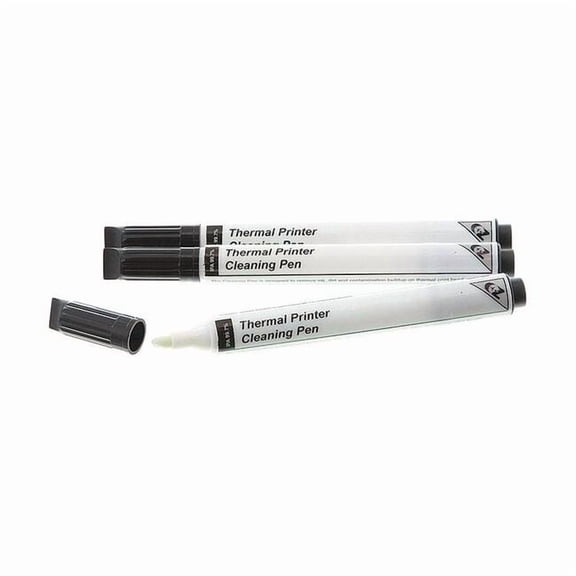
Card Printer Cleaning Pens,1 in. H,PK3 ACL005
Other options to consider(4)
BADGY 100/200 CONSUMABLE Pack $50.40

BADGY 100/200 CONSUMABLE Pack
Evolis Badgy200 Color ID Card All-in-One Printer with Evolis Badge Studio & Color Ribbon $759.00

Evolis Badgy200 Color ID Card All-in-One Printer with Evolis Badge Studio & Color Ribbon
Evolis Badgy 100 Color Plastic ID Card Printer $599.00

Evolis Badgy 100 Color Plastic ID Card Printer
EVOLIS, ZENIUS CLASSIC PRINTER, SINGLE SIDED, WITHOUT OPTION, USB, RED TRIM, USB $1,084.47

EVOLIS, ZENIUS CLASSIC PRINTER, SINGLE SIDED, WITHOUT OPTION, USB, RED TRIM, USB
FAQ
How do I use a printer cleaning kit?
Using a printer cleaning kit is pretty straightforward and can help keep your card printer running smoothly. First, turn off and unplug your printer. Open the cover to access the card feed area. Next, remove a cleaning card from the kit and insert it as directed. The card will pick up dust and debris from the rollers. If your kit includes a cleaning pen, gently run it along the printhead to wipe away any residue. Always refer to your printer's manual for specific instructions.
- Unplug before cleaning.
- Use included cards and pens as directed.
Regular cleaning can help extend your printer's life.
What comes in a card printer cleaning kit?
A typical card printer cleaning kit includes a few different tools to help you maintain your printer. Most kits come with cleaning cards, which are designed to remove dust and debris from the card path and rollers. Some kits also include a cleaning pen you can use on the printhead to clear away stubborn residue.
- Cleaning cards
- Cleaning pen
- Instructions for use
Check the kit packaging or product description for exactly what's included, as this can vary.
How often should I clean my card printer?
How often you should clean your card printer depends on how much you use it and the environment it's in. In general, it's a good idea to clean the printer every time you replace a ribbon or after printing a few hundred cards. If your printer is in a dusty area, you might need to clean it more frequently.
- Clean after ribbon changes.
- Consider cleaning every few hundred cards.
- More frequent cleaning in dusty environments.
Following a regular cleaning routine can help prevent print issues and extend the printer's lifespan.
Can I use cleaning kits with any card printer?
Not all cleaning kits are compatible with every card printer model. It's important to check your printer's manual or the kit's description to make sure they're a match. Some cleaning cards and pens are designed for specific models or brands and might not fit or work correctly with others.
- Always check compatibility before purchasing.
- Consult your printer's manual for recommended kits.
Using the right kit helps avoid damage and keeps your printer working its best.
What are cleaning cards used for in a printer?
Cleaning cards play a key role in keeping your card printer working well. They're specially designed to pick up dust, dirt, and leftover adhesive from the rollers and internal surfaces as they pass through the printer. This helps prevent card jams, streaks, and print quality issues.
- Removes built-up debris from rollers.
- Helps maintain print quality.
- Reduces the risk of jams or malfunctions.
Using cleaning cards regularly is a simple way to help maintain your printer.
Popular in Printer Cleaning Kits for Card Printers and Maintenance
Related Products
KOALA PAPER Printhead Cleaning Kit 120ML, Universal Nozzle Cleaner, Print Head Solutions Flush for HP, Canon, Epsn. Desktop Inkjet Printers
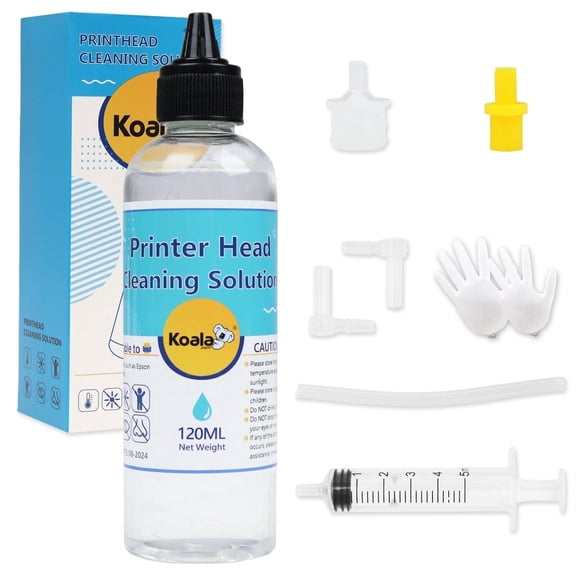 KOALA PAPER Printhead Cleaning Kit 120ML, Universal Nozzle Cleaner, Print Head Solutions Flush for HP, Canon, Epsn. Desktop Inkjet Printers$10.99current price $10.99
Printer Cleaning Kit Printhead Cleaning Kit for Inkjet Printers HP/Brother/Epson/Canon WF-7710 WF-3640 7620 8600 8610 8620 WF-2750 WF-2650 ET-2750 ET-2650 C88 Liquid Printers Nozzle (100ml)
 Printer Cleaning Kit Printhead Cleaning Kit for Inkjet Printers HP/Brother/Epson/Canon WF-7710 WF-3640 7620 8600 8610 8620 WF-2750 WF-2650 ET-2750 ET-2650 C88 Liquid Printers Nozzle (100ml)$12.71current price $12.71
Cleaning Kit Printer Maintenance for HP Epson Canon
 Cleaning Kit Printer Maintenance for HP Epson Canon$15.13current price $15.13
500ml Universal Printer Cleaning Kit Unblock Print Head Nozzles Cleaner Flush Printhead Cleaning kit for All Printers
 500ml Universal Printer Cleaning Kit Unblock Print Head Nozzles Cleaner Flush Printhead Cleaning kit for All Printers$22.48current price $22.48
Power Max Printhead Cleaning System - Extra Strength - For printers with removable/washable printheads - Icing Images® Genuine
 Power Max Printhead Cleaning System - Extra Strength - For printers with removable/washable printheads - Icing Images® Genuine$38.99current price $38.99
KRONDO Epson Printer Cleaning Kit Flush Cleaner Unblock Print Head Nozzles fits
 KRONDO Epson Printer Cleaning Kit Flush Cleaner Unblock Print Head Nozzles fits$6.30current price $6.30
Printhead Cleaning Kit Nozzle Flush Printer Head Cleaner Compatible for Inkjet Printer
 Printhead Cleaning Kit Nozzle Flush Printer Head Cleaner Compatible for Inkjet Printer$11.92current price $11.92
Epson Printer Cleaning Kit Flush Cleaner Unblock Print fits Hea J2X9
 Epson Printer Cleaning Kit Flush Cleaner Unblock Print fits Hea J2X9$5.22current price $5.22
Lexmark 40X8433 Fuser Maintenance Kit, 110-120V
 Lexmark 40X8433 Fuser Maintenance Kit, 110-120V$302.94current price $302.94
Hp Hp Laserjet 110V Maintenance K, J8J87A
 Hp Hp Laserjet 110V Maintenance K, J8J87A$328.99current price $328.99
Ocproducts 21 Ink Printer Cartridge, for PSC 1410/Deskjet F4180, Black, OCHP21
 Ocproducts 21 Ink Printer Cartridge, for PSC 1410/Deskjet F4180, Black, OCHP21$11.50current price $11.50
Tammyyerke Epson Printer Cleaning Kit Flush Cleaner Unblock Print fits Hea X3P4
 Tammyyerke Epson Printer Cleaning Kit Flush Cleaner Unblock Print fits Hea X3P4$5.65current price $5.65
Power Max™ Refill Solution - Use with Power Max Printhead Cleaning Kit - 4 oz - ***Icing Images® Genuine***
 Power Max™ Refill Solution - Use with Power Max Printhead Cleaning Kit - 4 oz - ***Icing Images® Genuine***$27.99current price $27.99
HP PageWide Printhead Wiper Kit, W1B43A
 HP PageWide Printhead Wiper Kit, W1B43A$110.99current price $110.99
Office Depot OD2537 Printer/Copier/Fax Cleaning Kit, OD2537
 Office Depot OD2537 Printer/Copier/Fax Cleaning Kit, OD2537$15.77current price $15.77
HP Jetdirect 3100w BLE/NFC/Wireless Accessory
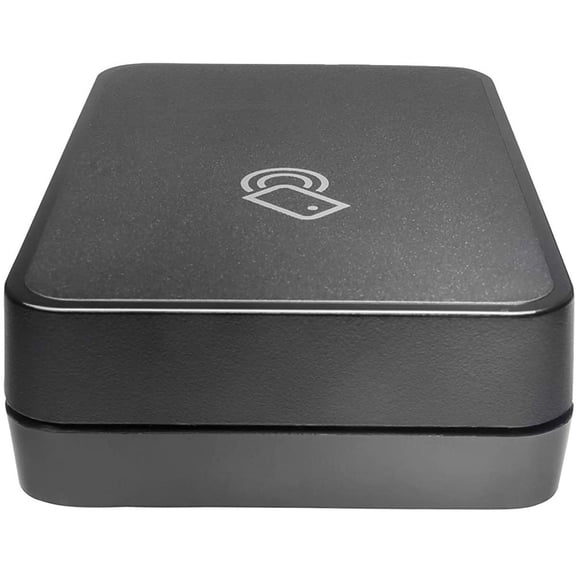 HP Jetdirect 3100w BLE/NFC/Wireless Accessory$99.09current price $99.09
HP LaserJet ADF Flow 6M1P3A Maintenance Kit
 HP LaserJet ADF Flow 6M1P3A Maintenance Kit$86.15current price $86.15
Printhead Cleaning Kit Printer Flush Kit for WF-7720 WF-7710 WF-7210 WF-7620 WF-7610 WF-2660 WF-2630 WF-2760 WF-2750 WF-3640 WF-3620 XP-430 420 410 XP-330 XP-320 Printer Nozzle Cleaner
Printhead Cleaning Kit Printer Flush Kit for WF-7720 WF-7710 WF-7210 WF-7620 WF-7610 WF-2660 WF-2630 WF-2760 WF-2750 WF-3640 WF-3620 XP-430 420 410 XP-330 XP-320 Printer Nozzle Cleaner