

Ecore(5)
Ecore Cables DB25 Male Crimp Connector Kit - Plastic EC1152 $10.85

Ecore Cables DB25 Male Crimp Connector Kit - Plastic EC1152
ECore Cables, Cable Tie Mount Pad EC94-100-100 $15.35

ECore Cables, Cable Tie Mount Pad EC94-100-100
ECore Cables 1 FT Cat5e Ethernet Patch Cable - Snagless Boot - Blue - RJ45 EC530-01 BL $6.67

ECore Cables 1 FT Cat5e Ethernet Patch Cable - Snagless Boot - Blue - RJ45 EC530-01 BL
ECore Cables Flat Keystone Wall Plate - Single Gang - 4 Port - Stainless Steel 2 Pack $16.24

ECore Cables Flat Keystone Wall Plate - Single Gang - 4 Port - Stainless Steel 2 Pack
ECore Cables 7 FT Cat5e Ethernet Patch Cable - Snagless Boot - Black - RJ45 EC530-07 BK $8.33

ECore Cables 7 FT Cat5e Ethernet Patch Cable - Snagless Boot - Black - RJ45 EC530-07 BK
FAQ
How do I pick the right Ethernet cable length?
Choosing the best cable length depends on your setup and where you need the connection. Start by measuring the distance between devices, like your router and computer or gaming console.
- Measure the path the cable will follow, not just the straight line distance.
- Add a little extra length to allow for bends or moving devices.
- If you're unsure, it's usually safer to go slightly longer rather than risk coming up short.
This way, your Ethernet cable can reach comfortably without being too tight or causing tripping hazards.
What are cable tie mounts used for?
Cable tie mounts help keep your wires and cables organized and secure. They're small adhesive or screw-in pads that give you a place to anchor cable ties.
- They're great for tidying up messy cables behind desks, entertainment centers, or networking setups.
- Using mounts can prevent cables from tangling and make your space easier to clean.
- They also help reduce wear on cables by keeping them in place and minimizing movement.
Mounts are a simple way to keep your workspace neat and cables safe.
How do I install a keystone wall plate?
Installing a keystone wall plate is a straightforward DIY project. Here are some steps to guide you:
- Turn off power if working near electrical outlets for safety.
- Remove the old wall plate (if there is one).
- Insert your keystone jacks into the wall plate until they click into place.
- Secure the wall plate to the wall using the included screws.
- Connect your cables to the keystone jacks from behind.
Take care not to bend cables sharply, and check that everything fits snugly before finishing up.
Can I mix different colored Ethernet cables?
Yes, you can use different colored Ethernet cables in the same network. The color of the cable is mostly for organization and doesn't affect performance.
- Some people use different colors to keep track of connections or separate networks.
- It can make troubleshooting or changes to your setup easier down the road.
- Just make sure all cables are the right type and category for your needs, like Cat5e for standard networking.
Mixing colors is a handy way to keep things organized and visually clear.
How can I keep cables from getting tangled?
Keeping cables from tangling is all about smart organization. Here are a few tips:
- Use cable ties, mounts, or clips to bundle and route cables neatly.
- Label each cable so you know what connects where.
- Try to keep power and data cables separate to avoid interference and mess.
- Storing extra cable length in loops (not tight coils) helps prevent knots.
A little planning up front can save you lots of time and hassle later on.
Popular in Shop Cat5e Ethernet Cables and Connectors Online
Related Products
D-Line White Cable Spiral Wrap, Organize Cords 0.39-1.5in, 8.2ft Length
 D-Line White Cable Spiral Wrap, Organize Cords 0.39-1.5in, 8.2ft Length$10.99current price $10.99
Cable Wraps for Cords,Reusable Cable Ties(120 Pack,6 Inch)-Hook and Loop Cord Organizer Straps for Wire Management-Multi-Color Adjustable Wire Wraps for for Electronics,PC & Office Desk Organization
 Cable Wraps for Cords,Reusable Cable Ties(120 Pack,6 Inch)-Hook and Loop Cord Organizer Straps for Wire Management-Multi-Color Adjustable Wire Wraps for for Electronics,PC & Office Desk Organization$10.99current price $10.99
Emlimny Hook and Loop Cable Straps, Cable Management Under Desk, 80PCS Self Adhesive Cable Ties, Reusable Wire Organizers for Cords, Adjustable Cable Clips, Home Office Essentials (Black)
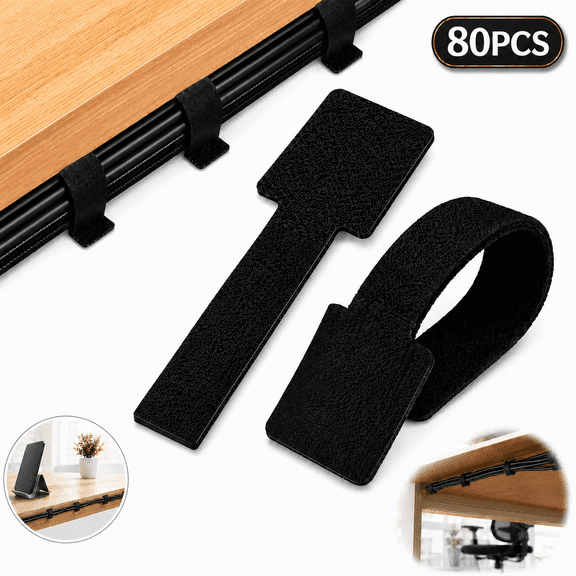 Emlimny Hook and Loop Cable Straps, Cable Management Under Desk, 80PCS Self Adhesive Cable Ties, Reusable Wire Organizers for Cords, Adjustable Cable Clips, Home Office Essentials (Black)$11.99current price $11.99
20 Pack Reusable Silicone Magnetic Cable Ties - Twist Ties for Home/Office Cord Wrap, Cable Organizer, Magnetic Cord Holder, Cable Organizer and Fridge Magnets
 20 Pack Reusable Silicone Magnetic Cable Ties - Twist Ties for Home/Office Cord Wrap, Cable Organizer, Magnetic Cord Holder, Cable Organizer and Fridge Magnets$12.99current price $12.99
80PCS Hook and Loop Cable Straps, Cable Management Under Desk, Self Adhesive Cable Ties, Reusable Wire Organizers for Cords, Adjustable Cord Organizers for Desk, Home Office Essentials, Black
 80PCS Hook and Loop Cable Straps, Cable Management Under Desk, Self Adhesive Cable Ties, Reusable Wire Organizers for Cords, Adjustable Cord Organizers for Desk, Home Office Essentials, Black$8.56current price $8.56
EEEkit 100 Pcs Adhesive Cable Wire Clips with Strong Adhesive, Self-Adhesive Cable Wire Management Wire Cable Holder Clamps Cable Tie Holder for Car, Office, and Home(Black)
 EEEkit 100 Pcs Adhesive Cable Wire Clips with Strong Adhesive, Self-Adhesive Cable Wire Management Wire Cable Holder Clamps Cable Tie Holder for Car, Office, and Home(Black)$10.48current price $10.48
10 Pieces Magnetic Cable Clips Silicone Magnetic Cord Organizer Magnetic Ties Cord Winders Cable Ties For Cable Management Headphones Bookmarks Keys
 10 Pieces Magnetic Cable Clips Silicone Magnetic Cord Organizer Magnetic Ties Cord Winders Cable Ties For Cable Management Headphones Bookmarks Keys$11.99current price $11.99
Yekepal Silicone Cable Ties, 24-Pack Reusable Cable Organizers, Multi-Color Cord Straps for Wires, Chargers, Home and Office Desk Management
 Yekepal Silicone Cable Ties, 24-Pack Reusable Cable Organizers, Multi-Color Cord Straps for Wires, Chargers, Home and Office Desk Management$8.99current price $8.99
Dog and Cat Cord Protector 10ft ,Cable Sleeve for Easy Cord Management, Protects Cables From Pets Chewing 1/2inch By PULMCheerger
 Dog and Cat Cord Protector 10ft ,Cable Sleeve for Easy Cord Management, Protects Cables From Pets Chewing 1/2inch By PULMCheerger$7.55current price $7.55
Cord Covers for Wires on Wall, 26.25ft Flexible PVC Cable Hider, Self-Adhesive TV Wire Concealer, Fits 1 HDMI or 2 USB, White
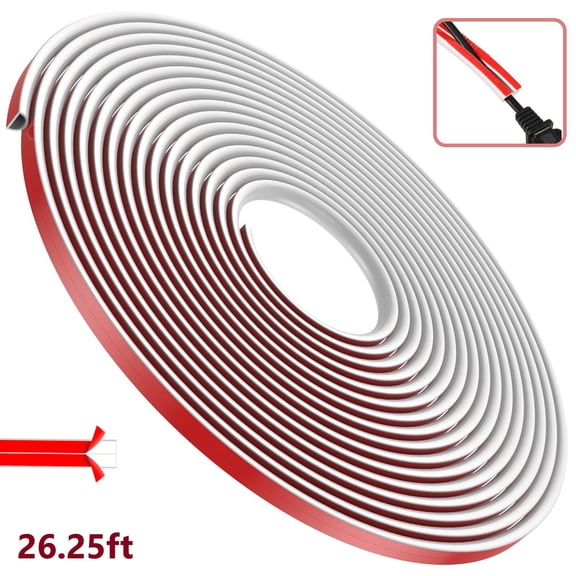 Cord Covers for Wires on Wall, 26.25ft Flexible PVC Cable Hider, Self-Adhesive TV Wire Concealer, Fits 1 HDMI or 2 USB, White$17.49current price $17.49
Binazon Cord Covers, Wire Hiders, Wire Management 142 Inch Cable Cover Set with 10 Pieces, White
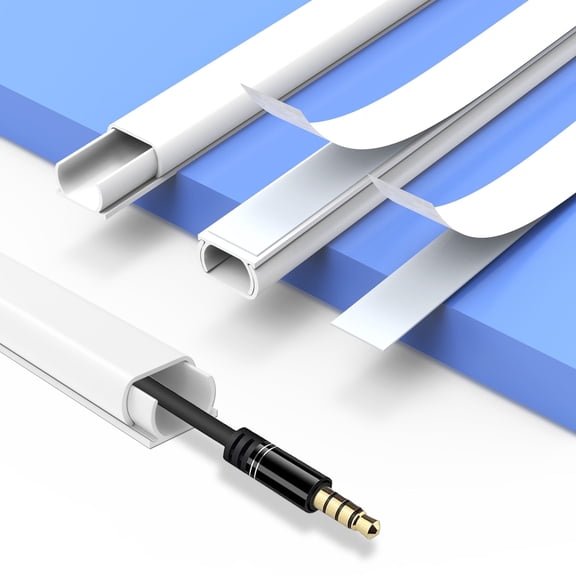 Binazon Cord Covers, Wire Hiders, Wire Management 142 Inch Cable Cover Set with 10 Pieces, White$10.59current price $10.59
Genreen 10 Pcs Cord Organizer, Soft Handy Cord Wrap, Reusable Silicone Magnetic Cable Ties Wraps for Earbuds, Cord Organizer Tie for USB Cords, Home, School&Office Cable
 Genreen 10 Pcs Cord Organizer, Soft Handy Cord Wrap, Reusable Silicone Magnetic Cable Ties Wraps for Earbuds, Cord Organizer Tie for USB Cords, Home, School&Office Cable$10.99current price $10.99
Wall Cord Hider, Flexible Self-Adhesive Wire Cover, Side-Open Cable Raceway for Cords on Wall, Cord Concealer for Mounted TV, Home Theater & Office
 Wall Cord Hider, Flexible Self-Adhesive Wire Cover, Side-Open Cable Raceway for Cords on Wall, Cord Concealer for Mounted TV, Home Theater & Office$11.99current price $11.99
Uxcell Floor Cord Cover Cable Protector Cable Management for Home Office Grey 3.3 ft
 Uxcell Floor Cord Cover Cable Protector Cable Management for Home Office Grey 3.3 ft$15.49current price $15.49
Syncwire Cable Clips Cord Holders Self Adhesive Cord Organizer Cable Management for Desk, Home, Office - Clear
Syncwire Cable Clips Cord Holders Self Adhesive Cord Organizer Cable Management for Desk, Home, Office - Clear
12 Pack Magnetic Cable Clips, Cord Organizer for Cable Management, Wire Holder Knox Home & Health
 12 Pack Magnetic Cable Clips, Cord Organizer for Cable Management, Wire Holder Knox Home & Health$12.99current price $12.99