

Datacomm Electronics Datacomm Electronics Collection(3)
Data-Comm Electronics DAT20-5155 Decorator Plate Insert for 2 Keystones $6.49
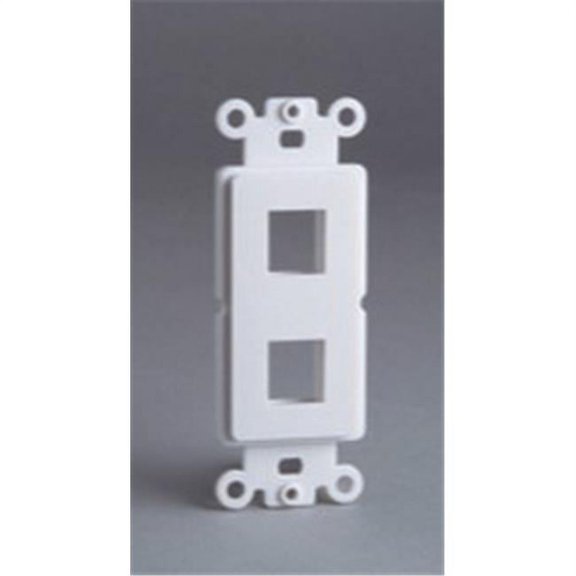
Data-Comm Electronics DAT20-5155 Decorator Plate Insert for 2 Keystones
Datacomm Recessed Low Voltage Faceplate - 1-gang - White $10.29

Datacomm Recessed Low Voltage Faceplate - 1-gang - White
Monoprice 1 3/4" Cable Pass-Through Hole Saw Plate, White Was $10.58

Monoprice 1 3/4" Cable Pass-Through Hole Saw Plate, White
FAQ
How do I install a wall plate?
Installing a wall plate is pretty straightforward. Start by turning off power to the area for safety. Remove the old plate if there is one, then position your new plate over the opening. Secure it with the provided screws, making sure it's flush against the wall. If you're using a keystone or recessed plate, insert any necessary modules before tightening everything up. Double-check that there aren’t any exposed wires. Always follow the manufacturer’s instructions and consult a licensed electrician if you’re unsure about the wiring. This approach can help ensure a safe, tidy installation.
Can I use these plates for my TV cables?
Yes, many wall plates are designed to help organize cables for devices like TVs, game consoles, or media centers.
- Recessed plates let you hide low voltage cables behind the wall.
- Split plates with flexible openings allow multiple cords to pass through without crimping.
- Keystone plates provide custom port setups for HDMI, ethernet, or audio.
What's the difference between recessed and split plates?
Recessed plates are designed to let cables sit within the wall, making things look neat behind furniture or electronics by keeping wires out of sight. Split plates, on the other hand, have flexible openings that let you run multiple cables through the wall without needing to cut or disconnect anything. Recessed plates are great for flush installations. Split plates are ideal when you have various cords or need flexibility for future setups. Choose based on how many cables you’re managing and if you want them hidden behind the wall or just organized.
Do I need special tools to install these plates?
For most wall plates, you’ll just need a standard screwdriver, but sometimes you may need a drywall saw or utility knife to create an opening or enlarge one. If you’re working with keystone inserts, a punch-down tool might be helpful, depending on the cable type.
- Always check your product instructions for recommended tools.
- Keep safety in mind—turn off power if electrical lines are involved.
How do I keep cables organized behind the wall?
Wall plates help manage cables by offering openings and ports that keep everything tidy. Here’s what you can do:
- Use plates with flexible openings for multiple cables.
- Bundle cables with zip ties before feeding them behind the wall.
- Opt for keystone plates to customize ports for specific needs.
- Label cables on both ends for easier troubleshooting later.
Popular in Shop Brand Home Electronics Accessories Online
- Data Comm Data Comm Collection
- Hubbell Premise Wiring Hubbell Premise Wiring Collection
- Hubbell Premise Wiring Computer Cables & Connectors
- Installing Ethernet Wall Jack
- Hubbell Wiring Device-kellems Cables & Connectors
- Hubbell Premise Wiring Cables & Connectors
- Ceiling Fan Electrical Boxes
- Recessed Electrical Boxes
- Ceiling Electrical Boxes
- Electrical Box Extenders
- Surface Mount Electrical Boxes
- Gang Boxes
Related Products
2-Pack 1 Port Ethernet Wall Plate, RJ45 Cat6 Female to Female Jack Inline Coupler Face Plates, 1-Port
 2-Pack 1 Port Ethernet Wall Plate, RJ45 Cat6 Female to Female Jack Inline Coupler Face Plates, 1-Port$9.15current price $9.15
4-Pack 1 Port Ethernet Wall Plate, RJ45 Cat6 Female to Female Inline Coupler Face Plates, 1-Port
 4-Pack 1 Port Ethernet Wall Plate, RJ45 Cat6 Female to Female Inline Coupler Face Plates, 1-Port$11.55current price $11.55
1-Pack 1-Port Ethernet Wall Plate, Jack Wall Plate with RJ45 Female to Female Inline Coupler Insert
 1-Pack 1-Port Ethernet Wall Plate, Jack Wall Plate with RJ45 Female to Female Inline Coupler Insert$7.37current price $7.37
VCELINK Keystone Jack Surface Mount Box 1-Port for UTP Cat6/Cat5e/Cat5 RJ45 Keystone Jacks, White, 3-Pack
 VCELINK Keystone Jack Surface Mount Box 1-Port for UTP Cat6/Cat5e/Cat5 RJ45 Keystone Jacks, White, 3-Pack$8.99current price $8.99
Ethernet Wall Plate with Low Voltage Mounting Bracket,Single Gang 2 Port Cat6 Ethernet Cable Wall Outlet
 Ethernet Wall Plate with Low Voltage Mounting Bracket,Single Gang 2 Port Cat6 Ethernet Cable Wall Outlet$12.51current price $12.51
RiteAV - 1 Port Cat6 Ethernet Blue Punch Down Jack Wall Plate, Cat5, 5E and Cat6 Compatible, Supports T568A/568B Wiring - 1 Pack
 RiteAV - 1 Port Cat6 Ethernet Blue Punch Down Jack Wall Plate, Cat5, 5E and Cat6 Compatible, Supports T568A/568B Wiring - 1 Pack$14.78current price $14.78
2-Pack 1-Port Ethernet Wall Plate, Jack Plate with RJ45 Female to Inline Coupler Insert
 2-Pack 1-Port Ethernet Wall Plate, Jack Plate with RJ45 Female to Inline Coupler Insert$8.50current price $8.50
Ethernet Wall Plate Outlet, 10 Pack Tool-Less RJ45 Keystone Jack, No Punch-Down Tool Required Module Coupler Cover RJ45 Wall Plate, White
Ethernet Wall Plate Outlet, 10 Pack Tool-Less RJ45 Keystone Jack, No Punch-Down Tool Required Module Coupler Cover RJ45 Wall Plate, White 
10-Pack Ethernet Keystone Wall Plates, Single Gang RJ45 Wall Plates for RJ45 Keystone Jack and Modular Inserts, Matte, White
10-Pack Ethernet Keystone Wall Plates, Single Gang RJ45 Wall Plates for RJ45 Keystone Jack and Modular Inserts, Matte, White
Hubbell Wiring Device-Kellems HBL7310B
 Hubbell Wiring Device-Kellems HBL7310B$59.86current price $59.86
Cat 6 Ethernet Wall Plate Port,Ethernet Female-Female Removable Compatible with Cat7/6/6E/5/5E
 Cat 6 Ethernet Wall Plate Port,Ethernet Female-Female Removable Compatible with Cat7/6/6E/5/5E$7.17current price $7.17
On-Q 20-Inch Plastic Media Enclosure with Trim Ring and Hinged Door
 On-Q 20-Inch Plastic Media Enclosure with Trim Ring and Hinged Door$90.72current price $90.72
Panduit Stainless Steel Keystone phone plate, category 6 (kwpk6)
 Panduit Stainless Steel Keystone phone plate, category 6 (kwpk6)$31.99current price $31.99
Monoprice 2-port Cat6 Surface Mount Box - White
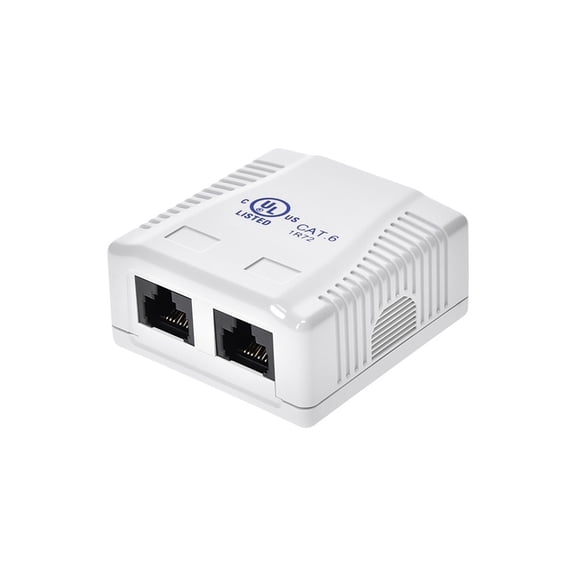 Monoprice 2-port Cat6 Surface Mount Box - White$8.39current price $8.39