

Shop 2-in-1 Laptops for Versatile Computing



































About Shop 2-in-1 Laptops for Versatile Computing - Walmart.com
2 in 1 laptops give you laptop productivity and tablet flexibility in one device. You can compare hinge styles, screen sizes, and operating systems to match school, work, or everyday use.
Across this category, you’ll find convertible laptops and detachable designs with touch control. As you compare options, your shortlist can include stylus support, processor choices, and portable sizes within one computer category.
How to choose 2 in 1 laptops
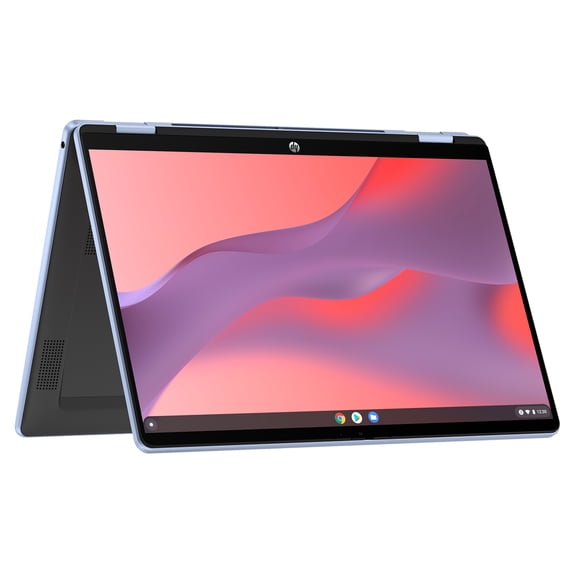
For daily use, your design choice matters first because it shapes how you’ll use your computer. A convertible model lets you keep your keyboard attached while it folds behind the screen.
In a detachable model, your keyboard comes off completely for a tablet-like setup. That design helps you read, stream, sketch, or jot notes in compact spaces.
Another key detail is the 360-degree hinge when you want multiple viewing modes. With that layout, you can switch between laptop, tent, stand, and tablet positions during classes, flights, or presentations.
- You can type, tap, and swipe on one device instead of carrying separate hardware.
- You can use tent or stand mode when your desk space feels limited.
- You can choose detachable or foldable laptops based on how often you travel.
- You can look for pen support if your notes or sketches happen on screen.
Choosing between convertible laptops and touchscreen laptops
Screen size deserves close attention because your portability and workspace change with each option. With 11-inch and 13-inch models, you get a format that stays simple to carry between classes, meetings, and commutes.
A 15-inch screen can give you additional room when your day includes several windows at once. In that size, you can manage spreadsheets, research tabs, and side-by-side documents during extended work blocks.
Your operating system also affects which apps and workflows feel familiar right away. With Windows, you can access broad software compatibility, while ChromeOS supports a simple web-focused routine.
Processor choice should match the tasks you expect to handle each day. Intel Core or AMD Ryzen can fit heavier multitasking, while Intel Celeron can suit light browsing and document work.
Battery expectations matter too when you want a device that supports your schedule. By balancing processor power with daily battery hours, you can narrow your options with fewer tradeoffs.
What to look for in 2 in 1 laptop computers
Touch response should match the way you plan to work, write, and navigate. When you compare laptops with touch screen input, you can tap menus, scroll pages, and sign documents directly.
Stylus compatibility matters when your routine includes handwritten notes, drawing, or markup. Before you choose, check the active pen protocol so your device works with the pen you want.
Pressure sensitivity levels are also worth comparing when your screen work needs precise input. If you sketch often or annotate files, you’ll notice those details affect your writing and drawing experience.
Keyboard feel and trackpad size can shape your comfort during long typing sessions. Along with that, you can check port selection, webcam placement, and wireless connectivity for daily convenience.
Portable designs with slim frames can fit travel, campus bags, and shared workspaces. Before you decide, confirm the overall weight so your computer fits your routine on the move.
Matching touchscreen laptops to your routine
For student use, touchscreen laptops can combine notes, streaming, and research in one device. In many cases, an 11-inch or 13-inch model gives you practical portability between classes.
Back to school laptops often make sense with a convertible design and pen support. During lectures, you can fold the keyboard back, then return to typing mode for papers later.
Business use calls for flexibility when your day includes presentations, email, and video calls. In that setup, you may want Windows, a responsive processor, and a 360-degree hinge for adaptable meeting views.
Casual use can center on browsing, shows, recipes, and video chats at home or away. For those tasks, ChromeOS and lighter processors can deliver a straightforward experience without extra complexity.
Gaming needs deserve a realistic look because this category emphasizes flexibility first. For light gaming and multitasking, you’ll want strong processors and large screens that fit your preferred setup.
Your location of use can also guide your choice across this category. For travel, you might favor small devices, while desk-based routines can benefit from large displays.
Why 2 in 1 laptops fit modern computing
With 2 in 1 laptops, you get keyboard productivity and touch convenience in one computer. As you compare design type, screen size, operating system, and processor, your choice can feel clear and practical.
Once you review pen support, hinge style, and portability, you can choose with confidence. That approach helps you land on one device for notes, meetings, streaming, and everyday tasks.
Popular in Shop 2-in-1 Laptops for Versatile Computing - Walmart.com
- 2 1 Laptop Computers
- 2 1 Laptops Under 500
- 2 1 Laptops Intel Core M
- Laptops Intel Hd Graphics Computers Tablets
- Laptops 2 9 Ghz Computers Tablets
- Laptops 3840x2160 Above Computers Tablets
- Lapt
- Laptop Keyboard Work
- Top Rated Products in Touchscreen Laptops
- Best Laptop Cad
- 2 1 Laptops Intel Core I3
- Laptops 2560x1440 Computers Tablets