




Content Creator





































About
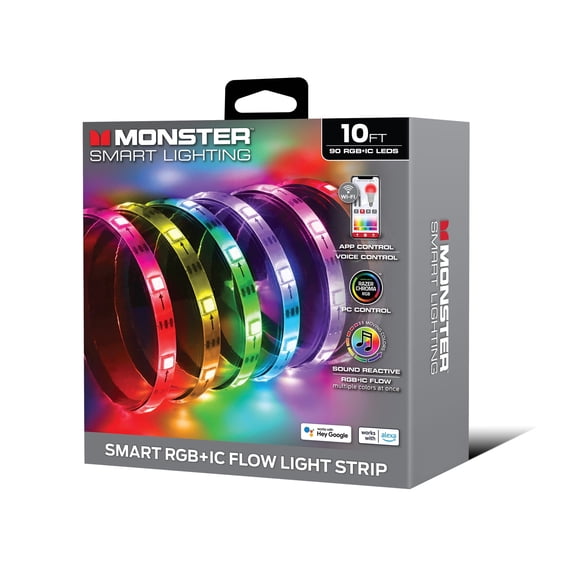
You can use led lights for projects to shape cleaner backgrounds, brighter desks, and more flexible creator setups. You’ll also get choices that fit filming, streaming, DIY crafts, and under-cabinet accents without overcomplicating your setup.
If you’re building a creator space, your lighting choices affect color, mood, and how polished your videos look. You’ll find options for plug-in power, USB connections, battery use, and different LED light colors that match your space.
How led lights for projects support your setup
You can use these lights to add depth behind your camera, highlight shelves, or frame a worktable. You’ll also notice how targeted lighting helps your projects look more intentional on screen.
For content creation, you may want steady light that stays consistent during recording sessions. For DIY crafts, you may prefer flexible strips that bend around edges, display boards, or storage areas.
- You can create a studio backdrop with multicolor LED effects and cleaner visual contrast.
- You can brighten a desk setup for filming tutorials, unboxings, or live streams.
- You can outline shelves, cabinets, or craft stations with a plug in led light strip.
- You can switch between warm white, cool white, and RGB looks for different project styles.
When you compare creator lighting, you should look at power, color modes, strip length, and controls first. You’ll make a clearer choice when those details match your room and your routine.
Choosing the right plug in led light strip
You should start with power source because it changes where and how you can use your lights. A plug in led strip lights setup usually suits longer sessions and fixed creator spaces.
If you want simple placement near a laptop or monitor, you may prefer USB-powered strips. If you need more freedom for props or display boards, you may choose battery-operated options.
You should also compare USB 5V and standard 12V wall adapter setups in plain terms. USB options often fit compact desks, while 12V plug-in styles often suit longer runs.
Length matters because you don’t want gaps around a shelf, wall edge, or tabletop. You should measure your desk, backdrop frame, or cabinet line before you pick a strip.
Adhesive backing also affects how smoothly your project comes together. You should look for strips that attach neatly to clean walls, desks, shelves, or craft boards.
Comparing color modes and led different colors
You should think about whether you want a static look or more flexible color changes. Warm white can feel softer, while cool white can look crisp around work surfaces.
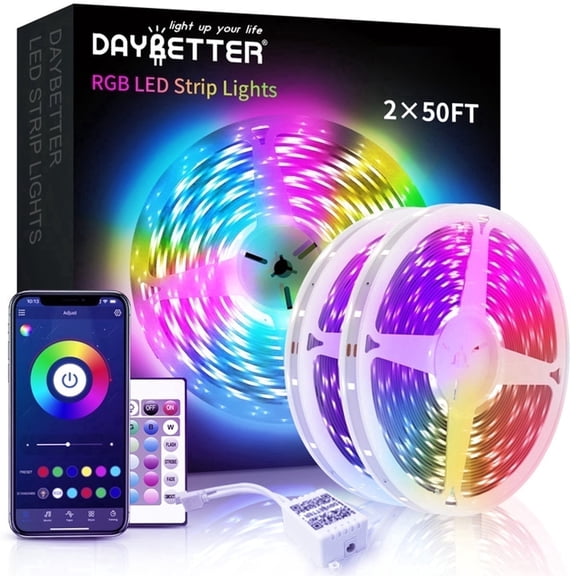
If you want a bolder background, you may prefer a multicolor LED or RGB option. You can rotate through led different colors to match your brand palette, room theme, or filming mood.
Some creator setups call for subtle light, while others need brighter accent color behind the camera. You should compare whether you want single-color output or different led light colors in one strip.
Control options can also shape your experience during filming or editing. You may want remote control for quick changes, app control for presets, or smart assistant integration for hands-free adjustments.
If you record often, you’ll likely appreciate faster scene changes between tutorials, gaming clips, and product shots. You can keep your lighting style consistent without moving furniture or reworking your whole space.
Matching your lights to your project space
You should match your lighting choice to the area you’re actually using every day. A desk setup may need short strips, while a studio backdrop may need longer coverage.
For DIY crafts, you may want lights that wrap around poster boards, shadow boxes, or display edges. For under-cabinet use, you may want steady illumination that helps your workstation look more finished.
If your setup changes often, you may appreciate portable power and simple controls. If your layout stays fixed, you may lean toward a plug in led light strip with longer reach.
You can also use fancy leds when you want more visual personality in shelves, pegboards, or recording corners. You’ll get a more styled background that feels deliberate in photos and video clips.
When you’re choosing led lights for projects, you should focus on placement, power access, and the look you want on camera. You’ll end up with lighting that fits your space and makes each setup feel more complete.
You can make stronger creator setups when your lights match your room, your workflow, and your project type. You’ll get a cleaner look, easier color control, and lighting that supports every frame.