

Microsoft Software in Computer Software for Home & Office



















About Microsoft Software in Computer Software for Home & Office - Walmart.com
Microsoft software helps you set up your home office with familiar tools for documents, email, spreadsheets, and device setup. You can compare one-time office suites, subscription plans, and Windows options in one place.
If you’re replacing an older setup, you can focus on licensing, compatibility, and delivery method before you choose. You’ll also find options that fit home tasks, school projects, and business workflows with clearer direction.
How to choose Microsoft software by software type
When you compare Microsoft software, you should start with the work you need to handle each day. You can narrow your options by software type, including office suite, productivity, security, or operating system.
If you need writing, spreadsheets, presentations, and email tools, you’ll likely compare Microsoft Office options first. If you’re setting up a PC, you may need a Windows operating system such as Windows 11 Home.
- You can use office suites for writing, budgeting, schoolwork, presentations, and inbox organization.
- You can choose productivity software when you want tools for notes, planning, and collaboration.
- You can compare operating system options when you’re building, upgrading, or refreshing a desktop or laptop.
- You can review security software when you want support for device management and account access tools.
For business tasks, you may look at Microsoft Office Professional or Microsoft Home and Business packages. You’ll often get app combinations that match how you communicate, schedule, and manage files.
Choosing between Microsoft 365 and one-time purchase licenses
You’ll make a major decision when you compare subscription and lifetime license formats. You can choose Microsoft 365 if you want ongoing updates and access across several supported devices.
If you prefer a one-time purchase, you can choose an office suite tied to the version you buy. You won’t need annual renewal, but you also won’t get future major version upgrades.
License type also shapes how you plan for household sharing or business use. You should check whether your license covers one user, a family group, or a workplace setup.
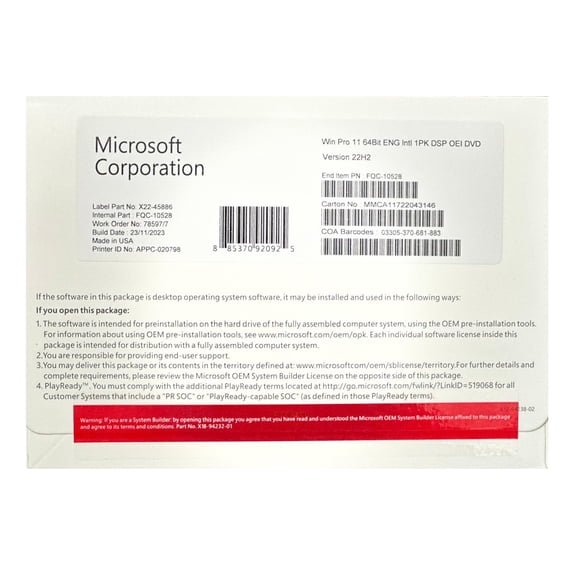
Some shoppers also compare OEM licenses for a newly built or newly configured computer. This helps you confirm that the license terms match your device and installation plan.
Comparing user capacity and everyday workflow needs
You should match your license to the number of people and devices you actually use. A single-user option can work well when you keep your files on one primary computer.
Family plans can fit homes where several people need access on separate devices. You can keep school files, household budgets, and calendars organized without sharing one login.
Business and enterprise options can make more sense when your work includes Outlook, database tasks, or client communication. You may also need Microsoft Office Professional features for heavier desktop workflows.
Before you choose, you should count laptops, desktops, tablets, and phones in your routine. This helps you avoid activation surprises by checking user limits and multi-device support first.
Checking Microsoft Office and platform compatibility
You’ll want to confirm platform compatibility before you buy any software license or download. Many Microsoft Office options support Windows, while some versions also support Mac, iOS, and Android.
If you’re upgrading a PC, you should review Windows 11 Home requirements carefully. You’ll need to check processor support, available storage, memory, and your current device setup.
For mixed-device households, you should check whether your plan allows installation across phones, tablets, and computers. You can keep work moving when your apps sync across supported platforms.
Compatibility details matter for digital delivery too. You should verify account requirements, internet access for setup, and whether your system meets the listed specifications.
Understanding delivery method and installation preferences
You can choose digital download when you want quick access after purchase. You’ll usually receive setup details and product key information through your account or email.
If you prefer something physical, you may choose a disc or product key card. You can keep packaging for reference, gifting, or later installation on a compatible device.
Digital delivery can suit you when you want less waiting and fewer physical materials to store. Physical options can help you if you like a tangible backup for activation details.
You should also consider how comfortable you feel with setup steps. You may prefer straightforward key entry, or you may want account-based installation for easier reinstallation later.
Matching Microsoft software to home, school, and business use
For home use, you may want tools for letters, bills, calendars, and shared family planning. You can choose a simple office suite or a family subscription, depending on your device count.
For students, you may prioritize writing, presentations, cloud access, and file sharing across a laptop and phone. You’ll benefit from checking login flexibility and supported platforms before you commit.
For business use, you may need desktop apps, email organization, and features tied to professional communication. You can compare Microsoft Home and Business against Microsoft Office Professional based on the apps included.
If you’re refreshing an older computer, a Windows operating system upgrade can shape your whole setup. You’ll want software that fits your hardware, your daily tasks, and your preferred license style.
With clear choices around software type, license type, user capacity, compatibility, and delivery, you can choose Microsoft software with fewer surprises. You’ll end up with tools that fit your devices, your workflow, and your installation preferences.
Popular in Microsoft Software in Computer Software for Home & Office - Walmart.com
- Admin Microsoft 365
- Brand: Microsoft Software
- Microsoft Windows 7 8 Software
- Microsoft Dynamic 365
- Microsoft Office Software Key Card
- Microsoft Windows Security
- Microsoft Windows Operating Systems Software
- Microsoft Digital Image Pro 10 Software
- Microsoft Office Professional
- Microsoft Office Project
- Microsoft Office Windows 10
- Microsoft 365