

Delta Iphone Case(1)
Sorority Shop Delta Delta Delta - Koala Pouch - Adhesive Cell Phone Wallet with DDD Greek Letter Design $8.99

Sorority Shop Delta Delta Delta - Koala Pouch - Adhesive Cell Phone Wallet with DDD Greek Letter Design
Other options to consider(3)
Deal, Keyscaper Black Detroit Red Wings Paisley Bling iPhone Case Was $69.99

Keyscaper Black Detroit Red Wings Paisley Bling iPhone Case
NBA Detroit Pistons Logo Blue Hybrid MagSafe Case for Apple iPhone Duo $30.95

NBA Detroit Pistons Logo Blue Hybrid MagSafe Case for Apple iPhone Duo
NBA Detroit Pistons Logo Blue Design Hybrid MagSafe Case for Apple iPhone Duo $30.95
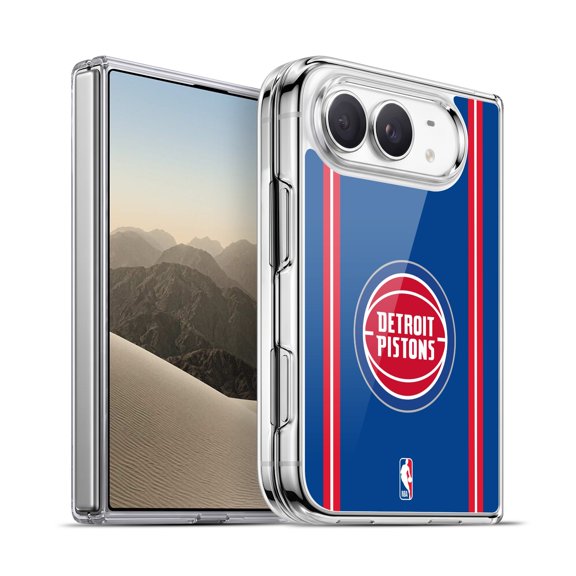
NBA Detroit Pistons Logo Blue Design Hybrid MagSafe Case for Apple iPhone Duo
FAQ
Will this phone wallet fit my iPhone case?
The adhesive cell phone wallet is designed to stick to most flat-backed phone cases, including many iPhone models. Before applying, make sure your case is smooth and clean for the best hold. Textured, silicone, or heavily patterned cases may not allow the adhesive to stick as well. If you're unsure, try pressing the wallet on a small area first to test the grip. Always follow the included instructions for optimal results.
How do I attach the adhesive wallet securely?
- Clean the back of your phone case with a soft, dry cloth to remove dust and oils.
- Peel off the adhesive backing from the wallet.
- Carefully align it where you want it placed, then press down firmly for about 30 seconds.
- Let it set for a few hours before putting cards inside.
This can help the adhesive bond well, but results may vary depending on your case material and usage.
Can I remove the wallet without damaging my case?
Most adhesive phone wallets are designed to be removable, but the outcome depends on your case material. To remove, gently peel the wallet from one corner. If any residue remains, use a soft cloth with a little rubbing alcohol to clean it off. Some delicate or painted cases may show marks after removal, so test a small area first if you're concerned about appearance.
How many cards can this wallet hold?
The adhesive cell phone wallet typically holds 2-3 standard-sized cards, such as IDs or credit cards. Overfilling may stretch the pocket or reduce its grip over time. For best results, stick to just a couple of cards and avoid inserting bulky items. This helps keep your phone slim and the wallet secure.
What’s the best way to clean the wallet?
- Remove all cards from the wallet first.
- Wipe the surface gently with a slightly damp, soft cloth.
- Avoid soaking the wallet or using harsh chemicals, as these can weaken the adhesive or damage the material.
Let it air dry completely before reattaching or using. Regular light cleaning can help keep your phone wallet looking fresh and functional.
Popular in Delta iPhone Cases for Cell Phones
Related Products
CoverON For Apple iPhone 17 Phone Case, Flexible Slim Lightweight TPU Minimal Cover, Clear
 CoverON For Apple iPhone 17 Phone Case, Flexible Slim Lightweight TPU Minimal Cover, Clear$8.99current price $8.99
Phone Case Cover for Apple iPhone 17 AIR Crystal HD Clear Back Hybrid Case TPU Bumper Frame Slim Shockproof Hard Defender (Black)
 Phone Case Cover for Apple iPhone 17 AIR Crystal HD Clear Back Hybrid Case TPU Bumper Frame Slim Shockproof Hard Defender (Black)$23.98current price $23.98
For Apple iphone 17 Case Silicone Cover, Tekcoo Shockproof Rugged Soft Gel Rubber Ultra Slim Protective Cover Anti-Scratch Microfiber Lining Cute Phone Case for Apple iphone 17 - Black
 For Apple iphone 17 Case Silicone Cover, Tekcoo Shockproof Rugged Soft Gel Rubber Ultra Slim Protective Cover Anti-Scratch Microfiber Lining Cute Phone Case for Apple iphone 17 - Black$9.79current price $9.79
CAPRARO Fashion Cell Phone Case for iPhone 16, Cute Wave Translucent Matte Cell Phone Case
CAPRARO Fashion Cell Phone Case for iPhone 16, Cute Wave Translucent Matte Cell Phone Case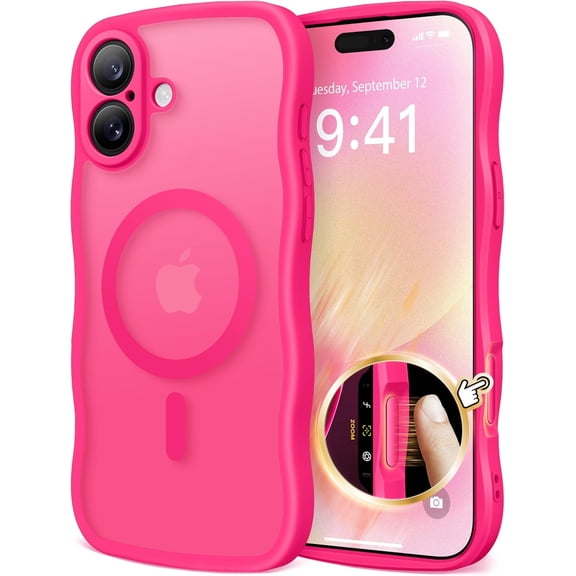
Ringke Onyx [Non-Slip Grip] for iPhone 17 Case, Military Camouflage Slim Rugged Anti-Fingerprint Shockproof Cover - Camo Black
 Ringke Onyx [Non-Slip Grip] for iPhone 17 Case, Military Camouflage Slim Rugged Anti-Fingerprint Shockproof Cover - Camo Black$17.99current price $17.99
Xpression Phone Case For Apple iPhone 17 AIR Hybrid Strong Magnetic Circle Slim Fit Translucent Matte Back TPU Shockproof Design Cover, Blue
 Xpression Phone Case For Apple iPhone 17 AIR Hybrid Strong Magnetic Circle Slim Fit Translucent Matte Back TPU Shockproof Design Cover, Blue$14.98current price $14.98
Ringke Onyx for iPhone 16 Case, Firm Grip Non-Slip Unique Texture Flexible Durable TPU Phone Cover - Camo Green
 Ringke Onyx for iPhone 16 Case, Firm Grip Non-Slip Unique Texture Flexible Durable TPU Phone Cover - Camo Green$17.99current price $17.99
Allytech for iPhone 17 Case, 360° Rotatable Ring Kickstand Military Grade Dropproof Anti-Shock PC and TPU Hybrid Protective Case for Apple iPhone 17, Green
 Allytech for iPhone 17 Case, 360° Rotatable Ring Kickstand Military Grade Dropproof Anti-Shock PC and TPU Hybrid Protective Case for Apple iPhone 17, Green$12.79current price $12.79
Njjex iPhone 17 Air Case 6.9" Shockproof Rugged Cover, Military Grade Protection, Slim Fit Anti-Slip Bumper Case Dual Layer Full Body Protective Cover for iphone 17 Air -Purple
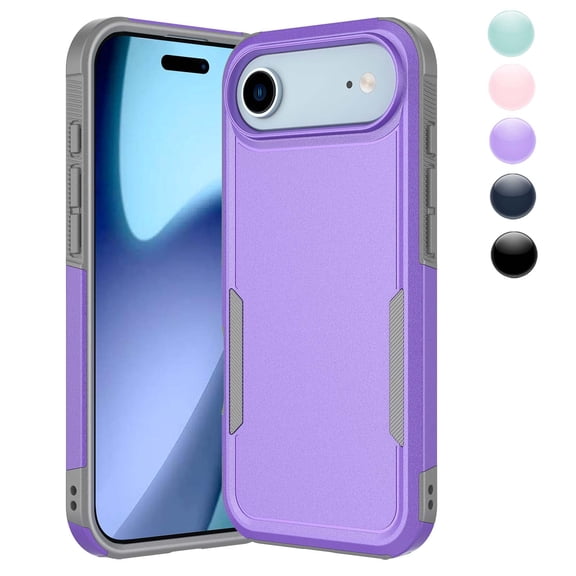 Njjex iPhone 17 Air Case 6.9" Shockproof Rugged Cover, Military Grade Protection, Slim Fit Anti-Slip Bumper Case Dual Layer Full Body Protective Cover for iphone 17 Air -Purple$9.79current price $9.79
CoverON Design For Apple iPhone 17 Air Phone Case, Flexible Rubber Slim TPU Cover, Fall Camouflage
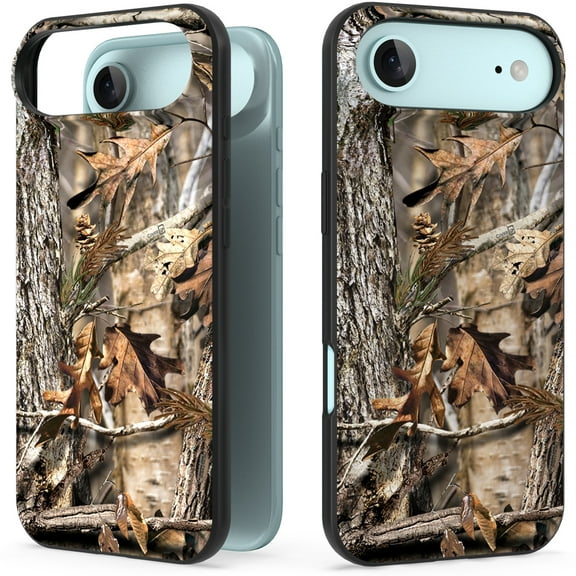 CoverON Design For Apple iPhone 17 Air Phone Case, Flexible Rubber Slim TPU Cover, Fall Camouflage$11.99current price $11.99
XPM for Apple iPhone 17 Case BLACK Hybrid Armor Shockproof Durable Bumper TPU PC Rubber Cover
 XPM for Apple iPhone 17 Case BLACK Hybrid Armor Shockproof Durable Bumper TPU PC Rubber Cover$12.97current price $12.97
Decase for Apple iPhone 17 Case, Military-Grade Ring Holder Kickstand Heavy Duty Hybrid Case with Slide Lens Cover,Shockproof Rugged Dual-Layer Hard Phone Case for iPhone 17,Purple
 Decase for Apple iPhone 17 Case, Military-Grade Ring Holder Kickstand Heavy Duty Hybrid Case with Slide Lens Cover,Shockproof Rugged Dual-Layer Hard Phone Case for iPhone 17,Purple$5.80current price $5.80
Entronix Rugged Heavy Duty Case for iPhone 17 – Triple-Layer Protective Bumper Cover, Black
 Entronix Rugged Heavy Duty Case for iPhone 17 – Triple-Layer Protective Bumper Cover, Black$10.95current price $10.95