

Gamemax(9)
GAMEMAX MASTER 2 Black Tempered Glass USB3.0 and Type C Full Tower ATX Computer Case w/3 x ARGB Fans (Pre-Installed), Support 4090TI GPU and 360mm AIO $89.89

GAMEMAX MASTER 2 Black Tempered Glass USB3.0 and Type C Full Tower ATX Computer Case w/3 x ARGB Fans (Pre-Installed), Support 4090TI GPU and 360mm AIO
GAMEMAX MeshBox PRO Black USB3.0 and Type C Mid-Tower ATX Computer Case $64.84

GAMEMAX MeshBox PRO Black USB3.0 and Type C Mid-Tower ATX Computer Case
GameMax Infinity BK ATX Mid Tower Computer Case with Water cooling ready, Black $59.99
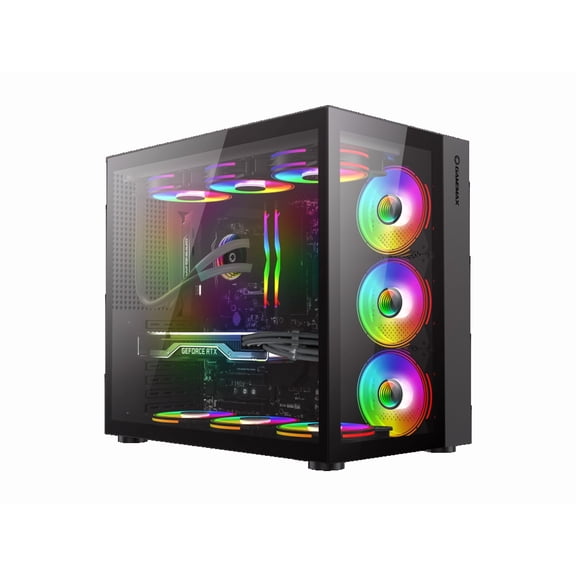
GameMax Infinity BK ATX Mid Tower Computer Case with Water cooling ready, Black
GAMEMAX Titan Silent 2 Black USB3.0/Type C ATX Gaming Full Tower Computer Case w/3 x Silent Fans (Pre-Installed). Support 4090 GPU and 360mm AIO $92.99

GAMEMAX Titan Silent 2 Black USB3.0/Type C ATX Gaming Full Tower Computer Case w/3 x Silent Fans (Pre-Installed). Support 4090 GPU and 360mm AIO
GameMax Defender MB Micro-ATX Computer Case with ARGB Fans, Black $60.99 Was $77.09

GameMax Defender MB Micro-ATX Computer Case with ARGB Fans, Black
GameMax Micro ATX Tower Computer Case with USB 3.0, Black $52.98

GameMax Micro ATX Tower Computer Case with USB 3.0, Black
GAMEMAX Dragon knight 2 Black USB3.0/Type C ATX Gaming Full Tower Computer Case w/5 x ARGB Fans (Pre-Installed). Support 4090 GPU and 360mm AIO $104.99
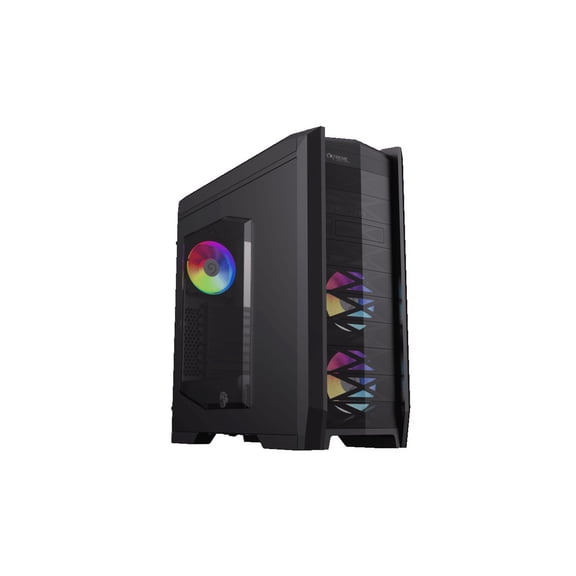
GAMEMAX Dragon knight 2 Black USB3.0/Type C ATX Gaming Full Tower Computer Case w/5 x ARGB Fans (Pre-Installed). Support 4090 GPU and 360mm AIO
GAMEMAX VISTA MB Black USB3.0 Micro-ATX Tower Tempered Glass Computer Case. Fan is Not Included. $71.99

GAMEMAX VISTA MB Black USB3.0 Micro-ATX Tower Tempered Glass Computer Case. Fan is Not Included.
Gamemax GX-600 80 Plus Gold Wired 600W High Efficiency ATX Power Supply, Black $99.99

Gamemax GX-600 80 Plus Gold Wired 600W High Efficiency ATX Power Supply, Black
FAQ
How do I pick the right computer case?
Choosing the best computer case depends on your needs and setup. Think about the size of your motherboard, the number of drives you want, and how much space you need for graphics cards or cooling.
- Check if the case supports your motherboard type (ATX, Micro-ATX).
- Look for enough USB ports and expansion slots.
- Consider airflow and cooling options, especially if you plan to use high-performance components.
It's always a good idea to review the product specs to make sure it fits your build plans and workspace.
What features help with cooling in a computer case?
Cooling is important for keeping your components running smoothly. Cases with mesh panels or tempered glass often allow better air circulation.
- Look for cases with pre-installed fans or support for extra fans.
- Some cases have spots for liquid cooling systems.
- A spacious interior can prevent heat buildup and make maintenance easier.
Make sure to check the case's compatibility with your preferred cooling setup before buying.
Can I use a power supply from another build?
Swapping a power supply is possible if it's compatible with your new case and components. Most cases accept standard ATX power supplies, but check the specs for size and cable requirements.
- Ensure the wattage meets your system's demands.
- Check connector types, especially for newer hardware.
- It's smart to inspect the power supply for wear or dust before reusing.
Compatibility is key, so reviewing both your old and new setup helps avoid surprises.
How do I keep my computer case clean?
Regular cleaning can help your computer case run cooler and last longer. Start by turning off and unplugging your system.
- Use a soft brush or compressed air to remove dust from vents and fans.
- A damp cloth can wipe down exterior surfaces, but avoid moisture near electronics.
- Check filters and mesh panels every few months.
Keeping dust out improves airflow and helps your components stay in good shape.
What should I know about USB ports on a computer case?
USB ports are handy for connecting devices like keyboards, mice, or external drives. Cases often have USB 3.0 or Type C ports for faster transfers and charging.
- Check which port types your devices use most often.
- Having multiple ports up front can make plugging in accessories easier.
- Review the case's specs to ensure it matches your needs, especially if you use high-speed peripherals.
Choosing a case with the right USB options can make your daily setup more convenient.
Popular in Gamemax
Related Products
COOWPS Sling Bag for Nintendo Switch 2, Switch OLED, Steam Deck, Large Capacity Travel Case with EVA Hard Shell
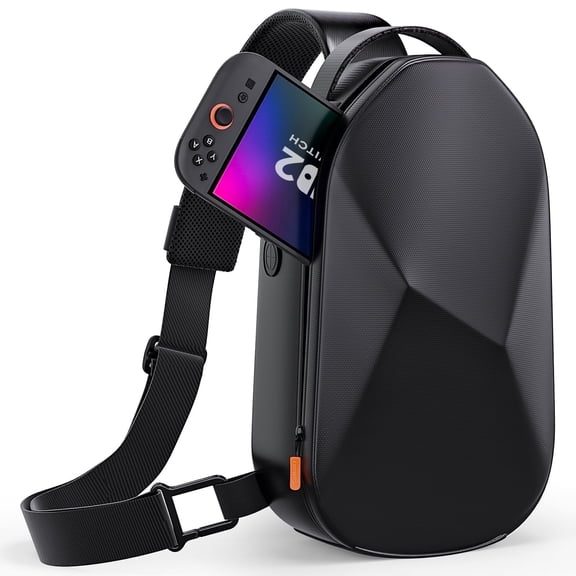 COOWPS Sling Bag for Nintendo Switch 2, Switch OLED, Steam Deck, Large Capacity Travel Case with EVA Hard Shell$39.99current price $39.99
FINTIE Case for Nintendo Switch 2 (2025), Shockproof Hard Shell Carrying Case, Protective Cover Travel Bag w/19 Game Card & 2 Micro SD Card Slots & Inner Pocket for Accessories, Pink
 FINTIE Case for Nintendo Switch 2 (2025), Shockproof Hard Shell Carrying Case, Protective Cover Travel Bag w/19 Game Card & 2 Micro SD Card Slots & Inner Pocket for Accessories, Pink$16.99current price $16.99
Mumba [Blade Series Case for Steam Deck 2022 with Kickstand, TPU Grip Shock Protective Cover Accessories, Heat Dissipation Friendly, Anti-Slip & Anti-Scratch Protector (Black)
 Mumba [Blade Series Case for Steam Deck 2022 with Kickstand, TPU Grip Shock Protective Cover Accessories, Heat Dissipation Friendly, Anti-Slip & Anti-Scratch Protector (Black)$23.99current price $23.99
Replacement Game Case for Switch (Clear) by Mars Device lot of 10
 Replacement Game Case for Switch (Clear) by Mars Device lot of 10$16.22current price $16.22
Carrying Case for Switch/Steam Deck/Steam Deck OLED/Legion Go/ROG Ally Gaming Handheld and Accessories Chest Bag, Protective Hard Shell Travel Bag with Anti-theft Lock & USB Charging Port
Carrying Case for Switch/Steam Deck/Steam Deck OLED/Legion Go/ROG Ally Gaming Handheld and Accessories Chest Bag, Protective Hard Shell Travel Bag with Anti-theft Lock & USB Charging Port
Zelda Tears of the Kingdom PowerA Slim Case for Nintendo Switch
 Zelda Tears of the Kingdom PowerA Slim Case for Nintendo Switch$25.50current price $25.50
Replacement Game Case for Switch (Clear) by Mars Device lot of 5
 Replacement Game Case for Switch (Clear) by Mars Device lot of 5$13.89current price $13.89
PlayVital ZealProtect Protective Case for Nintendo Switch Lite, Hard Shell Ergonomic Grip Cover for Nintendo Switch Lite w/Screen Protector & Thumb Grip Caps & Button Caps - Bright Pink
 PlayVital ZealProtect Protective Case for Nintendo Switch Lite, Hard Shell Ergonomic Grip Cover for Nintendo Switch Lite w/Screen Protector & Thumb Grip Caps & Button Caps - Bright Pink$19.99current price $19.99
Screen Protectors for Nintendo Switch 2 2025,Tempered Glass Case for Nintendo Switch 2, Travel Carrying Case Accessories, Screen Protector for Switch 2
 Screen Protectors for Nintendo Switch 2 2025,Tempered Glass Case for Nintendo Switch 2, Travel Carrying Case Accessories, Screen Protector for Switch 2$11.88current price $11.88
Belkin Travel Case for Nintendo Switch 2 – Hard Shell, Soft Interior, Game Card Pocket, AirTag Holder – Lightweight & Portable Gaming Bag – Charcoal
 Belkin Travel Case for Nintendo Switch 2 – Hard Shell, Soft Interior, Game Card Pocket, AirTag Holder – Lightweight & Portable Gaming Bag – Charcoal$29.99current price $29.99
Hard Carrying Case Compatible with ROG XBOX Ally/Ally X - Shockproof EVA Storage Bag Protective Case for ROG Xbox Ally X, Gaming Handheld Console and Accessories, Travel Essential
 Hard Carrying Case Compatible with ROG XBOX Ally/Ally X - Shockproof EVA Storage Bag Protective Case for ROG Xbox Ally X, Gaming Handheld Console and Accessories, Travel Essential$29.98current price $29.98
Rechale Protective Case for Nintendo Switch 2 (2025 Model), Portable Travel Cover with Ergonomic Grip Design, PC Material Cover and Soft Shell with Drop Proof and Anti-Scratch
 Rechale Protective Case for Nintendo Switch 2 (2025 Model), Portable Travel Cover with Ergonomic Grip Design, PC Material Cover and Soft Shell with Drop Proof and Anti-Scratch$16.99current price $16.99
Carry Case Compatible with ROG for XBOX Ally X, Universal Portable Zippered Hard Case for XBOX Ally
 Carry Case Compatible with ROG for XBOX Ally X, Universal Portable Zippered Hard Case for XBOX Ally$28.99current price $28.99
OCHIKI Protective Dockable Case with Game Card Slots for Nintendo Switch OLED, Black TPU+PC Grip Cover with Shock-Absorption and Anti-Scratch Design
 OCHIKI Protective Dockable Case with Game Card Slots for Nintendo Switch OLED, Black TPU+PC Grip Cover with Shock-Absorption and Anti-Scratch Design$8.99current price $8.99
GagaKing Protective Case for Nintendo Switch 2 2025,Portable Travel Storage Cover with 6 Game Card Slots,Durable PC Material Ultra-Slim Snap Closure
GagaKing Protective Case for Nintendo Switch 2 2025,Portable Travel Storage Cover with 6 Game Card Slots,Durable PC Material Ultra-Slim Snap Closure