

Chgeek(1)
CHGeek Wireless , 15W Fast Charging Auto Clamping Phone Mount Phone Holder-Black $27.50
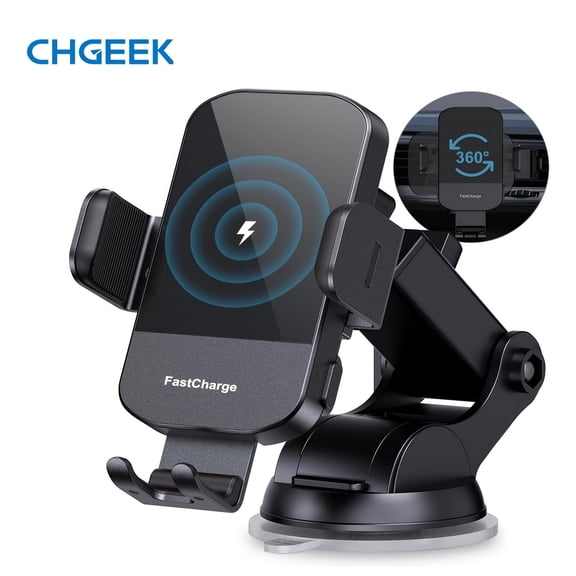
CHGeek Wireless , 15W Fast Charging Auto Clamping Phone Mount Phone Holder-Black
FAQ
Does this phone holder fit big phones?
The CHGeek Wireless Auto Clamping Phone Mount is designed to accommodate a wide range of phone sizes, including larger models. Its adjustable clamping mechanism lets you secure different devices, so most modern big phones should fit comfortably. For best results, check your phone’s width and compare it with the mount’s specifications before purchasing. If you’re using a thick phone case, make sure the clamps can still close securely. This helps ensure your device stays stable during use.
How do I install the wireless charger in my car?
- Choose a mounting location: Pick a spot on your dashboard, windshield, or air vent that’s easy to reach.
- Attach the mount: Use the suction cup or vent clip included with the holder, pressing firmly so it stays in place.
- Connect the charger: Plug the power cable into your vehicle’s USB port or adapter.
- Place your phone: The auto clamping feature should activate, holding your device securely for wireless charging.
Check your car’s manual if you need help with ports, and always follow the mount’s setup instructions for safe installation.
Can you charge phones with a case on?
In most situations, you can wireless charge your phone even with the case still on, as long as it’s not too thick or made from metal. Cases that are slim and non-metallic usually allow charging without interference. If you notice slower charging or connection issues, try removing the case temporarily. For tougher cases, double-check your mount’s maximum compatibility, as some thicker models may affect the auto clamping or wireless charging performance.
How do I clean the phone mount safely?
- Turn off power: Unplug the mount before cleaning to avoid accidental activation.
- Use a soft cloth: Gently wipe the mount’s surfaces with a dry or slightly damp microfiber cloth.
- Avoid harsh cleaners: Steer clear of abrasive products or excess moisture to avoid damaging electronics.
- Clean clamps: If there’s debris in the clamps, carefully remove it without forcing parts.
Let everything air dry before plugging back in. This helps keep your holder working well and looking great.
What should I do if my phone isn’t charging?
If your phone isn’t charging in the wireless mount, try these steps:
- Check alignment: Make sure your device is centered for the charging coil to connect.
- Inspect power connection: Confirm the cable is securely plugged into both the mount and your car’s power outlet.
- Try removing the case: Some cases may block wireless charging.
- Restart your phone: Sometimes, this can resolve charging detection issues.
If problems continue, review your manual or reach out to Walmart customer service for more help.
Popular in Shop Brand Car Phone Holders and Mounts Online
Related Products
Kenu Airframe Magnetic Premium Magnetic Car Vent Mount - Black
 Kenu Airframe Magnetic Premium Magnetic Car Vent Mount - Black$24.95current price $24.95
XTREME XPM50108BLK XTREME Magnetic Smartphone Mount
 XTREME XPM50108BLK XTREME Magnetic Smartphone Mount$19.65current price $19.65
TechMatte MagGrip Dashboard and Windshield Magnetic Universal Car Mount (Black)
 TechMatte MagGrip Dashboard and Windshield Magnetic Universal Car Mount (Black)$8.99current price $8.99
Bracketron TripGrip Window & Vent Car Phone Mount with 9.5” Flexible Gooseneck, TemperBond Suction Cup, One-Button Expansion, 360° Rotation, Fits Phones with Cases
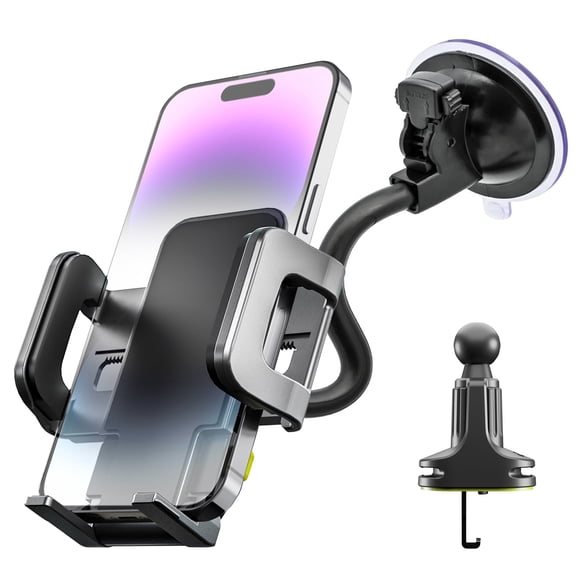 Bracketron TripGrip Window & Vent Car Phone Mount with 9.5” Flexible Gooseneck, TemperBond Suction Cup, One-Button Expansion, 360° Rotation, Fits Phones with Cases$19.99current price $19.99
Scosche MAGVM2-2PKBP0 MagicMount Magnetic Phone/GPS Vent Mount for the Car 2pk
 Scosche MAGVM2-2PKBP0 MagicMount Magnetic Phone/GPS Vent Mount for the Car 2pk$13.99current price $13.99
Magellan Windshield GPS Suction Mount BASE for RoadMate SmartGPS Window
 Magellan Windshield GPS Suction Mount BASE for RoadMate SmartGPS Window$8.95current price $8.95
Bracketron TripGrip 2-in-1 Car Phone Mount Vent & Dashboard Holder with One-Hand Release, 360° Rotation, Adjustable Grip Fits Smartphones up to 3.5" Wide
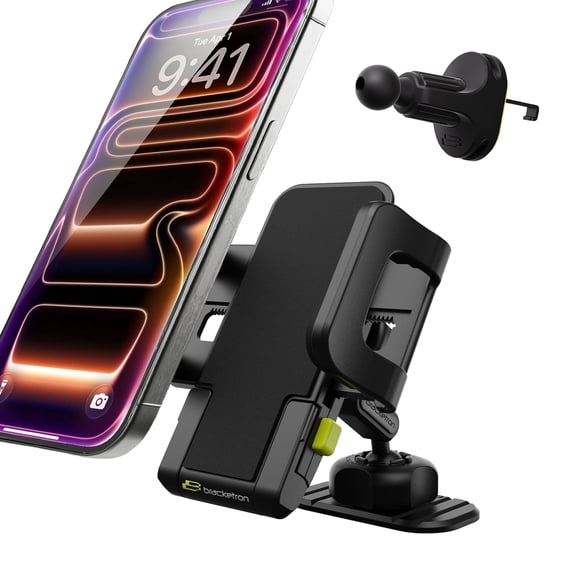 Bracketron TripGrip 2-in-1 Car Phone Mount Vent & Dashboard Holder with One-Hand Release, 360° Rotation, Adjustable Grip Fits Smartphones up to 3.5" Wide$19.99current price $19.99