

Smart Fans in Fans









About Smart Fans in Fans - Walmart.com
Smart fans give you app control, voice commands, and scheduled airflow that fits your routine at home. You can compare ceiling, tower, and pedestal styles while choosing the connectivity and controls that match your setup.
How to choose smart fans for your space
You should start with fan type because placement affects coverage, installation, and daily convenience. You may prefer smart ceiling fans for open rooms, while tower or pedestal options move easily between spaces.
When you compare ceiling models, you should measure room size and ceiling height before you choose. You can use portable designs when you want directed airflow in bedrooms, offices, or apartments.
- You can automate airflow with schedules that match mornings, evenings, or sleep routines.
- You can adjust speed, modes, and timers from your phone without walking across the room.
- You can connect some models with voice assistants for hands-free control during busy moments.
- You can choose a mounted or portable style based on your room layout and setup needs.
You may also want multiple speed settings and breeze modes for different comfort preferences. You can switch from steady airflow to a soft pattern when your room needs a light feel.
Choosing between smart ceiling fans and portable styles
You should consider mounted fans when you want overhead airflow that stays out of the way. You can use smart ceiling fans in living rooms, dining rooms, and bedrooms where permanent placement makes sense.
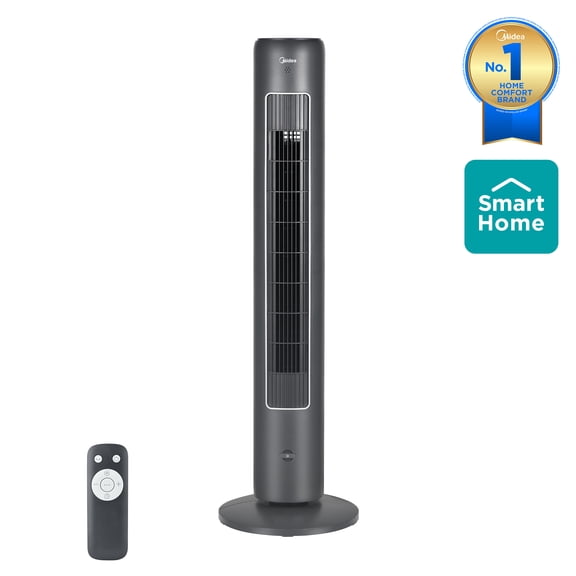
If you need flexibility, you can compare smart tower fans and pedestal options for room-to-room use. You can place them near seating areas, desks, or beds and move them when your layout changes.
You should check base size, height, and oscillation range on portable units before you decide. You can use those details to judge how broadly the airflow reaches across your space.
What to look for in wifi enabled fans
You should compare connectivity before anything else because setup requirements vary by model. Many wifi enabled fans connect through a home app, and you may need to confirm your network band first.
You should check whether a fan uses 2.4GHz Wi-Fi, 5GHz Wi-Fi, or a smart hub connection. You can avoid setup frustration when you match the fan's requirements to your home network.
If you already use a smart platform, you should verify pairing steps and account linking details. You can streamline setup when your fan works with your existing app and home dashboard.
You may also see Bluetooth on some models for nearby pairing during setup. You can use that feature to get connected quickly before switching to your regular network controls.
Comparing smart ecosystem compatibility
You should confirm ecosystem support before you choose, especially if you already use voice assistants daily. Some alexa compatible fans fit naturally into Alexa routines, while others support Google Assistant or Apple HomeKit.
You can group connected devices into scenes that fit bedtime, movie nights, or morning routines. You can say a voice command or tap your phone to adjust speed without leaving your couch.
If a model needs a smart hub, you should check that requirement before installation or setup. You can avoid extra steps when you know whether direct Wi-Fi control or hub-based control fits your home.
Control types and airflow settings that matter
You should compare voice control, app control, and remote control based on how you use your space. You may want app access for schedules, voice control for quick changes, and a remote for guests.
You can also review speed levels, oscillation, timers, and natural breeze modes before you buy. You should look for settings that let you fine-tune airflow for work, sleep, or everyday relaxation.
When you want steady circulation all day, you can set lower speeds and recurring schedules. When you need a quick boost, you can raise airflow with a faster mode or wider oscillation.
How smart fans fit everyday routines
You can use smart fans in bedrooms where scheduled shutoff helps match your nighttime routine. You can set lower speeds before sleep and adjust settings later from your phone.
In family rooms, you can use smart ceiling fans to keep airflow moving across larger spaces. You can pair them with voice assistants so adjustments feel simple during meals, movies, or gatherings.
For home offices, you may prefer smart tower fans that fit beside desks or shelves. You can change modes quickly during calls without interrupting your work setup.
If you share spaces with different preferences, you can create routines that match each part of the day. You can make your airflow feel consistent, convenient, and tailored to your schedule.
You can choose smart fans with confidence when you compare fan type, connectivity, ecosystem support, and controls together. You end up with airflow that fits your rooms, your network, and your everyday routine.