

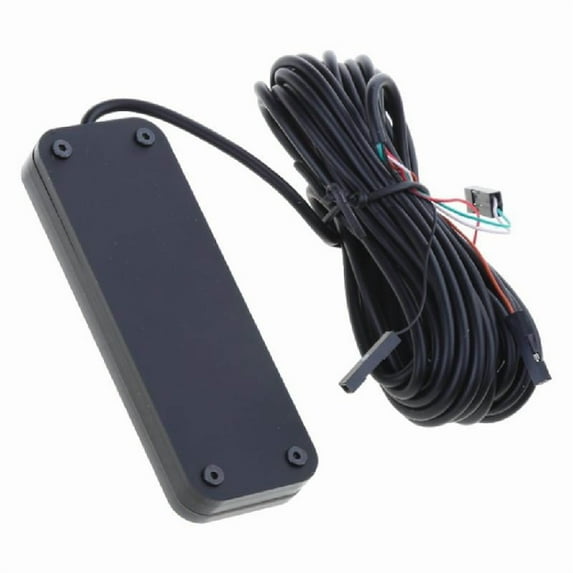
Hero image 0 of Convenient Desktop Computer Power Button Cable Power SW LED Desktop Control, 0 of 8
Clearance
Convenient Desktop Computer Power Button Cable Power SW LED Desktop Control
(No ratings yet)
Key item features
- The experience of booting up is different, using touches swiping to start the computer. The extension cable can be placed outside and turned on, or attached with double-sided tape to the desired location, making it convenient to turn on and off the computer.
- Lighting effect description: After sliding and turningon, the lighting defaults to seven color alternating modes. Long press the surfaces at the bottom of switching for about 5 seconds switching between the quiet light modes of the middle two colorful self cycling lights. If no lighting is needed, press and hold the same methods switching to off modes.
- Function description: The light colored side is the upper surfaces. After connecting the circuit, slide touches switching computer in the long side direction;
- Extend the power on function of the desktop computer to the desired location; It can be placed on the desktop or attached with double-sided tape where needed;
- Wiring methods: Mainly power the PCIE socket (note that the positive and negative power supply correspond to POWER+and POWER -, do not connect them in the opposite direction). It is not recommended to modify other power supply methods on your own.
Specs
Current price is USDNow $18.39
You save $2.27
was $20.66$20.66
You save$2.27
Price when purchased online
 Free 30-day returns
How do you want your item?
Ships to
Arrives between Jul 11 - Jul 17
|Shipping fee $2.99

Sold and shipped by xinghaoshop
3.6 stars out of 5, based on 5 seller reviews(3.6)5 seller reviews

Free 30-day returns
About this item
Product details
Features:
The experience of booting up is different, using touches swiping to start the computer. The extension cable can be placed outside and turned on, or attached with double-sided tape to the desired location, making it convenient to turn on and off the computer.
Lighting effect description: After sliding and turningon, the lighting defaults to seven color alternating modes. Long press the surfaces at the bottom of switching for about 5 seconds switching between the quiet light modes of the middle two colorful self cycling lights. If no lighting is needed, press and hold the same methods switching to off modes.
Function description: The light colored side is the upper surfaces. After connecting the circuit, slide touches switching computer in the long side direction;
Extend the power on function of the desktop computer to the desired location; It can be placed on the desktop or attached with double-sided tape where needed;
Wiring methods: Mainly power the PCIE socket (note that the positive and negative power supply correspond to POWER+and POWER -, do not connect them in the opposite direction). It is not recommended to modify other power supply methods on your own.
Function: Connect to the socket corresponding to the front power button inside the chassis; Touches and slide the front of the product to turn on or off the computer; The accompanying splitter cable can be used to maintain original power button function properly;
Specifications:
Material: ABS
Size:approx 80x28x10.5mm/3.15x1.1x0.41in
Weight:approx 48g
Note:
Only the above package content, other product not included.
Note: Light shooting and different displays may cause the color of the item in the picture a little different from the real thing.
The measurement allowed error is 1-3cm.
Package includes:
1PC Desktop Power Cable
- The experience of booting up is different, using touches swiping to start the computer. The extension cable can be placed outside and turned on, or attached with double-sided tape to the desired location, making it convenient to turn on and off the computer.
- Lighting effect description: After sliding and turningon, the lighting defaults to seven color alternating modes. Long press the surfaces at the bottom of switching for about 5 seconds switching between the quiet light modes of the middle two colorful self cycling lights. If no lighting is needed, press and hold the same methods switching to off modes.
- Function description: The light colored side is the upper surfaces. After connecting the circuit, slide touches switching computer in the long side direction;
- Extend the power on function of the desktop computer to the desired location; It can be placed on the desktop or attached with double-sided tape where needed;
- Wiring methods: Mainly power the PCIE socket (note that the positive and negative power supply correspond to POWER+and POWER -, do not connect them in the opposite direction). It is not recommended to modify other power supply methods on your own.
info:
We aim to show you accurate product information. Manufacturers, suppliers and others provide what you see here, and we have not verified it.
Specifications
Brand
Xanye
Warranty
Warranty information
Please be aware that the warranty terms on items offered for sale by third party Marketplace sellers may differ from those displayed in this section (if any). To confirm warranty terms on an item offered for sale by a third party Marketplace seller, please use the 'Contact seller' feature on the third party Marketplace seller's information page and request the item's warranty terms prior to purchase.
Customer ratings & reviews
0 ratings|0 reviews
This item does not have any reviews yet
