

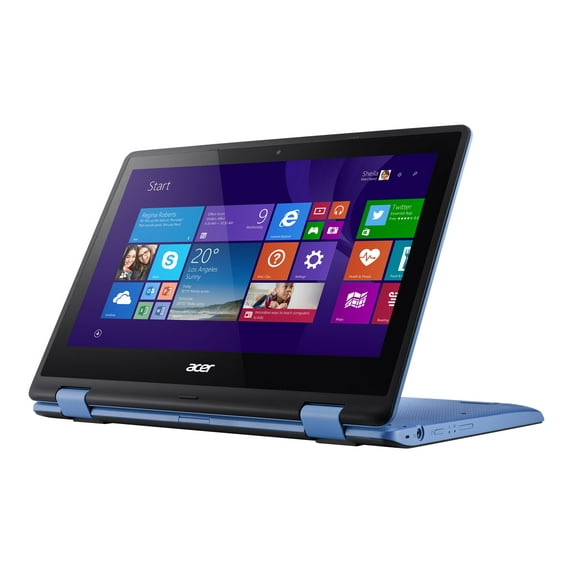
Acer Aspire 11.6" Touchscreen Laptop, Intel Celeron N3050, 2GB RAM, 32GB SSD, Windows 8.1 with Bing, R3-131T-C28S
Key item features
Acer's Aspire Series offers a diverse range of notebooks with the performance, graphics and communication tools to maximize your digital entertainment, complete your daily tasks, and keep you in touch with friends and family, whether you're at home or on the go.
Powerful PC performanceWith the abundance of graphics-intensive multimedia and sharing applications available these days, smooth multitasking is more vital than ever before. So Aspire Series notebooks pack today's best processors and memory options so your system always runs efficiently. This series also provides ample storage for all the multimedia files you may wish to keep.
Specs
- BrandAcer
- Proc. brandIntel
- ProcessorIntel Celeron
- OSWindows 8, Windows
- RAM memory2 GB
- Screen size11.6"
How do you want your item?
About this item
Product details
Acer's Aspire Series offers a diverse range of notebooks with the performance, graphics and communication tools to maximize your digital entertainment, complete your daily tasks, and keep you in touch with friends and family, whether you're at home or on the go.
Powerful PC performanceWith the abundance of graphics-intensive multimedia and sharing applications available these days, smooth multitasking is more vital than ever before. So Aspire Series notebooks pack today's best processors and memory options so your system always runs efficiently. This series also provides ample storage for all the multimedia files you may wish to keep.
Specifications
Brand
Proc. brand
Processor
OS
Warranty
Warranty information
Warnings
Ingestion Hazard
 WARNING: Text
Similar items you might like
Based on what customers bought
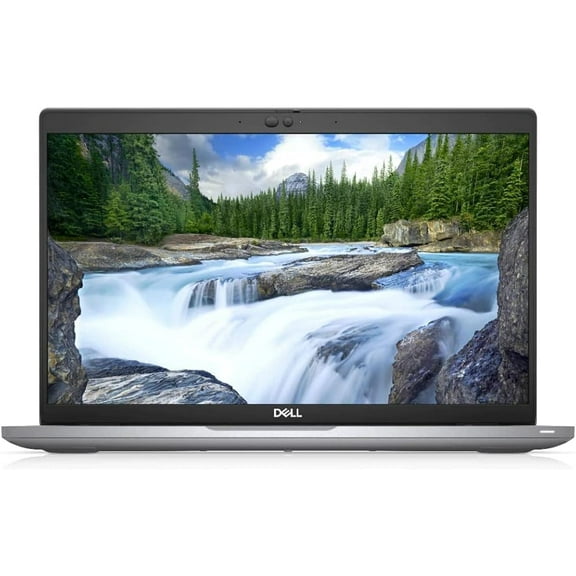
Restored Dell 5410 Latitude Laptop 14" FHD (1920 x 1080) Notebook, 10th Gen Intel Core i5-10210U, 32GB RAM, 1TB M.2-NVMe, Thunderbolt, HDMI, Type-C, Webcam, Win 11 Pro $339.99
 Sponsored$33999current price $339.99
Restored Dell 5410 Latitude Laptop 14" FHD (1920 x 1080) Notebook, 10th Gen Intel Core i5-10210U, 32GB RAM, 1TB M.2-NVMe, Thunderbolt, HDMI, Type-C, Webcam, Win 11 Pro
Save with Shipping, arrives tomorrowRestored: Like New
Best seller Windows 11 Pro Laptop 15.6inch, 12GB RAM 512GB SSD, 12th Gen Intel N100 Processor, 1920x1080, Webacm $329.99 Was $549.99
Best seller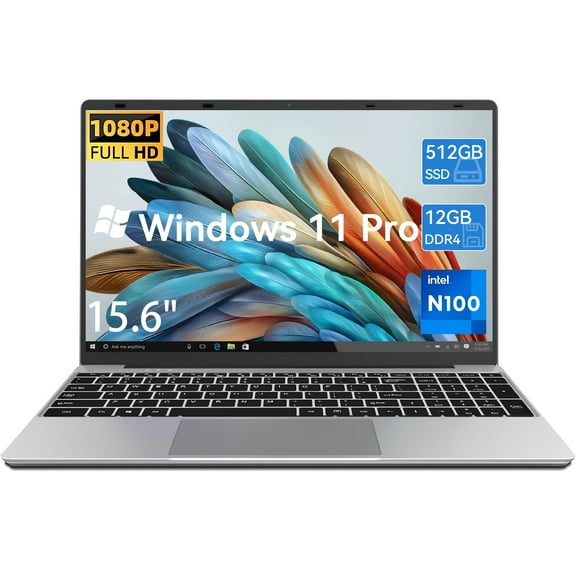 SponsoredNow$32999current price Now $329.99, Was $549.99$549.99You save $220.00You save$220.00
Windows 11 Pro Laptop 15.6inch, 12GB RAM 512GB SSD, 12th Gen Intel N100 Processor, 1920x1080, Webacm
3874 out of 5 Stars. 387 reviewsSave withShipping, arrives tomorrowBest seller Acer Aspire Go 15.6" FHD IPS Touch Screen Laptop, AMD Ryzen 5-7520U, 8GB RAM, 512GB SSD, Pure Silver, New $329.00
Best seller $32900current price $329.00
Acer Aspire Go 15.6" FHD IPS Touch Screen Laptop, AMD Ryzen 5-7520U, 8GB RAM, 512GB SSD, Pure Silver, New
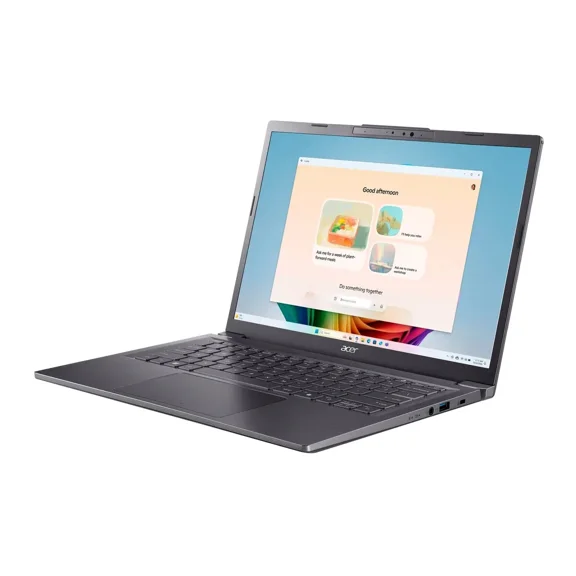
4704.2 out of 5 Stars. 470 reviewsAcer Aspire 14" AI Touchscreen Laptop - Intel Core Ultra 7 258V Processor - WUXGA (1920 x 1200) Display - Windows 11 Home 32GB RAM $759.00
 $75900current price $759.00
Acer Aspire 14" AI Touchscreen Laptop - Intel Core Ultra 7 258V Processor - WUXGA (1920 x 1200) Display - Windows 11 Home 32GB RAM
acer Aspire 15.3" WUXGA(1920 x 1200) IPS Display Go 15 Laptop, Intel i5-1334U Processor, 24GB DDR5 RAM, 2TB PCIe SSD, Windows 11 Home, Wi-Fi, Bluetooth, Steel Gray with Accessories $839.99
 $83999current price $839.99
acer Aspire 15.3" WUXGA(1920 x 1200) IPS Display Go 15 Laptop, Intel i5-1334U Processor, 24GB DDR5 RAM, 2TB PCIe SSD, Windows 11 Home, Wi-Fi, Bluetooth, Steel Gray with Accessories
Acer TravelMate B5 14 14" Full HD Laptop, Intel Core 3 N355, 8GB RAM, 256GB SSD, Windows 11 Pro Education, TMB514-31-G2-31KF $745.63
 $74563current price $745.63
Acer TravelMate B5 14 14" Full HD Laptop, Intel Core 3 N355, 8GB RAM, 256GB SSD, Windows 11 Pro Education, TMB514-31-G2-31KF
Restored Dell 5410 Latitude Laptop 14" FHD (1920 x 1080) Notebook, 10th Gen Intel Core i5-10210U, 16GB RAM, 512G M.2-NVMe SSD, Thunderbolt, HDMI, Type-C, Webcam, Windows 11 Pro( ) $329.99
 Sponsored$32999current price $329.99
Restored Dell 5410 Latitude Laptop 14" FHD (1920 x 1080) Notebook, 10th Gen Intel Core i5-10210U, 16GB RAM, 512G M.2-NVMe SSD, Thunderbolt, HDMI, Type-C, Webcam, Windows 11 Pro( )
Save withShipping, arrives tomorrowRestored: Like NewAuusda 16" Business Laptop, Windows 11 Pro Laptop Computer, AMD Ryzen 7430U, 16GB RAM 512GB SSD, Backlight, Fingerprint, Gray $372.99 Was $516.99
 SponsoredNow$37299current price Now $372.99, Was $516.99$516.99You save $144.00You save$144.00
Auusda 16" Business Laptop, Windows 11 Pro Laptop Computer, AMD Ryzen 7430U, 16GB RAM 512GB SSD, Backlight, Fingerprint, Gray
1353.8 out of 5 Stars. 135 reviewsSave withShipping, arrives tomorrowAcer TravelMate P6 AI P614-54 14" Laptop U7 256V 16GB 1TB SSD W11P $1,640.99 Was $1,979.00
 $1,64099current price $1,640.99, Was $1,979.00$1,979.00
Acer TravelMate P6 AI P614-54 14" Laptop U7 256V 16GB 1TB SSD W11P
Acer Aspire 14" AI Copilot PC Intel Core Ultra 9 processor 288V WUXGA (1920 x 1200) Touchscreen 32GB RAM - 1TB SSD- Windows 11 Home - Steel Gray $970.00
 $97000current price $970.00
Acer Aspire 14" AI Copilot PC Intel Core Ultra 9 processor 288V WUXGA (1920 x 1200) Touchscreen 32GB RAM - 1TB SSD- Windows 11 Home - Steel Gray
15 out of 5 Stars. 1 reviewsAcer Swift Go 16 inch Touchscreen Laptop ,Intel Core Ultra 9-185H Processor,32GB RAM 4TB PCIe SSD,Windows 11 Pro $439.99
 2 optionsAvailable in additional 2 options$43999current price $439.99
Acer Swift Go 16 inch Touchscreen Laptop ,Intel Core Ultra 9-185H Processor,32GB RAM 4TB PCIe SSD,Windows 11 Pro
15 out of 5 Stars. 1 reviewsacer Aspire 14" WUXGA Touchscreen AI Copilot PC Ultra 5-226V 16GB RAM 512GB SSD Steel Gray $799.00
 $79900current price $799.00
acer Aspire 14" WUXGA Touchscreen AI Copilot PC Ultra 5-226V 16GB RAM 512GB SSD Steel Gray
Best seller Lenovo IdeaPad 2025 15.6” FHD Laptop, Intel 4-Core CPU, 8GB RAM, 256GB SSD 128 eMMC, Wi-Fi 6, Win11 $329.95
Best seller Sponsored$32995current price $329.95
Lenovo IdeaPad 2025 15.6” FHD Laptop, Intel 4-Core CPU, 8GB RAM, 256GB SSD 128 eMMC, Wi-Fi 6, Win11
724.2 out of 5 Stars. 72 reviewsSave withShipping, arrives in 2 daysAcer Nitro V 16 AI 16” WUXGA IPS 180Hz Gaming Copilot PC Laptop, AMD Ryzen AI 7 350 Processor, NVIDIA GeForce RTX 5060 with 8GB GDDR7 VRAM, 16GB RAM, 1TB PCIe Gen 4 SSD, Shale Black $1,199.00
 Sponsored$1,19900current price $1,199.00
Acer Nitro V 16 AI 16” WUXGA IPS 180Hz Gaming Copilot PC Laptop, AMD Ryzen AI 7 350 Processor, NVIDIA GeForce RTX 5060 with 8GB GDDR7 VRAM, 16GB RAM, 1TB PCIe Gen 4 SSD, Shale Black
234.5 out of 5 Stars. 23 reviewsSave withShipping, arrives tomorrow

Customer ratings & reviews
Customer photos


 +18 images
Showing 1-3 of 41 reviews
aspire R-11 (windows 8 and 8.1 upgrade)
this ACER BRAND model R-11 is 11.6" and weighs 3.8 pounds. but first, lets state the SPECS. 1. ace bluelight shield technology which protects the eyes from potentially harmful bluelight effect, reducing eye strain and fatigue 2. 8 hour battery life 3. precision touchpad. to navigate, just flick and swirl your finger. 4. DUAL CORE PROCESSOR 5. Bluetooth technology 6. 2GB EXPANDABLE TO 8GB 7. connectivity is 802.11ac(built in) 8. HD gorilla glass. smooth strong and scratch resistant. reduces reflections 9. swivel screen, in 4 different modes 10. supports media formats such as FLAC and MKV 11. device guard: protecting against malicious applications opening windows 8 was a big change from windows 7. the biggest issue in this windows is just learning the new placement of where the programs have been placed. LEARNING WHERE TO ACCESS all things. BUT, even though the desktop screen is in PICTURE FORMAT, each picture offers the word that the picture stands for but its just in small letters at the bottom of the picture. AND there is a desktop LOGO for accessing the type of desktop screen like we all had in windows 7. I find myself switching to that desktop most of the time. also, you have to learn where to place your browser arrow to close out of large picture screens when you've accessed programs. there is another screen settings that you can access on the desktop by sliding your finger all the way from the right side of the screen and move to the left and it opens a panel as well. there is also a power option there where you can shut down or restart your pc. I did not use my fngers at first. I was strictly typing and using the mouse pad, but after a short time, I rely on having that extra option of touch technology. IT SPEEDS UP THE PROCESS. the mouse pad is a full large rectangle. the clicking can still be done by right or left click just by moving to the corners of the mouse. until you get to know the computer, and you get hung up on the picture desktop or an open page, you only have to click on the WINDOWS LOGO KEY, on the keyboard, and you will be back to the beginning where you started originally. this computer did the windows 8.1 upgrade. and also, if you decide on windows 10 upgrade, you have to go through the channels by upgrading to 8.1 FIRST, then windows 10 will accept....IF YOU HAVE THE REQUIRED COMPUTER REQUIREMENTS to download windows 10. if you don't, then you can use a USB drive stick and download it onto there. OR, you can have someone ADD more memory to this pc. a little more cost for you, but that would be the best way to go. the problem I have found is within the SD CARD SLOT. it doesn't pick up my sd card when my older aspire with windows 7 does. upon researching this problem online, it is noted that many consumers have this same issue and some people have downloaded a driver to correct this problem. I haven't gotten to that part yet. that will be next. OH!! one more thing...IMPORTANT: go to remote settings. my pc was brand new and when I was searching different places on my pc, the REMOTE SETTINGS which allows someone to get into your pc, was checked. so, UNCHECK IT. the only time you will need that checked is if someone is helping you repair your computer from another computer. my experience as an older middle aged female, computer savy, was a smooth one. but you have to give ALL your attention and time TO the windows 8 without interruption from the world around you. what a great size as well ! I went from a 10 inch aspire to this 11.6 aspire, and I love this extra room. its also nice to have a notebook(tablet)style when you need it.
Acer Aspire Laptop
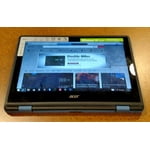
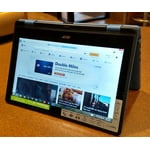
This laptop is truly innovative. I have struggled with idea of owning a regular tablet. I just could not make the jump to something that my previous laptop could do. Well this Acer is an excellent fit for me. Probably its best feature by far for me, is this laptops ability to transform into a tablet when I see fit. Yes the screen folds all the way back to make it just like a tablet, when you do this the keyboard becomes disabled so you don't press any buttons when you are holding it. The touchscreen is probably the best I've ever used so far, very smooth and fluid like. The screen is made from tough gorilla glass so excellent quality there. you can choose between view of the desktop if that's what you prefer, or the windows 8 screen with apps, you can use touchscreen for either mode. the keyboard is great, the only flaw with it, is it does not have 10 key. I am a super user of 10 key, so just beware it does not have that feature, it does have all the other features of a regular keyboard. two USB slots, and surprisingly an HDMI slot as well, was not expecting that. it is smaller than a normal laptop, but that is expected because it does also change into a tablet. the weight of it is not heavy at all. nice so if you are using it as a tablet it won't weight on your arm. so internally the processor is fast, no delays are seen loading web pages. I have used it for facebook, shopping, and emailing. it does have a small amount of memory only 2GB, but I'm assuming if it had more the price would be higher. I do understand that you can upgraded the memory to 8 GB if you choose so. another thing I thought was kind of disappointing was the 32 GB internal storage. But after opening the box, its discovered that you have the option, as of with all things now, to store on the Cloud. If you don't want to do that you can always buy an external hard drive, but the Cloud seems to be the quickest way to store and share your data. This does come Windows 10 ready, but at the moment I have not been able to even get the Windows 10 app for the update. I am sure that Microsoft will fix this issue and it won't be long before we can update to Windows 10. Overall this a great laptop if you are still on the fence, like I was, about getting a tablet. Or even if you just want a new laptop, this is a great price, and really I cannot find any problems with this Acer
A really nice little laptop
Overall, this is really a nice little computer. When I got the chance to review this product for free, I hesitated because of the small size of the screen. I have vision problems, and have always favored larger screens. However, the resolution is superb, details are nice and crisp, and the colors are wonderfully vivid. It has a built in webcam. It is also a nice color blue, very lightweight, and the screen has a neat hinge feature, which allows it to bend backwards without getting damaged. I use this computer ever day. It streams video and music very well. My son and I are able to watch his favorite cartoons without having to wait for them to load. The computer plays video well from many sources, including Youtube, Netflix, and Hulu. The battery has excellent life. On a full charge, it lasts about nine hours. I'm not a huge fan of Windows 8, but once I upgrade to Windows 10, that won't be an issue. Windows 10 brings back the traditional start-up menu, so navigation will be much more convenient and simple. I'm also not fond of the pre-installed apps, but I was easily able to remove all the ones that I didn't want and uninstall unwanted programs in just a few minutes. The touchscreen is really nice, and I enjoy having the convenient little tiles for apps. The only real problem I encountered with this computer was using the bluetooth feature. Even after making all updates to my computer, it just wouldn't connect properly. I can get devices to pair, but after 10-30 seconds, the connection is lost. I can have the laptop sitting right next the my bluetooth speaker or bluetooth stereo, but it still stops playing. It takes 15-20 minutes to get the laptop to properly pair and play through a speaker, so it isn't really worth the effort for just a few seconds of use. For such a tiny laptop, it has surprisingly good built in speakers, so it isn't a huge issue for me.
