


MoKo Microsoft Stylus Pen,Surface Pen for Microsoft Surface Pro 12/11/10/9/8/X/7+/6/5/4/Go 4/3/2/1/Laptop/Studio/Book,Magnetic Adsorption, Palm Rejection Stylus Pen
Key item features
- Compatibility: Our Surface pen supports up to the MPP1.51 protocol and works with most Microsoft Surface devices, as well as select models from HP, ASUS, Dell, Acer, and Kobo. [Surface Model List]✔ Surface Pro 12/Pro 11/Pro 10/Pro 9/Pro 8/Pro X/Pro 7+/Pro 6/Pro 5/Pro 4, ✔Surface Go 4/3/2/1, Surface Laptop 6/5/4/3/2/1/Studio 2/Studio, ✔Surface Book 3/2/1, ✔Kobo Libra Colour, Kobo Sage, Kobo Elipsa, Kobo Elipsa 2E eReaders
- NOT COMPATIBLE WITH: Surface Laptop Go/Laptop Go 2/Laptop Go 3/Laptop SE/Surface Hub 2s/Surface Laptop 7
- Pressure Sensitivity & Tilt Support: The Microsoft Surface pen features 1024 levels of pressure sensitivity and tilt recognition. With 1024 pressure points, it can capture variations in writing force, easily meeting daily needs for writing and drawing. When you tilt the pen at different angles, the lines naturally become thicker or thinner, adding greater expressiveness to your artwork
- Palm Rejection & Eraser/Right-click Button: The Surface Pro pen features palm rejection, allowing you to rest your hand comfortably on the screen while writing without creating unwanted lines. This reduces hand fatigue during long sessions. Its side buttons include an eraser on the lower button for quick corrections, and a right-mouse-click function on the upper button to improve work efficiency
- Smooth Writing & Magnetic Attachment: MoKo stylus for Microsoft Surface uses the MPP 1.51 protocol to achieve sub‑millimeter precision, delivering a smooth, lag‑free writing and drawing experience. It features a strong built‑in magnet that securely attaches to your Surface device, so it's always within reach and ready whenever inspiration strikes
- Type‑C Charging & No Bluetooth: The Microsoft Surface Pro stylus charges via a Type‑C cable and fully powers up in just 40 minutes, providing up to 80 hours of continuous use. It automatically turns off after 10 minutes of inactivity to save power and extend battery life. No Bluetooth pairing is required. Simply press the top button to start using it instantly
Specs
- BrandMoKo
- ColorBlack
- Dimensions7.32 x 2.28 x 0.65 Inches
- Pieces1
- Has written warrantyNo
- Weight1.51 oz
 Free 30-day returns

(Only one option can be selected at a time)
How do you want your item?



Get 50% off a year of Walmart+
About this item
Product details
MoKo Pen for Microsoft Surface Pro
Compatibility:
1. For Microsoft Surface Pro 12/11/10/9/8/X/7+/6/5/4, Surface Go 4/3/2/1, Surface Laptop 6/5/4/3/2/1/Studio 2/1, Surface Book 3/2/1
2. For HP Envy x360, HP Spectre x360, HP Pavilion x360 (2-in-1 models from 2020–2025)
3. For ASUS Vivobook Flip 14/12, ASUS ZenBook Flip/ZenBook, ASUS ROG Zephyrus Duo 15/16, ASUS ROG Flow Series
4. For DELL Inspiron/Latitude series
5. For Kobo Libra Colour, Kobo Sage, Kobo Elipsa, Kobo Elipsa 2E eReaders
Features
1. 1024 Pressure Sensitivity & Tilt Sensitivity: Precise capture of every subtle pressure change and recognition of every tilt angle shift—draw your inspiration.
2. Palm Rejection: Let your hands rest comfortably on the tablet as you create.
3. Magnetic Attachment: The Microsoft Surface pen securely attaches to the tablet's side, preventing loss and allowing easy access anytime.
4. Side Button: The lower part functions as an eraser for quick corrections. The upper part acts as a right mouse button to boost productivity.
5. Type-C Charging: The Kobo stylus charges fully in just 40 minutes and delivers up to 80 hours of battery life. It automatically powers off after 10 minutes of inactivity.
6. No Bluetooth Pairing: Press and hold the top button to activate the HP stylus instantly.
Package Contents
F97 MPP1.51 Stylus Pen × 1
Type-C Charging Cable × 1
Replacement Nibs × 2
Pen Clip × 1
User Manual × 1
- Compatibility: Our Surface pen supports up to the MPP1.51 protocol and works with most Microsoft Surface devices, as well as select models from HP, ASUS, Dell, Acer, and Kobo. [Surface Model List]✔ Surface Pro 12/Pro 11/Pro 10/Pro 9/Pro 8/Pro X/Pro 7+/Pro 6/Pro 5/Pro 4, ✔Surface Go 4/3/2/1, Surface Laptop 6/5/4/3/2/1/Studio 2/Studio, ✔Surface Book 3/2/1, ✔Kobo Libra Colour, Kobo Sage, Kobo Elipsa, Kobo Elipsa 2E eReaders
- NOT COMPATIBLE WITH: Surface Laptop Go/Laptop Go 2/Laptop Go 3/Laptop SE/Surface Hub 2s/Surface Laptop 7
- Pressure Sensitivity & Tilt Support: The Microsoft Surface pen features 1024 levels of pressure sensitivity and tilt recognition. With 1024 pressure points, it can capture variations in writing force, easily meeting daily needs for writing and drawing. When you tilt the pen at different angles, the lines naturally become thicker or thinner, adding greater expressiveness to your artwork
- Palm Rejection & Eraser/Right-click Button: The Surface Pro pen features palm rejection, allowing you to rest your hand comfortably on the screen while writing without creating unwanted lines. This reduces hand fatigue during long sessions. Its side buttons include an eraser on the lower button for quick corrections, and a right-mouse-click function on the upper button to improve work efficiency
- Smooth Writing & Magnetic Attachment: MoKo stylus for Microsoft Surface uses the MPP 1.51 protocol to achieve sub‑millimeter precision, delivering a smooth, lag‑free writing and drawing experience. It features a strong built‑in magnet that securely attaches to your Surface device, so it's always within reach and ready whenever inspiration strikes
- Type‑C Charging & No Bluetooth: The Microsoft Surface Pro stylus charges via a Type‑C cable and fully powers up in just 40 minutes, providing up to 80 hours of continuous use. It automatically turns off after 10 minutes of inactivity to save power and extend battery life. No Bluetooth pairing is required. Simply press the top button to start using it instantly
Specifications
Brand
Color
Accessories
Dimensions
Warranty
Warranty information
Warnings
Ingestion Hazard
Similar items you might like
Best seller Stylus Pen for iPad 2018-2025, Fast Charging iPad Pencil for iPad Air 3/4/5/6/M2, iPad Pro 11"/12.9"/M4, iPad Mini 5/6, iPad 6/7/8/9/10, Palm Rejection, Tilt Sensitivity, White $9.11 Was $21.49
Best seller $911current price $9.11, Was $21.49$21.49
Stylus Pen for iPad 2018-2025, Fast Charging iPad Pencil for iPad Air 3/4/5/6/M2, iPad Pro 11"/12.9"/M4, iPad Mini 5/6, iPad 6/7/8/9/10, Palm Rejection, Tilt Sensitivity, White
2814.5 out of 5 Stars. 281 reviewsBest seller MoKo Pencil for iPad (A16) 11th 10th Gen, Stylus Pen for 2018-2025 Apple iPad 11/10/9/8/7/6/A16, Mini 7/6/5, Air M3/M2 11"/13"/5/4/3, Pro M4 13"/12.9"/11" Tilt Sensitivity, USB-C Fast Charging,White $10.95 Was $22.99
Best seller


 $1095current price $10.95, Was $22.99$22.99
MoKo Pencil for iPad (A16) 11th 10th Gen, Stylus Pen for 2018-2025 Apple iPad 11/10/9/8/7/6/A16, Mini 7/6/5, Air M3/M2 11"/13"/5/4/3, Pro M4 13"/12.9"/11" Tilt Sensitivity, USB-C Fast Charging,White
2494.6 out of 5 Stars. 249 reviewsBest seller One-Click Undo Function,Stylus Pen for iPad 2018-2025(A16/11/10/9/8/7/6),USB-C Fast Charging,Pixel-Perfect Tilt Sensitivity,Palm Rejection & Magnetic Attach for iPad Pro/iPad Air/iPad Mini (white) $13.20 Was $18.99
Best seller 5 optionsAvailable in additional 5 options$1320current price $13.20, Was $18.99$18.99
One-Click Undo Function,Stylus Pen for iPad 2018-2025(A16/11/10/9/8/7/6),USB-C Fast Charging,Pixel-Perfect Tilt Sensitivity,Palm Rejection & Magnetic Attach for iPad Pro/iPad Air/iPad Mini (white)
10014.7 out of 5 Stars. 1001 reviewsBest seller Antier Stylus Pens for Touch Screens, 10-Pack 2-in-1 Universal Touchscreen Stylus Pens for iPad, iPhone, Android, Samsung, Tablets, Laptops & More - Includes 20 Replacement Nibs $10.00 Was $16.99
Best seller 3 optionsAvailable in additional 3 options$1000current price $10.00, Was $16.99$16.99
Antier Stylus Pens for Touch Screens, 10-Pack 2-in-1 Universal Touchscreen Stylus Pens for iPad, iPhone, Android, Samsung, Tablets, Laptops & More - Includes 20 Replacement Nibs
4114.7 out of 5 Stars. 411 reviewsBest seller MoKo Stylus Pen for iPad 2018-2025,Fast Charging Pencil for iPad(A16) 11th-6th Gen with Power Display,Tilt Sensitivity for Apple iPad Air 7/6/5/4/3/M3/M2, Pro 13"/12.9"/11"/M4, Mini 7/6/5,White $9.99 Was $22.99
Best seller


 $999current price $9.99, Was $22.99$22.99
MoKo Stylus Pen for iPad 2018-2025,Fast Charging Pencil for iPad(A16) 11th-6th Gen with Power Display,Tilt Sensitivity for Apple iPad Air 7/6/5/4/3/M3/M2, Pro 13"/12.9"/11"/M4, Mini 7/6/5,White
384.7 out of 5 Stars. 38 reviewsBest seller Stylus Pen for iPad 10th&9th Generation, Fast Charging Apple iPad Pencil with Palm Rejection, Tilt Sensitivity, Work for iPad Air 3/4/5, iPad Mini 5/6, iPad 6/7/8/9/10, iPad Pro 11", iPad Pro 12.9" $11.99 Was $19.98
Best seller 3 optionsAvailable in additional 3 options$1199current price $11.99, Was $19.98$19.98
Stylus Pen for iPad 10th&9th Generation, Fast Charging Apple iPad Pencil with Palm Rejection, Tilt Sensitivity, Work for iPad Air 3/4/5, iPad Mini 5/6, iPad 6/7/8/9/10, iPad Pro 11", iPad Pro 12.9"
8774.5 out of 5 Stars. 877 reviewsBest seller Stylus Pen for ipad,Stylus for Touch Screens, Digiroot 4-Pack Stylus Pens High Sensitivity & Precision Capacitive Stylus with 8 Extra Tips for iPhone/ iPad Pro/ Tablets/ Samsung/ Galaxy/ PC $10.99 Was $19.99
Best seller $1099current price $10.99, Was $19.99$19.99
Stylus Pen for ipad,Stylus for Touch Screens, Digiroot 4-Pack Stylus Pens High Sensitivity & Precision Capacitive Stylus with 8 Extra Tips for iPhone/ iPad Pro/ Tablets/ Samsung/ Galaxy/ PC
5354.4 out of 5 Stars. 535 reviewsBest seller Stylus Pen for Apple iPad Pencil Tablets, Fast Charging Apple iPad Pens 10th&9th Generation, with Palm Rejection,Tilt Sensitivity, for iPad Air 3/4/5,iPad Mini 5/6, iPad 6/7/8/9/10, iPad Pro11"/12.9" $9.00 Was $10.49
Best seller $900current price $9.00, Was $10.49$10.49
Stylus Pen for Apple iPad Pencil Tablets, Fast Charging Apple iPad Pens 10th&9th Generation, with Palm Rejection,Tilt Sensitivity, for iPad Air 3/4/5,iPad Mini 5/6, iPad 6/7/8/9/10, iPad Pro11"/12.9"
10814.1 out of 5 Stars. 1081 reviewsBest seller Stylus Pen for iPad Pencil, Fast Charging Apple iPad Pen 10th&9th Generation,Palm Rejection,Tilt Sensitivity, Work for iPad Air 3/4/5/6, iPad Mini 5/6, iPad 6/7/8/9/10, iPad Pro 11", iPad Pro 12.9" $9.30 Was $18.99
Best seller $930current price $9.30, Was $18.99$18.99
Stylus Pen for iPad Pencil, Fast Charging Apple iPad Pen 10th&9th Generation,Palm Rejection,Tilt Sensitivity, Work for iPad Air 3/4/5/6, iPad Mini 5/6, iPad 6/7/8/9/10, iPad Pro 11", iPad Pro 12.9"
1844.4 out of 5 Stars. 184 reviewsBest seller Stylus Pen for Touchscreen, Compatible for Android & iOS Phones/Tablet, Fast Charge Universal Stylus Pen for i-Phone, i-Pad, Tab A9 , High Sensitivity & Precision Stylist Pencil for Writing/Drawing $12.69 Was $23.00
Best seller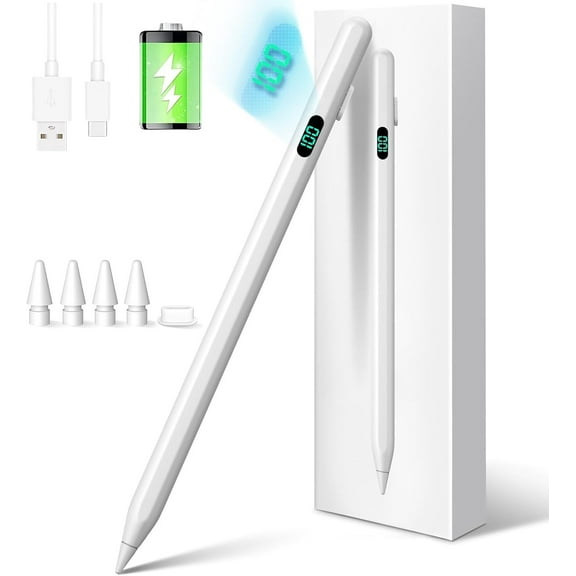 2 optionsAvailable in additional 2 options$1269current price $12.69, Was $23.00$23.00
Stylus Pen for Touchscreen, Compatible for Android & iOS Phones/Tablet, Fast Charge Universal Stylus Pen for i-Phone, i-Pad, Tab A9 , High Sensitivity & Precision Stylist Pencil for Writing/Drawing
2233.5 out of 5 Stars. 223 reviewsBest seller onn Stylus Pens Set, Multicolor, 10 Count $5.64
Best seller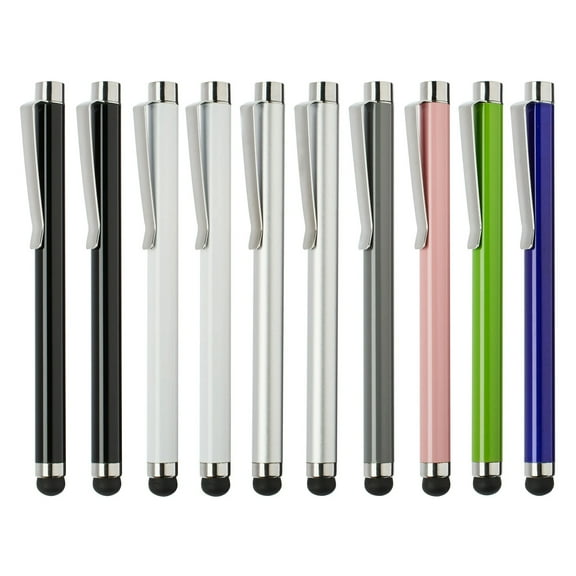 $564current price $5.64
onn Stylus Pens Set, Multicolor, 10 Count
33864.6 out of 5 Stars. 3386 reviewsIn 100+ people's carts Stylus Pen for iPad, High Sensitivity & Precision Capacitive Stylus Pencil for Apple iPad iPhone Tablets Samsung Galaxy All Universal Touch Screen Devices $10.77 Was $22.98
In 100+ people's carts $1077current price $10.77, Was $22.98$22.98
Stylus Pen for iPad, High Sensitivity & Precision Capacitive Stylus Pencil for Apple iPad iPhone Tablets Samsung Galaxy All Universal Touch Screen Devices
3573.5 out of 5 Stars. 357 reviewsBest seller Stylus Pen for iPad 6th-11th Generation, Fast Charge with Palm Rejection & Tilt Sensitivity, Compatible with 2018-2025 iPad 6/7/8/9/10/11, Pro 11"/12.9"/M4, Air 3/4/5/M2/M3, Mini 5/6 $13.59 Was $99.99
Best seller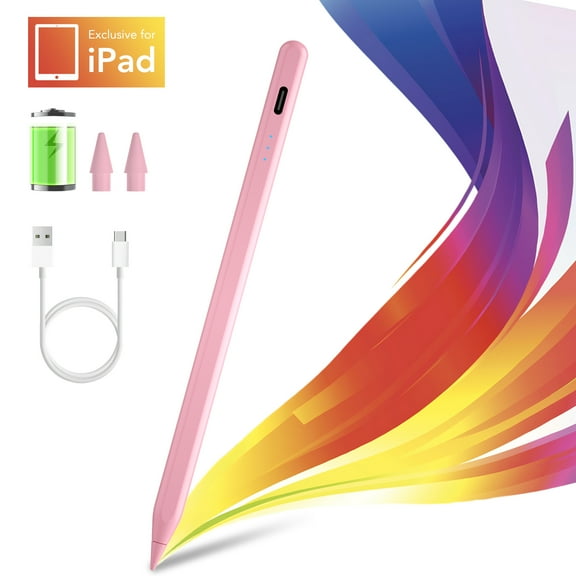 $1359current price $13.59, Was $99.99$99.99
Stylus Pen for iPad 6th-11th Generation, Fast Charge with Palm Rejection & Tilt Sensitivity, Compatible with 2018-2025 iPad 6/7/8/9/10/11, Pro 11"/12.9"/M4, Air 3/4/5/M2/M3, Mini 5/6
864.5 out of 5 Stars. 86 reviewsBest seller Stylus Pen for Touch Screens, Active Digital Pencil with Fine Tip, Rechargeable Capacitive Stylus for Tablets & Smartphones, Universal for Drawing & Note-Taking, 4 Replaceable Tips Included $12.57 Was $23.00
Best seller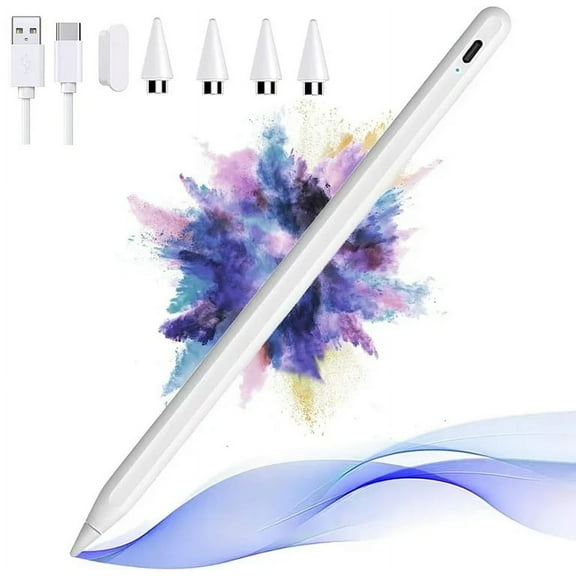 $1257current price $12.57, Was $23.00$23.00
Stylus Pen for Touch Screens, Active Digital Pencil with Fine Tip, Rechargeable Capacitive Stylus for Tablets & Smartphones, Universal for Drawing & Note-Taking, 4 Replaceable Tips Included
3083.8 out of 5 Stars. 308 reviewsBest seller Stylus Pen for iPad 2018-2025, Faster Charge, LED Display, Tilt Sensitivity, Pixel Precision, Stylus Pen for iPad 11/10/9/8/7/6th Gen, Pro 12.9/11/13-inch M4, Air 3/4/5/M2/M3, Mini 5/6th, White $14.59 Was $99.99
Best seller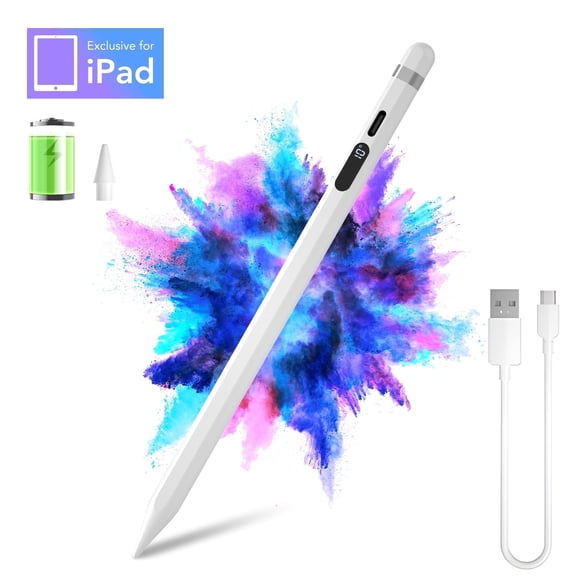 2 optionsAvailable in additional 2 options$1459current price $14.59, Was $99.99$99.99
Stylus Pen for iPad 2018-2025, Faster Charge, LED Display, Tilt Sensitivity, Pixel Precision, Stylus Pen for iPad 11/10/9/8/7/6th Gen, Pro 12.9/11/13-inch M4, Air 3/4/5/M2/M3, Mini 5/6th, White
1024.7 out of 5 Stars. 102 reviewsMoKo Stylus Pens for Touch Screens with Power Display, Fast Charge iPad Pencil for Apple iPad iPhone Android Tablets Samsung Lenovo Smart Phone,Universal Stylus Capacitive Screen Pencil, White $15.99 Was $22.99
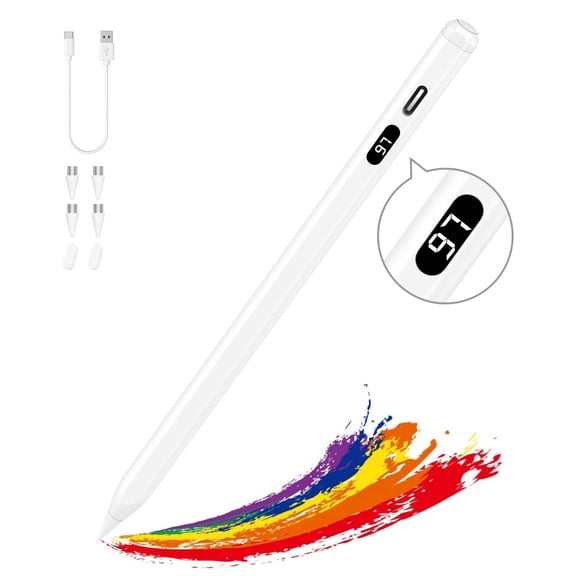


 $1599current price $15.99, Was $22.99$22.99
MoKo Stylus Pens for Touch Screens with Power Display, Fast Charge iPad Pencil for Apple iPad iPhone Android Tablets Samsung Lenovo Smart Phone,Universal Stylus Capacitive Screen Pencil, White
293.9 out of 5 Stars. 29 reviewsBest seller onn. Touch Pen Tablets Smartphone Styluses, Anti-Scratch Rubber Tips, 3 Count - Black, Blue, Gray $14.74 $4.91/count
Best seller $1474current price $14.74$4.91/count
onn. Touch Pen Tablets Smartphone Styluses, Anti-Scratch Rubber Tips, 3 Count - Black, Blue, Gray
6034.5 out of 5 Stars. 603 reviewsCGBCFO Pink Basic Stylus Pen for Apple iPad with Palm Rejection Tilt, Compatible with iPad Pro/Air/Mini 6/5/4/3, iPad 9-6 Gen, Affordable 1st/2nd Gen Pencil Alternative $16.99
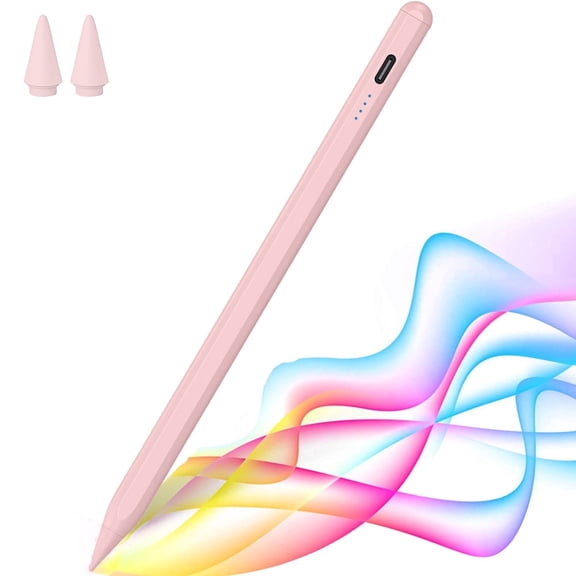 $1699current price $16.99
CGBCFO Pink Basic Stylus Pen for Apple iPad with Palm Rejection Tilt, Compatible with iPad Pro/Air/Mini 6/5/4/3, iPad 9-6 Gen, Affordable 1st/2nd Gen Pencil Alternative
224 out of 5 Stars. 22 reviewsBest seller Hengguang 4Pcs Touchscreen Stylus Pen, 2 in 1 Universal Stylus Touch Screen Pen with 8 Extra Replaceable Tips for iPad Samsung Tablet Cell Phone PC Laptop, All Touch Screen Devices $8.98 Was $17.99
Best seller
 $898current price $8.98, Was $17.99$17.99
Hengguang 4Pcs Touchscreen Stylus Pen, 2 in 1 Universal Stylus Touch Screen Pen with 8 Extra Replaceable Tips for iPad Samsung Tablet Cell Phone PC Laptop, All Touch Screen Devices
5384.4 out of 5 Stars. 538 reviewsBest seller Applicable to Samsung S25 Ultra S Pen Replacement For Galaxy S25 Ultra Touch Stylus Pen with 5xTips/Nibs ,Silver $12.54
Best seller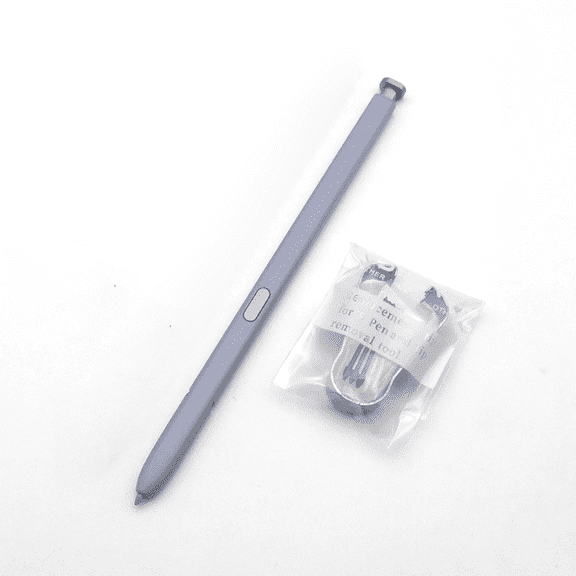 3 optionsAvailable in additional 3 options$1254current price $12.54
Applicable to Samsung S25 Ultra S Pen Replacement For Galaxy S25 Ultra Touch Stylus Pen with 5xTips/Nibs ,Silver
1514.4 out of 5 Stars. 151 reviews
