

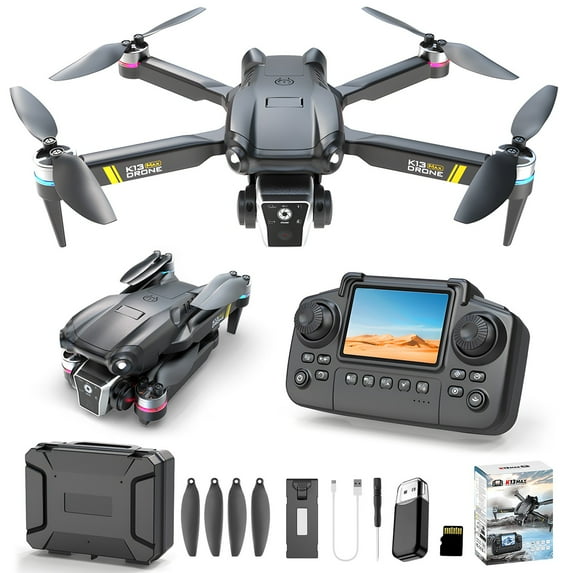
Hero image 0 of YUNAFFT Drone With 1080P Screen Remote Control Brushless Motor And Cool Lights Drones With Storage Card RC Quadcopter Altitude Hold Obstacle Avoidance For Kids Adults, 0 of 9
YUNAFFT Drone With 1080P Screen Remote Control Brushless Motor And Cool Lights Drones With Storage Card RC Quadcopter Altitude Hold Obstacle Avoidance For Kids Adults
(No ratings yet)
YUNAFFT Drone With 1080P Screen Remote Control Brushless Motor And Cool Lights Drones With Storage Card RC Quadcopter Altitude Hold Obstacle Avoidance For Kids AdultsYUNAFFT Drone 1080P Screen Remote Control Brushless Motor Cool Lights Drones Storage Card RC Quadcopter Altitude Hold Obstacle Avoidance Kids AdultsYUNAFFT Drone 1080P Screen Remote Control Brushless Motor Cool Lights Drones Storage Card RC Quadcopter Altitude Hold Obstacle Avoidance Kids AdultsYUNAFFT Drone 1080P Screen Remote Control Brushless Motor Cool Lights Drones Storage Card RC Quadcopter Altitude Hold Obstacle Avoidance Kids Adults
Size:1 PCS
Actual Color:Black
selected, Black
Key item features
- YUNAFFT 【Service】 If you have any questions, please feel free to contact us and we will answer your questions as soon as possible.
- best gift
- 【Brushless Drone for Beginners】:The K13 is a fantastic beginner drone featuring a controller with a built-in display for more convenient flying. It's equipped with brushless motors for increased power and greater durability. Beginner-friendly functions like one-touch takeoff/landing, headless mode, 360° flips, and altitude hold let you quickly master the essentials of flight.
- 【1080p Camera Drone】:This mini drone features a 1080p camera with a 110° wide-angle lens for an expansive field of view. Effortlessly capture impressive aerial footage and instantly share those special moments with loved ones. While it doesn't offer electronic adjustment, the lens can be manually tilted 90 degrees.
- 【Important Charging Info Before You Buy】:Avoid third-party cables (like your phone cable), as their varying specs can prevent charging. Our battery requires 5V/1A input, use ONLY the provided charging cable. If the remote emits a constant beeping sound, this isn't a malfunction – it's a low battery warning. Since the drone is battery-powered, low charge will cause expected issues like lost signal and reduced motor power. Always check battery level first if anything seems wrong.
- 【Level Calibrate and Trim Adjustment for Drift Correction】:Always perform level calibration before takeoff — this is critical for stable flight. If the drone has been moved since its last flight, its horizontal reference may shift. Calibration ensures accurate attitude data for the current flight. To calibrate: place the drone on a level surface, push both controller sticks down and outward (left joystick ↙ bottom-left, right joystick ↘ bottom-right) and hold for 2 seconds. This is an essential step every pilot should make routine – please don't skip it.If the drone begins to drift, use the TRIM button on the remote controller to adjust.
- 【How to connect a mobile phone】:The drone's WiFi can only connect to one device at a time. For example, if the remote controller is connected, your phone won't be able to connect. If you want to connect your phone to the drone, here's how to do it right: First, make sure the controller is completely powered off. Then start up the drone itself and connect your phone to its WiFi network. Once you're connected, open the drone app on your phone – that'll get the live video feed working. Only after you've got the video stream should you finally power up the remote controller to establish the control link.
Specs
- Run time14 Minutes
- Maximum image resolution1080p
- Video streaming qualityFHD (1080P)
- BrandYUNAFFT
- Is foldableN
- Assembled product weight0.82 lbs
Current price is USD$37.19
Price when purchased online
- Free shipping
 Free 30-day returns

Walmart Accident Plan by Allstate
(Only one option can be selected at a time)
How do you want your item?
Columbus, 43215
Arrives between Apr 9 - Apr 16
|
Sold and shipped by YUNAFFT
3.525773195876289 stars out of 5, based on 97 seller reviews(3.5)97 seller reviews

Free 30-day returns
About this item
Product details
Drone With 1080P Screen Remote Control Brushless Motor And Cool Lights Drones With Storage Card RC Quadcopter Altitude Hold Obstacle Avoidance For Kids Adults
Features:
Upgrade Screen Display Remote Control: With HD camera, You can enjoy HD picture and video . Upgraded unique designs of the drone make the drone much more stable. 120° lens and 90° regulation camera gives you a broad view. The remote control is equipped with a screen, making it more convenient to view real- images, comes with a storage card for storing photos and videos.
Brushless Motor, Stable Height: By using brushless motors, the fan blades can achieve higher speeds. The built-in altitude hold system allows the drone to stay stable at the desired height. With ground detection , it gains strong wind resistance capabilities. Compared to brushed drones, brushless drones have many improvements .
Multiple Functions : This drone offers a variety of functions to enhance your flying experience. These include High-Speed Rotation, Fly, 3 Speed Gears , Gesture Control, Headless Mode, OneKeyTakeoff/Landing, Altitude Hold, 360° Flip, Low Battery reminder, and Emergency Stop,electromechanical adjustable camera, cool led lighting, gesture photography.
Carry It Anywhere, Storage Bag : The package includes a carrying case, making it convenient for outdoor travel. It is equipped with a controller and spare fan blades, making it an excellent choice for gifts.
Considerate Design: Weight under 250g to save you from registration. Provides 360-degree obstacle avoidance indoors. With its extensive range of functions and exceptional quality, this drone is suitable for both beginners and skilled players alike.
Attention: Please carefully read the manual and watch the operating video before starting the paly the drone to avoid damaging the drone due to improper operating.
Product Description:
Material:Plastic/Metal/ Electronic components.
Color:B.l.a.c.k
Frequency:2.4G.
Motor Model: Brushless motor.
Wind resistance grade: 5.
Obstacle avoidance mode: 360 °.
Lens Angle: 90° regulation. Channels:4CH.
Suitable age:14+.
Body Battery:3.7V mAh lipo.
Charging :90 mins.
Flying (one battery):14 mins.
R/C Distance:100 meters.
Image Transmission Distance:100meters.
Image transmission signal:WiFi.
Charging mode:USB charging cable.
Speed gear:Fast/Medium/Slow.
Product size:26.5x25x5.5cm(10.43x9.84x2.16in).
Packing size:22x18x7cm(8.7x7.1x2.8in).
Product gross weight:370g/0.82lb.
Package Contents:
1xDrone.
1xRemote control.
1x accessory package
1x storage card
1x card reader
Features:
Upgrade Screen Display Remote Control: With HD camera, You can enjoy HD picture and video . Upgraded unique designs of the drone make the drone much more stable. 120° lens and 90° regulation camera gives you a broad view. The remote control is equipped with a screen, making it more convenient to view real- images, comes with a storage card for storing photos and videos.
Brushless Motor, Stable Height: By using brushless motors, the fan blades can achieve higher speeds. The built-in altitude hold system allows the drone to stay stable at the desired height. With ground detection , it gains strong wind resistance capabilities. Compared to brushed drones, brushless drones have many improvements .
Multiple Functions : This drone offers a variety of functions to enhance your flying experience. These include High-Speed Rotation, Fly, 3 Speed Gears , Gesture Control, Headless Mode, OneKeyTakeoff/Landing, Altitude Hold, 360° Flip, Low Battery reminder, and Emergency Stop,electromechanical adjustable camera, cool led lighting, gesture photography.
Carry It Anywhere, Storage Bag : The package includes a carrying case, making it convenient for outdoor travel. It is equipped with a controller and spare fan blades, making it an excellent choice for gifts.
Considerate Design: Weight under 250g to save you from registration. Provides 360-degree obstacle avoidance indoors. With its extensive range of functions and exceptional quality, this drone is suitable for both beginners and skilled players alike.
Attention: Please carefully read the manual and watch the operating video before starting the paly the drone to avoid damaging the drone due to improper operating.
Product Description:
Material:Plastic/Metal/ Electronic components.
Color:B.l.a.c.k
Frequency:2.4G.
Motor Model: Brushless motor.
Wind resistance grade: 5.
Obstacle avoidance mode: 360 °.
Lens Angle: 90° regulation. Channels:4CH.
Suitable age:14+.
Body Battery:3.7V mAh lipo.
Charging :90 mins.
Flying (one battery):14 mins.
R/C Distance:100 meters.
Image Transmission Distance:100meters.
Image transmission signal:WiFi.
Charging mode:USB charging cable.
Speed gear:Fast/Medium/Slow.
Product size:26.5x25x5.5cm(10.43x9.84x2.16in).
Packing size:22x18x7cm(8.7x7.1x2.8in).
Product gross weight:370g/0.82lb.
Package Contents:
1xDrone.
1xRemote control.
1x accessory package
1x storage card
1x card reader
- YUNAFFT 【Service】 If you have any questions, please feel free to contact us and we will answer your questions as soon as possible.
- best gift
- 【Brushless Drone for Beginners】:The K13 is a fantastic beginner drone featuring a controller with a built-in display for more convenient flying. It's equipped with brushless motors for increased power and greater durability. Beginner-friendly functions like one-touch takeoff/landing, headless mode, 360° flips, and altitude hold let you quickly master the essentials of flight.
- 【1080p Camera Drone】:This mini drone features a 1080p camera with a 110° wide-angle lens for an expansive field of view. Effortlessly capture impressive aerial footage and instantly share those special moments with loved ones. While it doesn't offer electronic adjustment, the lens can be manually tilted 90 degrees.
- 【Important Charging Info Before You Buy】:Avoid third-party cables (like your phone cable), as their varying specs can prevent charging. Our battery requires 5V/1A input, use ONLY the provided charging cable. If the remote emits a constant beeping sound, this isn't a malfunction – it's a low battery warning. Since the drone is battery-powered, low charge will cause expected issues like lost signal and reduced motor power. Always check battery level first if anything seems wrong.
- 【Level Calibrate and Trim Adjustment for Drift Correction】:Always perform level calibration before takeoff — this is critical for stable flight. If the drone has been moved since its last flight, its horizontal reference may shift. Calibration ensures accurate attitude data for the current flight. To calibrate: place the drone on a level surface, push both controller sticks down and outward (left joystick ↙ bottom-left, right joystick ↘ bottom-right) and hold for 2 seconds. This is an essential step every pilot should make routine – please don't skip it.If the drone begins to drift, use the TRIM button on the remote controller to adjust.
- 【How to connect a mobile phone】:The drone's WiFi can only connect to one device at a time. For example, if the remote controller is connected, your phone won't be able to connect. If you want to connect your phone to the drone, here's how to do it right: First, make sure the controller is completely powered off. Then start up the drone itself and connect your phone to its WiFi network. Once you're connected, open the drone app on your phone – that'll get the live video feed working. Only after you've got the video stream should you finally power up the remote controller to establish the control link.
info:
We aim to show you accurate product information. Manufacturers, suppliers and others provide what you see here, and we have not verified it.
Specifications
Run time
14 Minutes
Maximum image resolution
1080p
Video streaming quality
FHD (1080P)
Brand
YUNAFFT
Warranty
Warranty information
Please be aware that the warranty terms on items offered for sale by third party Marketplace sellers may differ from those displayed in this section (if any). To confirm warranty terms on an item offered for sale by a third party Marketplace seller, please use the 'Contact seller' feature on the third party Marketplace seller's information page and request the item's warranty terms prior to purchase.
Warnings
State Chemical Disclosure
None
Similar items you might like
Based on what customers bought
In 50+ people's carts BEEPRINCESS Drone with 4K HD Dual Camera for Adults Kids, RC Quadcopter with 2 Modular 1800mAh Batteries for 30 Mins Long Flight $26.79 Was $62.99
In 50+ people's carts

 $2679current price $26.79, Was $62.99$62.99
BEEPRINCESS Drone with 4K HD Dual Camera for Adults Kids, RC Quadcopter with 2 Modular 1800mAh Batteries for 30 Mins Long Flight
39484.1 out of 5 Stars. 3948 reviewsBest seller Drones for Kids with 1080P Camera, Lightweight Wefone WF13 Upgraded Quadcopter Beginners, One-Key Takeoff, Optical Flow Hover, 2 Batteries, Black $19.99
Best seller
 $1999current price $19.99
Drones for Kids with 1080P Camera, Lightweight Wefone WF13 Upgraded Quadcopter Beginners, One-Key Takeoff, Optical Flow Hover, 2 Batteries, Black
2654.2 out of 5 Stars. 265 reviewsClearance Wefone M3 Foldable Drone with Camera, Obstacle Avoidance, 2 Batteries 20 Min, Brushless Motor, Optical Flow, Gray $26.99 Was $49.98
Clearance 3 optionsAvailable in additional 3 options$2699current price $26.99, Was $49.98$49.98
Wefone M3 Foldable Drone with Camera, Obstacle Avoidance, 2 Batteries 20 Min, Brushless Motor, Optical Flow, Gray
1034.4 out of 5 Stars. 103 reviewsYUNAFFT Mini Drone with Camera Remote Control Drones With Screen Display 2.4G Headless Mode, Altitude Hold RC Quadcopter for Adults Fpv Drone Birthday Gifts $32.39

 $3239current price $32.39
YUNAFFT Mini Drone with Camera Remote Control Drones With Screen Display 2.4G Headless Mode, Altitude Hold RC Quadcopter for Adults Fpv Drone Birthday Gifts
Clearance LmnLft 1080P Camera Drone with Remote Screen - Altitude Hold RC Quadcopter for Beginners, Foldable Design with 2.4Ghz Control for Kids & Adults $27.39 Was $30.77
Clearance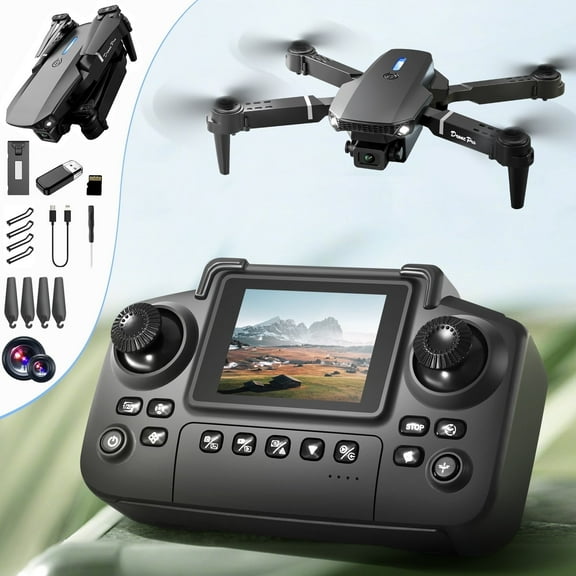


 $2739current price $27.39, Was $30.77$30.77
LmnLft 1080P Camera Drone with Remote Screen - Altitude Hold RC Quadcopter for Beginners, Foldable Design with 2.4Ghz Control for Kids & Adults
243.8 out of 5 Stars. 24 reviewsDrone with Camera for Kids Adults 4K, UUGEE RC Drones Foldable Fpv Quadcopter for Beginners with 3 Cameras & Batteries, LED Lights,Christmas Birthday Gifts $36.99 Was $41.40
 3 optionsAvailable in additional 3 options$3699current price $36.99, Was $41.40$41.40
Drone with Camera for Kids Adults 4K, UUGEE RC Drones Foldable Fpv Quadcopter for Beginners with 3 Cameras & Batteries, LED Lights,Christmas Birthday Gifts
1433.8 out of 5 Stars. 143 reviewsClearance DEERC DC11 Mini Drone for Kids, RC Nano Quadcopter with LED Lights for Beginners with Altitude Hold, Demo Mode, 3 Batteries, Green $20.99 Was $39.98
Clearance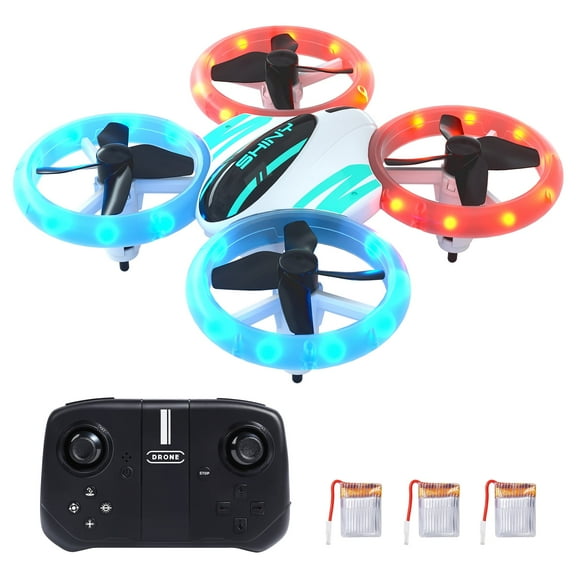

 $2099current price $20.99, Was $39.98$39.98
DEERC DC11 Mini Drone for Kids, RC Nano Quadcopter with LED Lights for Beginners with Altitude Hold, Demo Mode, 3 Batteries, Green
2744.2 out of 5 Stars. 274 reviewsYUNAFFT Mini Drones, RC Drone with Auto Hovering and Headless Mode, Quadcopter, Propeller Full Protect, 3D Flips, Remote Control, Best Toys Gifts $17.79

 $1779current price $17.79
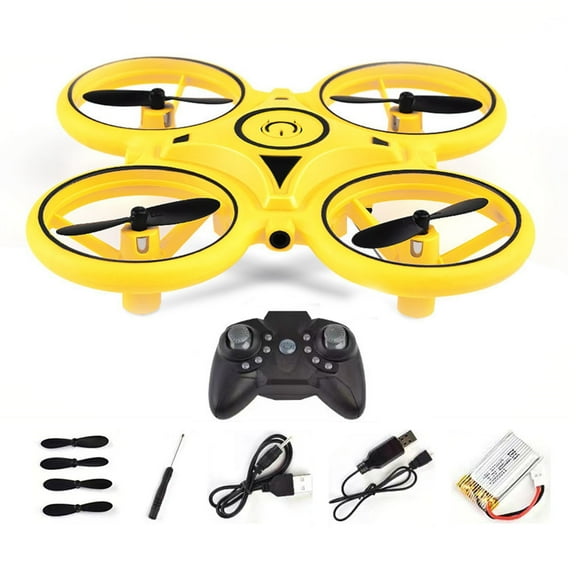
YUNAFFT Mini Drones, RC Drone with Auto Hovering and Headless Mode, Quadcopter, Propeller Full Protect, 3D Flips, Remote Control, Best Toys Gifts
Best seller Drones for Kids with 1080P HD Camera, One-Key Takeoff/Landing, Foldable Wefone H21 with Brushless Motor and Optical Flow Hover, 2 Batteries, Black $27.99 Was $34.99
Best seller 2 optionsAvailable in additional 2 options$2799current price $27.99, Was $34.99$34.99
Drones for Kids with 1080P HD Camera, One-Key Takeoff/Landing, Foldable Wefone H21 with Brushless Motor and Optical Flow Hover, 2 Batteries, Black
814.4 out of 5 Stars. 81 reviewsBEEPRINCESS H16 Drone with Camera for Adults 4K, Foldable Drone for Beginners with Brushless Motor, Optical Flow Positioning, with 2 Batteries and Carrying Case $39.99
 $3999current price $39.99
BEEPRINCESS H16 Drone with Camera for Adults 4K, Foldable Drone for Beginners with Brushless Motor, Optical Flow Positioning, with 2 Batteries and Carrying Case
944 out of 5 Stars. 94 reviewsddioayh Kids RC Drone With Obstacle Avoidance & Optical Flow Positioning, Throw to Launch Gravity Control Indoor/Outdoor LED Lights Drone Toy for Boys Girls Beginners $28.99
 $2899current price $28.99
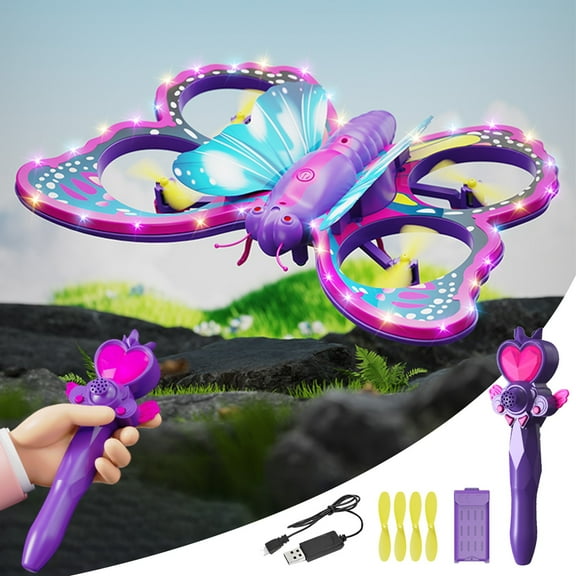
ddioayh Kids RC Drone With Obstacle Avoidance & Optical Flow Positioning, Throw to Launch Gravity Control Indoor/Outdoor LED Lights Drone Toy for Boys Girls Beginners
YUNAFFT Drone With 1080P Screen Remote Control Brushless Motor And Cool Lights Drones With Storage Card RC Quadcopter Altitude Hold Obstacle Avoidance For Kids Adults $39.59

 $3959current price $39.59
YUNAFFT Drone With 1080P Screen Remote Control Brushless Motor And Cool Lights Drones With Storage Card RC Quadcopter Altitude Hold Obstacle Avoidance For Kids Adults
Mini Drone for Kids, Drone With 1080P Screen Remote Control Brushless Motor And Cool Lights Drones With Storage Card RC Quadcopter Altitude Hold Obstacle Avoidance For Kids Adults $23.79
 3 optionsAvailable in additional 3 options$2379current price $23.79
Mini Drone for Kids, Drone With 1080P Screen Remote Control Brushless Motor And Cool Lights Drones With Storage Card RC Quadcopter Altitude Hold Obstacle Avoidance For Kids Adults
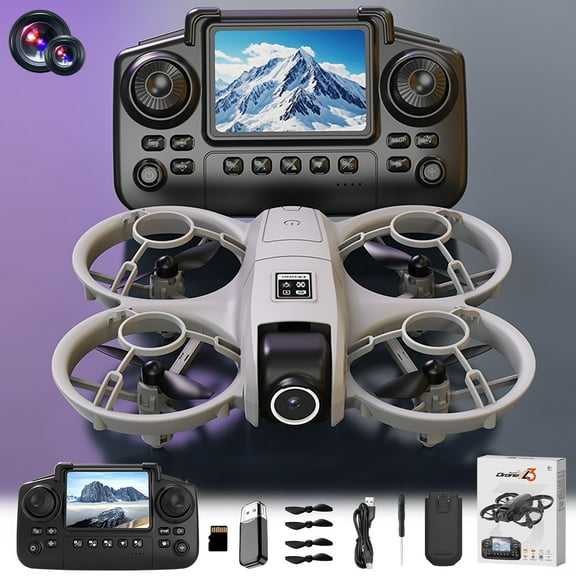
Drone With 1080P Screen Remote Control Brushless Motor And Cool Lights Drones With Storage Card RC Quadcopter Altitude Hold Obstacle Avoidance For Kids Adults, Usupdd 2025 Drone With 1080P $28.69


 $2869current price $28.69
Drone With 1080P Screen Remote Control Brushless Motor And Cool Lights Drones With Storage Card RC Quadcopter Altitude Hold Obstacle Avoidance For Kids Adults, Usupdd 2025 Drone With 1080P
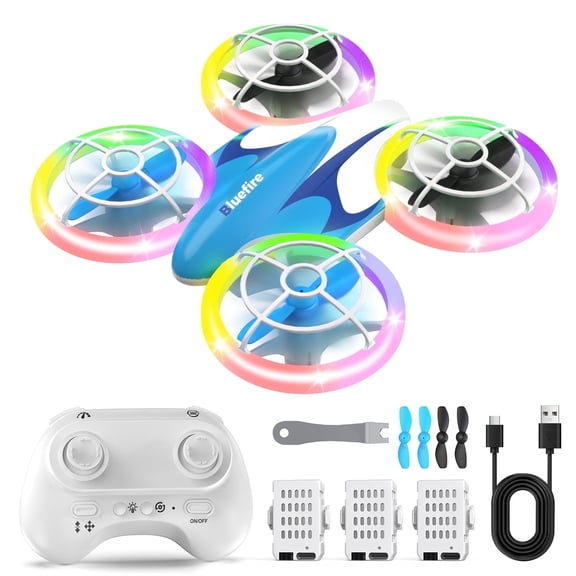
Bluefire Mini Drone for Kids, remote control helicopter,RC Nano Quadcopter with LED Lights for Beginners with Altitude Hold, Demo Mode, 3 Batteries $26.99
 $2699current price $26.99
Bluefire Mini Drone for Kids, remote control helicopter,RC Nano Quadcopter with LED Lights for Beginners with Altitude Hold, Demo Mode, 3 Batteries
15 out of 5 Stars. 1 reviewsRC Drone Car Mini RC Drone & Flying Car, Remote Control Quadcopter with One Key Take Off/Landing, LED Lights, Easy to Fly Toy Drones for Kids 8-12 $32.99


 $3299current price $32.99
RC Drone Car Mini RC Drone & Flying Car, Remote Control Quadcopter with One Key Take Off/Landing, LED Lights, Easy to Fly Toy Drones for Kids 8-12
73.6 out of 5 Stars. 7 reviewsYUNAFFT Drone 2.4g Rc Quadcopter Altitude Hold Obstacle Avoidance for Adults Beginner, One-Key Take Off/Landing, Speed Adjustment $26.39

 $2639current price $26.39
YUNAFFT Drone 2.4g Rc Quadcopter Altitude Hold Obstacle Avoidance for Adults Beginner, One-Key Take Off/Landing, Speed Adjustment
Mini Remote Control Drone with Protective Ring 360 Flips Altitude Hold Headless Mode 3 Speed LED Lights RC Flying Toy for Beginners(Black) $26.69


 $2669current price $26.69
Mini Remote Control Drone with Protective Ring 360 Flips Altitude Hold Headless Mode 3 Speed LED Lights RC Flying Toy for Beginners(Black)
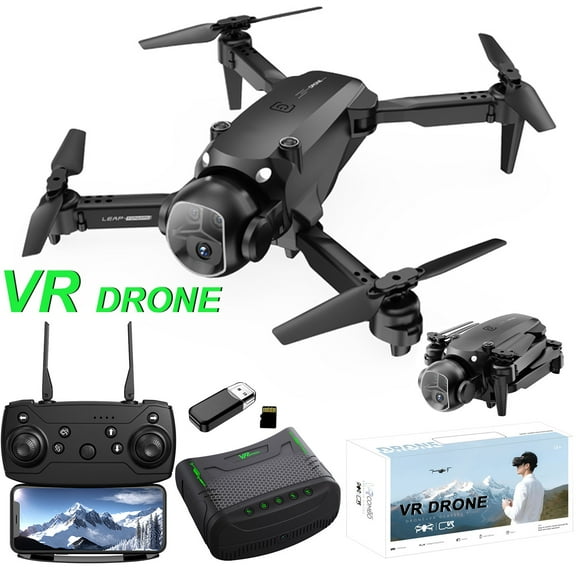
YUNAFFT FPV Drone With VR Glasses Drones 2.4G RC Quadcopter Altitude Hold Obstacle Avoidance For Kids Adults $47.99
 $4799current price $47.99
YUNAFFT FPV Drone With VR Glasses Drones 2.4G RC Quadcopter Altitude Hold Obstacle Avoidance For Kids Adults
Rvkxad 1080P FPV Drone with Screen Remote, Brushless Motor Quadcopter with Altitude Hold, Drone with Obstacle Avoidance and Carry Case, for Adults $34.49
 $3449current price $34.49
Rvkxad 1080P FPV Drone with Screen Remote, Brushless Motor Quadcopter with Altitude Hold, Drone with Obstacle Avoidance and Carry Case, for Adults
Customer ratings & reviews
0 ratings|0 reviews
This item does not have any reviews yet
