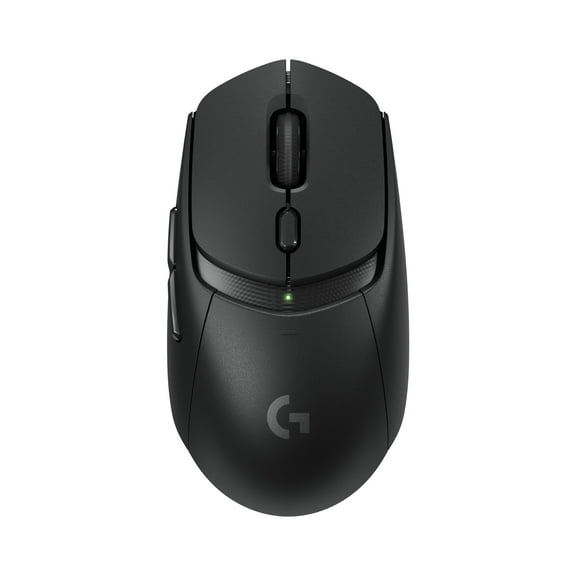
Logitech G POWERPLAY 2 Wireless Charging Mouse Pad for Compatible Gaming Mice, 34.5 X 28.4 cm (13.5 x 11.2 inches), 3.5 mm Height - Black

Logitech G POWERPLAY 2 Wireless Charging Mouse Pad for Compatible Gaming Mice, 34.5 X 28.4 cm (13.5 x 11.2 inches), 3.5 mm Height - Black

Key item features

  • UNINTERRUPTED GAMING - Experience continuous power for your Logitech wireless gaming mouse ensuring your gameplay is never interrupted by low battery warnings.
  • SEAMLESS INTEGRATION - Designed specifically for Logitech wireless gaming mice this system provides perfect compatibility and optimal charging performance.
  • EXTENDED CABLE LENGTH - Features a 6' (1.8m) cord offering flexible placement options for your charging system and enhancing your gaming setup's versatility.
  • OPTIMIZED DIMENSIONS - The POWERPLAY 2 base and mouse pad are precisely sized at 13.54 x 13.39 inches for a comfortable and efficient gaming surface.
  • EASY SETUP - Requires only one powered 2.0 USB port making installation straightforward and allowing you to quickly integrate it into your existing PC setup.
  • DURABLE CONSTRUCTION - Crafted with quality materials this charging system is built to withstand rigorous gaming sessions ensuring long-lasting reliability.
Current price is $119.99
Price when purchased online
  • Free shipping
  • Free 30-day returns
Walmart Protection Plan by Allstate

(Only one option can be selected at a time)

How do you want your item?

How do you want your item?
Ships to
Arrives by Wed, Jun 10
|
Sold and shipped by Newegg Inc.
4.596881959910913 stars out of 5, based on 6286 seller reviews(4.6)
Free 30-day returns

More seller options (5)

Starting from $139.64

About this item
Product details

Specifications

Warranty

Warnings

Customer ratings & reviews

4.2 out of 5 stars
stars45 ratings40 reviews
How item rating is calculated

Customer photos

  • +36 images
Filtered and sorted results would be available on the new 'Customer ratings & reviews' page.
Sort by |

Showing 1-3 of 40 reviews

Sep 5, 2025
robertbb99
5 out of 5 stars review

Seller Verified Purchase

Never Have to Remember to Charge my Mouse

Big surface to move my mouse around. Eliminated the skipping problem I had when my mouse's tracking laser had trouble seeing my desk surface. Instructions were a little vauge but I figured out that I also had to plug in the transmitter line and chage the disk on the bottom of the mouse to get it to work wirelessly and charge wirelessly.

Review from Logitech
Helpful?4WW5PRM3MT0U15346623382
Apr 13, 2026
Walmart customer
4 out of 5 stars review

Seller Verified Purchase

Convenient yet pricy mousepad

[This review was collected as part of a promotion.] Convenient for those who don't like remembering to plug in their devices. Smooth to use. Unfortunately the mouse can't be plugged into it directly and needs to be plugged into the computer, but the mat itself doesn't need to be plugged into the computer and can be plugged into an external power source

Review from Logitech
Helpful?4WW5PRM3MT0U15346623382
Feb 12, 2026
K - R
4 out of 5 stars review

Seller Verified Purchase

Does what it's supposed to, could be better.

The charging mat does it's job, however it seems to be a step down from the original in most ways. Mainly it doesn't have a hard surface, however the cloth one is nice. It's as thick as my older mouse pad and lacks the edge that made it thicker, so that's nice. People complaining about the weight of the puck insert wouldn't have survived with the old G502 that came with weights, the weight of the puck is not noticable at all to the hand, the charging cable on the wireless g502x caused more weight than the puck does, so this is a total win and worth the imaginary weight people think it adds, which it doesn't, it's not humanly possible to notice that weight difference, scales will show otherwise however. Only thing I wish it had was the original USB passthrough to save on the USB port usage as a side effect of not needing it to be plugged into the PC I have it plugged into a USB charger always on, so my other recommendation for Gen 3 would be adding, an off switch. A cover would be nice to keep the pad clean. (Protip, the included paper cover in the packaging worked good enough.) One final thing I wish it had the Gen 1 light, otherwise I don't regret it.

Review from Logitech
Helpful?4WW5PRM3MT0U15346623382