

TV and Tech Setup Services for Mounting and Support
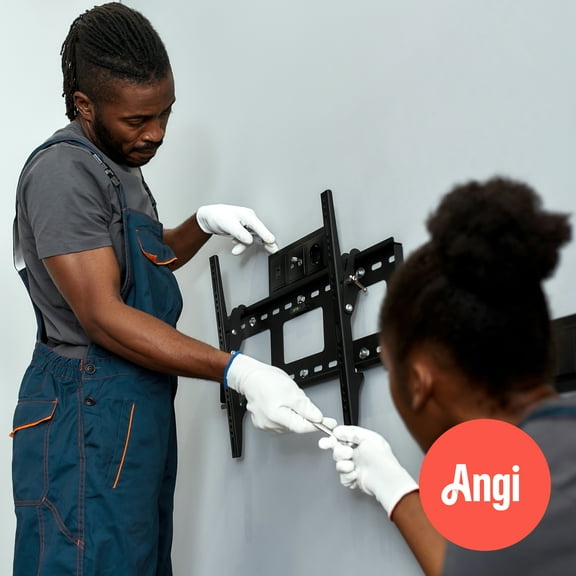



About TV and Tech Setup Services for Mounting and Support - Walmart.com
You can compare tv and home theater setup services by service type, screen size, wall material, and wire routing before you book. You’ll also want clear expectations on bracket purchase, appointment steps, and device setup.
How to choose tv and home theater setup services
Start by matching the service to your room and equipment. You may need a tv wall mounting service, home theater installation, soundbar installation service, or projector setup.
Next, check whether your TV size falls within the listed range. You’ll also want to confirm your wall type, since drywall, brick, concrete, wood, and plaster need different mounting approaches.
As you compare options, look for services that cover connection help after mounting. You’ll appreciate support for streaming devices, soundbars, consoles, and basic picture placement.
- You can choose a service based on TV wall mounting, full home theater setup, soundbar connection, or projector placement.
- You can compare coverage by screen size, from smaller bedroom TVs to 75 inch and above living room screens.
- You can review wire concealment choices, including in-wall masking, on-wall cord covers, or no concealment.
- You can check whether your wall surface is drywall, brick, concrete, wood, or plaster before scheduling.
Choosing the right tv wall mounting service
When you select a tv wall mounting service, you should first compare mount type. You can choose flat, tilt, or full motion options based on seating angle and room layout.
A flat mount keeps your screen close to the wall for a clean profile. A tilt mount helps you reduce glare when your screen sits higher than eye level.
A full motion arm gives you extra flexibility when you watch from different spots. You can angle the screen toward a sofa, bed, or open kitchen area.
You should also check whether the mounting bracket is included. In many cases, you must purchase your bracket separately, so you’ll want one that fits your TV pattern and weight.
Size range matters because larger screens need different handling and placement. You can look for options covering up to 31 inches, 32 to 59 inches, 60 to 74 inches, or 75 inches and above.
What to look for in home theater installation
If you need home theater installation, you should compare more than screen placement. You’ll want help with audio positioning, source device connections, and remote-friendly setup.
A simple tv setup service may focus on mounting and basic connections. A fuller theater appointment may include a soundbar, receiver inputs, speaker layout, or projector alignment.
You can also check how the service handles cable boxes, game consoles, and streaming players. You’ll get a smoother finish when the installer connects your devices in a logical order.
Sound setup deserves attention because room shape affects how everything fits together. You may prefer a soundbar installation service when you want cleaner audio without a multi-speaker layout.
If you’re planning a projector room, placement and surface distance become key decisions. You should compare throw distance needs, screen location, and source access before the visit.
Comparing wire concealment and wall types
Wire routing can change how finished your setup looks. You can compare in-wall masking, on-wall cord cover options, or no concealment based on your room and preferences.
In-wall masking creates a cleaner appearance with fewer visible cables. You should confirm local building requirements and wall access, because not every wall supports the same routing method.
On-wall cord covers give you a neat path along the surface without opening the wall. You may choose this option when you want a tidy look with simpler installation steps.
Wall material affects tools, anchors, and drilling methods. You should verify whether your installation is for drywall, brick, concrete, wood, or plaster before you schedule professional tv mounting.
Drywall often supports common mounting plans with the right stud placement. Brick and concrete usually require masonry hardware, while plaster and wood need different fastening checks.
How booking and appointment prep usually work
You can make the process easier by checking what to have ready before the appointment. You’ll want your TV, mount, remotes, power access, and source devices available in the room.
Measure your wall and viewing height before you choose your service. You should also note nearby outlets, furniture placement, and whether you want a centered screen or corner placement.
If you need a bracket, check compatibility before the visit. You’ll want the mount to match your TV size, VESA pattern, and supported weight range.
Cancellation and rescheduling details matter when your delivery timing changes. You should review the policy on the service listing, so you know how the provider handles appointment updates.
After setup, you can usually move right into streaming, gaming, or movie night. You’ll spend less time sorting cables and input menus when the technician connects your components correctly.
When each service type makes sense
You may choose a bedroom wall mount when you want to mount a smaller screen above a dresser. You might choose full motion when you watch from both your bed and a side chair.
For a main living room, you may want a larger TV with soundbar connection and cord management. You’ll often prefer tilt or fixed mounting when your sofa faces the screen directly.
If your room includes brick or concrete, you should confirm wall compatibility before booking. You’ll avoid mismatch issues when your service clearly states supported wall surfaces.
For a media room, you may want home theater installation with projector setup and audio connection help. You can create a cleaner entertainment area when screen position and device routing align.
When you compare the right service details first, your setup feels more predictable from arrival to final connection. You’ll get a room that looks organized and works the way you planned.