

Kids' Books on Computers and Digital Media




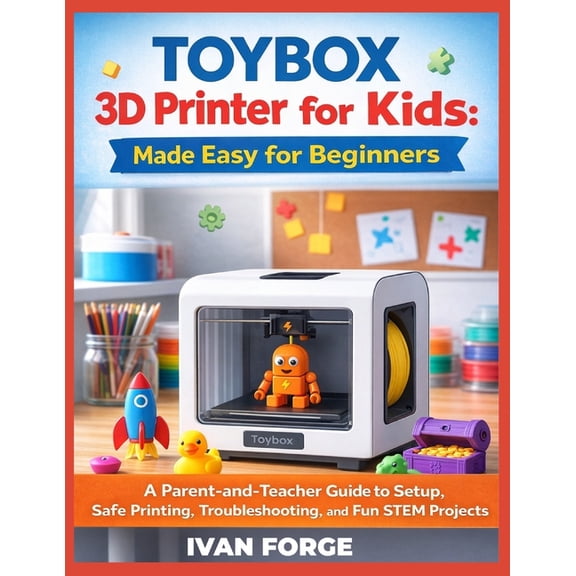
















About Kids' Books on Computers and Digital Media - Walmart.com
Kids' computer and digital media books help you turn screen curiosity into guided learning. You can compare coding topics, reading levels, and activity styles that fit school, home, or gift needs.
You may want books that explain computers without overwhelming new readers. You can also find titles that introduce coding logic, digital citizenship, and creative media in clear steps.
How to choose kids' computer and digital media books
When you compare kids' computer and digital media books, you should start with subject matter. You can narrow your choice by coding and programming, digital art and animation, internet safety, computer hardware, or game design.
If your child enjoys making things, you may look for project-based coding or digital art guides. If your child asks how devices work, you may prefer hardware books with diagrams and simple explanations.
You should also check whether the book teaches with screens, paper activities, or both. You can use unplugged activity books when you want computer science concepts without extra device setup.
- You can introduce block coding before text-heavy programming.
- You can match reading level to age and attention span.
- You can choose project books for hands-on learners.
- You can pick internet safety topics for digital citizenship lessons.
Comparing coding books for kids by age and reading level
Reading level matters because you want directions that feel clear and achievable. You should compare early reader formats, middle grade lessons, and teen-focused guides before choosing a title.
For ages five to seven, you may want large visuals, short instructions, and simple sequencing activities. You can look for early lessons that build logic through puzzles, patterns, and basic commands.
For ages eight to 12, you can often move into longer projects and more independent practice. You may find computer programming books for kids with chapters on loops, variables, and beginner debugging.
For teens, you may prefer titles with deeper syntax explanations and longer builds. You can choose books that cover websites, apps, or game mechanics with more detailed practice.
You should check how much coding logic a book explains before introducing new syntax. You can keep motivation higher when examples match your child's reading confidence and attention span.
Understanding programming language choices
You can make faster progress when you match the language to your child's experience. You should compare block-based coding with text-based languages before picking a learning path.
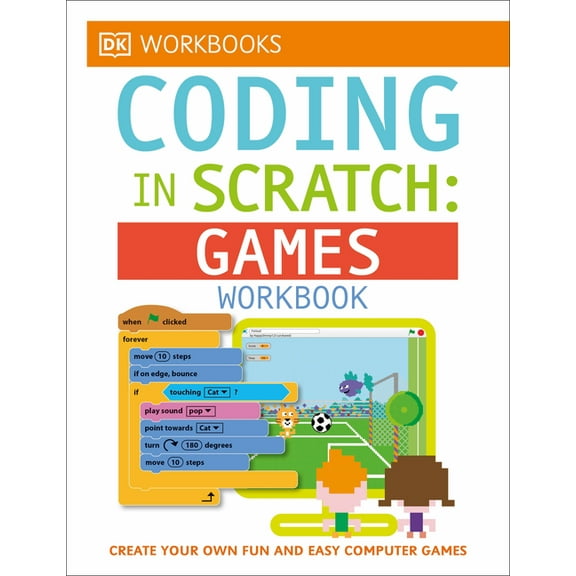
Scratch programming for kids works well when you want visual coding blocks and quick feedback. You can use Scratch guides to teach sequences, loops, events, and problem solving without heavy typing.
Python books often fit learners who are ready for typed commands and simple scripts. You can choose Python when you want a gentle text-based language for games, data basics, or automation projects.
HTML and CSS books help you explore how web pages are built and styled. You can use those books when your child wants to create pages, headings, colors, and layouts.
JavaScript and C++ titles usually ask for stronger reading stamina and closer attention to syntax. You should look for these options when your learner wants interactive web projects or deeper programming structure.
Checking format, setup, and technology topics
You should compare learning format because teaching style shapes how long kids stay engaged. You can choose step-by-step tutorials, project-based guides, story-driven adventures, or unplugged activity books.
Step-by-step tutorials work well when you want clear instructions and steady skill building. Project-based guides fit learners who want to make games, animations, or websites while learning concepts.
Story-driven adventures can help you keep younger readers interested from page to page. Unplugged activity books let you teach coding ideas through puzzles, drawing, and logic games away from the keyboard.
You should also check whether a title needs a computer, tablet, specific software, or internet access. You can avoid frustration when you know the setup before starting lessons or family activities.
Technology books for children may also cover digital art, animation tools, online behavior, and device basics. You can use internet safety books for kids to support respectful online habits and smart digital choices.
Matching books to real learning goals
You may want different books for school support, homeschool lessons, rainy-day projects, or gifts. You can choose by outcome instead of guessing from the cover alone.
If you want screen-free practice, you can pick stem books for kids with unplugged coding challenges. If you want creative output, you may choose digital media books with animation, design, or game-building activities.
For beginners, you can start with Scratch, short chapters, and visual directions. For advancing learners, you can move toward Python, HTML, CSS, or JavaScript with more independent projects.
If your child spends time online, you can add internet safety books for kids alongside coding titles. You can build technical skills and digital awareness at the same time through age-appropriate examples.
Back-to-school planning may call for books that support classroom topics and at-home practice. You can keep learning moving with computer science titles that explain concepts in manageable lessons.
When you choose by subject, age group, language, and format, you create a clearer path for progress. You can give young learners a focused way to explore technology with confidence and curiosity.