

RCA in Electronics by Brand
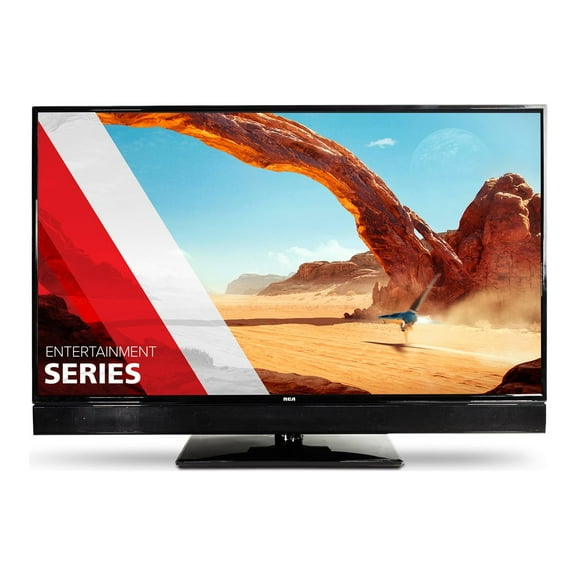









































About RCA in Electronics by Brand - Walmart.com
RCA electronics help you build an easy home setup for streaming, viewing, and everyday playback. You can compare tablets, TVs, remotes, and DVD players in one place with clear device-focused guidance.
How to choose RCA electronics by device type
When you compare device types, you should start with the room, screen, or control task you want to handle. You may want RCA tablets for portability, RCA TVs for larger viewing, or RCA universal remotes for simpler control.
If you want flexible entertainment, you can also compare home audio systems, soundbars, projectors, and portable DVD players. You should focus on how each format fits your space, your content habits, and your existing gear.
As you narrow your options, you can use a few practical decision points to match features with everyday use. You should look for screen needs, compatibility details, app access, and power options first.
- You can choose tablets when you want portable streaming, reading, games, or casual web use.
- You can choose TVs when you want a bigger screen for movies, sports, and connected devices.
- You can choose universal remotes when you want one controller for a TV, soundbar, or DVD player.
- You can choose DVD players when you want disc playback for movies, shows, or older media collections.
Choosing RCA tablets and portable devices
When you compare rca tablets, you should check portability, battery life, and operating system support. You may prefer an Android tablet when you want familiar apps, touch controls, and a lightweight carry option.
If you share a tablet around your home, you should measure screen size against where you'll use it most. You can carry smaller models more easily, while larger screens give you more room for reading and streaming.
You should also compare storage, charging style, and whether a two-in-one design fits your routine. If you switch between typing and tapping, you may want a setup that supports both uses.
For kids tablets, you may look for simple navigation, durable styling, and easy charging between uses. If you travel often, you may prefer a portable device that slips into a bag without much bulk.
Choosing RCA TVs by screen and resolution
When you compare rca tvs, you should start with screen size, room distance, and resolution. You may notice HD works for smaller spaces, while 4K gives you sharper detail on larger screens.
If you stream often, you should also compare smart TV platforms and app support. You can check whether your favorite services are easy to access from the home screen.
LED TVs can help you keep a slim profile in bedrooms, offices, or shared living areas. Smart TVs can help you reduce extra boxes when you want streaming apps built into the set.
You should count HDMI ports before you connect a game console, streaming stick, soundbar, or DVD player. If you use several devices, extra inputs can make switching simpler and cleaner.
Checking compatibility for remotes and players
When you compare rca universal remotes, you should check device compatibility before anything else. You can look for supported brands, remote codes, and button layouts that match your usual setup.
If you want one remote for several components, you should confirm it works with your TV, soundbar, and media player. You may also want programmable shortcuts that make common actions easier.
For RCA DVD players and portable DVD players, you should check output connections and disc format support. You can compare HDMI and other video connections based on the TV you already own.
If you still use antennas or digital converter boxes, you should review coaxial cable needs and input matching. You can avoid setup guesswork when you compare ports before you buy.
Comparing audio, cables, and setup extras
If you want fuller sound, you can compare soundbars, speakers, subwoofers, receivers, and home theater systems. You should match each audio option to your room size and the connections on your TV.
You can also compare HDMI cables, coaxial cables, RCA cables, chargers, batteries, mounts, and stands as part of your setup. When you check these extras early, you can finish your space with fewer interruptions.
For wall setups, you should measure your screen area and compare brackets or mounts with your device size. If you want tabletop placement, you may prefer stands that fit your media furniture.
You should keep operating system support in mind when you add streaming and audio gear around smart displays. If your devices connect smoothly, you can switch from movies to music with less effort.
Matching RCA electronics to everyday use
If you want entertainment in a bedroom or dorm, you may pair a compact TV with a simple remote and a soundbar. You can create a neat viewing area without filling the whole room.
For family rooms, you may want a larger smart TV with enough HDMI ports for multiple devices. You can connect a console, streaming stick, and RCA DVD player without constant cable swapping.
If you travel or move around your home often, you may lean toward tablets and portable DVD players. You can keep shows, games, or reading within reach during commutes or quiet evenings.
When you want easier control for mixed devices, you may choose a universal remote with code support and familiar buttons. You can simplify daily use, especially when several components share one space.
RCA electronics make more sense when you compare compatibility, screen details, app access, and portability together. You can choose a setup that fits your devices and gives you smoother everyday entertainment.