

Photo, Video & Music Editing Software

















![Pinnacle Studio 26 Ultimate | Pro-Level Video Editing & Screen Recording Software [PC Key Card]](https://i5.walmartimages.com/seo/Pinnacle-Studio-26-Ultimate-Pro-Level-Video-Editing-Screen-Recording-Software-PC-Key-Card_f3e26abb-3e70-42d2-8ac3-c84ff18e4ce0.85832872f0f53ad1643f84fe0ed51a16.jpeg?odnHeight=576&odnWidth=576&odnBg=FFFFFF)


![Adobe Creative Cloud Pro Student and Teacher Edition for Windows/Mac, 1-Year [Digital Download]](https://i5.walmartimages.com/seo/Adobe-Creative-Cloud-for-Windows-Mac-1-Year-Student-Teacher-Subscription-Digital-Download_0dfa166c-da5b-4bca-a4ea-7e04920f2729.20b89224a0bfeb67eb4458e2560ab9a3.png?odnHeight=576&odnWidth=576&odnBg=FFFFFF)
![Adobe Acrobat Pro DC for 1 User, Windows/macOS, 1-year subscription [Digital Download]](https://i5.walmartimages.com/seo/Adobe-Acrobat-Pro-DC-for-1-User-Windows-macOS-1-year-subscription-Digital-Download_05158bc2-728c-40b8-ae58-64ce37157bd8.c64a6e24cae5abed856b175bda3d426b.png?odnHeight=576&odnWidth=576&odnBg=FFFFFF)
About Photo, Video & Music Editing Software in Computer Software for Home & Office - Walmart.com
Your photo video music editing software search should start with tools that match your projects, device, and experience level. You can compare creative programs by software type, delivery format, operating system, and editing depth.
How to choose photo video music editing software
When you compare photo video music editing software, you should start with the kind of work you want to create. You may need photo retouching, timeline-based video cuts, multitrack music production, or focused audio editing software.
Another key decision is how much control you want during each step. You might prefer guided templates for quick edits, or you may want layered tools, effects controls, and detailed export settings.
You should also check whether you want a single creative editing suite or a specialized program. You can streamline simple workflows with one package, or build a custom setup with separate apps.
Choosing between photo editing software, video editing software, and music production software
Your software type shapes how you import files, arrange content, and finish projects. You can usually spot the right category by the editing view, tool layout, and supported file types.
- You can use photo editing software for retouching, cropping, layering, color correction, and graphic design tasks.
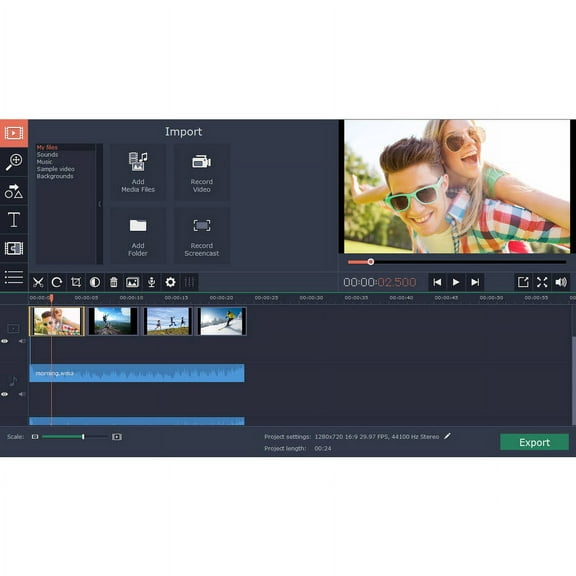
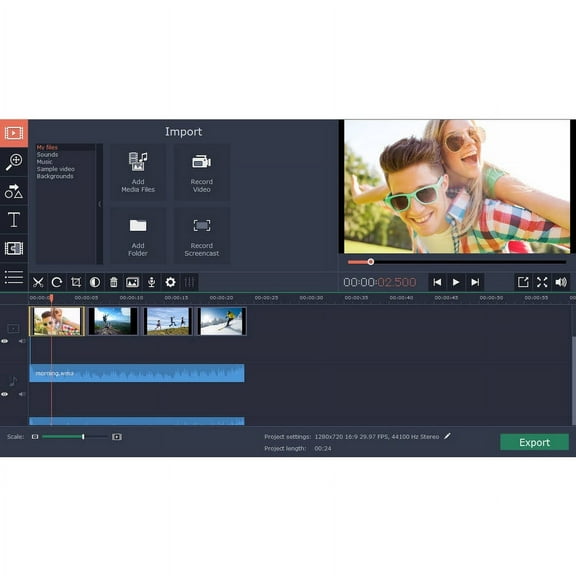
- You can use video editing software for timeline trimming, transitions, titles, sound syncing, and export presets.
- You can use music production software for multitrack recording, MIDI sequencing, virtual instruments, and mixing sessions.
- You can use audio editing software for spoken-word cleanup, clip editing, waveform work, and simple mastering tasks.
If you create content across formats, you may want tools that handle still images, clips, and sound in one workflow. You can keep projects organized when imports, edits, and exports stay connected.
For focused tasks, you may prefer a dedicated program with a simpler layout. You can move faster when your workspace highlights the controls you use every session.
What to look for in format and license options
Your delivery format affects how quickly you start and how you install the program. You can choose a digital download for fast access, or you can choose a physical disc for boxed media.
With digital download options, you usually receive a code and installation steps after purchase. You can begin setup quickly if your device meets the listed requirements and supports the platform.
With a physical disc, you may prefer having packaged media for storage or gifting. You should check whether your computer includes a disc drive before you choose that format.
Your license model matters too, especially if you plan long-term use. You may compare subscription access with a lifetime license, depending on how often you update your tools.
A subscription can give you ongoing feature updates and cloud-connected workflows. A lifetime license can suit you if you want one purchase and a stable feature set.
Checking operating system and hardware compatibility
You should verify system compatibility before you choose any photo video music editing software. You can avoid setup issues by checking Windows, macOS, or universal support on the product page.
Your operating system version matters because newer software may require current builds. You should compare the listed OS version with your laptop or desktop before download.
RAM requirements affect how smoothly you edit large images, long videos, and multitrack audio sessions. You may want higher memory if you use effects, high-resolution media, or many layers.
Processor speed also plays a big role in playback and export time. You can usually work more smoothly when your system matches the recommended processor level, not just the minimum.
Storage space is another decision point because media files grow quickly. You should confirm you have room for the program, project files, temporary caches, and finished exports.
Matching user level and feature complexity to your workflow
Your experience level should guide which interface and tool depth you choose. You can start with beginner layouts if you want labeled controls, templates, and quick export paths.
If you edit regularly, you may want intermediate tools with more adjustment panels and format choices. You can gain flexibility without moving into a fully technical studio workflow.
Professional users often look for precise timeline controls, advanced color tools, plug-in support, and detailed audio routing. You should compare those features if your projects involve layered edits and repeated revisions.
You may also want to consider how your projects actually happen at home or in a small office. You can choose simple software for family slideshows, sharper photos, or short social clips.
For classroom work, freelance content, or creator workflows, you may need broader export settings and stronger media management. You can keep deadlines moving when your software fits your pace and file volume.
When you pick the right combination of software type, format, operating system, and user level, your editing process feels clearer. You can move from setup to finished projects with fewer interruptions and more control.