I'm going to start with the cons, as the con section is much shorter than the pros.
Cons:
When I set this thing up initially, I was adjusting various settings (WiFi, IPv6, etc.). Something confused the router settings, and I could not make my equipment recognize the WAN connection. I only had LAN access. I reviewed all of my settings, and I found nothing that I did wrong. I finally elected to run the Web UI based setup wizard, which apparently rewrote the configuration files and fixed the issue. I have not had any issues since. The interface looks dated, but don't be fooled, it has some great features. But, one minor annoyance, the default NTP server address is dead, and thus the router will not auto-set the router's internal clock unless you enter a valid NTP IP address into the field. I had to google NTP servers. It only takes numerical IP addresses, as well. Easy to fix, but a strange oversight on their part.
Pros:
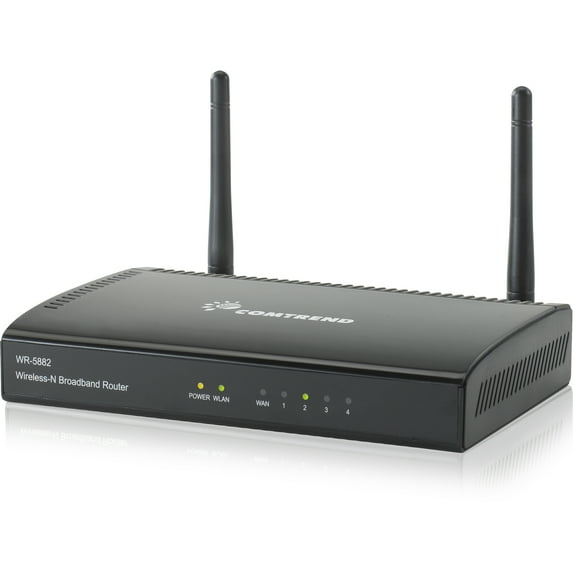
Native (both stateless and stateful), dual-stack IPv6 support! That is so difficult to find on budget routers, at the moment. My ISP has not turned on IPv6 yet, so I cannot verify how well IPv6 support works, but at least it claims it has native support, and not some IPv4 to IPv6 tunneling variant (which nobody wants this late in the game). This router also makes it incredibly easy to disable NAT and the firewall. Most people would never want to do this, but if you prefer to use a PC as your firewall with something like ClearOS, and just run the wireless router as more of a wireless switch, this is a welcomed feature on budget routers. Another interesting feature of this hardware is that it has mac filtering at the router level in addition to mac filtering for wifi. Global mac filtering allows you to disable unauthorized access via wired points of entry, not just wifi. You can opt for either method (WiFi or Global), as the settings are in different sections. And now...the range. When you open the box, the aesthetics of the router may not look that impressive, but it really does give impressive range. It outperforms at least two other major brands in the budget router class. This router also supports bridging, client mode, WDS, and a variety of other connection options. To look so basic, it has the most well rounded set of features that I have seen at this price range. I liked this router well enough to order a second. I'm picky with routers, so I never buy two of anything that isn't quality.

 Pickup or delivery?