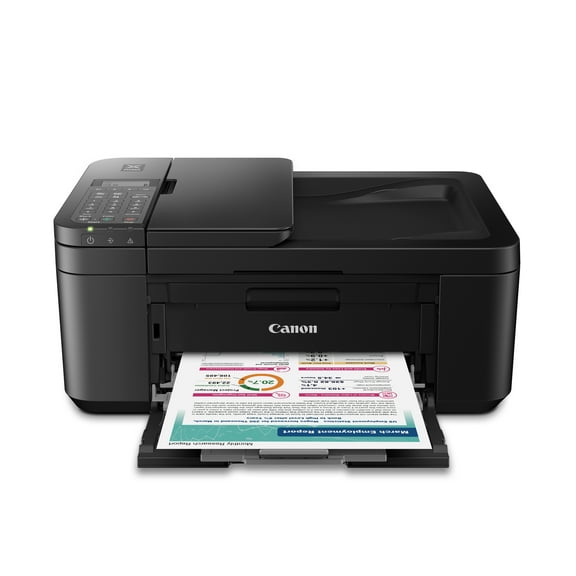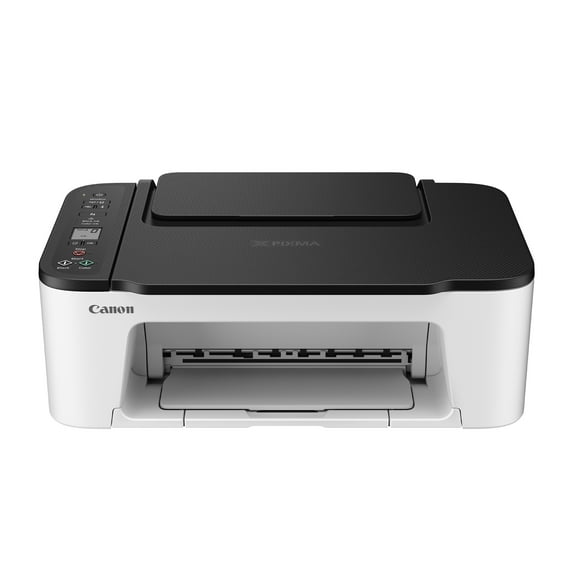
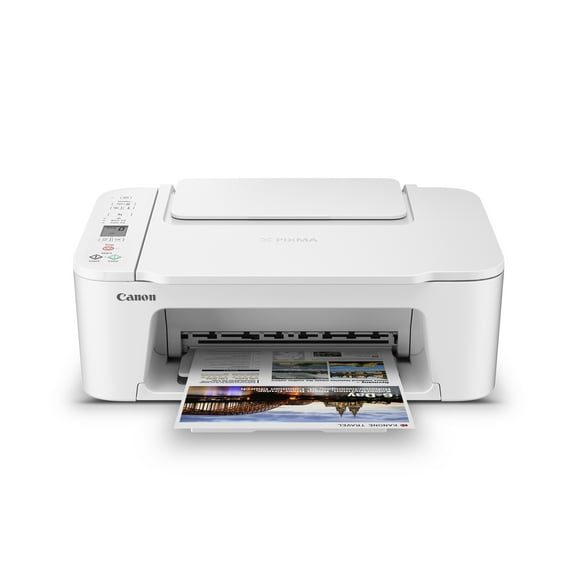
Canon PIXMA TS3522 All-in-One Wireless InkJet Printer with Print, Copy and Scan Features
Hero image 0 of Canon PIXMA TS3522 All-in-One Wireless InkJet Printer with Print, Copy and Scan Features, 0 of 7

Canon PIXMA TS3522 All-in-One Wireless InkJet Printer with Print, Copy and Scan Features

Key item features

  • Versatile Functions: Simply print, copy, and scan with the Wireless All-in-One InkJet Printer.
  • Wireless Connectivity: Built-in wireless connectivity allows easy printing from laptops, tablets, and smartphones.
  • Easy Setup: Includes an improved Web Getting Started Guide and Wireless Connect for hassle-free Wi-Fi setup.
  • Compact Design: Features a compact design with a dedicated rear paper tray for quick loading of plain or photo paper.
  • Hybrid Ink System: Produces sharp black text and colorful prints with a 2-Cartridge FINE Hybrid Ink System.
  • High Resolution: Print resolution up to 4800 x 1200 dpi for detailed and vibrant prints.
  • Convenient Display: Adjust settings easily on the 1.5" segment LCD screen with straightforward buttons.
  • Borderless Printing: Print borderless photos up to 5" x 7" and 5" x 5" square photos.
Generated by AI
Current price is $84.40
Price when purchased online
Out of stock

How do you want your item?

How do you want your item?
Out of stock

About this item
Product details

Specifications

Customer ratings & reviews

4.1 out of 5 stars
stars
12.4K ratings5,481 reviews
How item rating is calculated
Filtered and sorted results would be available on the new 'Customer ratings & reviews' page.
Sort by |

Showing 1-3 of 5,481 reviews

Dec 24, 2022
Jo
5 out of 5 stars review

Verified Purchase

Great wireless printer at an even greater price!

I seriously don't understand the bad reviews on this printer. This printer works great. The set up was EXTREMELY easy for me. You literally open the printer up, turn it on and then go to the website you're told, on each device you want to set it up and that's it! I was printing within ten minuets. I set this up on a new Macbook Air M2 and an older Macbook air from 2014 and I had no issues. I was a bit apprehensive since I've used HP all my life but I'm glad I made the jump to Canon and wireless at that. The ink is also cheaper! And the printer connects through your device thru the wifi unlike HP which connects strictly through the wifi which could cause problems. Glad I caught it on sale. I highly recommend it!

Helpful?25cfd480-6891-11f1-adce-93f5aa47e68c722961036
Mar 11, 2024
Talyah
5 out of 5 stars review

Verified Purchase

I can’t believe how much it was for the quality!

Look I am a very skeptical person when it comes to buying cheap things like electronic devices. I was looking for a printer I could use to make baby shower stuff with my cricut without breaking my pockets and THIS WORKS. I tried it with matte sticker paper, regular paper (yellow in the picture)and card stock and its amazing. I used the hagaki paper setting for the app the printer comes with and washi tape to cut it on my cricut. Now I have seen some reviews that say it breaks or stops working after a couple tries so hopefully that doesn’t happen but I will definitely leave a new review if that happens but for now im telling you, buy it!

Helpful?25cfd480-6891-11f1-adce-93f5aa47e68c722961036
Jul 15, 2021
tony
5 out of 5 stars review

Verified Purchase

My instructions may help with setup

perfect to pair with Linux mint and windows 10:no issues. printer does not arrive with USB cable nor DVD driver. log in to Canon and get drivers and utilities like scanner and print assistant if using windows. place icons for both on your main screen. use windows settings for printer properties to setup page and quality setups. mindful, to turn off anti virus when downloading. wifi link on printer is a breeze if your router is setup correctly and working. Linux works both with cable and wifi. remember to allow printer sharing in windows. doesn't hurt to open control panel, device driver, windows, and go to print que. turn printer on and update driver in print que. uses only 275 and 276 ink.

Helpful?25cfd480-6891-11f1-adce-93f5aa47e68c722961036