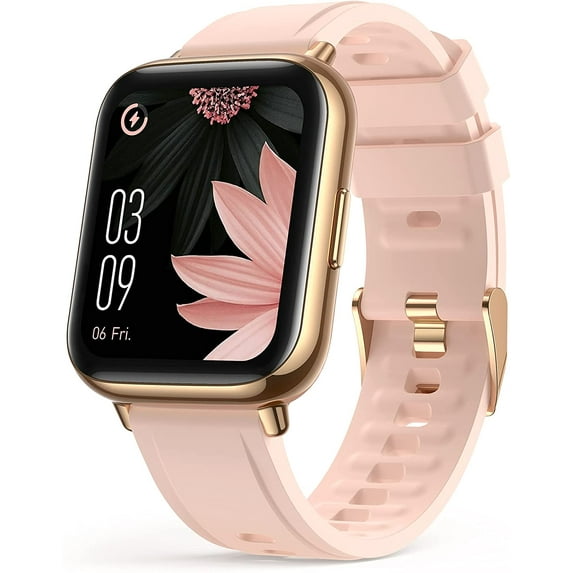
Features:
1.69" HD Screen That Amazes You: View your data in stunning colors, turn-to-life clarity, and expanding horizon thanks to our unprecedented 1.69-inch HD vivid screen with full-touch capabilities.
All-Round Health Management: Keep track of your all-day activities, such as steps, distance, calories burned, as well as your sleep throughout the night, and get deeper insights into your health.
Fuel Your Passion For Sports: With 11 sports modes(includes running, cycling, yoga, swimming, etc.), pick up the most of all you like, and take your fitness to a whole new level.
Keeps You Well-Informed: Get notifications of your incoming calls, texts, messages (like Facebook, Twitter, Youtube, Instagram, etc.) sent to your smartwatch screen
Product Description
1.69-inch HD Screen. All your info, right here in clarity.
Personalized Watch Faces. Wear your taste and personality on your wrist.
Optimize Your Sleep. Automatically track your sleep at every stage of sleep (light, deep and wake up) to assist you to improve your sleeping quality.
Never Miss A Thing. Notifications of calls, messages, emails, and social Apps, or even alarm, timer, and stopwatch. FOR WHATSAPP, due to the system settings of Whatsapp itself, only one message reminder can be displayed on the watch every day, and the specific content can only be seen by tapping into WhatsApp on the mobile phone.
Get Fitter, Get Better. Supports 11 sports modes. Pick your favorite sport, and push you further towards your goal.
You Have A Buddy. Want to know your everyday steps, distance, calorie burns, or active time? Just bring the Smartwatch and off you go.
Live Free, Splash Away. Get Wet? No Problem! Enjoy your workout in the rain or shallow swimming pool.
Note: The Watch CAN'T ANSWER/REPLY/SEND text, messages, or calls
Specifications:
Display: 1.69’’(43mm) TFT Full Touch Color Screen
Resolution: 240*280
Working time: about 7-10 days
Size: Watchband: 20mm/0.79in width; Distance of charging points: 2.5mm /0.1in
Bluetooth Effective Distance: 8-10m
Note:
1. FOR WHATSAPP
Due to the system settings of Whatsapp itself, Android: only one message reminder can be displayed on the watch every day, and the specific content can only be seen by tapping into WhatsApp on the mobile phone. IOS can work normally!
2. For getting notification of your messages, please make sure the “OnWear” App is running in the background ( Go to your phone settings-->Apps --> Find “OnWear” app--> Launch settings--> Switch on “Run in background”. Note: The Watch CAN'T ANSWER/REPLY/SEND text, messages, or calls
3. How to get it to connect to your phone?
Open your phone Bluetooth and the "OnWear" APP > Click "Connect a device" on the app to search > choose the LW31 to pair (Don't directly connect the watch in phone bluetooth, it must connect on the app.) Please note that the maximum Bluetooth distance is 8-10 meters.
If the app can’t detect the watch, please restart your phone and also reset the watch (Turn on the watch--> Click the ”Settings” icon--> “reset”.) Then try again.
If you still can’t connect the watch: please uninstall the app and also delete the "LW31" from the Bluetooth paired list of your phone. Install the app and try again.