

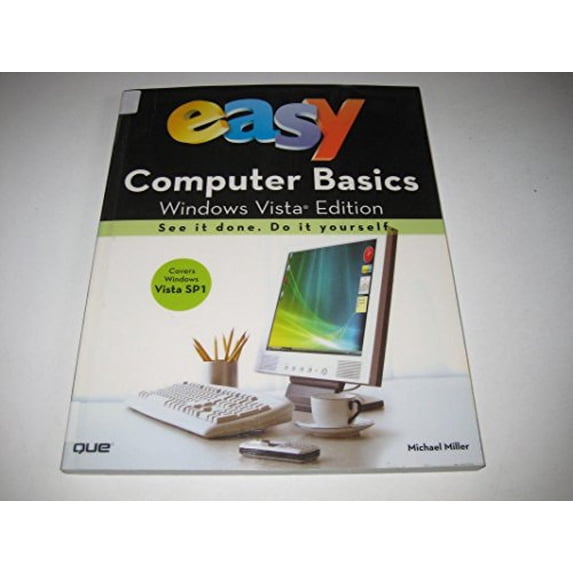
Pre-Owned Easy Computer Basics, Windows Vista Edition
(No ratings yet)
Condition
Pre-Owned: Like New
Seller Rating
4.3 out of 5 stars4.3/5
Key item features
See it done. Do it yourself. It's that Easy! Easy Computer Basics, Windows Vista Edition teaches you the fundamentals to help you get the most from your computer hardware and software. Fully illustrated steps with simple instructions guide you through each task, building the skills you need to do what you want to do. No need to feel intimidated; we'll hold your hand every step of the way. Learn how to... Set up and configure your new computer system Upgrade your computer with new hardware and software Use Windows Vista--and personalize it just for you Connect to the Internet for web surfing, email, and instant messaging Manage and edit digital photos with Windows Photo Gallery Play, copy, and burn your own music CDs--and download music from the Internet to play on your iPod Protect your family and your computer from viruses, spam, and spyware Set up a wireless home network and share your Internet connection with multiple computers Easy steps guide you through each task. Items you select or click are shown in bold. Each step is fully illustrated. Category: Computers Covers: General Computing User Level: Beginning Introduction 1 Part 1: Understanding How Your Computer Works 2 Part 2: Setting Up and Using a Desktop PC 14 Part 3: Setting Up and Using a Notebook PC 28 Part 4: Using Microsoft Windows Vista 38 Part 5: Working with Files and Folders 62 Part 6: Using Microsoft Word 78 Part 7: Connecting to the Internet 96 Part 8: Setting Up a Wireless Home Network 132 Part 9: Playing Music and Movies 150 Part 10: Working with Digital Photos 168 Part 11: Adding New Devices to Your System 190 Part 12: Protecting Your Computer 200 Part 13: Taking Care of Your Computer 214 Glossary 228
Specs
- Book formatPaperback
- Fiction/nonfictionCOM046040
- Publication dateApril, 2008
- Pages240
- Series titleEasy Ser.
- Number in series1
Current price is USD$23.72
Price when purchased online
- Free shipping
 Free 30-day returns
Pre-Owned: Like New
How do you want your item?
Ships to
Arrives by Fri, May 22
|
Sold and shipped by World of Books Inc
4.32685297691373 stars out of 5, based on 9876 seller reviews(4.3)9876 seller reviews

Free 30-day returns
About this item
Product details
Designed to ease new users into Vista and teach them other computer fundamentals along the way, this title is an illustrated, step-by-step guide to setting up and using a new computer. This Vista edition is updated with information on the following new and upgraded software, hardware, and Internet sites.
See it done. Do it yourself. It's that Easy! Easy Computer Basics, Windows Vista Edition teaches you the fundamentals to help you get the most from your computer hardware and software. Fully illustrated steps with simple instructions guide you through each task, building the skills you need to do what you want to do. No need to feel intimidated; we'll hold your hand every step of the way. Learn how to... Set up and configure your new computer system Upgrade your computer with new hardware and software Use Windows Vista--and personalize it just for you Connect to the Internet for web surfing, email, and instant messaging Manage and edit digital photos with Windows Photo Gallery Play, copy, and burn your own music CDs--and download music from the Internet to play on your iPod Protect your family and your computer from viruses, spam, and spyware Set up a wireless home network and share your Internet connection with multiple computers Easy steps guide you through each task. Items you select or click are shown in bold. Each step is fully illustrated. Category: Computers Covers: General Computing User Level: Beginning Introduction 1 Part 1: Understanding How Your Computer Works 2 Part 2: Setting Up and Using a Desktop PC 14 Part 3: Setting Up and Using a Notebook PC 28 Part 4: Using Microsoft Windows Vista 38 Part 5: Working with Files and Folders 62 Part 6: Using Microsoft Word 78 Part 7: Connecting to the Internet 96 Part 8: Setting Up a Wireless Home Network 132 Part 9: Playing Music and Movies 150 Part 10: Working with Digital Photos 168 Part 11: Adding New Devices to Your System 190 Part 12: Protecting Your Computer 200 Part 13: Taking Care of Your Computer 214 Glossary 228
info:
We aim to show you accurate product information. Manufacturers, suppliers and others provide what you see here, and we have not verified it.
Specifications
Book format
Paperback
Fiction/nonfiction
COM046040
Publication date
April, 2008
Pages
240
Warranty
Warranty information
Please be aware that the warranty terms on items offered for sale by third party Marketplace sellers may differ from those displayed in this section (if any). To confirm warranty terms on an item offered for sale by a third party Marketplace seller, please use the 'Contact seller' feature on the third party Marketplace seller's information page and request the item's warranty terms prior to purchase.
Customer ratings & reviews
0 ratings|0 reviews
This item does not have any reviews yet
