

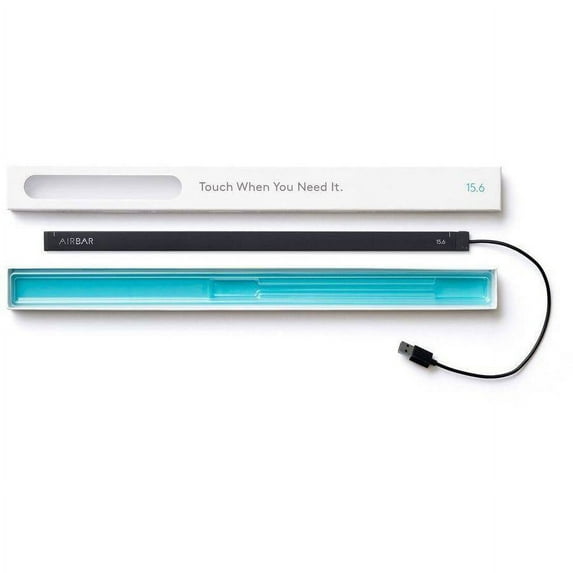
Neonode AirBar Adds Touch To 15.6" PC Displays
Key item features
Neonode AirBar Adds Touch To 15.6" PC Displays:
- Plug and touch: attach the magnet strip and plug in the USB port
- Touch using any object: your finger, or with gloves, even with a paintbrush
- Enhanced user experience: pinch, sweep, zoom and scroll without glare or battery drain
- Compatibility: AirBar works with most notebooks running Windows 10, Windows 8.1 or ChromeOS operating systems
- General:
- Input method: finger, gloved hand and brush (5mm diameter)
- Display size supported: 11.6", 13.3", 14" and 15.6", with an aspect ratio of 16:9
- Size (width x height): 12mm x 5mm
- Resolution: reporting resolution 65535 x 65535 pixels (USB HID class)
- Touch activation force: no minimum touch activation force is required
- Response time: at 100Hz scanning, 10 ms response time
- Gesture/sweep tracking: at 100Hz scanning, 100 X, Y coordinates per second
- Electrical:
- Host interface: USB
- Power consumption: 50mW active, 5mW in standby mode
- Environment:
- Operating/storage: consumer or industrial temperature range from -40 degrees C to 85 degrees C
- Humidity operating: 0 to 85 percent, storage: 0 to 95 percent
- Altitude operating: operating: less than 5,000 m, storage: less than 15 km
- Electrostatic protection: 15kV air/8kV contact discharges
- Agency approvals: UL, CE, FCC, IEC60825-1 Class 1
Specs
 BrandAirBar
 ConnectionUSB
 Dimensions4.70 x 1.57 x 0.71 Inches
 Weight0.45 lbs
Reviews summary
- : Simple attachment and plug-in installation process.
- : Enables touch functionality on laptop screens quickly.
- : Attach to computer bezel for easy installation.
- : Features a plug-and-play design for easy setup.
- : Does not require additional downloads for operation.
- : Can be straightforward, but also confusing for some users.
How do you want your item?
About this item
Product details
This means that with AirBar — if you have a PC running Windows 8, Windows 10 or Chromebook, you can turn your non-touch PC into a fully functioning touch enabled PC. Just like that.
AirBar is presented in a distinctive and graph- ically appealing package that fits snugly to the device. Presented together, the different AirBar sizes cover the needs of most PC users and make any shop feel smarter and brighter just by being there.
AirBar projects an invisible light field on the surface of your display that makes it possible to "touch" the screen and to interact with Windows 8 and 10 gestures.
Neonode AirBar Adds Touch To 15.6" PC Displays:
- Plug and touch: attach the magnet strip and plug in the USB port
- Touch using any object: your finger, or with gloves, even with a paintbrush
- Enhanced user experience: pinch, sweep, zoom and scroll without glare or battery drain
- Compatibility: AirBar works with most notebooks running Windows 10, Windows 8.1 or ChromeOS operating systems
- General:
- Input method: finger, gloved hand and brush (5mm diameter)
- Display size supported: 11.6", 13.3", 14" and 15.6", with an aspect ratio of 16:9
- Size (width x height): 12mm x 5mm
- Resolution: reporting resolution 65535 x 65535 pixels (USB HID class)
- Touch activation force: no minimum touch activation force is required
- Response time: at 100Hz scanning, 10 ms response time
- Gesture/sweep tracking: at 100Hz scanning, 100 X, Y coordinates per second
- Electrical:
- Host interface: USB
- Power consumption: 50mW active, 5mW in standby mode
- Environment:
- Operating/storage: consumer or industrial temperature range from -40 degrees C to 85 degrees C
- Humidity operating: 0 to 85 percent, storage: 0 to 95 percent
- Altitude operating: operating: less than 5,000 m, storage: less than 15 km
- Electrostatic protection: 15kV air/8kV contact discharges
- Agency approvals: UL, CE, FCC, IEC60825-1 Class 1
Specifications
Brand
Electronic touchpad type
Connection
Dimensions
Warranty
Warranty information
Similar items you might like
Based on what customers bought
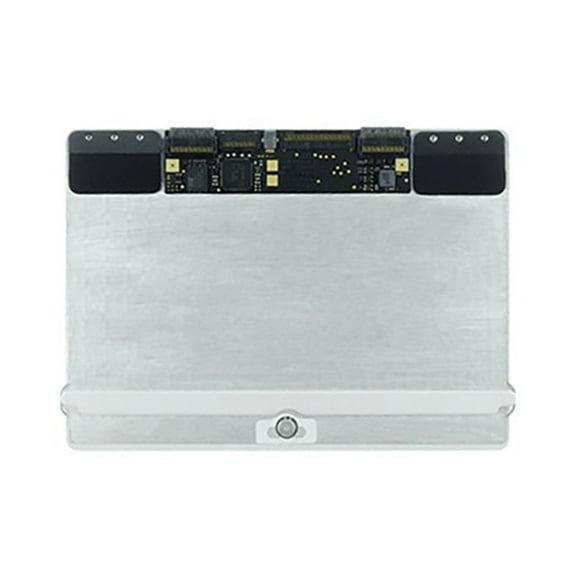
Replacement Trackpad Touchpad For Apple MacBook Air 13'' (A1369 / Mid 2011 / A1466 / Mid 2012) $56.35
 $5635current price $56.35
Replacement Trackpad Touchpad For Apple MacBook Air 13'' (A1369 / Mid 2011 / A1466 / Mid 2012)
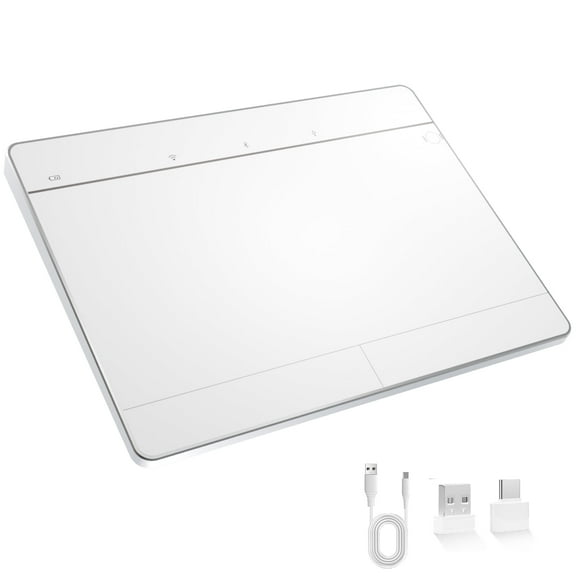
Wireless Bluetooth Wired Touchpad for Windows 10/11, 3 Connection Modes, Multi-Gesture, Compatible with PC Laptop Computer $39.99 Was $44.99
 $3999current price $39.99, Was $44.99$44.99
Wireless Bluetooth Wired Touchpad for Windows 10/11, 3 Connection Modes, Multi-Gesture, Compatible with PC Laptop Computer
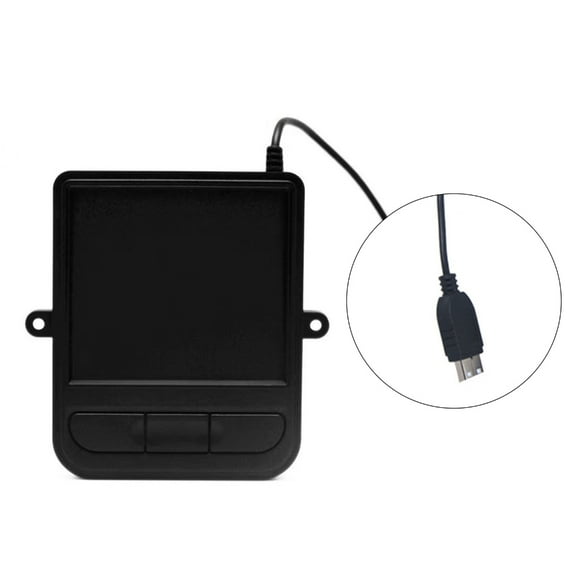
64.3 out of 5 Stars. 6 reviewsWINDLAND Industrial Wire USB Touchpad with Touch Area for Enhances Interactions $33.04
 4 optionsAvailable in additional 4 options$3304current price $33.04
WINDLAND Industrial Wire USB Touchpad with Touch Area for Enhances Interactions
TOP! Trackpad Bluetooth Wireless 2.4G Wired Touchpad Touch Pad Rechargeable Mouse for Laptop PC White $29.21
 $2921current price $29.21
TOP! Trackpad Bluetooth Wireless 2.4G Wired Touchpad Touch Pad Rechargeable Mouse for Laptop PC White
11 out of 5 Stars. 1 reviewsPerixx PERIPAD-706 Wireless Slim Touchpad For Windows System - Multi-Device Bluetooth and 2.4G RF Connectivity - Rechargeable via USB-C - Large Size 5.31x4.57x0.55 Inches - Black $34.99 Was $39.99
 $3499current price $34.99, Was $39.99$39.99
Perixx PERIPAD-706 Wireless Slim Touchpad For Windows System - Multi-Device Bluetooth and 2.4G RF Connectivity - Rechargeable via USB-C - Large Size 5.31x4.57x0.55 Inches - Black
23 out of 5 Stars. 2 reviewsNew Touchpad Clickpad Trackpad Board for Lenovo ideapad 5-15ARE05 81YQ, 5-15ITL05 82FG, 5-15ALC05 82LN, 5-15IIL05 $29.99
 $2999current price $29.99
New Touchpad Clickpad Trackpad Board for Lenovo ideapad 5-15ARE05 81YQ, 5-15ITL05 82FG, 5-15ALC05 82LN, 5-15IIL05
Turonic TP1 Wireless Touchpad, Bluetooth 2.4GHz, Type-C Rechargeable, 150x105mm Sensing Area, Up to 30H Use, 4 Touch Recognition, Multi-Device Connection, Windows Android Linux Compatible $99.99
 $9999current price $99.99
Turonic TP1 Wireless Touchpad, Bluetooth 2.4GHz, Type-C Rechargeable, 150x105mm Sensing Area, Up to 30H Use, 4 Touch Recognition, Multi-Device Connection, Windows Android Linux Compatible
WQNZMADO 2X Bluetooth Touchpad Multi-Function Gestures Trackpad Rechargeable Wireless Touchpad for Laptop IOS Mac, White $59.31
 $5931current price $59.31
WQNZMADO 2X Bluetooth Touchpad Multi-Function Gestures Trackpad Rechargeable Wireless Touchpad for Laptop IOS Mac, White
Ergonomic Industrial Wire USB Touchpad with Trackball and Touch Features for Enhances User Interaction Plugs and Play $25.35
 $2535current price $25.35
Ergonomic Industrial Wire USB Touchpad with Trackball and Touch Features for Enhances User Interaction Plugs and Play
Wired & Wireless Touchpad for PC Computer & Laptop Rechargeable Trackpad Bluetooth & USB Trackpad for Windows10/11 $41.85
 $4185current price $41.85
Wired & Wireless Touchpad for PC Computer & Laptop Rechargeable Trackpad Bluetooth & USB Trackpad for Windows10/11
Range Membrane Switch, Touchpad Overlay for Samsung, AP5578468, DG34-00017A $124.44
 $12444current price $124.44
Range Membrane Switch, Touchpad Overlay for Samsung, AP5578468, DG34-00017A
Replacement Trackpad Touchpad Compatible With Apple MacBook Air A1370 $57.16
 $5716current price $57.16
Replacement Trackpad Touchpad Compatible With Apple MacBook Air A1370
Perixx PERIPAD-506 Wired Slim USB Touchpad - Wired Detachable Touchpad for Windows Users - Large Size 5.31x4.57x0.55 inches - Black $34.99
 $3499current price $34.99
Perixx PERIPAD-506 Wired Slim USB Touchpad - Wired Detachable Touchpad for Windows Users - Large Size 5.31x4.57x0.55 inches - Black
Clearance Compactly USB Touchpad Trackpad Industrial Trackball Control Wire Trackpad $28.92 Was $32.31
Clearance 3 optionsAvailable in additional 3 options$2892current price $28.92, Was $32.31$32.31
Compactly USB Touchpad Trackpad Industrial Trackball Control Wire Trackpad
New Genuine Lenovo Thinkpad T480 20L5 20L6 Touchpad Clickpad Trackpad 01LV560 $85.96
 $8596current price $85.96
New Genuine Lenovo Thinkpad T480 20L5 20L6 Touchpad Clickpad Trackpad 01LV560
Perixx PERIPAD-501 Wired USB Touchpad, Portable Trackpad for Laptop and Desktop User, Black, Small Size $26.99 Was $29.99
 3 optionsAvailable in additional 3 options$2699current price $26.99, Was $29.99$29.99
Perixx PERIPAD-501 Wired USB Touchpad, Portable Trackpad for Laptop and Desktop User, Black, Small Size
124.2 out of 5 Stars. 12 reviewsAlula SlimLine Touchpad Without Wifi Expansion Card $109.00
 2 optionsAvailable in additional 2 options$10900current price $109.00
Alula SlimLine Touchpad Without Wifi Expansion Card
General Electric TOUCHPAD ONLY WR55X10298TOUCHPAD $83.52
 $8352current price $83.52
General Electric TOUCHPAD ONLY WR55X10298TOUCHPAD
2X USB 2.0 Touchpad, Portable Trackpad for Desktop and Laptop User, Small Size $36.35
 $3635current price $36.35
2X USB 2.0 Touchpad, Portable Trackpad for Desktop and Laptop User, Small Size
New Touchpad Clickpad Trackpad Replacement for Lenovo ThinkPad X1 Yoga 4th/5th Gen 20QF, 20QG, 20SA, 20SB, 20UB, 20UC P/N:01YU095 $39.99
 $3999current price $39.99
New Touchpad Clickpad Trackpad Replacement for Lenovo ThinkPad X1 Yoga 4th/5th Gen 20QF, 20QG, 20SA, 20SB, 20UB, 20UC P/N:01YU095
Customer ratings & reviews
Reviews summary
- : Simple attachment and plug-in installation process.
- : Enables touch functionality on laptop screens quickly.
- : Attach to computer bezel for easy installation.
- : Features a plug-and-play design for easy setup.
- : Does not require additional downloads for operation.
- : Can be straightforward, but also confusing for some users.
Customer photos



 +23 images
Showing 1-3 of 37 reviews
Simple and quick touchscreen ability
This Neonode AirBar is for adding the touchscreen feature to your laptop with a 15.6" PC display. I had no idea this was even possible. I thought I would have to purchase another laptop with that particular technology in order to have another touchscreen. This is simply the greatest item! I absolutely love that it is a simple solution. Just take it out of the box, plug it in the USB (USB port needs to be on the right side of your laptop), remove the little slips of paper covering the magnets and attach to the bottom part of your display, then attach the Neonode Airbar to the magnets. You should then have touchscreen ability. I did not have to download any software or answer questions. It just worked when I plugged it in and attached to the screen. You can easily swipe, pinch, drag and click just like a regular touchscreen. In the box is the Neonode Airbar, you will also get a lens cleaner pad, extra magnets, a small cloth type case to store your Airbar in, and small leaflet with instructions and the manufacture warranty. I would not close your laptop with this still attached as it can damage your screen or the airbar. I would suggest to keep the box and store it in there when not in use. This will help to protect it from damage and from getting dusty. The description states that a flat surface with the height of 22 mm below the bottom edge of the display is required for mounting the product. AirBar for Windows 10 is NOT intended for monitors or MacBook notebooks. This is by far a great addition and I have no had any issues with it. So far it has been great and performs exactly as described. If you have a laptop with Windows 8.1 or Windows 10 and want touchscreen ability, try this before spending a lot of money on a new laptop.
An excellent tech device adds touch to laptop
I really didn't know this type of device existed until I received this from Spark Review. Really a fun gadget that I have enjoyed playing around with. Make sure you get the proper size Airbar or you will simply have problems with it. This particular Airbar runs real well on a Laptop with Windows 10 and a 15.6 inch display. The product weights only 6 ounces so it seems to stick to the laptop quite well. The touch works fine on my screen. It seems to make my laptop into a tablet pc. Its a simple plug and play. Make sure you have a USB port on the right side of your laptop as the cord wouldn't be long enough to get to the left side. Also, There is a really cool alarm that goes off when you want to close the laptop but still have the Airbar plugged in. This prevents an accidental crushing of the Airbar as you need to take the Airbar out with each usage. There is no software that you need to download, really no instructions that you need as its just plug and play. The box says it will work with chrome however I've only tried with Windows 10 and that seems ok. Summary: This is a really cool tech device that adds touch to a nontouch laptop. Just make sure you get the proper size Airbar for the device to function properly. This one being a 15.6 inch monitor, laptop, and windows 10 preferred. Definitely a Buy. Have fun.!!!!
Its almost like having an OEM touchscreen ! Almost
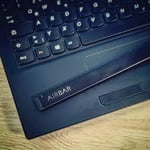
AirBar by Neonode - Add Touchscreen to 15.6" Windows 10 Notebooks it does what said it would do. pretty cool....got my old lap top to be touch screen It is truly plug and play. I received my shipment and was able to just plug it in to start using it. There wasn't any installation step which makes it very easy to use. The magnets are very thin; they are like a metal wafer less than the thickness of my fingernail. I can't imagine it being a problem on any laptop. It did take me couple touches to learn where to hit. After that, it worked great. I used to use my iPad for surfing the internet, but will now will be using my touch enabled laptop!!! It's nice to have the touchscreen and a keyboard to type on. I highly recommend this for any laptop that doesn't have a touchscreen! Update--Still loving this thing. I picked up another one for my wife’s pc so I took a couple pics. I couldn't get a decent shot with it on my PC, but the rest are decent. I used a dime to show the width of the little metal discs that stays on your PC as well as the airbar itself.
