

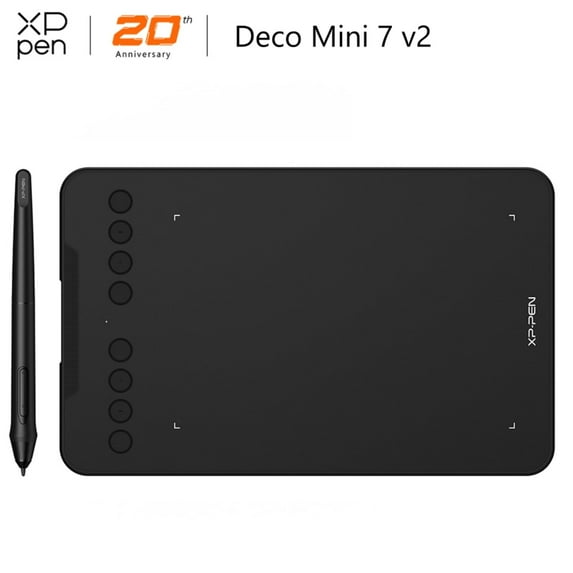
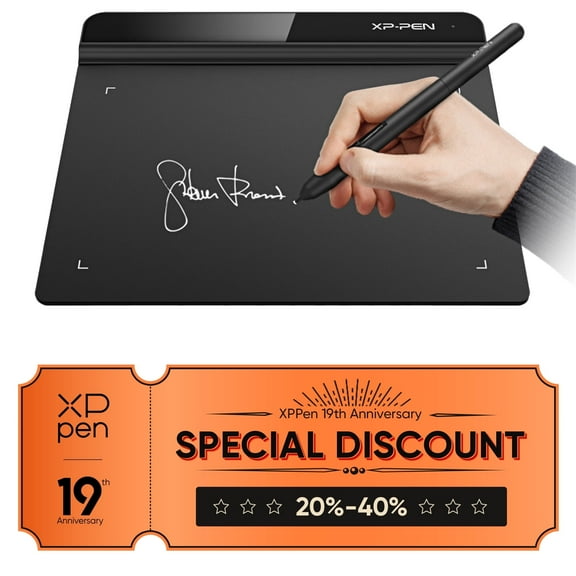
XP-PEN Deco Mini7 Graphic Drawing Tablet with 16384 Pressure Pen Digital Art Tablet Compatible with Chromebook Online Teaching/E-Learning
Key item features
- Customizable Keys: Features 8 programmable shortcut keys for a tailored user experience, enhancing workflow efficiency.
- Advanced Stylus: Includes a battery-free P05D stylus with 16384 pressure sensitivity levels and 60-degree tilt support for natural-looking lines and shading.
- Broad Compatibility: Supports Windows 7/8/10, Mac OS X 10.10+, Android 6.0+, and Chrome OS 88.0.4324.109+, working with major creative software.
- Portable Design: Compact dimensions of 260.2 x 162.2 x 9.3mm and a net weight of 307g make it highly portable for on-the-go use.
- Versatile Connectivity: Equipped with a USB-C port and includes USB-C to USB-C, USB to USB-C, and USB to Micro USB adapters for diverse device connections.
- Precise Performance: Offers a resolution of 5080LPI, a report rate of 220RPS, and an accuracy of 0.01 for detailed digital art.
Specs
- Screen size8.25 in
- Resolution5080LPI
- BrandXP-Pen
- FeaturesScratch-Resistant
- Resolution5080LPI
- Inputs/OutputsUSB-C
How do you want your item?
About this item
Product details
The XP-Pen Deco mini 7 is support work with the Windows 10/8/7, Mac OS X 10.10 (and higher), Android 6.0 (and higher) and Chrome OS 88.0.4324.109 or above. The tablet also works with major software, including Photoshop, SAI, Painter, Illustrator, Clip Studio, GIMP, Medibang, Krita, Fire Alpaca, and Blender 3D.
Deco mini 7 Graphics Tablet equipped with a USB-C port, and comes with a USB-USB C adapter and a USB to Micro USB Adapter, meaning that you can directly connect it to your iMac, MacBook Pro, or Windows computer.
Chromebook OS Supported, You can now use Chrome OS on your XP-PEN Decomini7 pen tablet, allowing you to write, draw, and so much more on your Chromebook. Deco mini 7 Features 8 Programmable Shortcut Keys. Customize your shortcut keys to tailor your own unique experience(Please update your Chrome OS to 88.0.4324.109 or above).
Tilt Supported Newest Passive Pen. Deco mini 7 pen tablet comes with a Battery-Free Stylus P05D, allowing you to create without interruption, with up to 16384 pressure sensitivity levels, the stylus creates natural-looking lines of various widths, allowing you to produce exquisite strokes with ease. It also supports up to 60 degrees of tilt action, making shading easy and effective.
Specification:
Dimensions: 260.2 x 162.2 x 9.3mm
Active Area: 177.8 x 111.1mm
Net Weight: 307g
Pen: Battery-free stylus
Tilt: 60 degrees
Pressure Sensitivity : 8192 levels
Shortcut Keys: 8
Resolution: 5080LPI
Report Rate: ≥220RPS
Accuracy : ±0.01
Reading Height: 10mm
Supply Voltage: DC 5V
USB Interface: USB-C
Compatibility: Windows 7/8/10, MAC OS 10.10 (and higher), Android 6.0 (and higher)
Package Included:
1x Pen Tablet
1x Battery-Free Stylus
1x Pen-Clipper
10x Pen Nibs
1x USB to USB-C Cable
1x USB to USB-C Adapter
1x USB to Micro USB Adapter
1x Quick Guide
- The easy-to-use Deco mini7 allows ideas to flow freely. Customize your shortcut keys to tailor your own unique experience.
- With up to 16384 pressure sensitivity levels, the stylus creates natural-looking lines of various widths, allowing you to produce exquisite strokes with ease.
- The Deco mini7 is portable and supports connections with Android tablets and mobile phones, enabling you to express yourself with freedom.
- The Deco mini7 supports a USB-C to USB-C connection (with the included adapter), allowing you to connect the tablet to various computing devices depending on your own need.
Specifications
Pressure level
Screen size
Resolution
OS
Warranty
Warranty information
Please be aware that the warranty terms on items offered for sale by third party Marketplace sellers may differ from those displayed in this section (if any). To confirm warranty terms on an item offered for sale by a third party Marketplace seller, please use the 'Contact seller' feature on the third party Marketplace seller's information page and request the item's warranty terms prior to purchase.
Similar items you might like
Based on what customers bought
Best seller UGEE S640 Graphic Drawing Tablets Digital Pen Tablet with Stylus for Linux, Mac, Windows PC and Android OSU 6.3x 4 inches $28.79 Was $39.00
Best seller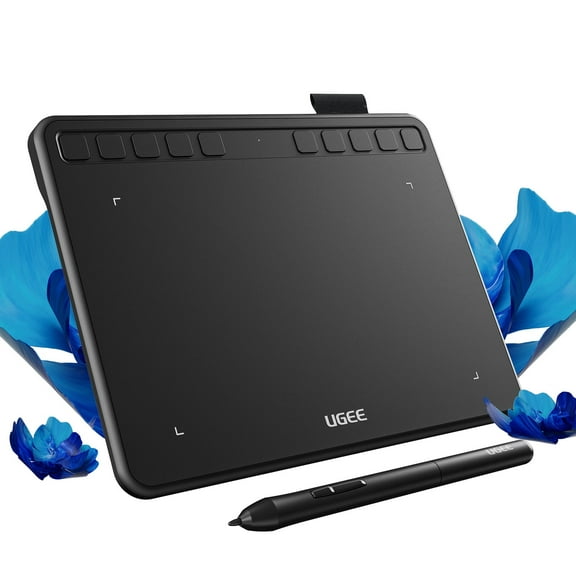 2 optionsAvailable in additional 2 options$2879current price $28.79, Was $39.00$39.00
UGEE S640 Graphic Drawing Tablets Digital Pen Tablet with Stylus for Linux, Mac, Windows PC and Android OSU 6.3x 4 inches
1634.5 out of 5 Stars. 163 reviewsWacom Intuos Graphics Drawing Tablet, 3 Bonus Software Included, 7.9"x 6.3", Black, Small (CTL4100) $57.16 Was $69.95
 2 optionsAvailable in additional 2 options$5716current price $57.16, Was $69.95$69.95
Wacom Intuos Graphics Drawing Tablet, 3 Bonus Software Included, 7.9"x 6.3", Black, Small (CTL4100)
944.5 out of 5 Stars. 94 reviewsXPPen Latest Small Deco Drawing Tablet with Pen,16384 Levels Pressure/60°Tilt Support,6x4inch Graphic Tablet Resolution 5080LPI for Phone/Computer, Portablet Drawing Pad for Digital Art/OSU Game $26.99 Was $39.99
 2 optionsAvailable in additional 2 options$2699current price $26.99, Was $39.99$39.99
XPPen Latest Small Deco Drawing Tablet with Pen,16384 Levels Pressure/60°Tilt Support,6x4inch Graphic Tablet Resolution 5080LPI for Phone/Computer, Portablet Drawing Pad for Digital Art/OSU Game
744.7 out of 5 Stars. 74 reviewsXP-Pen G430S OSU Tablet Ultrathin Graphic Tablet 4 x 3 inch Digital Tablet Drawing Pen Tablet for OSU! (8192 Levels Pressure) $19.99
 2 optionsAvailable in additional 2 options$1999current price $19.99
XP-Pen G430S OSU Tablet Ultrathin Graphic Tablet 4 x 3 inch Digital Tablet Drawing Pen Tablet for OSU! (8192 Levels Pressure)
394.7 out of 5 Stars. 39 reviewsBest seller UGEE S640 Graphic Drawing Tablets Digital Pen Tablet for Linux, Mac, Windows PC and Android OSU, 6.3x 4 inches Purple $27.00 Was $32.99
Best seller


 $2700current price $27.00, Was $32.99$32.99
UGEE S640 Graphic Drawing Tablets Digital Pen Tablet for Linux, Mac, Windows PC and Android OSU, 6.3x 4 inches Purple
2184.5 out of 5 Stars. 218 reviewsXPPen Latest 10"x6.25" Drawing Tablet, XP Deco Graphic Tablet with Pen, 16384 Levels Pressure/60° Tilt Function/8 Shortcut Keys, Digital Drawing Pad Art Tablet for Phone/Computer OSU/Digital Painting $45.99 Was $59.99
 $4599current price $45.99, Was $59.99$59.99
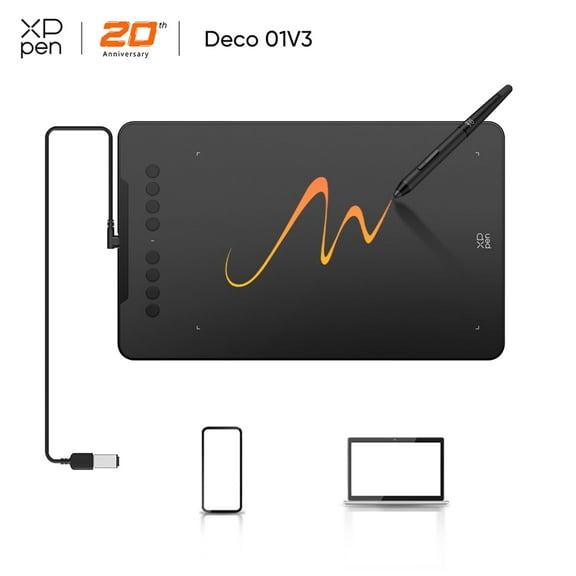
XPPen Latest 10"x6.25" Drawing Tablet, XP Deco Graphic Tablet with Pen, 16384 Levels Pressure/60° Tilt Function/8 Shortcut Keys, Digital Drawing Pad Art Tablet for Phone/Computer OSU/Digital Painting
174.1 out of 5 Stars. 17 reviewsVEIKK S640 Drawing Tablet 6x4 inch OSU Tablet 8192 Level Pen for PC,Window,Mac and Android $22.79
 $2279current price $22.79
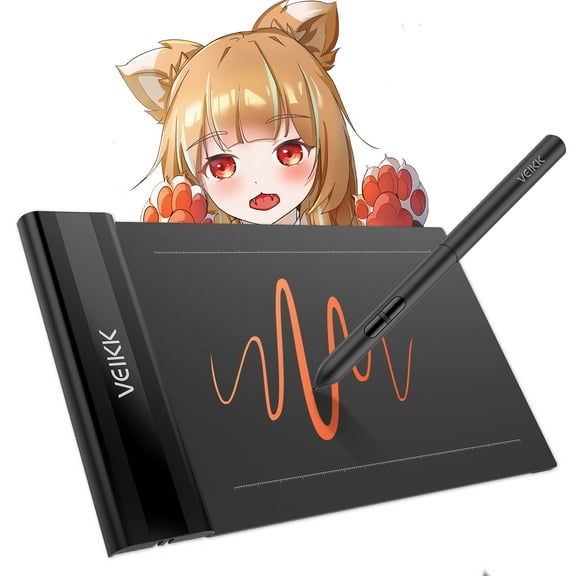
VEIKK S640 Drawing Tablet 6x4 inch OSU Tablet 8192 Level Pen for PC,Window,Mac and Android
164.6 out of 5 Stars. 16 reviewsVEIKK VK430 Drawing Tablet 4x3 inch OSU Tablet Ultra-Thin for Windows/Mac/Linux $17.99 Was $19.99
 $1799current price $17.99, Was $19.99$19.99
VEIKK VK430 Drawing Tablet 4x3 inch OSU Tablet Ultra-Thin for Windows/Mac/Linux
314.6 out of 5 Stars. 31 reviewsXP-Pen G430 OSU Tablet Ultrathin Graphic Tablet 4 x 3 inch Digital Tablet Drawing Pen Tablet for osu! in Black $19.99
 $1999current price $19.99
XP-Pen G430 OSU Tablet Ultrathin Graphic Tablet 4 x 3 inch Digital Tablet Drawing Pen Tablet for osu! in Black
414.6 out of 5 Stars. 41 reviewsXP-PEN Deco Mini7 V2 Graphics Tablet 7 x 4.37 Inch Pen Tablet with Tilt Support Passive Pen and 8 Customizable Shortcut Keys, Compatible with Chromebook for Online Teaching/E-Learning $39.99
 $3999current price $39.99
XP-PEN Deco Mini7 V2 Graphics Tablet 7 x 4.37 Inch Pen Tablet with Tilt Support Passive Pen and 8 Customizable Shortcut Keys, Compatible with Chromebook for Online Teaching/E-Learning
YANI- New 8.5" Lcd Digital Writing Drawing Tablet Pad Board Notepad Sketch Paperless $30.68
 $3068current price $30.68
YANI- New 8.5" Lcd Digital Writing Drawing Tablet Pad Board Notepad Sketch Paperless
XPPen Deco 640 Drawing Tablet with 16384 Pressure Levels Pen,6x4 Inch OSU Drawing Pad,Graphic Tablet for E-Learning,Digital Drawing Pen Tablet for Mac/Windows/Chromebook $39.99
 2 optionsAvailable in additional 2 options$3999current price $39.99
XPPen Deco 640 Drawing Tablet with 16384 Pressure Levels Pen,6x4 Inch OSU Drawing Pad,Graphic Tablet for E-Learning,Digital Drawing Pen Tablet for Mac/Windows/Chromebook
334.7 out of 5 Stars. 33 reviews1 Set Digital Notepad Note Taking Tablet Electronic Notebook Kids Doodle Pad Note Tablet Scribble Pad LCD Writing Board Electronic Book Number Child Graffiti Board Plastic $24.99 Was $28.99
 $2499current price $24.99, Was $28.99$28.99
1 Set Digital Notepad Note Taking Tablet Electronic Notebook Kids Doodle Pad Note Tablet Scribble Pad LCD Writing Board Electronic Book Number Child Graffiti Board Plastic
45 out of 5 Stars. 4 reviewsXP-Pen Deco 01V3 Drawing Graphic Tablet Portable Digital Drawing for Chromebook with Battery-Free Stylus 16384 Levels Pressure $59.99
 $5999current price $59.99
XP-Pen Deco 01V3 Drawing Graphic Tablet Portable Digital Drawing for Chromebook with Battery-Free Stylus 16384 Levels Pressure
154.5 out of 5 Stars. 15 reviewsXP-Pen Deco 01V3 Drawing Tablet with 16384 Levels Pressure Pen, 10x6.25in Portable Digital Graphic Tablet for Computer $59.99
 3 optionsAvailable in additional 3 options$5999current price $59.99
XP-Pen Deco 01V3 Drawing Tablet with 16384 Levels Pressure Pen, 10x6.25in Portable Digital Graphic Tablet for Computer
84.5 out of 5 Stars. 8 reviewsHuion Inspiroy H950P Graphics Drawing Tablet Battery Free Pen Stylus Tilt Function, 8.7x 5.4 Inch $22.49 Was $32.99
 4 optionsAvailable in additional 4 options$2249current price $22.49, Was $32.99$32.99
Huion Inspiroy H950P Graphics Drawing Tablet Battery Free Pen Stylus Tilt Function, 8.7x 5.4 Inch
744.3 out of 5 Stars. 74 reviewsRichgv 8.5 Inch LCD Writing Tablet for Kids, Electronic Graphics Tablet Drawing Tablet Doodle Pad, Educational Learning Toys Wipe Learning Board for Kids Adults Blue $8.99

 $899current price $8.99
Richgv 8.5 Inch LCD Writing Tablet for Kids, Electronic Graphics Tablet Drawing Tablet Doodle Pad, Educational Learning Toys Wipe Learning Board for Kids Adults Blue
814.6 out of 5 Stars. 81 reviewsXP-PEN Deco Fun XS OSU Tablet Graphic Drawing Tablets 4x3 Inches Pen Tablet with Battery-free Stylus (Black) $22.99


 $2299current price $22.99
XP-PEN Deco Fun XS OSU Tablet Graphic Drawing Tablets 4x3 Inches Pen Tablet with Battery-free Stylus (Black)
64.7 out of 5 Stars. 6 reviewsXP-PEN StarG640 Drawing Graphic Tablet Digital Writing Pen with 8192 Levels Battery-Free Stylus for Chromebook Game/E-Learning/Online Class (901) $36.99
 2 optionsAvailable in additional 2 options$3699current price $36.99
XP-PEN StarG640 Drawing Graphic Tablet Digital Writing Pen with 8192 Levels Battery-Free Stylus for Chromebook Game/E-Learning/Online Class (901)
204.3 out of 5 Stars. 20 reviewsbasics Rectangular Magic Slate 8.5-Inch LCD Writing Tablet with Stylus Pen, for Drawing, Playing, Noting by Kids & Adults $19.99
 $1999current price $19.99
basics Rectangular Magic Slate 8.5-Inch LCD Writing Tablet with Stylus Pen, for Drawing, Playing, Noting by Kids & Adults
Customer ratings & reviews
Filtered and sorted results would be available on the new 'Customer ratings & reviews' page.
Showing 1-3 of 11 reviews
Verified Purchase
I've been buying these by the half-dozen to hand out to teachers and employees. For remote whiteboarding, online teaching, online learning, note taking, etc. THIS is the unit to buy. I've bought about a dozen different units to evaluate, and my lessons: 1) You want about this size. Bigger is great for artists, but it's obnoxious if you're in a work environment where you might want books, papers, and things. A tablet shouldn't use up too much desk space, and bigger isn't better for drawing either. 2) Avoid the specialized knobs and buttons. As small a bezel as possible. The buttons and knobs are great for Photoshop, Illustrator, and similar, but get in the way for most things. Brand doesn't matter too much, but XP-Pen is my go-to, as they provide excellent support and customer service. It's pretty unique in that respect. Huion, in particular, has no customer service. I got a defective tablet from Huion, and I was stuck with it; there was no refund, replacement, or repair. This is plug-and-play under Windows, MacOS and Linux. DO NOT install drivers. XP Pen provides software (as does every other manufacturer), which you do NOT want for normal use. Perhaps it has utility for artists and gaming, but for normal use, it gets in the way (same as drivers for keyboards and mice, for that matter). I have models ranging for bottom-barrel to a couple hundred bucks. More expensive and fancier isn't better. I have a screen tablet and a top-of-the-line giant XP-Pen artist tablet, both sitting in my attic. THIS is my go-to connected to my main computer, as well as every computer any of my kids used for remote learning. Only thing I could wish for is a way to buy a cheap half-dozen replacement styluses. Those things get lost easily.
Verified Purchase
Solid economy buy.
This tablet is high quality and is very impressive for the low budget price.
I love this thing....
I was hesitant to purchase this because I initially wanted to get the same brand drawing tablet as my co-teacher. I’m glad I took the leap and bought the XP-Pen. It is just as smooth, responsive and precise as hers with a larger writing space for three-fourths the cost. I only wish it had a place to hold the pen. Also, my students were so happy because they could easily read my handwriting since I am no long using the track pad to review our math problems.
