

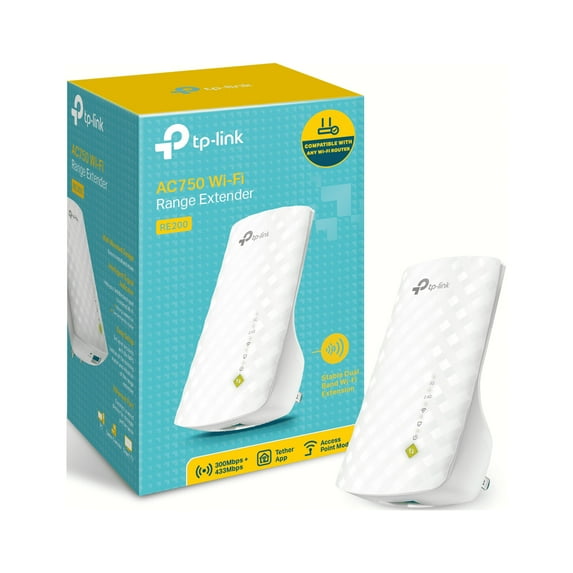
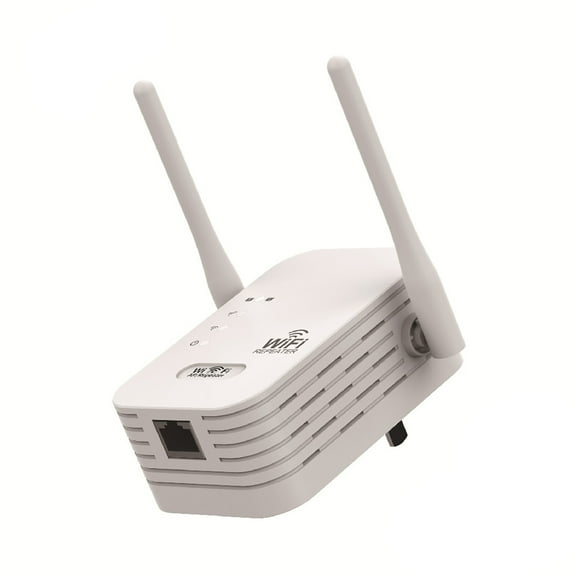
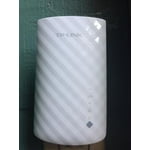
TP-Link AC750 Wi-Fi Range Extender (RE200)
Key item features
- Easy Installation: Plugs into any outlet, making it easy to install and move.
- Extended Coverage: Expand and improve your Wi-Fi range up to 10,000 square feet.
- Dual Band Speeds: Simultaneous gaming and HD streaming with AC750 dual band speeds up to 750Mbps.
- Ethernet Port: Connect a wired device to Wi-Fi using the available Ethernet port.
- Signal Indicator: Find the best spot to set up with the Intelligent Signal Indicator.
- Mobile App: Set up and manage your Wi-Fi through the free TP-LINK Tether App (Android and iOS).
- Compact Design: Miniature size and wall-mounted design make it easy to deploy and move flexibly.
- Wide Compatibility: Compatible with 802.11 b/g/n and 802.11ac Wi-Fi devices.
Specs
- Wireless performanceAC750
- Number of wireless frequency bandsDual-Band
- Signal repeater typeWi-Fi Range Extender
- Antennas3
- Frequency2.4 GHz
- LAN ports1
Reviews summary
- : Offers lower cost compared to similar products.
- : Operates at up to 750 mbps speeds.
- : Extends wi-fi coverage to outer areas of the house.
- : Setup process requires minimal effort and is straightforward.
- : Can be strong in open spaces, but weak near obstacles.
- : Can be strong, but may drop connections.
How do you want your item?
About this item
Product details
Specifications
Wireless performance
Number of wireless frequency bands
Signal repeater type
Brand
Warranty
Warranty information
Similar items you might like
Based on what customers bought
In 100+ people's carts WiFi Extender Signal Booster, 2.4GHz WiFi Signal Booster up to 9000 Sq. Ft, 300Mbps WiFi Repeater for Home, WiFi Extender with Ethernet Port, Easy Setup $19.99 Was $24.99
In 100+ people's carts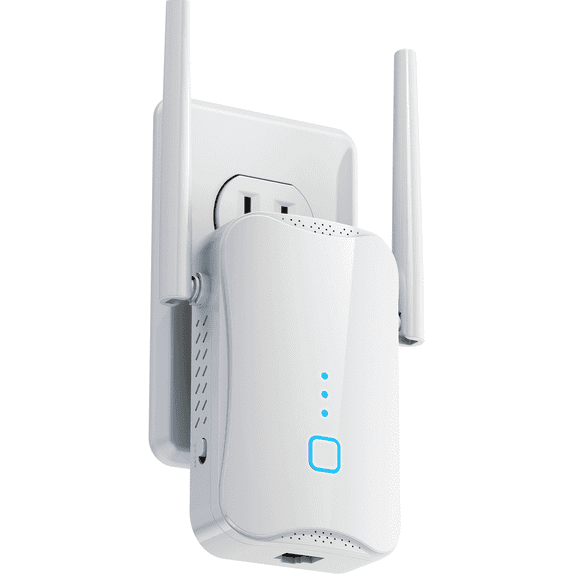 $1999current price $19.99, Was $24.99$24.99
WiFi Extender Signal Booster, 2.4GHz WiFi Signal Booster up to 9000 Sq. Ft, 300Mbps WiFi Repeater for Home, WiFi Extender with Ethernet Port, Easy Setup
963.8 out of 5 Stars. 96 reviewsHot Sale 300Mbps WiFi Repeater Wireless WIFI Signal Extender Dual Band 2.4G Network Amplifier Long Range WiFi Router US Plug $11.50
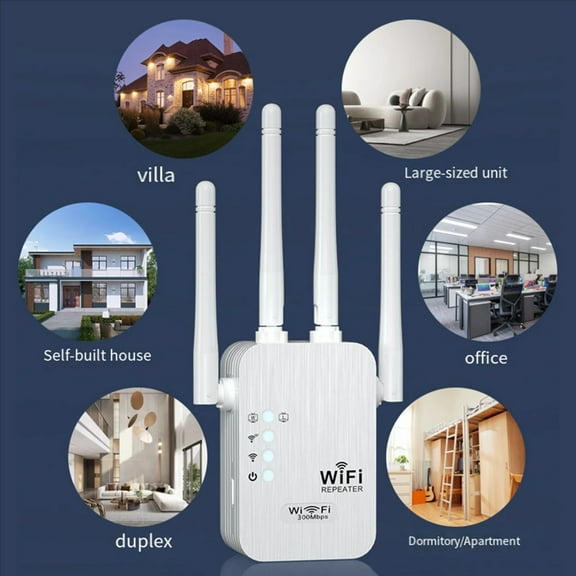 $1150current price $11.50
Hot Sale 300Mbps WiFi Repeater Wireless WIFI Signal Extender Dual Band 2.4G Network Amplifier Long Range WiFi Router US Plug
300Mbps 2.4GHZ WiFi Dual Band Repeater Wireless Signal Range Extender Wi-Fi Amplifier Router Long Range Signal Booster For Home $12.50
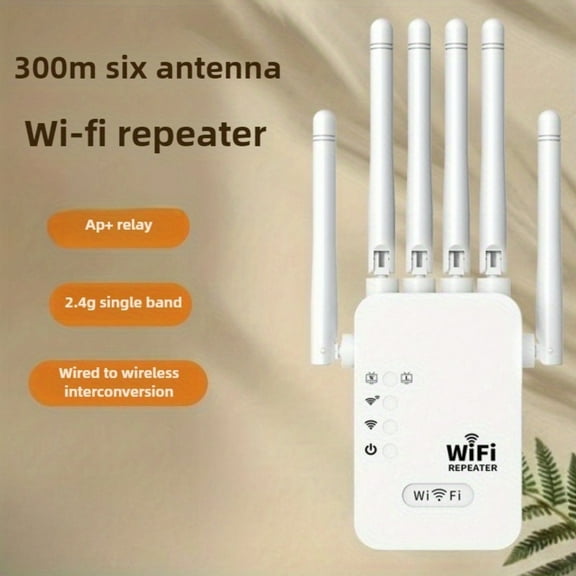 $1250current price $12.50
300Mbps 2.4GHZ WiFi Dual Band Repeater Wireless Signal Range Extender Wi-Fi Amplifier Router Long Range Signal Booster For Home
1200mbps WiFi Extender Signal Booster,The Newest Generation, Wireless Internet Repeater, Long Range Amplifier With Ethernet Port, Point $24.19
 $2419current price $24.19
1200mbps WiFi Extender Signal Booster,The Newest Generation, Wireless Internet Repeater, Long Range Amplifier With Ethernet Port, Point
WiFi Extender under $5! Yannianjz WiFi Extender Booster, 300M Wireless Internet Repeater with 4 Antennas and Ethernet Port, Long Range Amplifier for Home and Office $10.99
 $1099current price $10.99
WiFi Extender under $5! Yannianjz WiFi Extender Booster, 300M Wireless Internet Repeater with 4 Antennas and Ethernet Port, Long Range Amplifier for Home and Office
WiFi Range Extender Up to 12000 Sq.Ft Coverage, Dual Band 1200Mbps with 4 High-Gain Antennas, 3-in-1 Mode with Ethernet Port, Easy Setup $18.99
 4 optionsAvailable in additional 4 options$1899current price $18.99
WiFi Range Extender Up to 12000 Sq.Ft Coverage, Dual Band 1200Mbps with 4 High-Gain Antennas, 3-in-1 Mode with Ethernet Port, Easy Setup
Giunmcul 50% Off Clear Router 300Mbps Wireless WiFi Repeater Signal Boosters Network Amplifier Extender $10.99


 $1099current price $10.99
Giunmcul 50% Off Clear Router 300Mbps Wireless WiFi Repeater Signal Boosters Network Amplifier Extender
300Mbps Wireless WiFi Repeater Signal Booster Dual Band 2.4G WiFi Extender 802.11Ac Gigabit WiFi Amplifier US-Plug $14.70
 $1470current price $14.70
300Mbps Wireless WiFi Repeater Signal Booster Dual Band 2.4G WiFi Extender 802.11Ac Gigabit WiFi Amplifier US-Plug
Electronic Item Clearance Deal! Kyusrd WiFi Extender Booster Wireless Internet Repeater Long Range Amplifier With Ethernet Port Point $7.90
 $790current price $7.90
Electronic Item Clearance Deal! Kyusrd WiFi Extender Booster Wireless Internet Repeater Long Range Amplifier With Ethernet Port Point
Clearance 1200Mbps 5G WiFi Repeater Booster Extender for Enhanced Wireless Internet Speed and Whole Home Coverage $11.91 Was $14.70
Clearance 2 optionsAvailable in additional 2 options$1191current price $11.91, Was $14.70$14.70
1200Mbps 5G WiFi Repeater Booster Extender for Enhanced Wireless Internet Speed and Whole Home Coverage
Clearance 1200M Band 5G WiFi Router Repeater and Wireless Signal Booster Extender for Enhanced Internet Experience $15.48 Was $19.11
Clearance 4 optionsAvailable in additional 4 options$1548current price $15.48, Was $19.11$19.11
1200M Band 5G WiFi Router Repeater and Wireless Signal Booster Extender for Enhanced Internet Experience
Clearance PPgejGEK Router 300Mbps Wireless WiFi Repeater Signal Boosters Network Amplifier Extender Holiday $7.97 Was $10.99
Clearance $797current price $7.97, Was $10.99$10.99
PPgejGEK Router 300Mbps Wireless WiFi Repeater Signal Boosters Network Amplifier Extender Holiday
2.4G 300Mbps Wireless USB WiFi Repeater Extender WiFi Signal Amplifier Booster Long Range Wi-Fi Router Home Network Extension $20.00
 $2000current price $20.00
2.4G 300Mbps Wireless USB WiFi Repeater Extender WiFi Signal Amplifier Booster Long Range Wi-Fi Router Home Network Extension
Clearance WiFi Extender Booster for Home,WiFi Extender with Ethernet Port,1200Mbps WiFiBooster Dual Band 5GHz/2.4GHz,Internet Repeater Long Range Covers Up to 60 Devices and 9800 Sq.ft $13.38 Was $15.42
Clearance


 $1338current price $13.38, Was $15.42$15.42
WiFi Extender Booster for Home,WiFi Extender with Ethernet Port,1200Mbps WiFiBooster Dual Band 5GHz/2.4GHz,Internet Repeater Long Range Covers Up to 60 Devices and 9800 Sq.ft
13 out of 5 Stars. 1 reviewsTP-LINK TL-WA855RE 300Mbps Wi-Fi Range Extender $37.99
 $3799current price $37.99
TP-LINK TL-WA855RE 300Mbps Wi-Fi Range Extender
374 out of 5 Stars. 37 reviewsTP-LINK TL-WA850RE 300Mbps Universal Wi-Fi Range Extender, Repeater, Wall Plug design, One-button Setup, Smart Signal Indicator $25.23 Was $48.01
 $2523current price $25.23, Was $48.01$48.01
TP-LINK TL-WA850RE 300Mbps Universal Wi-Fi Range Extender, Repeater, Wall Plug design, One-button Setup, Smart Signal Indicator
9104 out of 5 Stars. 910 reviewsTFYZYY 300Mbps WiFi Extender Signal Booster, Wireless Repeater with Ethernet Port, Long Range Amplifier for Home Internet Connection $6.77
 $677current price $6.77
TFYZYY 300Mbps WiFi Extender Signal Booster, Wireless Repeater with Ethernet Port, Long Range Amplifier for Home Internet Connection
WiFi Extender Signal Booster Wireless Internet Repeater Long Range Amplifier With Ethernet Port Access Point $10.10
 $1010current price $10.10
WiFi Extender Signal Booster Wireless Internet Repeater Long Range Amplifier With Ethernet Port Access Point
Clearance WiFi Extender - 7.08x1.96in Wireless Signal Booster with Ethernet Port, Internet Repeater for Home Office, 300Mbps 2.4G Network Amplifier $11.59 Was $12.88
Clearance $1159current price $11.59, Was $12.88$12.88
WiFi Extender - 7.08x1.96in Wireless Signal Booster with Ethernet Port, Internet Repeater for Home Office, 300Mbps 2.4G Network Amplifier
Kyusrd WiFi Extender Signal Booster,Wireless Internet Repeater,Long Range Amplifier With Ethernet Port,Point $11.30
 $1130current price $11.30
Kyusrd WiFi Extender Signal Booster,Wireless Internet Repeater,Long Range Amplifier With Ethernet Port,Point
Customer ratings & reviews
Reviews summary
- : Offers lower cost compared to similar products.
- : Operates at up to 750 mbps speeds.
- : Extends wi-fi coverage to outer areas of the house.
- : Setup process requires minimal effort and is straightforward.
- : Can be strong in open spaces, but weak near obstacles.
- : Can be strong, but may drop connections.
Customer photos


 +17 images
Showing 1-3 of 71 reviews
Give it a Try!
First of all, let me say I am NOT tech savvy at all. When I first requested this from the Sparks team, I was hoping that it would make it easier for me to get WIFI reception in our back room or in our garage. I received this and was a little nervous about trying to connect it with my home router. I read and reread the instructions and when I first tried option one, I could not figure out just how to do it, thus the Not tech savvy I mentioned earlier. I was so frustrated, I packed it back into the box and sent off an email to the review team on how I could return it, sure that I was too stupid to figure it out. Anyway, I decided that I must be able to figure it out and I knew there was a second way to connect which involved simply pressing the WPS button on my router, if it came with one, And the WPS button on the extender. I checked my router for the WPS button and found there Was one, so that is the option I chose and it worked perfectly the first time I tried it. Easy peasy.... When I would take my tablet to the back or into the garage to fiddle with while I was on my treadmill, I had maybe one bar in the back room and 0 bars in the garage. Now, thanks to the TP-LINK range extender, I have a full set on bars in both places. Very pleased with the results and also that I did not send the item back because of my frustration. I would definitely recommend this item. The pictures don't do justice, simply before and after installation. One bar vs five bars......Nice.....
Nice extender!
First off I will say I am pretty good at computers.. Not a professional but better than most people. The set-up instructions look easy and have nice pictures to go along with the directions. I used option 1 and everything was going fine, but I was impatient and hit my refresh button and everything messed up. I wasn't allowed to get back on the tp-link setup website without a password at first, but then it let me when I tried the next day. It was frustrating, but it worked out in the end and was probably my own fault. We live on the top of a hill and our internet wifi connection is usually about 3 out of 5 bars. Once the tp-link extender was connected through option 1 I was able to move it further away from the router in order to extend our existing service. This really helped our signal! Now we usually have 4 bars and also 3 bars in areas where signal was normally poor. We have a large house and we live in an acre of land. This allowed our wifi to work outside the house and further out than it ever had. I was really pleased because so many things run on wifi these days, like our baby monitor! I used to have the problem of the monitor saying no signal when I was in the laundry room, but now no more! This was exactly what we needed. It's allowed us to be anywhere in our house and have a normal signal, no more weak signals. Also when you relocate your extender there are helpful lights on the front to let you know what distance will provide a good signal. This seems like a quality product so far!
Easy Way to Extend Wireless Range
We use tablets, laptops and a Smart TV with wireless connections. Until we connected the TP-LINK WiFi Range Extender, we had weak signals and connectivity problems. This has solved those problems and we now have access to WiFi in areas of our house where we didn't have before. I initially tried to connect this device using my desktop. I kept getting an error signal, when I tried to connect with the web browser. Then, I tried to connect with the cord, and still wasn't successful. Eventually, I decided to try from my iPad and the Web Browser connection worked. However, a few steps into the process I ran into another error. I called the Technical Support number found on the instructions page and was given the assistance I needed to resolve the issue and connect. I found the technician who assisted me to be professional, courteous, and very helpful. He walked me through the steps in an efficient manner and offered additional advice to make sure I was happy with this product. Connections on our wireless devices did not have to be reset, since we copied the information from our main router to the range extender. Now, our devices connect quickly and we are able to maneuver through the internet without the delays we experienced before. I would encourage anyone without a tech background to utilize the technical support offered before getting frustrated with the set-up process. Although we have not yet tested our xBox Live connections, I am hopeful this will also help with the problems we have experienced with it. The instruction sheet has a brief explanation of how to connect game consoles directly and I am confident that I can get additional assistance through the technical support number. I am happy with this product and would recommend it to other consumers.
