Syba 5.25" Drive Bay Mobile Rack for 2.5" 3.5" SATA HDD with USB3.0 Ports
Hero image 0 of Syba 5.25" Drive Bay Mobile Rack for 2.5" 3.5" SATA HDD with USB3.0 Ports, 0 of 6

Syba 5.25" Drive Bay Mobile Rack for 2.5" 3.5" SATA HDD with USB3.0 Ports

4.5 stars out of 2 reviews
(4.5)|
2 ratings

Key item features

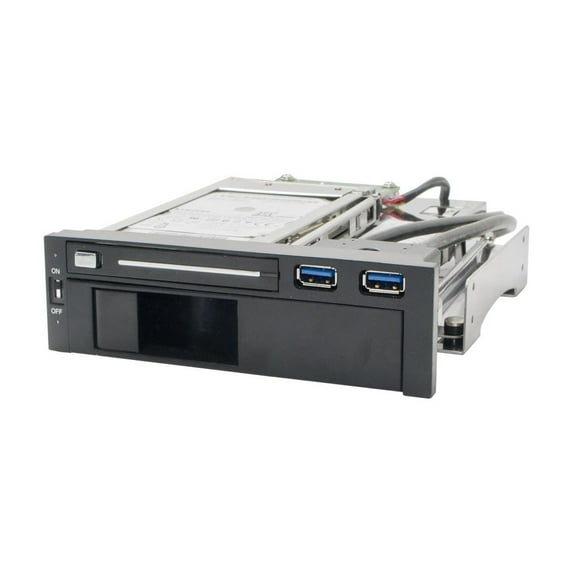
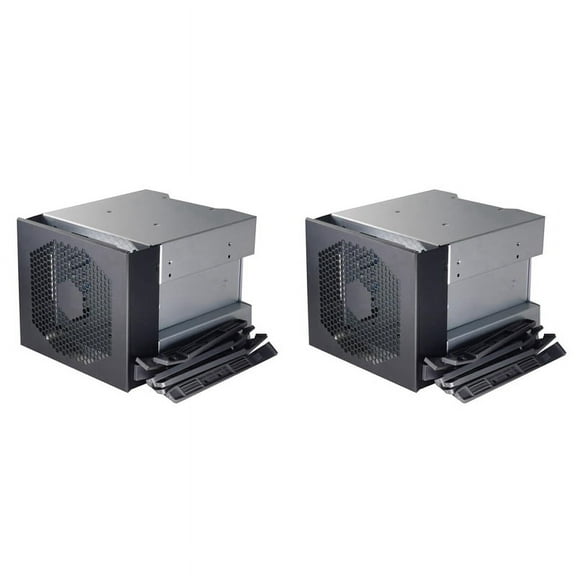
  • Accommodates both 2.5" and 3.5" Hard Drives
  • Unique anti-shock Design
  • Patented Tool-free Mechanism
  • NSS Connector Gives Over 50,000 Cycle Hot Swaps
  • LED IndicatorsPower On/OffHDD Activity
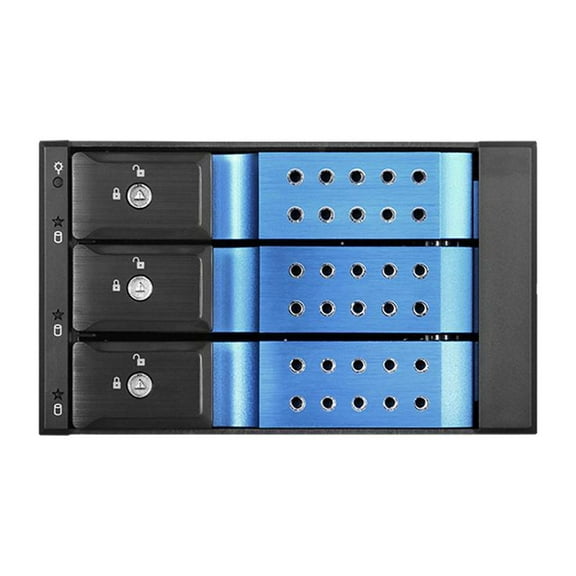
  • Front Panel: 3.25" SATA I/II/III HDD Mobile Rack2.5" SATA I/II/III HDD Mobile Rack2 USB 3.0 PortsHDD Power Switch (Controls Both HDD)
  • Back Panel: Built-in USB 3.0 20-pin Header Cable (24")SATA Data ConnectorsSATA Power Connectors
Current price is Now $35.68
You save $4.31
was $39.99
$35.68/count
Price when purchased online
  • Free shipping
  • Free 30-day returns

How do you want your item?

How do you want your item?
Columbus, 43215
Arrives by Sat, Apr 11
|
Sold and shipped by Otoko Store
4.386363636363637 stars out of 5, based on 44 seller reviews(4.4)
Report an issue with this seller
Free 30-day returns

More seller options (2)

Starting from $39.99

About this item

Product details

Specifications

Warranty

Warnings

Customer ratings & reviews

4.5 out of 5 stars
stars2 ratings2 reviews
How item rating is calculated
Filtered and sorted results would be available on the new 'Customer ratings & reviews' page.
Sort by |

Showing 1-2 of 2 reviews

Aug 16, 2017
Mintwaxed
5 out of 5 stars review

High Quality and Versatile

Well designed with quality parts. There are several reasons why this is one of the most useful devices I have ever installed into the tower case. Accessibility - You simply insert your finger into the front panel door latch and pull. Internal mechanical linkage then pushes the drive forward for easy automatic disconnect and removal. Power Switch - The slide switch located just above the LED indicator can be moved to the OFF position to power-down the drive. And of course when the drive is not spinning, it is non-existent as far as the operating system is concerned thus becoming hack proof. However, it will still appear among the listed drives. Therefore, each time a drive is powered down or swapped with another, you should go into Device Manager, right-click on Disk Drives and select "Scan for hardware changes" to update listed drives. The shortcut for Device Manager is Windows Key + R. In the Run box that appears, enter devmgmt.msc. Hard Drive Activity LED - The power LED is normally blue but then alternates between blue/red when there is disk activity. USB 3.0 Ports - There are two USB ports supplied on the front panel of the mobile rack via a connecting cable terminated with a USB 3.0 plug that you attach to the motherboard header pins. If your motherboard does not have USB 3.0, you can obtain an add-on card that plugs into the spare video card expansion slot. USB 3.0 can supply 0.9 amps (900 ma) capable of charging external devices such as rechargeable batteries, cell phones, or music players. Ideal for external backups or booting to an alternate operating system.

Helpful?4JQ6K6VILZF539386340
Mar 27, 2019
FatalisticEnd
4 out of 5 stars review

Very good for the price with it's own faults.

Works great but no hot swapping atleast on my system. If I put a drive in I need to reboot to be able to see it. The 3.5 bay is a bit tight to close with a drive in it. Other than that great. I also use the dual usb 3.0 over the single one on my case and the plug on it is better constructed than the case one.

Helpful?4JQ6K6VILZF539386340