

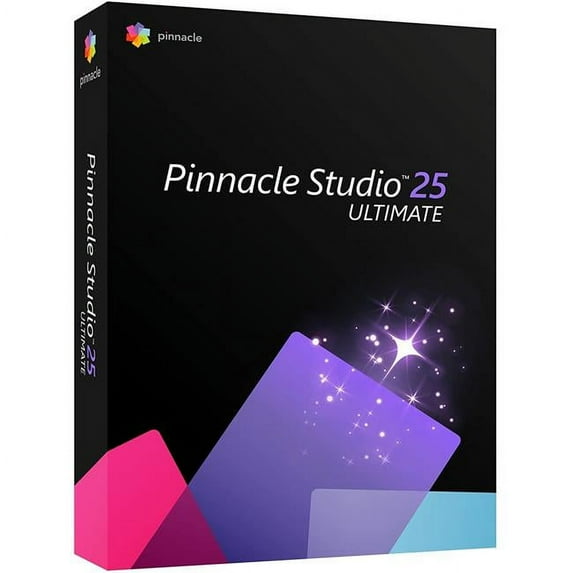
Hero image 0 of Pinnacle Studio Ultimate - (v. 25) - box pack - 1 user - Win - English, French, 0 of 10
Pinnacle Studio Ultimate - (v. 25) - box pack - 1 user - Win - English, French
(No ratings yet)
Key item features
Key Features and Benefits:
- Pro-caliber editing power with total creative control and precision
Pinnacle Studio 25 Ultimate is an advanced video editor bridging the gap between video enthusiasts and professionals. Fluently edit HD, 4K, and 360������ video across unlimited tracks, exploring sophisticated functionality and a flexible workspace. Import 8K videos to enjoy unrivaled quality content with significantly higher resolution, greater color, and incredible sound quality. Embrace pro-level editing when creative ideas hit and leverage powerful tools like Video Masking, Motion Tracking, Color Grading, Blend Modes, MultiCam Editing, and more. Take it even further and make your story truly cinematic by applying compelling effects - including premium! - exploring an updated Title Editor, and putting polish on it all with the unparalleled accuracy and creative possibilities inside Pinnacle Studio 25 Ultimate. - Go beyond traditional keyframing with complete control
Pinnacle Studio goes beyond traditional keyframing and delivers the ultimate level of accuracy and control. You have the ability to fine-tune every individual parameter of your frame - positioning, size, rotation, transparency, color, and so much more. Nothing is off limits - everything can be adjusted and customized. Not only can you manipulate effects, frame by frame, but Pinnacle gives you the freedom to manage every element of your motions and titles to the individual parameters of Color Grading and Video Masking. And, copy and paste groups of keyframes across attributes to duplicate changes most efficiently. With Pinnacle Studio's complete keyframing customization, you have unlimited power and pro-level editing precision to make your vision a reality. - Add depth to your story with Video Masking
Dive into the revolutionary power of advanced Video Masking with Pinnacle Studio Ultimate. Explore limitless possibilities for video layering, combining, enhancements, and special effects, all with custom video masks. Save time with the Smart Object Tracking tool, intelligent, shape-aware motion tracking for masks applied to common objects. Enjoy the convenience of converting vector images into raster images, and Clip masks into Track masks, and vice versa. Use Blend Modes to blend one clip with another and create a superimposed effect, blended masked areas, light bleeds or other color and exposure effects. Dynamic masking controls empower you to target, edit, fade, enhance, and transform sections of any frame, independently. Remove distracting objects and apply special effects that evolve, frame by frame. Pinnacle Studio's enhanced Video Masking delivers the power to tell your story in more creative ways and elevate the quality of your production. - Expand your creative horizons with a full suite of powerful Color Grading controls
Expand your color possibilities with Pinnacle Studio Ultimate's complete suite of pro-caliber Color Grading controls. Apply instant cinema-quality Color Grading to your videos with included LUT profiles. Set the mood in any scene with white balance, tone curve controls, and color wheels. Intensify the reds in a sunset or the blues of the ocean with saturation settings, brighten and enhance underexposed footage, introduce unexpected color accents, and so much more! Pinnacle Studio includes the whole palette of Color Grading tools you need to achieve precise and remarkable color transformations. - Show different perspectives with Multi-Camera capture, editing, and Screen Recording tools
Pinnacle Studio makes it easy to produce unique and creative multi-camera videos, complete with MultiCam Editing. Capture webcam video, system audio, microphone sound, and record your screen in a single click with MultiCam Capture Lite. Dive into this powerful tool to edit up to six sources, then easily sync video and select the angle you want to display as the video plays. Pinnacle Studio delivers all the tools you need to capture and produce engaging how-to videos, tutorials, presentations, and other multi-camera video productions. - Edit, convert, and transform 360������ videos with precision
Pinnacle Studio exceeds traditional editing expectations, and delivers everything you need to edit and transform your 360������ videos. Venture beyond basic editing functionality and easily turn your 360������ videos upside down with Tiny Planet and Rabbit Hole effects. Take creative control of your audience's perspective and convert your 360������ videos to standard video or export to experience the playback on VR headsets or 360������ video players. Pinnacle Studio expands your video editing horizon further with the power to deliver your 360������ video projects to any audience, your way. - Master your sound with an advanced Audio Editor
Master your audio with Pinnacle Studio Ultimate. Adjust the volume over time using keyframes, and easily apply fade-in and out effects. Enjoy the convenience of audio recording tools built into the timeline to add voiceovers, dialog, and narration to any project, quickly! Make your audio sound crisp, clear, and unique with newly added audio editing features: custom noise profiles, pitch scaling and time stretching, plus mixing multiple sound tracks in 5.1 space. Easily layer audio tracks and use Audio Ducking to automatically balance your audio levels so your primary audio track is heard. With a library of sound effects and royalty free music, Pinnacle Studio delivers the power to master your sound. - Streamline your workflow with timeline efficiencies and a customizable interface
Pinnacle Studio enables you to take control and tailor the user interface to fit your personal editing preferences. Create custom shortcuts and work seamlessly across single or dual screen setups. Work more efficiently and save time with clip nesting to group clips and apply effects to entire sections of your video at once. Easily save these nested clips (sub-projects) to reuse in future videos. Powerful workflow efficiencies make it possible to take your edits to the next level - even leverage smart alignment tools to snap videos and overlays into place across unlimited tracks. Enjoy an improved UI, total workspace customization and flexibility, along with the enhanced stability and performance inside Pinnacle Studio. - Ease your learning curve with an incredible learning library
Pinnacle Studio's library of learning materials helps you hit the ground running and produce higher quality videos while seriously growing your editing skills. Video editing takes time to learn, and Pinnacle Studio delivers the resources to explore the interface and take it a step further when ready. Expand your expertise and learn new techniques with professional tips and tricks - in both written and video tutorials. Ask questions and connect with other users in Pinnacle user forums. Master everything from essential edits to advanced techniques with a library of resources at your fingertips. Evolve within your editing process, become a part of the community designed for video enthusiasts and video masters, and discover the true power, precision, and control of Pinnacle Studio. - Share your videos across audiences, formats, and devices
Take control over how you export your video, with Pinnacle's support for all popular file formats and devices. Upload videos directly to YouTube, Vimeo, or share them on your preferred social media channel. Pinnacle Studio takes your sharing possibilities further by enabling you to create high-quality DVDs with themed menus, sub-menus and chapters. Pinnacle Studio 25 Ultimate includes 100+ stylish and customizable templates so you can quickly produce personalized discs to share with friends and family! Now you have the freedom to choose any format or channel and the power to present your video to any audience.
Specs
- Operating SystemWin
- BrandCorel
- Number of Users1
- Delivery MethodDownload
- Physical Media FormatDVD
- Version25
Current price is USD$137.11
Price when purchased online
Out of stock
How do you want your item?
Out of stock
About this item
Product details
Pinnacle Studio Ultimate (v. 25) - box pack - 1 user
Key Features and Benefits:
- Pro-caliber editing power with total creative control and precision
Pinnacle Studio 25 Ultimate is an advanced video editor bridging the gap between video enthusiasts and professionals. Fluently edit HD, 4K, and 360������ video across unlimited tracks, exploring sophisticated functionality and a flexible workspace. Import 8K videos to enjoy unrivaled quality content with significantly higher resolution, greater color, and incredible sound quality. Embrace pro-level editing when creative ideas hit and leverage powerful tools like Video Masking, Motion Tracking, Color Grading, Blend Modes, MultiCam Editing, and more. Take it even further and make your story truly cinematic by applying compelling effects - including premium! - exploring an updated Title Editor, and putting polish on it all with the unparalleled accuracy and creative possibilities inside Pinnacle Studio 25 Ultimate. - Go beyond traditional keyframing with complete control
Pinnacle Studio goes beyond traditional keyframing and delivers the ultimate level of accuracy and control. You have the ability to fine-tune every individual parameter of your frame - positioning, size, rotation, transparency, color, and so much more. Nothing is off limits - everything can be adjusted and customized. Not only can you manipulate effects, frame by frame, but Pinnacle gives you the freedom to manage every element of your motions and titles to the individual parameters of Color Grading and Video Masking. And, copy and paste groups of keyframes across attributes to duplicate changes most efficiently. With Pinnacle Studio's complete keyframing customization, you have unlimited power and pro-level editing precision to make your vision a reality. - Add depth to your story with Video Masking
Dive into the revolutionary power of advanced Video Masking with Pinnacle Studio Ultimate. Explore limitless possibilities for video layering, combining, enhancements, and special effects, all with custom video masks. Save time with the Smart Object Tracking tool, intelligent, shape-aware motion tracking for masks applied to common objects. Enjoy the convenience of converting vector images into raster images, and Clip masks into Track masks, and vice versa. Use Blend Modes to blend one clip with another and create a superimposed effect, blended masked areas, light bleeds or other color and exposure effects. Dynamic masking controls empower you to target, edit, fade, enhance, and transform sections of any frame, independently. Remove distracting objects and apply special effects that evolve, frame by frame. Pinnacle Studio's enhanced Video Masking delivers the power to tell your story in more creative ways and elevate the quality of your production. - Expand your creative horizons with a full suite of powerful Color Grading controls
Expand your color possibilities with Pinnacle Studio Ultimate's complete suite of pro-caliber Color Grading controls. Apply instant cinema-quality Color Grading to your videos with included LUT profiles. Set the mood in any scene with white balance, tone curve controls, and color wheels. Intensify the reds in a sunset or the blues of the ocean with saturation settings, brighten and enhance underexposed footage, introduce unexpected color accents, and so much more! Pinnacle Studio includes the whole palette of Color Grading tools you need to achieve precise and remarkable color transformations. - Show different perspectives with Multi-Camera capture, editing, and Screen Recording tools
Pinnacle Studio makes it easy to produce unique and creative multi-camera videos, complete with MultiCam Editing. Capture webcam video, system audio, microphone sound, and record your screen in a single click with MultiCam Capture Lite. Dive into this powerful tool to edit up to six sources, then easily sync video and select the angle you want to display as the video plays. Pinnacle Studio delivers all the tools you need to capture and produce engaging how-to videos, tutorials, presentations, and other multi-camera video productions. - Edit, convert, and transform 360������ videos with precision
Pinnacle Studio exceeds traditional editing expectations, and delivers everything you need to edit and transform your 360������ videos. Venture beyond basic editing functionality and easily turn your 360������ videos upside down with Tiny Planet and Rabbit Hole effects. Take creative control of your audience's perspective and convert your 360������ videos to standard video or export to experience the playback on VR headsets or 360������ video players. Pinnacle Studio expands your video editing horizon further with the power to deliver your 360������ video projects to any audience, your way. - Master your sound with an advanced Audio Editor
Master your audio with Pinnacle Studio Ultimate. Adjust the volume over time using keyframes, and easily apply fade-in and out effects. Enjoy the convenience of audio recording tools built into the timeline to add voiceovers, dialog, and narration to any project, quickly! Make your audio sound crisp, clear, and unique with newly added audio editing features: custom noise profiles, pitch scaling and time stretching, plus mixing multiple sound tracks in 5.1 space. Easily layer audio tracks and use Audio Ducking to automatically balance your audio levels so your primary audio track is heard. With a library of sound effects and royalty free music, Pinnacle Studio delivers the power to master your sound. - Streamline your workflow with timeline efficiencies and a customizable interface
Pinnacle Studio enables you to take control and tailor the user interface to fit your personal editing preferences. Create custom shortcuts and work seamlessly across single or dual screen setups. Work more efficiently and save time with clip nesting to group clips and apply effects to entire sections of your video at once. Easily save these nested clips (sub-projects) to reuse in future videos. Powerful workflow efficiencies make it possible to take your edits to the next level - even leverage smart alignment tools to snap videos and overlays into place across unlimited tracks. Enjoy an improved UI, total workspace customization and flexibility, along with the enhanced stability and performance inside Pinnacle Studio. - Ease your learning curve with an incredible learning library
Pinnacle Studio's library of learning materials helps you hit the ground running and produce higher quality videos while seriously growing your editing skills. Video editing takes time to learn, and Pinnacle Studio delivers the resources to explore the interface and take it a step further when ready. Expand your expertise and learn new techniques with professional tips and tricks - in both written and video tutorials. Ask questions and connect with other users in Pinnacle user forums. Master everything from essential edits to advanced techniques with a library of resources at your fingertips. Evolve within your editing process, become a part of the community designed for video enthusiasts and video masters, and discover the true power, precision, and control of Pinnacle Studio. - Share your videos across audiences, formats, and devices
Take control over how you export your video, with Pinnacle's support for all popular file formats and devices. Upload videos directly to YouTube, Vimeo, or share them on your preferred social media channel. Pinnacle Studio takes your sharing possibilities further by enabling you to create high-quality DVDs with themed menus, sub-menus and chapters. Pinnacle Studio 25 Ultimate includes 100+ stylish and customizable templates so you can quickly produce personalized discs to share with friends and family! Now you have the freedom to choose any format or channel and the power to present your video to any audience.
info:
We aim to show you accurate product information. Manufacturers, suppliers and others provide what you see here, and we have not verified it.
Specifications
Computer Software Type
Image, Video & Audio Software
Operating System
Win
System Requirements
Operating System Windows 10, 64-bit,Processor*,Memory,Graphics Card,DirectX,Graphics Device,Sound Card,Hard Drive Space,Accessories,Intel Core i3 or AMD A4 3.0 GHz or higher,4 GB RAM,Minimum resolution 1024 x 768,. Minimum 256 MB VGA VRAM, · 512 MB or higher recommended,for hardware decoding acceleration,Rec
Brand
Corel
Warranty
Warranty information
Please be aware that the warranty terms on items offered for sale by third party Marketplace sellers may differ from those displayed in this section (if any). To confirm warranty terms on an item offered for sale by a third party Marketplace seller, please use the 'Contact seller' feature on the third party Marketplace seller's information page and request the item's warranty terms prior to purchase.
Similar items you might like
Based on what customers bought
FL Studio 2024 Fruity Edition Audio Software $115.00
 $11500current price $115.00
FL Studio 2024 Fruity Edition Audio Software
94.4 out of 5 Stars. 9 reviewsRoxio Easy CD & DVD Burning 2 - Disc Burner & Video Capture $36.46
 $3646current price $36.46
Roxio Easy CD & DVD Burning 2 - Disc Burner & Video Capture
233.6 out of 5 Stars. 23 reviewsCorel Pinnacle Studio 25 Ultimate and PhotoMirage Drone and Aerial Photography Bundle (Windows) $129.95
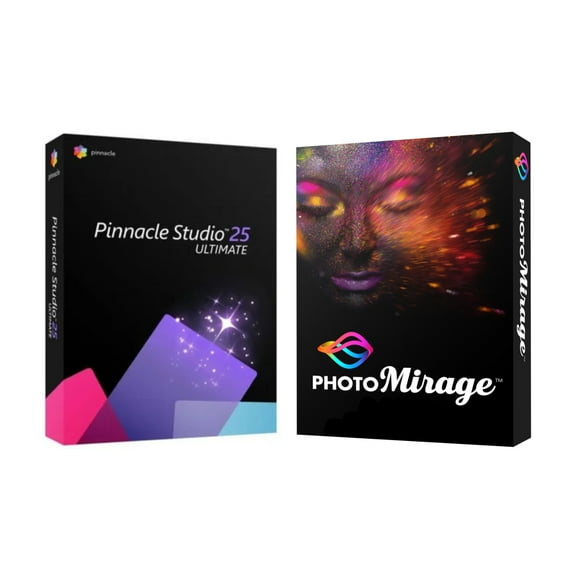 $12995current price $129.95
Corel Pinnacle Studio 25 Ultimate and PhotoMirage Drone and Aerial Photography Bundle (Windows)
Corel : Pinnacle Studio, 20 Ultimate Video Editing Software (PC Download) 1 User $127.48
 $12748current price $127.48
Corel : Pinnacle Studio, 20 Ultimate Video Editing Software (PC Download) 1 User
Adobe Photoshop Elements & Premiere Elements 2026 - PC/Mac - Photo & Video Editing - 3-year term license (Digital Download) $99.99 Was $149.99
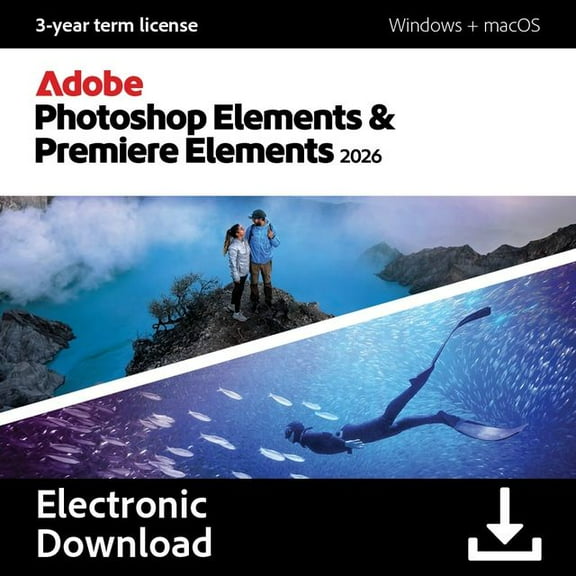 $9999current price $99.99, Was $149.99$149.99
Adobe Photoshop Elements & Premiere Elements 2026 - PC/Mac - Photo & Video Editing - 3-year term license (Digital Download)
194.3 out of 5 Stars. 19 reviewsCorel PaintShop Pro 2023 Ultimate, Box Pack, 1 User, Mini Box Packing $74.74
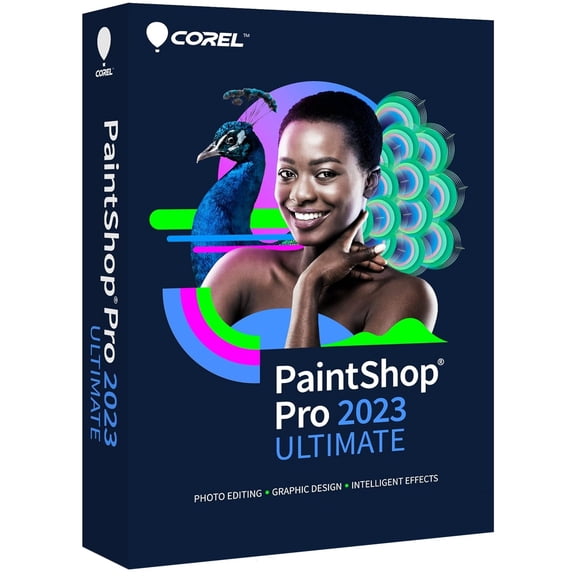 $7474current price $74.74
Corel PaintShop Pro 2023 Ultimate, Box Pack, 1 User, Mini Box Packing
Adobe Premiere Elements 2026 - PC/Mac - Video Editing - 3-year term license - Activation Required (Digital Download) $99.99
 $9999current price $99.99
Adobe Premiere Elements 2026 - PC/Mac - Video Editing - 3-year term license - Activation Required (Digital Download)
75 out of 5 Stars. 7 reviewsRoxio Creator NXT v.9.0 - Box Pack - 1 user - Mini Box Packing (rcrnxt9mlmbam) $69.99
 $6999current price $69.99
Roxio Creator NXT v.9.0 - Box Pack - 1 user - Mini Box Packing (rcrnxt9mlmbam)
24.5 out of 5 Stars. 2 reviewsPrintShop Deluxe 6.0 [Digital Download] $49.99
![PrintShop Deluxe 6.0 [Digital Download]](https://i5.walmartimages.com/asr/2c4d00ac-7310-4153-9715-9d240bf933f8.1d1d0c54a02401e93a9acd04637a3bb6.jpeg?odnHeight=576&odnWidth=576&odnBg=FFFFFF) $4999current price $49.99
$4999current price $49.99PrintShop Deluxe 6.0 [Digital Download]
502.2 out of 5 Stars. 50 reviewsCorel PDF Fusion [Digital Download] $69.98
![Corel PDF Fusion [Digital Download]](https://i5.walmartimages.com/asr/28fb1ae5-d3f1-41aa-8380-b27002636ddb.12cf78a11a738867381bbae83cde8b94.jpeg?odnHeight=576&odnWidth=576&odnBg=FFFFFF) $6998current price $69.98
$6998current price $69.98Corel PDF Fusion [Digital Download]
13 out of 5 Stars. 1 reviewsAdobe Photoshop Elements & Premiere Elements 2026 - Student & Teacher Edition - PC/Mac - Photo & Video Editing - 3-year term license (Digital Download) $79.99
 $7999current price $79.99
Adobe Photoshop Elements & Premiere Elements 2026 - Student & Teacher Edition - PC/Mac - Photo & Video Editing - 3-year term license (Digital Download)
193.8 out of 5 Stars. 19 reviewsPaintShop Pro v.X5 Ultimate $86.37
 $8637current price $86.37
PaintShop Pro v.X5 Ultimate
Corel Painter 2017 - License - 1 user - academic - ESD - Win, Mac - English, German, French $99.00
 $9900current price $99.00
Corel Painter 2017 - License - 1 user - academic - ESD - Win, Mac - English, German, French
PAINTER 2016 ML EDUCATION EDITION $102.01
 $10201current price $102.01
PAINTER 2016 ML EDUCATION EDITION
Cinemagraph $39.99
 $3999current price $39.99
Cinemagraph
Movavi Video Editor for Mac 3 Business Edition (Email Delivery) $49.05
 $4905current price $49.05
Movavi Video Editor for Mac 3 Business Edition (Email Delivery)
Corel VideoStudio Ultimate X9 - License - 1 user - download - ESD - Win - Multi-Lingual $70.00
 $7000current price $70.00
Corel VideoStudio Ultimate X9 - License - 1 user - download - ESD - Win - Multi-Lingual
Media Composer Production Pack Edu $111.81
 $11181current price $111.81
Media Composer Production Pack Edu
MAGIX Sound Forge Audio Studio 17 (Activation Card) $59.99
 $5999current price $59.99
MAGIX Sound Forge Audio Studio 17 (Activation Card)
CLIP STUDIO PAINT PRO - Version 4 | Perpetual License | for Windows and macOS $39.99 Was $59.99
 $3999current price $39.99, Was $59.99$59.99
CLIP STUDIO PAINT PRO - Version 4 | Perpetual License | for Windows and macOS
25 out of 5 Stars. 2 reviews
Customer ratings & reviews
0 ratings|0 reviews
This item does not have any reviews yet
