

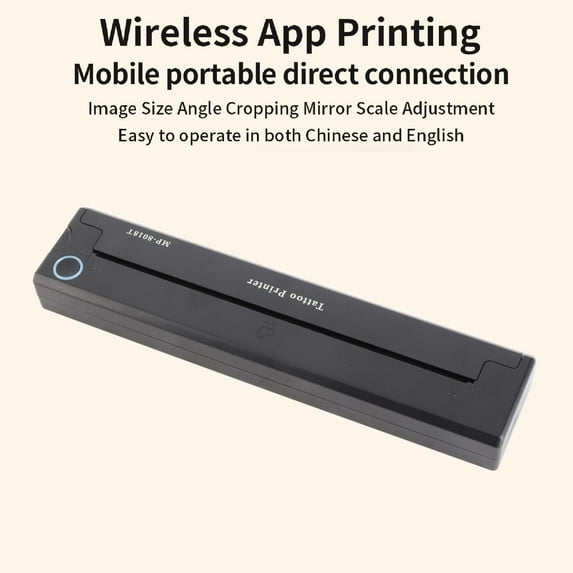
Hero image 0 of 3-in-1 Design System: APP + USB + Bluetooth Printer for Custom Tattoos, Nails & Apparel - ABS Build Quality, 0 of 6
3-in-1 Design System: APP + USB + Bluetooth Printer for Custom Tattoos, Nails & Apparel - ABS Build Quality
(No ratings yet)
Key item features
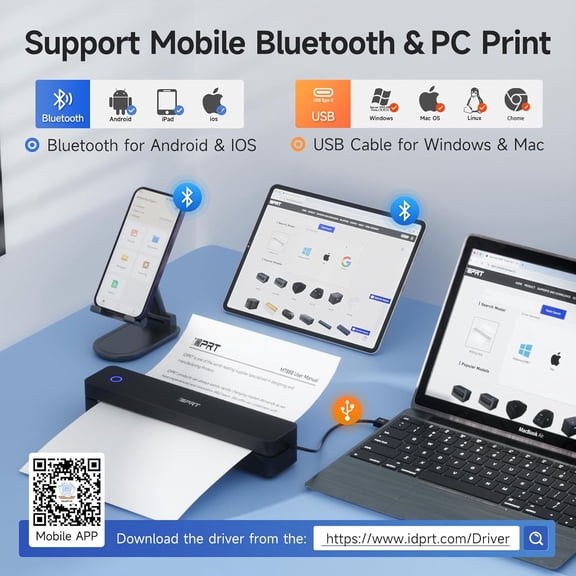
- 1、Time Saving: Tattoo transfer machine features USB and Bluetooth interfaces that allow you to select desired patterns on your PC or mobile app, instantly transferring the design onto transfer paper in seconds. 2、Easy To Operate: The machine automatically fixes the transfer paper. Simply operate through the app and efficiently duplicate tattoo designs onto transfer paper.
- 3、Clear Transfer: Utilizing thermal printing technology, tattoo transfer machine delivers high resolution and clear tattoo transfers without the need for part replacement or ink refills. 4、Wireless Operating: Equipped with a built in 2000mAh battery, transfer machine frees tattoo artists from the constraints of traditional power connections.
- 5、ABS: Transfer machine is made of lightweight ABS material, making it compact and portable for tattoo artists to carry around without taking up much space.
Specs
- BrandUnbranded
- Printing techThermal
- Printer functionsPrint
- Mono colorMonochrome
- Paper sizeA4
- Has automatic document feederN
Price when purchased online
Not Available
How do you want your item?
Not available
About this item
Product details
Specification
Item Type: Tattoo Transfer Machine
Material: ABS, electronic components
Color: Black
Battery: Built in li battery 2000mAh
Input: 5V 2A
Charging Port: Type C
Interface: USB, Bluetooth
Transfer Printer Size: Approx. 265 x 58 x 30mm / 10.4 x 2.3 x 1.2in
Printing Type: Thermal printing
Automatic Shutdown: 30min (optional in APP)
Print Density: Light, moderate, strong (optional in APP)
Standby Time: About 30 days
Draw Point Time: About 1.3 hours
Continuous Printing: 90 sheets of tattoo transfer paper
Applicable Printing Paper: Approx. Standard A4 thermal printing paper (210 x 297mm / 8.3 x 11.7in)
Support For Connected Devices: Cell phones, tablets, PC (for XP, for Windows7/8/10 )
Key Function:
Power Button: Long press to turn on/off, the indicator light is green flashing status. When charging, the indicator light is flashing green, and when fully charged, the indicator light is always on in green.
Open Cover Key: Press the open cover key, you can open the cover for cleaning and paper jamming operation.
How to use
1.Application Installation
You can scan the QR code on the box to download the APP.
2.Power on/off
Power on: Long press the power button for 2S until the indicator light is on.
Power off: Long press the power button for 2S until the indicator light is off.
After power on, you can connect the printer Bluetooth in APP, if you can't connect the Bluetooth, please check whether the machine has power, if not, it can be connected with a full charge.
3. Paper feeding operating
Tattoo printing paper direction identification
※ the yellow side up, white side down neatly into the printer input port, the print paper can be automatically sucked in, if not automatically sucked in, you can also manually open the cover key jam.
4. Paper jam, abnormal processing and cleaning
Press the right side of the host to open the cover button, you can open the cover assembly to rotate at a certain angle
5.Connecting Application
After the device is turned on, open the APP, click on the upper right corner of the "not connected" button, enter the "add device" list, click on the device to connect Bluetooth, you can print.
Tip: When connecting, please make sure the Bluetooth of your cell phone is on, and the device is close to your cell phone.
6. Printing paper type
It is recommended to use tattoo-specific paper, non-specialized paper may not be environmentally friendly, can cause paper jams or inaccurate reading of the feed, which can easily lead to skewed printing.
7. Frequently Asked Questions
Q: APP add devices, not found to be connected to the device?
A:Please check whether the device is turned on to ensure that the Bluetooth is in working condition.
Q: What should I do if the device cannot print?
A:①Check whether the cell phone Bluetooth has been turned on, and exclude the possibility of others connecting this device.
② Check whether the tattoo printer jam.
③ print head is overheated, if overheated, please wait for the print head to cool down before trying to print.
Q: Why print out all white paper, no content?
Answer:It may be caused by the print paper is not installed correctly, please refer to the introduction to replace the print paper to re install.
Q: Why are the words printed out faded?
A: ① Please check whether the device is low battery.
② Check whether the print head is covered with stains, please dip the alcohol cloth gently wipe clean!
Package List1 x Tattoo Transfer Machine
1 x USB Charging Cable
1 x Manual
Item Type: Tattoo Transfer Machine
Material: ABS, electronic components
Color: Black
Battery: Built in li battery 2000mAh
Input: 5V 2A
Charging Port: Type C
Interface: USB, Bluetooth
Transfer Printer Size: Approx. 265 x 58 x 30mm / 10.4 x 2.3 x 1.2in
Printing Type: Thermal printing
Automatic Shutdown: 30min (optional in APP)
Print Density: Light, moderate, strong (optional in APP)
Standby Time: About 30 days
Draw Point Time: About 1.3 hours
Continuous Printing: 90 sheets of tattoo transfer paper
Applicable Printing Paper: Approx. Standard A4 thermal printing paper (210 x 297mm / 8.3 x 11.7in)
Support For Connected Devices: Cell phones, tablets, PC (for XP, for Windows7/8/10 )
Key Function:
Power Button: Long press to turn on/off, the indicator light is green flashing status. When charging, the indicator light is flashing green, and when fully charged, the indicator light is always on in green.
Open Cover Key: Press the open cover key, you can open the cover for cleaning and paper jamming operation.
How to use
1.Application Installation
You can scan the QR code on the box to download the APP.
2.Power on/off
Power on: Long press the power button for 2S until the indicator light is on.
Power off: Long press the power button for 2S until the indicator light is off.
After power on, you can connect the printer Bluetooth in APP, if you can't connect the Bluetooth, please check whether the machine has power, if not, it can be connected with a full charge.
3. Paper feeding operating
Tattoo printing paper direction identification
※ the yellow side up, white side down neatly into the printer input port, the print paper can be automatically sucked in, if not automatically sucked in, you can also manually open the cover key jam.
4. Paper jam, abnormal processing and cleaning
Press the right side of the host to open the cover button, you can open the cover assembly to rotate at a certain angle
5.Connecting Application
After the device is turned on, open the APP, click on the upper right corner of the "not connected" button, enter the "add device" list, click on the device to connect Bluetooth, you can print.
Tip: When connecting, please make sure the Bluetooth of your cell phone is on, and the device is close to your cell phone.
6. Printing paper type
It is recommended to use tattoo-specific paper, non-specialized paper may not be environmentally friendly, can cause paper jams or inaccurate reading of the feed, which can easily lead to skewed printing.
7. Frequently Asked Questions
Q: APP add devices, not found to be connected to the device?
A:Please check whether the device is turned on to ensure that the Bluetooth is in working condition.
Q: What should I do if the device cannot print?
A:①Check whether the cell phone Bluetooth has been turned on, and exclude the possibility of others connecting this device.
② Check whether the tattoo printer jam.
③ print head is overheated, if overheated, please wait for the print head to cool down before trying to print.
Q: Why print out all white paper, no content?
Answer:It may be caused by the print paper is not installed correctly, please refer to the introduction to replace the print paper to re install.
Q: Why are the words printed out faded?
A: ① Please check whether the device is low battery.
② Check whether the print head is covered with stains, please dip the alcohol cloth gently wipe clean!
Package List1 x Tattoo Transfer Machine
1 x USB Charging Cable
1 x Manual
- 1、Time Saving: Tattoo transfer machine features USB and Bluetooth interfaces that allow you to select desired patterns on your PC or mobile app, instantly transferring the design onto transfer paper in seconds. 2、Easy To Operate: The machine automatically fixes the transfer paper. Simply operate through the app and efficiently duplicate tattoo designs onto transfer paper.
- 3、Clear Transfer: Utilizing thermal printing technology, tattoo transfer machine delivers high resolution and clear tattoo transfers without the need for part replacement or ink refills. 4、Wireless Operating: Equipped with a built in 2000mAh battery, transfer machine frees tattoo artists from the constraints of traditional power connections.
- 5、ABS: Transfer machine is made of lightweight ABS material, making it compact and portable for tattoo artists to carry around without taking up much space.
info:
We aim to show you accurate product information. Manufacturers, suppliers and others provide what you see here, and we have not verified it.
Specifications
Brand
Unbranded
Printing tech
Thermal
Printer functions
Print
Mono color
Monochrome
Similar items you might like
Based on what customers bought
Best seller Canon PIXMA TS3722 All-In-One, Wireless Inkjet Printer for Home Office $53.00
Best seller $5300current price $53.00
Canon PIXMA TS3722 All-In-One, Wireless Inkjet Printer for Home Office
248554.2 out of 5 Stars. 24855 reviewsBest seller Canon PIXMA TR4722 All-In-One, Wireless Color Inkjet Printer for Home Office Use $75.00
Best seller $7500current price $75.00
Canon PIXMA TR4722 All-In-One, Wireless Color Inkjet Printer for Home Office Use
98624.1 out of 5 Stars. 9862 reviewsBest seller Brother HL-L2420DW Wireless Compact Monochrome Laser Printer with Duplex, Mobile Printing $124.99
Best seller $12499current price $124.99
Brother HL-L2420DW Wireless Compact Monochrome Laser Printer with Duplex, Mobile Printing
16684.3 out of 5 Stars. 1668 reviewsBest seller Epson WorkForce WF-2950 All-in-One Wireless Color Printer with Scanner, Copier and Fax $79.00
Best seller $7900current price $79.00
Epson WorkForce WF-2950 All-in-One Wireless Color Printer with Scanner, Copier and Fax
46834 out of 5 Stars. 4683 reviewsRollback Canon PIXMA TS7722 All-In-One, Wireless Color Inkjet Printer for Home Office Use $84.00 Was $107.00
Rollback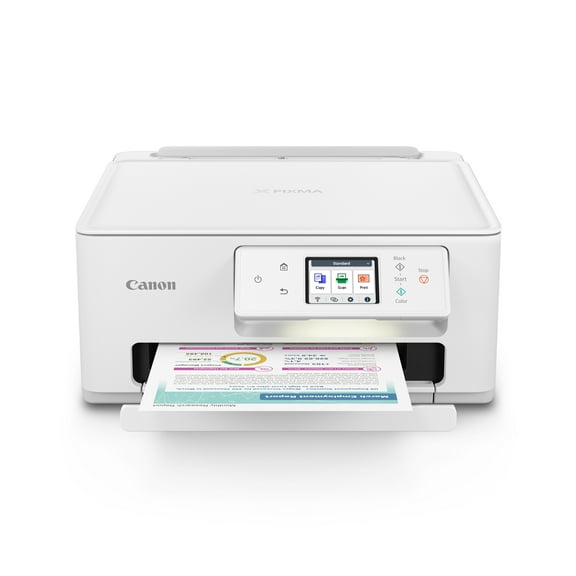 $8400current price $84.00, Was $107.00$107.00
Canon PIXMA TS7722 All-In-One, Wireless Color Inkjet Printer for Home Office Use
5604.2 out of 5 Stars. 560 reviewsWireless Tattoo Stencil Printer & A4 Thermal Printer with App Custom, Print Realistic Portraits, 6 Transfer Papers Included and Six Sheets of Thermal Paper $48.50
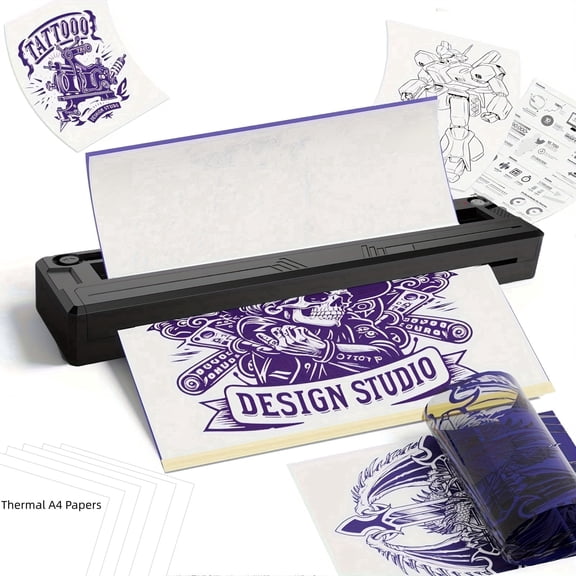 2 optionsAvailable in additional 2 options$4850current price $48.50
Wireless Tattoo Stencil Printer & A4 Thermal Printer with App Custom, Print Realistic Portraits, 6 Transfer Papers Included and Six Sheets of Thermal Paper
184.2 out of 5 Stars. 18 reviewsBest seller Thermal Printer, Wireless Printer Support US Letter & A4 for Travel, Inkless Portable Compatible with Ios Android Laptop for Home Car Office $52.89 Was $58.99
Best seller

 $5289current price $52.89, Was $58.99$58.99
Thermal Printer, Wireless Printer Support US Letter & A4 for Travel, Inkless Portable Compatible with Ios Android Laptop for Home Car Office
7763.9 out of 5 Stars. 776 reviewsHP Envy 6152e Wireless All-in-One Color Photo Inkjet Printer, Scanner, Copier, 3mos FREE Instant Ink $119.00
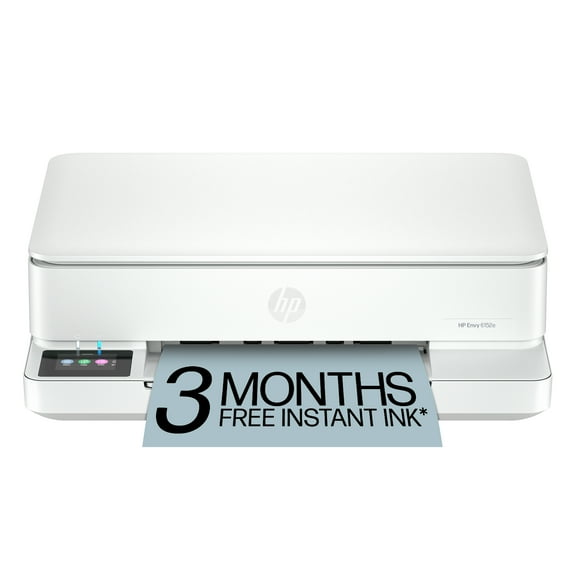 $11900current price $119.00
HP Envy 6152e Wireless All-in-One Color Photo Inkjet Printer, Scanner, Copier, 3mos FREE Instant Ink
10364.1 out of 5 Stars. 1036 reviewsBest seller WorkForce Pro WF-4833 Wireless All-in-One Printer with Auto 2-Sided Print, 50-page ADF, 500-sheet Paper Capacity, and 4.3" Color Touchscreen $169.00
Best seller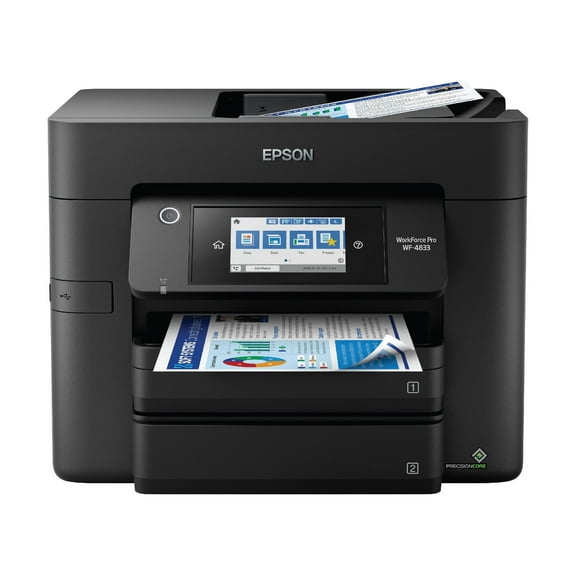 $16900current price $169.00
WorkForce Pro WF-4833 Wireless All-in-One Printer with Auto 2-Sided Print, 50-page ADF, 500-sheet Paper Capacity, and 4.3" Color Touchscreen
15444.1 out of 5 Stars. 1544 reviewsBest seller Brother Wireless MFC-L2760DW Compact Monochrome All-in-One Laser Printer with Copy, Scan and Fax, Duplex and Mobile Printing $200.00
Best seller $20000current price $200.00
Brother Wireless MFC-L2760DW Compact Monochrome All-in-One Laser Printer with Copy, Scan and Fax, Duplex and Mobile Printing
15174.4 out of 5 Stars. 1517 reviewsHP Envy 6555e All-in-One Inkjet Printer, Color Mobile Print, Copy, Scan, Mobile $99.99 Was $159.99
 $9999current price $99.99, Was $159.99$159.99
HP Envy 6555e All-in-One Inkjet Printer, Color Mobile Print, Copy, Scan, Mobile
2434.2 out of 5 Stars. 243 reviewsBest seller Canon MegaTank PIXMA G3272 All-In-One, Wireless Color Inkjet Printer for Home Office Use $194.00
Best seller $19400current price $194.00
Canon MegaTank PIXMA G3272 All-In-One, Wireless Color Inkjet Printer for Home Office Use
16284.3 out of 5 Stars. 1628 reviewsHP OfficeJet Pro 8125e All-in-One Printer with 3 Months of Instant Ink for free with HP , AI-enabled $139.99
 $13999current price $139.99
HP OfficeJet Pro 8125e All-in-One Printer with 3 Months of Instant Ink for free with HP , AI-enabled
1233.9 out of 5 Stars. 123 reviewsMT610 Pro Wireless Printer - Portable Thermal Printer for Travel, Office, and Home (Black, 300DPI) $112.99
 $11299current price $112.99
MT610 Pro Wireless Printer - Portable Thermal Printer for Travel, Office, and Home (Black, 300DPI)
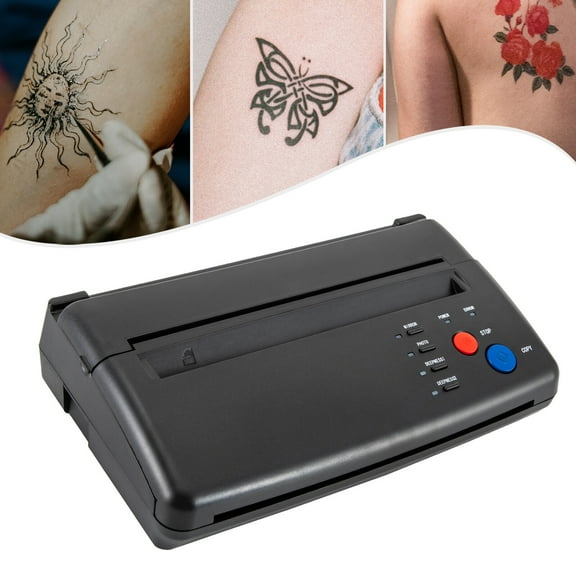
110-220V Tattoo Stencil Maker Tattoo Transfer Thermal Copier Stencil Printer Machine Black 11.02*6.49*2.75in for A Variety of Bars, Stage Performances, Parties $92.80
 $9280current price $92.80
110-220V Tattoo Stencil Maker Tattoo Transfer Thermal Copier Stencil Printer Machine Black 11.02*6.49*2.75in for A Variety of Bars, Stage Performances, Parties
Core Innovations Pro Wireless Inkless Thermal Printer, iOS & Android Compatible, 8.5" x 11" $99.00
 $9900current price $99.00
Core Innovations Pro Wireless Inkless Thermal Printer, iOS & Android Compatible, 8.5" x 11"
1883.8 out of 5 Stars. 188 reviewsRestored Brother HL-L2405W Wireless Compact Monochrome Laser Printer, Mobile Printing (Refurbished) $95.83
 $9583current price $95.83
Restored Brother HL-L2405W Wireless Compact Monochrome Laser Printer, Mobile Printing (Refurbished)
Handheld Inkjet Printer with 4.3 Inch Touch Screen Portable Printer Quick Dry $122.63
 $12263current price $122.63
Handheld Inkjet Printer with 4.3 Inch Touch Screen Portable Printer Quick Dry
Best seller Core Innovations CTP500 Bluetooth Mini Portable Inkless Thermal Printer & Label Maker Paper, Android & iOS (Purple) $29.88
Best seller


 $2988current price $29.88
Core Innovations CTP500 Bluetooth Mini Portable Inkless Thermal Printer & Label Maker Paper, Android & iOS (Purple)
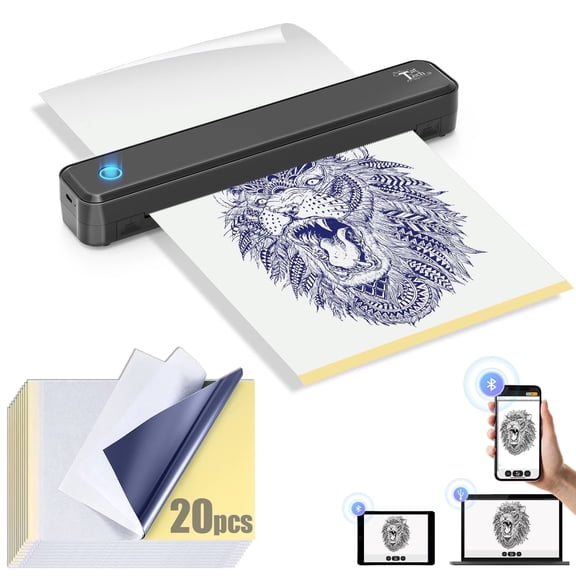
10243.9 out of 5 Stars. 1024 reviewsTatTech Tattoo Stencil Printer with 20pcs Transfer Paper,Portable Thermal Tattoo Stencil Bluetooth Printer Supports A4 A5 Sizes , Artists & Beginner Friendly,Compatible with Android, iOS & Windows $59.99 Was $68.88
 $5999current price $59.99, Was $68.88$68.88
TatTech Tattoo Stencil Printer with 20pcs Transfer Paper,Portable Thermal Tattoo Stencil Bluetooth Printer Supports A4 A5 Sizes , Artists & Beginner Friendly,Compatible with Android, iOS & Windows
243.8 out of 5 Stars. 24 reviews
Customer ratings & reviews
0 ratings|0 reviews
This item does not have any reviews yet
