

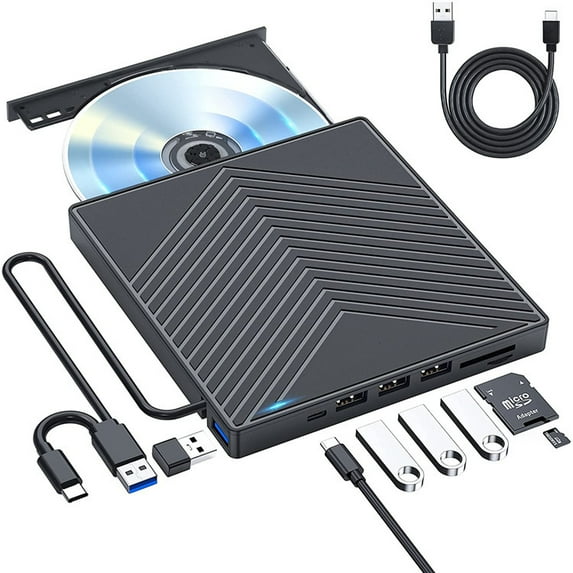
AUBEAMTO External CD DVD Drive, Ultra Slim CD Burner USB 3.0 with 4 USB Ports and 2 TF/SD Card Slots, Optical Disk Drive for Laptop Mac, PC Windows 11/10/8/7 Linux OS
Key item features
- 8 in 1 External CD DVD Drive
- EXTERNAL CD DRIVE FOR LAPTOP- Considering that most of the latest laptops have not been added to the built-in CD/DVD drive, so you can't insert CDs or DVDs directly into your laptop to listen to music, watch movies, data backup or install systems. The external CD drive that AUBEAMTO newly released is a good solution. No need for additional drivers. PLUG and PLAY. The CD Rom external drive for laptop has strong error correction, anti-skid and quiet capabilities.
- USB 3.0 HIGH-SPEED DATA TRANSFER - CD Burner with high speed USB 3.0 technology, many of the port cluster connectors are labelled by blue colour and backward compatible with USB 2.0 / 1.1. USB 3.0 is an updated version of USB 2.0 which provides higher data transfer rates up to 5 Gigabits/S (625MB/S). it is approximately 10 times faster than USB 2.0. Besides that, The cd drive offers Max 8x DVDR Read Speed and Max 24x CD Write/Read speed, faster than you expected.
- SUPPORT CD & DVD BURNING - The optical drive supports reading and writing of CD±R/RW, CD-ROM, DVD±R/RW, DVD-RAM, VCD, and SVCD. In addition, This USB-A and USB-C external disk drive supports different devices such as Macbook, iMac, Notebook, Desktop, and Laptop, etc. It's compatible with Windows 11/10 /8 /7 /XP , Vista 7 / 8, Linux, Mac OS10.6 or above. (Cars, TVs, Tablets, Smartphones, Projectors and Blu-ray disk are not supported; Windows 11 requires media player and network)
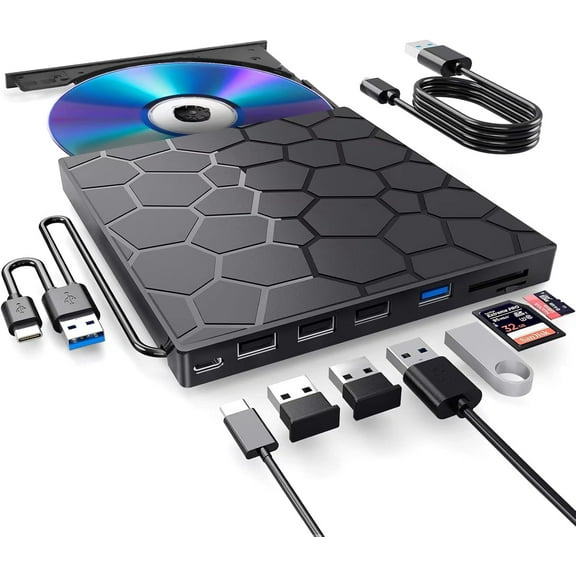
- 8 IN 1 USB HUB - Our external drive can not only burn and read CD DVD, but also can be used as a external laptop usb hub, including 1 USB 3.0 port, 3 USB 2.0 port, 1 TF slot ,1 SD card slot and 1USB C Port, compatible with usb hard drive, limited/wireless mouse & keyboard, computer radiator and other usb computer accessories, The card slot are perfect for transferring photo and video files by your camera from cards to your computer(Note: SD port and TF port cannot be used at the same time)
- ULTRA SLIM & PORTABLE DESIGN - This external disk drive is very slim and lightweight and the embedded data cable is easy to use and organize, skip-proof rubber pad prevents sliding on the desktop, so you can easily carry in your laptop bag ideal for home, office, or anywhere you go. It is also a good idea to give it to hobbyists who collect CDs and DVDs. (We provide up to 2-year after-sales.)
- Abandoning optical drives allows computer manufacturers to create thinner and more compact laptops. Most of the new notebooks on the market now do not built-in CD-ROM drive, and some only have a limited number of USB ports. But we may have a large collection of 90s CDs, and we want to put them in a laptop to feel the nostalgia or insert a DVD collection to watch movies. Or, you may just need a cd/dvd drive for emergencies, such as data transfer, system backup, etc.
- Fortunately, We have already done all the work for you. This multi-function external usb disc drive that we launched is not only a cd/dvd reader, but also It has the function of cd/dvd burner. At the same time, it is equipped with a variety of USB ports and card slots to meet all your peripheral equipment needs -- all for a decent price. This will allow you to have more budget to buy the latest laptops that are comfortable, smooth, and have powerful processors and graphics cards.
- THESE THINGS YOU NEED TO KNOW BEFORE BUYING - This dvd rw drive can only start its job after it is connected to a laptop or a desktop, so it is not compatible with cars, projectors, tablets, ipads, mobile phones, etc. In addition, it is compatible with windows11/10/8/7, mac os and Linux. NOT COMPATIBLE with Chrombook, Surface, Blue-ray.
- These things you need to know before buying Incompatible devices and discs : This CD/DVD drive cannot play Blu-ray discs. And it is not compatible with cars, trucks, TVs, projectors, smartphones, iPhones, tablets, iPads, PS4/5, Nintendo Switch, Xbox, surface (some models), Chromebooks and Ubuntu OS. Open the tray : For Windows, simply press the button on the front of the drive to eject the tray. For mac OS, the drive button is limited by mac OS and cannot open the tray, right-click the icon on the desktop and select "Eject", or select "File" - "Eject". If the device fails and cannot be opened, don't worry, we will solve the problem or resend you a new product. Use it on Windows : 1. Take out the USB A/C data cable built into the back of the drive. 2. Plug the USB A or USB C connector into your computer's USB port (not through a USB hub). 3. Your computer will recognize the drive. 4. Set the region code to number 1 to play US or Canadian DVDs (CDs do not have region code). 5. Insert your CD or DVD. 6. Use a media player (such as Windows Media Player, VLC Player, etc.) or burning/ripping software to read/write the disc.Use it on Mac OS : 1. Click "Finder" , select "Preferences" , make sure "CDs, DVDs, and iPods" is selected. 2. Take out the USB A/C data cable built into the back of the drive. 3. Plug the USB A or USB C connector into your mac/macbook/imac USB port (not through a USB hub). 4. Insert your CD or DVD. 5. Your Mac will recognize the drive, read the disc and an icon will appear on the desktop. 6. Use a media player (such as Apple Music, iTunes, DVD Player, etc.) or burning/ripping software to read/write the disc. Setting Region Code in Windows : 1. Right-click the "DVD-RW Drive" icon and select "Properties". 2. Select the "Hardware" tab. 3. Select the corresponding CD/DVD-ROM drive and click to open the "Properties" tab at the bottom. 4. Select the "DVD Region" tab. 5. Select the corresponding country region (USA is 1) and then click "OK". Note: You are only allowed to change the region code 4-5 times. Make sure computer recognizes : Insert the external optical drive into the computer. After the Windows system recognizes the optical drive, the "DVD RW Drive" icon will be displayed. The Mac OS computer will not display the device icon until the disc is placed in the optical drive and the disc is read successfully. If the computer fails to recognize the optical drive, it may be that the computer's driver is missing or the output current is insufficient. Update/reinstall the PC driver : 1.Press the Windows logo key + R to open the Run dialog box. 2.Type devmgmt.msc in the Run dialog box, then press Enter. 3.In Device Manager, expand DVD/CD-ROM drives, right-click the CD and DVD devices, and then select Uninstall. 4.When you are prompted to confirm that you want to uninstall the device, select OK. 5. Restart the computer. After the computer restarts, the drivers will be automatically installed. Supplement power to the drive : It's better to use the 5V charger/power bank to increase the power if your computer don't have enough power to support the external drive. Note: For the Apple computers, you need to connect the external CD/DVD drive to the mac/macbook/imac through the USB A/C data cable first, and then connect the 5V charger/power bank to the external CD/DVD drive through the charging cord, otherwise the Apple computer will not recognize the external CD/DVD drive. Data cable and charging cord : The USB A/C data cable is built into the bottom of the drive, and the charging cord is a separate USB cord that comes with the package. The charging cord cannot be used as a data cable alone, it must be used together with the USB A/C data cable built into the back of the drive. WINDOWS 11 Requirements : WINDOWS 11 needs a media player (such as VLC ) and a network connection. The USB A/C data cable length : This USB A/C cable is embedded on the back of the cd drive. Due to the size of the drive enclosure, the total length of the data cable is only about 10.6 inches / 27 cm. Reading and writing speed : This CD/DVD drive supports USB 3.0 and can provide data transfer speeds of up to 5Gbps. Although it has up to 8x DVD read/write speed and 24x CD read/write speed, the drive reads and writes CD/DVD discs at speeds that increase from the inner circle to the outer circle, and the starting speed is usually lower, reaching the maximum speed when reaching the outermost circle.
- Incompatible devices and discs : This CD/DVD drive cannot play Blu-ray discs. And it is not compatible with cars, trucks, TVs, projectors, smartphones, iPhones, tablets, iPads, PS4/5, Nintendo Switch, Xbox, surface (some models), Chromebooks and Ubuntu OS.
- Open the tray : For Windows, simply press the button on the front of the drive to eject the tray. For mac OS, the drive button is limited by mac OS and cannot open the tray, right-click the icon on the desktop and select "Eject", or select "File" - "Eject". If the device fails and cannot be opened, don't worry, we will solve the problem or resend you a new product.
- Use it on Windows : 1. Take out the USB A/C data cable built into the back of the drive. 2. Plug the USB A or USB C connector into your computer's USB port (not through a USB hub). 3. Your computer will recognize the drive. 4. Set the region code to number 1 to play US or Canadian DVDs (CDs do not have region code). 5. Insert your CD or DVD. 6. Use a media player (such as Windows Media Player, VLC Player, etc.) or burning/ripping software to read/write the disc.
- Use it on Mac OS : 1. Click "Finder" , select "Preferences" , make sure "CDs, DVDs, and iPods" is selected. 2. Take out the USB A/C data cable built into the back of the drive. 3. Plug the USB A or USB C connector into your mac/macbook/imac USB port (not through a USB hub). 4. Insert your CD or DVD. 5. Your Mac will recognize the drive, read the disc and an icon will appear on the desktop. 6. Use a media player (such as Apple Music, iTunes, DVD Player, etc.) or burning/ripping software to read/write the disc.
- Setting Region Code in Windows : 1. Right-click the "DVD-RW Drive" icon and select "Properties". 2. Select the "Hardware" tab. 3. Select the corresponding CD/DVD-ROM drive and click to open the "Properties" tab at the bottom. 4. Select the "DVD Region" tab. 5. Select the corresponding country region (USA is 1) and then click "OK". Note: You are only allowed to change the region code 4-5 times.
- Make sure computer recognizes : Insert the external optical drive into the computer. After the Windows system recognizes the optical drive, the "DVD RW Drive" icon will be displayed. The Mac OS computer will not display the device icon until the disc is placed in the optical drive and the disc is read successfully. If the computer fails to recognize the optical drive, it may be that the computer's driver is missing or the output current is insufficient.
- Update/reinstall the PC driver : 1.Press the Windows logo key + R to open the Run dialog box. 2.Type devmgmt.msc in the Run dialog box, then press Enter. 3.In Device Manager, expand DVD/CD-ROM drives, right-click the CD and DVD devices, and then select Uninstall. 4.When you are prompted to confirm that you want to uninstall the device, select OK. 5. Restart the computer. After the computer restarts, the drivers will be automatically installed.
- Supplement power to the drive : It's better to use the 5V charger/power bank to increase the power if your computer don't have enough power to support the external drive. Note: For the Apple computers, you need to connect the external CD/DVD drive to the mac/macbook/imac through the USB A/C data cable first, and then connect the 5V charger/power bank to the external CD/DVD drive through the charging cord, otherwise the Apple computer will not recognize the external CD/DVD drive.
- Data cable and charging cord : The USB A/C data cable is built into the bottom of the drive, and the charging cord is a separate USB cord that comes with the package. The charging cord cannot be used as a data cable alone, it must be used together with the USB A/C data cable built into the back of the drive.
- WINDOWS 11 Requirements : WINDOWS 11 needs a media player (such as VLC ) and a network connection.
- The USB A/C data cable length : This USB A/C cable is embedded on the back of the cd drive. Due to the size of the drive enclosure, the total length of the data cable is only about 10.6 inches / 27 cm.
- Reading and writing speed : This CD/DVD drive supports USB 3.0 and can provide data transfer speeds of up to 5Gbps. Although it has up to 8x DVD read/write speed and 24x CD read/write speed, the drive reads and writes CD/DVD discs at speeds that increase from the inner circle to the outer circle, and the starting speed is usually lower, reaching the maximum speed when reaching the outermost circle.
Specs
- Internal/externalExternal
- Interface typeUSB 3.0
- FormatsCD+/-R, CD+/-RW, CD-ROM, DVD+/-R, DVD+/-RW, DVD-RAM, VCD, SVCD
- BrandAUBEAMTO
- Model nameExternal CD/DVD drive
- Height1 in
Current price is USD$29.99
Price when purchased online
Out of stock
How do you want your item?
Out of stock
About this item
Product details
Plug & Play USB Disk Drive: This external CD/DVD drive offers a straightforward and reliable solution for laptops and desktop PCs lacking built-in optical drives. Just plug the data cable (attached underneath the drive) into your computer, insert your CDs or DVDs, and the drive will be automatically recognized and you can see the drive icon. You can then use the compatible software to read, write, or digitize CDs and DVDsno complicated setup is needed, as easily as an internal CD/DVD player Compatible Systems and Discs: This USB external CD/DVD drive for PC is compatible with Windows 11/ 10/ 8.1/ 7/ Vista/ XP/98/SE/ME/2000, Linux, and Mac OS. It seamlessly complements a variety of laptops, notebooks, desktops, and all-in-one computers from renowned brands like HP, LG, SAMSUNG, ASUS, DELL, ThinkPad, Microsoft, Apple MacBook, and more. Enjoy support for reading and writing CD+/-R, CD+/-RW, CD-ROM, DVD+/-R, DVD+/-RW, DVD-RAM, VCD, and SVCD disks
- 8 in 1 External CD DVD Drive
- EXTERNAL CD DRIVE FOR LAPTOP- Considering that most of the latest laptops have not been added to the built-in CD/DVD drive, so you can't insert CDs or DVDs directly into your laptop to listen to music, watch movies, data backup or install systems. The external CD drive that AUBEAMTO newly released is a good solution. No need for additional drivers. PLUG and PLAY. The CD Rom external drive for laptop has strong error correction, anti-skid and quiet capabilities.
- USB 3.0 HIGH-SPEED DATA TRANSFER - CD Burner with high speed USB 3.0 technology, many of the port cluster connectors are labelled by blue colour and backward compatible with USB 2.0 / 1.1. USB 3.0 is an updated version of USB 2.0 which provides higher data transfer rates up to 5 Gigabits/S (625MB/S). it is approximately 10 times faster than USB 2.0. Besides that, The cd drive offers Max 8x DVDR Read Speed and Max 24x CD Write/Read speed, faster than you expected.
- SUPPORT CD & DVD BURNING - The optical drive supports reading and writing of CD±R/RW, CD-ROM, DVD±R/RW, DVD-RAM, VCD, and SVCD. In addition, This USB-A and USB-C external disk drive supports different devices such as Macbook, iMac, Notebook, Desktop, and Laptop, etc. It's compatible with Windows 11/10 /8 /7 /XP , Vista 7 / 8, Linux, Mac OS10.6 or above. (Cars, TVs, Tablets, Smartphones, Projectors and Blu-ray disk are not supported; Windows 11 requires media player and network)
- 8 IN 1 USB HUB - Our external drive can not only burn and read CD DVD, but also can be used as a external laptop usb hub, including 1 USB 3.0 port, 3 USB 2.0 port, 1 TF slot ,1 SD card slot and 1USB C Port, compatible with usb hard drive, limited/wireless mouse & keyboard, computer radiator and other usb computer accessories, The card slot are perfect for transferring photo and video files by your camera from cards to your computer(Note: SD port and TF port cannot be used at the same time)
- ULTRA SLIM & PORTABLE DESIGN - This external disk drive is very slim and lightweight and the embedded data cable is easy to use and organize, skip-proof rubber pad prevents sliding on the desktop, so you can easily carry in your laptop bag ideal for home, office, or anywhere you go. It is also a good idea to give it to hobbyists who collect CDs and DVDs. (We provide up to 2-year after-sales.)
- Abandoning optical drives allows computer manufacturers to create thinner and more compact laptops. Most of the new notebooks on the market now do not built-in CD-ROM drive, and some only have a limited number of USB ports. But we may have a large collection of 90s CDs, and we want to put them in a laptop to feel the nostalgia or insert a DVD collection to watch movies. Or, you may just need a cd/dvd drive for emergencies, such as data transfer, system backup, etc.
- Fortunately, We have already done all the work for you. This multi-function external usb disc drive that we launched is not only a cd/dvd reader, but also It has the function of cd/dvd burner. At the same time, it is equipped with a variety of USB ports and card slots to meet all your peripheral equipment needs -- all for a decent price. This will allow you to have more budget to buy the latest laptops that are comfortable, smooth, and have powerful processors and graphics cards.
- THESE THINGS YOU NEED TO KNOW BEFORE BUYING - This dvd rw drive can only start its job after it is connected to a laptop or a desktop, so it is not compatible with cars, projectors, tablets, ipads, mobile phones, etc. In addition, it is compatible with windows11/10/8/7, mac os and Linux. NOT COMPATIBLE with Chrombook, Surface, Blue-ray.
- These things you need to know before buying Incompatible devices and discs : This CD/DVD drive cannot play Blu-ray discs. And it is not compatible with cars, trucks, TVs, projectors, smartphones, iPhones, tablets, iPads, PS4/5, Nintendo Switch, Xbox, surface (some models), Chromebooks and Ubuntu OS. Open the tray : For Windows, simply press the button on the front of the drive to eject the tray. For mac OS, the drive button is limited by mac OS and cannot open the tray, right-click the icon on the desktop and select "Eject", or select "File" - "Eject". If the device fails and cannot be opened, don't worry, we will solve the problem or resend you a new product. Use it on Windows : 1. Take out the USB A/C data cable built into the back of the drive. 2. Plug the USB A or USB C connector into your computer's USB port (not through a USB hub). 3. Your computer will recognize the drive. 4. Set the region code to number 1 to play US or Canadian DVDs (CDs do not have region code). 5. Insert your CD or DVD. 6. Use a media player (such as Windows Media Player, VLC Player, etc.) or burning/ripping software to read/write the disc.Use it on Mac OS : 1. Click "Finder" , select "Preferences" , make sure "CDs, DVDs, and iPods" is selected. 2. Take out the USB A/C data cable built into the back of the drive. 3. Plug the USB A or USB C connector into your mac/macbook/imac USB port (not through a USB hub). 4. Insert your CD or DVD. 5. Your Mac will recognize the drive, read the disc and an icon will appear on the desktop. 6. Use a media player (such as Apple Music, iTunes, DVD Player, etc.) or burning/ripping software to read/write the disc. Setting Region Code in Windows : 1. Right-click the "DVD-RW Drive" icon and select "Properties". 2. Select the "Hardware" tab. 3. Select the corresponding CD/DVD-ROM drive and click to open the "Properties" tab at the bottom. 4. Select the "DVD Region" tab. 5. Select the corresponding country region (USA is 1) and then click "OK". Note: You are only allowed to change the region code 4-5 times. Make sure computer recognizes : Insert the external optical drive into the computer. After the Windows system recognizes the optical drive, the "DVD RW Drive" icon will be displayed. The Mac OS computer will not display the device icon until the disc is placed in the optical drive and the disc is read successfully. If the computer fails to recognize the optical drive, it may be that the computer's driver is missing or the output current is insufficient. Update/reinstall the PC driver : 1.Press the Windows logo key + R to open the Run dialog box. 2.Type devmgmt.msc in the Run dialog box, then press Enter. 3.In Device Manager, expand DVD/CD-ROM drives, right-click the CD and DVD devices, and then select Uninstall. 4.When you are prompted to confirm that you want to uninstall the device, select OK. 5. Restart the computer. After the computer restarts, the drivers will be automatically installed. Supplement power to the drive : It's better to use the 5V charger/power bank to increase the power if your computer don't have enough power to support the external drive. Note: For the Apple computers, you need to connect the external CD/DVD drive to the mac/macbook/imac through the USB A/C data cable first, and then connect the 5V charger/power bank to the external CD/DVD drive through the charging cord, otherwise the Apple computer will not recognize the external CD/DVD drive. Data cable and charging cord : The USB A/C data cable is built into the bottom of the drive, and the charging cord is a separate USB cord that comes with the package. The charging cord cannot be used as a data cable alone, it must be used together with the USB A/C data cable built into the back of the drive. WINDOWS 11 Requirements : WINDOWS 11 needs a media player (such as VLC ) and a network connection. The USB A/C data cable length : This USB A/C cable is embedded on the back of the cd drive. Due to the size of the drive enclosure, the total length of the data cable is only about 10.6 inches / 27 cm. Reading and writing speed : This CD/DVD drive supports USB 3.0 and can provide data transfer speeds of up to 5Gbps. Although it has up to 8x DVD read/write speed and 24x CD read/write speed, the drive reads and writes CD/DVD discs at speeds that increase from the inner circle to the outer circle, and the starting speed is usually lower, reaching the maximum speed when reaching the outermost circle.
- Incompatible devices and discs : This CD/DVD drive cannot play Blu-ray discs. And it is not compatible with cars, trucks, TVs, projectors, smartphones, iPhones, tablets, iPads, PS4/5, Nintendo Switch, Xbox, surface (some models), Chromebooks and Ubuntu OS.
- Open the tray : For Windows, simply press the button on the front of the drive to eject the tray. For mac OS, the drive button is limited by mac OS and cannot open the tray, right-click the icon on the desktop and select "Eject", or select "File" - "Eject". If the device fails and cannot be opened, don't worry, we will solve the problem or resend you a new product.
- Use it on Windows : 1. Take out the USB A/C data cable built into the back of the drive. 2. Plug the USB A or USB C connector into your computer's USB port (not through a USB hub). 3. Your computer will recognize the drive. 4. Set the region code to number 1 to play US or Canadian DVDs (CDs do not have region code). 5. Insert your CD or DVD. 6. Use a media player (such as Windows Media Player, VLC Player, etc.) or burning/ripping software to read/write the disc.
- Use it on Mac OS : 1. Click "Finder" , select "Preferences" , make sure "CDs, DVDs, and iPods" is selected. 2. Take out the USB A/C data cable built into the back of the drive. 3. Plug the USB A or USB C connector into your mac/macbook/imac USB port (not through a USB hub). 4. Insert your CD or DVD. 5. Your Mac will recognize the drive, read the disc and an icon will appear on the desktop. 6. Use a media player (such as Apple Music, iTunes, DVD Player, etc.) or burning/ripping software to read/write the disc.
- Setting Region Code in Windows : 1. Right-click the "DVD-RW Drive" icon and select "Properties". 2. Select the "Hardware" tab. 3. Select the corresponding CD/DVD-ROM drive and click to open the "Properties" tab at the bottom. 4. Select the "DVD Region" tab. 5. Select the corresponding country region (USA is 1) and then click "OK". Note: You are only allowed to change the region code 4-5 times.
- Make sure computer recognizes : Insert the external optical drive into the computer. After the Windows system recognizes the optical drive, the "DVD RW Drive" icon will be displayed. The Mac OS computer will not display the device icon until the disc is placed in the optical drive and the disc is read successfully. If the computer fails to recognize the optical drive, it may be that the computer's driver is missing or the output current is insufficient.
- Update/reinstall the PC driver : 1.Press the Windows logo key + R to open the Run dialog box. 2.Type devmgmt.msc in the Run dialog box, then press Enter. 3.In Device Manager, expand DVD/CD-ROM drives, right-click the CD and DVD devices, and then select Uninstall. 4.When you are prompted to confirm that you want to uninstall the device, select OK. 5. Restart the computer. After the computer restarts, the drivers will be automatically installed.
- Supplement power to the drive : It's better to use the 5V charger/power bank to increase the power if your computer don't have enough power to support the external drive. Note: For the Apple computers, you need to connect the external CD/DVD drive to the mac/macbook/imac through the USB A/C data cable first, and then connect the 5V charger/power bank to the external CD/DVD drive through the charging cord, otherwise the Apple computer will not recognize the external CD/DVD drive.
- Data cable and charging cord : The USB A/C data cable is built into the bottom of the drive, and the charging cord is a separate USB cord that comes with the package. The charging cord cannot be used as a data cable alone, it must be used together with the USB A/C data cable built into the back of the drive.
- WINDOWS 11 Requirements : WINDOWS 11 needs a media player (such as VLC ) and a network connection.
- The USB A/C data cable length : This USB A/C cable is embedded on the back of the cd drive. Due to the size of the drive enclosure, the total length of the data cable is only about 10.6 inches / 27 cm.
- Reading and writing speed : This CD/DVD drive supports USB 3.0 and can provide data transfer speeds of up to 5Gbps. Although it has up to 8x DVD read/write speed and 24x CD read/write speed, the drive reads and writes CD/DVD discs at speeds that increase from the inner circle to the outer circle, and the starting speed is usually lower, reaching the maximum speed when reaching the outermost circle.
info:
We aim to show you accurate product information. Manufacturers, suppliers and others provide what you see here, and we have not verified it.
Specifications
Internal/external
External
Interface type
USB 3.0
Formats
CD+/-R, CD+/-RW, CD-ROM, DVD+/-R, DVD+/-RW, DVD-RAM, VCD, SVCD
Brand
AUBEAMTO
Warranty
Warranty information
AUBEAMTO offer a one-year warranty and lifetime service.
Please be aware that the warranty terms on items offered for sale by third party Marketplace sellers may differ from those displayed in this section (if any). To confirm warranty terms on an item offered for sale by a third party Marketplace seller, please use the 'Contact seller' feature on the third party Marketplace seller's information page and request the item's warranty terms prior to purchase.
Please be aware that the warranty terms on items offered for sale by third party Marketplace sellers may differ from those displayed in this section (if any). To confirm warranty terms on an item offered for sale by a third party Marketplace seller, please use the 'Contact seller' feature on the third party Marketplace seller's information page and request the item's warranty terms prior to purchase.
Similar items you might like
Based on what customers bought
Best seller External CD DVD Drive for Laptop,DVD Player for Laptop,USB 3.0 Portable CD/DVD OM /-RW Burner,External DVD Disk Drive for Laptop Compatible with Laptop Desktop PC Windows 11/10/8/7 Linux Mac OS $20.89 Was $35.99
Best seller $2089current price $20.89, Was $35.99$35.99
External CD DVD Drive for Laptop,DVD Player for Laptop,USB 3.0 Portable CD/DVD OM /-RW Burner,External DVD Disk Drive for Laptop Compatible with Laptop Desktop PC Windows 11/10/8/7 Linux Mac OS
3264.2 out of 5 Stars. 326 reviewsExternal DVD Drive Player for Laptop Portable Optical CD DVD Drive Burner Reader for Desktop PC Windows $14.99
 4 optionsAvailable in additional 4 options$1499current price $14.99
External DVD Drive Player for Laptop Portable Optical CD DVD Drive Burner Reader for Desktop PC Windows
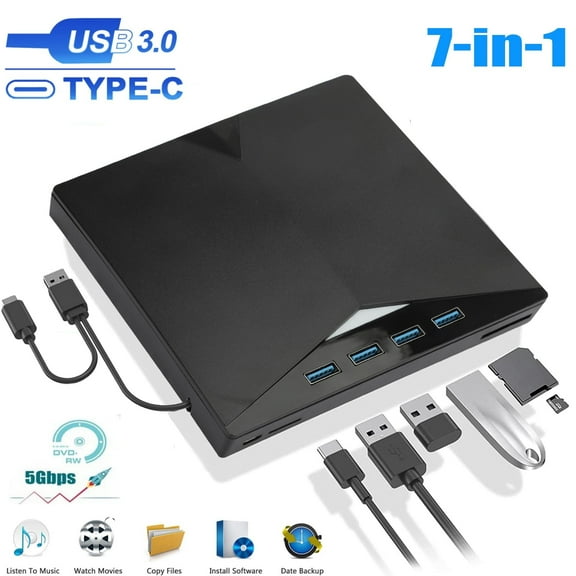
794 out of 5 Stars. 79 reviews7-in-1 External CD DVD Drive for Laptop, EEEkit USB 3.0 USB C Portable CD/DVD ROM /-RW DVD Player with TF/SD Card Slots, Optical Disk Drive Reader Writer Burner Fit for Laptop Mac PC Windows Linux $23.99
 $2399current price $23.99
7-in-1 External CD DVD Drive for Laptop, EEEkit USB 3.0 USB C Portable CD/DVD ROM /-RW DVD Player with TF/SD Card Slots, Optical Disk Drive Reader Writer Burner Fit for Laptop Mac PC Windows Linux
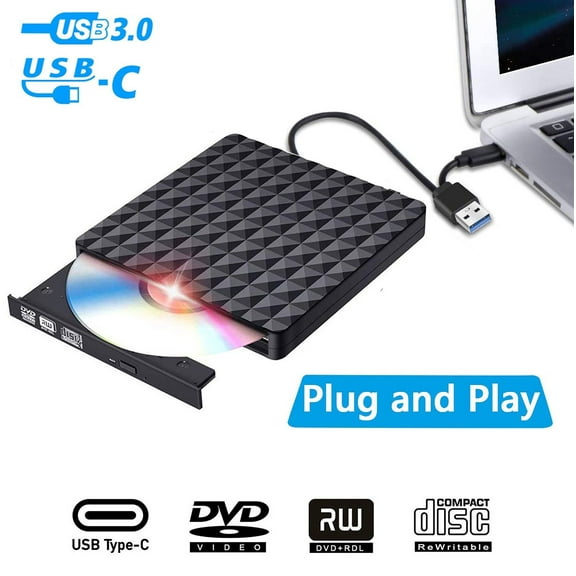
1603.9 out of 5 Stars. 160 reviewsAUBEAMTO Diamond Pattern External DVD Drive USB 3.0, Ultra-Slim CD DVD /-RW Drive, DVD/CD ROM Rewriter Burner Writer for MacBook, Laptop, Notebook, PC Computer -Black $28.99
 $2899current price $28.99
AUBEAMTO Diamond Pattern External DVD Drive USB 3.0, Ultra-Slim CD DVD /-RW Drive, DVD/CD ROM Rewriter Burner Writer for MacBook, Laptop, Notebook, PC Computer -Black
HEPLUBAN External CD/DVD Drive for Laptop, DVD Player for Laptop, 8 in 1 USB 3.0 Ultra-Slim Portable, CD Burner External Disk Drive Optical Compatible with Laptop Desktop Mac,Windows 11/10/8/7 Linux $20.30 Was $22.99
 $2030current price $20.30, Was $22.99$22.99
HEPLUBAN External CD/DVD Drive for Laptop, DVD Player for Laptop, 8 in 1 USB 3.0 Ultra-Slim Portable, CD Burner External Disk Drive Optical Compatible with Laptop Desktop Mac,Windows 11/10/8/7 Linux
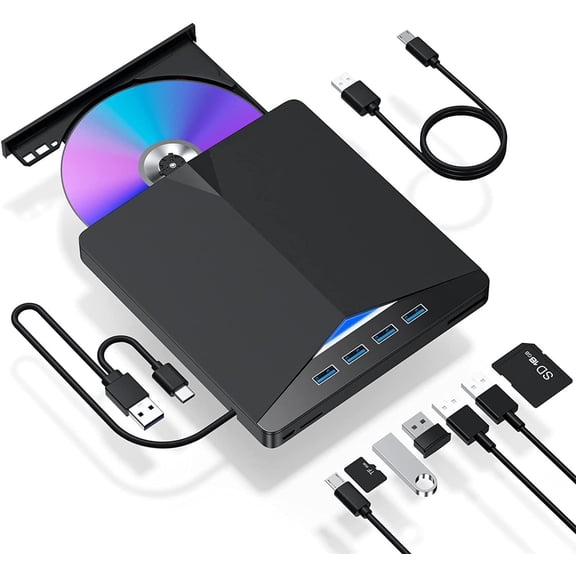
104 out of 5 Stars. 10 reviewsExternal CD/DVD Drive for Laptop, USB 3.0 CD Burner DVD Drive Portable 7-in-1 DVD Player with SD Card Slot and Multiple USB Ports for Laptop Desktop Computer Apple Mac Windows 11/10/8/7/XP Linux OS $16.89
 4 optionsAvailable in additional 4 options$1689current price $16.89
External CD/DVD Drive for Laptop, USB 3.0 CD Burner DVD Drive Portable 7-in-1 DVD Player with SD Card Slot and Multiple USB Ports for Laptop Desktop Computer Apple Mac Windows 11/10/8/7/XP Linux OS
414.2 out of 5 Stars. 41 reviewsBest seller 8 in 1 External CD/DVD Drive for Laptop, USB 3.0 Ultra Slim External CD/DVD Player with 4 USB-A Ports, 1 Type-C Port, 2 TF/SD Card Slots, External CD/DVD Burner Compatible with macOS/Windows/Linux $29.99 $29.99/count
Best seller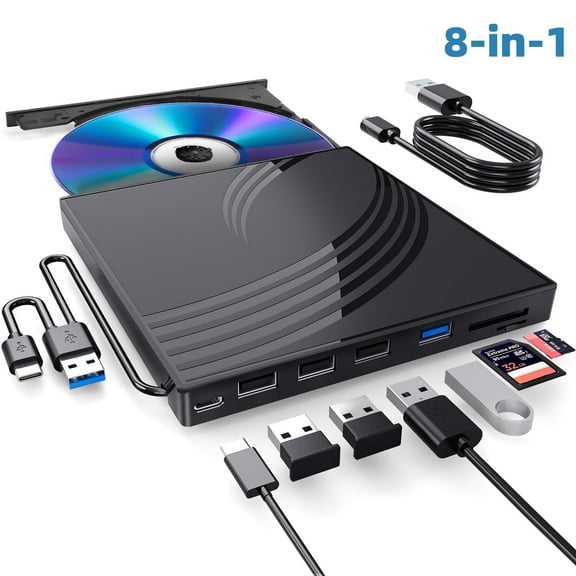


 $2999current price $29.99$29.99/count
8 in 1 External CD/DVD Drive for Laptop, USB 3.0 Ultra Slim External CD/DVD Player with 4 USB-A Ports, 1 Type-C Port, 2 TF/SD Card Slots, External CD/DVD Burner Compatible with macOS/Windows/Linux
12004.2 out of 5 Stars. 1200 reviewsExternal CD/DVD Drive for Laptop, DVD Player for Laptop, 8 in 1 USB 3.0 Ultra-Slim Portable, CD Burner External Disk Drive Optical Compatible with Desktop Mac,Windows 11/10/8/7 Linux $26.99 Was $29.99
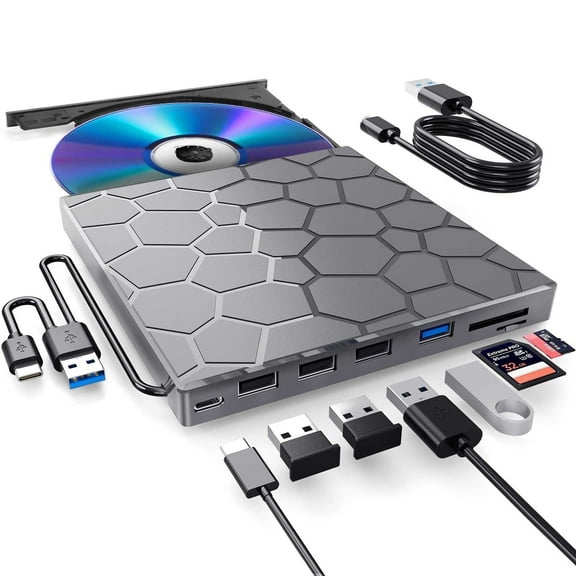

 $2699current price $26.99, Was $29.99$29.99
External CD/DVD Drive for Laptop, DVD Player for Laptop, 8 in 1 USB 3.0 Ultra-Slim Portable, CD Burner External Disk Drive Optical Compatible with Desktop Mac,Windows 11/10/8/7 Linux
314.2 out of 5 Stars. 31 reviewsBest seller External CD/DVD Drive for Laptop,DVD Player for Laptop,8 in 1 USB 3.0 Ultra-Slim Portable,CD ROM /-RW Burner External Disk Drive Optical Compatible with Laptop Desktop Mac,OS Windows 11/10/8/7 Linux $19.99 Was $32.99
Best seller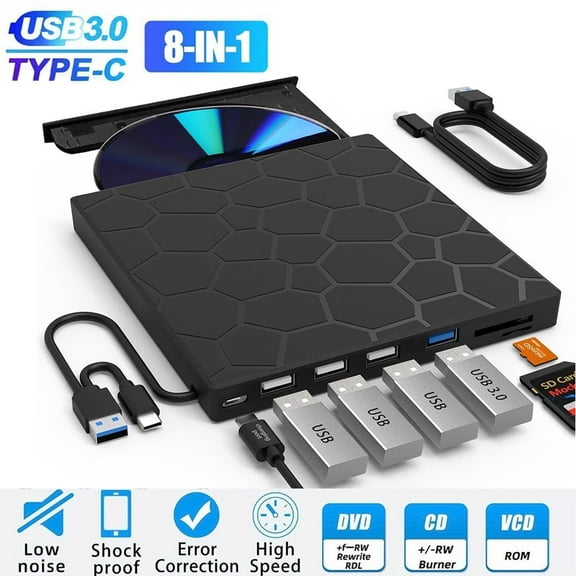 $1999current price $19.99, Was $32.99$32.99
External CD/DVD Drive for Laptop,DVD Player for Laptop,8 in 1 USB 3.0 Ultra-Slim Portable,CD ROM /-RW Burner External Disk Drive Optical Compatible with Laptop Desktop Mac,OS Windows 11/10/8/7 Linux
1063.9 out of 5 Stars. 106 reviewsClearance Atzeste External CD/DVD Drive for Laptop, USB 3.0 & Type-C Portable Burner Rewriter with 4 USB Ports, SD/TF Reader, Supports Windows 98/XP/Vista/7/8/10/11, Mac OS 8.6 , Linux $23.99 Was $39.99
Clearance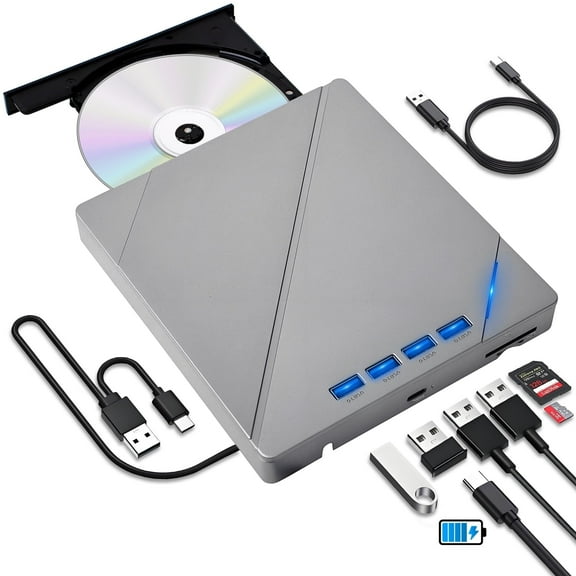 $2399current price $23.99, Was $39.99$39.99
Atzeste External CD/DVD Drive for Laptop, USB 3.0 & Type-C Portable Burner Rewriter with 4 USB Ports, SD/TF Reader, Supports Windows 98/XP/Vista/7/8/10/11, Mac OS 8.6 , Linux
573.9 out of 5 Stars. 57 reviewsAUBEAMTO External CD/DVD Drive for Laptop 7-in-1USB Portable CD/DVD Player Burner, High-Speed External Disk Drive with SD/TF Card Reader, 4 USB 3.0 Ports, Compatible with Windows 11/10, Linux, Mac $35.99
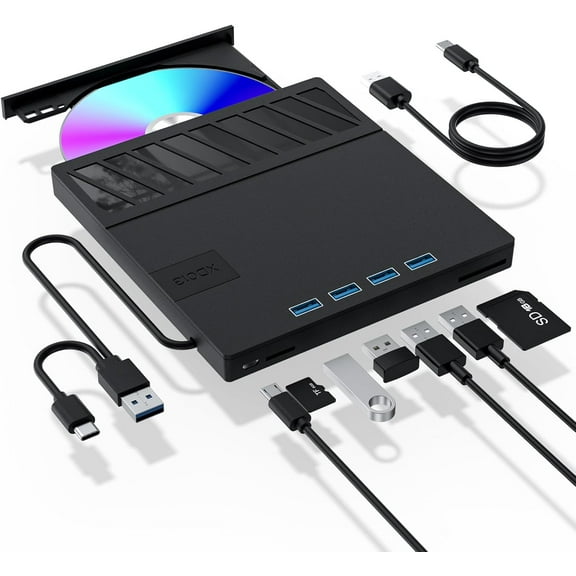 $3599current price $35.99
AUBEAMTO External CD/DVD Drive for Laptop 7-in-1USB Portable CD/DVD Player Burner, High-Speed External Disk Drive with SD/TF Card Reader, 4 USB 3.0 Ports, Compatible with Windows 11/10, Linux, Mac
CAMOTUSE Slim External CD DVD Drive USB 3.0 Disc Player Burner Writer For Laptop PC Mac $14.98
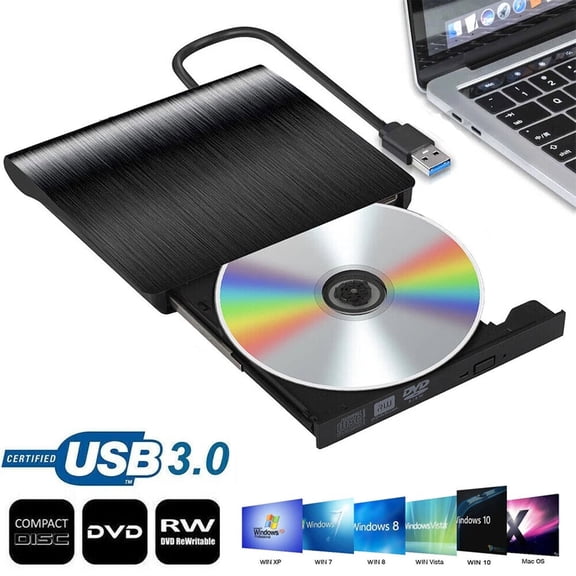 5 optionsAvailable in additional 5 options$1498current price $14.98
CAMOTUSE Slim External CD DVD Drive USB 3.0 Disc Player Burner Writer For Laptop PC Mac
104.5 out of 5 Stars. 10 reviewsCd Burner,USB 3.0 Portable CD DVD /-RW Optical Drive, External CD DVD Drive, DVD/CD ROM Rewriter Burner, Compatible with Laptop Desktop PC Windows Linux OS Mac $18.99
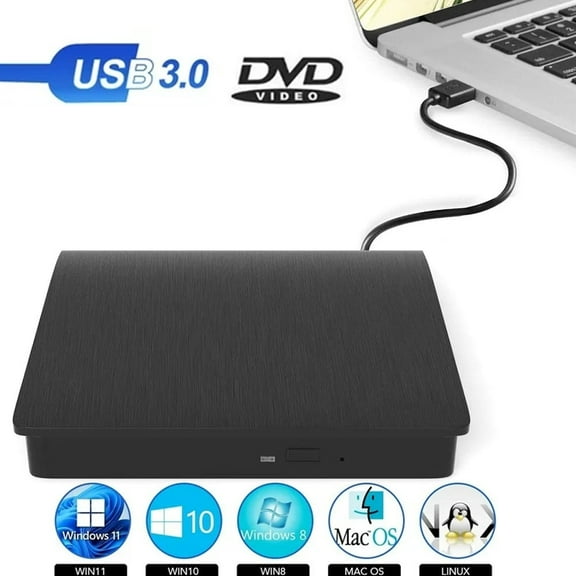 $1899current price $18.99
Cd Burner,USB 3.0 Portable CD DVD /-RW Optical Drive, External CD DVD Drive, DVD/CD ROM Rewriter Burner, Compatible with Laptop Desktop PC Windows Linux OS Mac
334.5 out of 5 Stars. 33 reviewsExternal CD/DVD Drive for Laptop, Portable DVD Player & CD Burner, Compatible with Windows 11/10/7, Mac OS, Linux $19.99 Was $23.99
 $1999current price $19.99, Was $23.99$23.99
External CD/DVD Drive for Laptop, Portable DVD Player & CD Burner, Compatible with Windows 11/10/7, Mac OS, Linux
143.6 out of 5 Stars. 14 reviewsExternal CD/DVD Drive for Laptop, CD Burner Clamshell Portable Reader Writer Optical Disk Drive, DVD Player for Laptop /-RW USB 3.0, External DVD Drive for PC Windows Linux Mac | Compatible with CD $17.98
 $1798current price $17.98
External CD/DVD Drive for Laptop, CD Burner Clamshell Portable Reader Writer Optical Disk Drive, DVD Player for Laptop /-RW USB 3.0, External DVD Drive for PC Windows Linux Mac | Compatible with CD
263.9 out of 5 Stars. 26 reviewsAUBEAMTO External CD DVD Drive, USB 3.0 Portable CD DVD /-RW Drive Slim CD/DVD ROM Rewriter Burner Superdrive High Speed Data Transfer for Laptop Desktop MacBook PC Windows Linux Os-Black $29.99
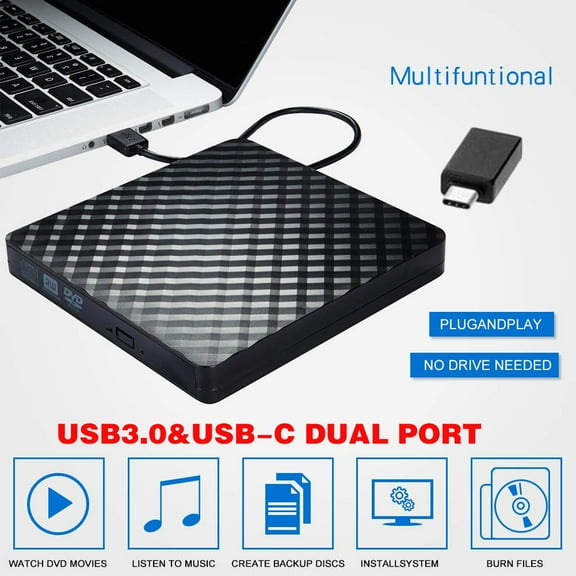 $2999current price $29.99
AUBEAMTO External CD DVD Drive, USB 3.0 Portable CD DVD /-RW Drive Slim CD/DVD ROM Rewriter Burner Superdrive High Speed Data Transfer for Laptop Desktop MacBook PC Windows Linux Os-Black
13 out of 5 Stars. 1 reviewsAochakimg External DVD Drive, USB 3.0 CD Burner CD/DVD /-RW Optical Drive, Slim Portable DVD CD ROM Rewriter Writer Duplicator for Laptop Desktop PC Windows 10/8/7 MacBook (Black) $19.99


 $1999current price $19.99
Aochakimg External DVD Drive, USB 3.0 CD Burner CD/DVD /-RW Optical Drive, Slim Portable DVD CD ROM Rewriter Writer Duplicator for Laptop Desktop PC Windows 10/8/7 MacBook (Black)
1664.8 out of 5 Stars. 166 reviewsExternal CD/DVD Drive for Laptop, DVD Player for Laptop, 8 in 1 USB 3.0 Ultra-Slim Portable, CD Burner External Disk Drive Optical Compatible with Desktop Mac,Windows $25.98
 $2598current price $25.98
External CD/DVD Drive for Laptop, DVD Player for Laptop, 8 in 1 USB 3.0 Ultra-Slim Portable, CD Burner External Disk Drive Optical Compatible with Desktop Mac,Windows
Clearance 2 Pcs External DVD Drive USB 3.0 USB C CD Burner CD/DVD /-RW Optical Drive, Slim Portable DVD CD ROM Rewriter Writer Duplicator Fits for Laptop Desktop PC Windows 11/10/8/7 MacBook Mac Linux OS Apple $12.99 Was $18.99
Clearance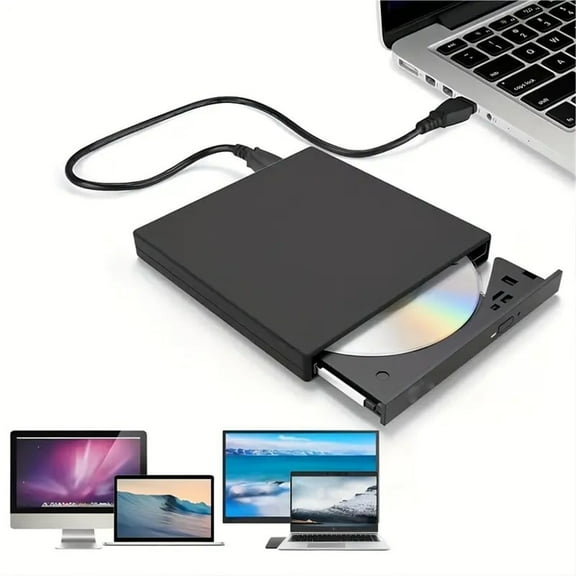
 $1299current price $12.99, Was $18.99$18.99
2 Pcs External DVD Drive USB 3.0 USB C CD Burner CD/DVD /-RW Optical Drive, Slim Portable DVD CD ROM Rewriter Writer Duplicator Fits for Laptop Desktop PC Windows 11/10/8/7 MacBook Mac Linux OS Apple
External CD/DVD Drive for Laptop, DVD Player for Laptop, 7 in 1 USB 3.0 Ultra-Slim Portable, CD Burner External Disk Drive Optical Compatible with Desktop Mac,Windows 11/10/8/7 Linux $18.99

 $1899current price $18.99
External CD/DVD Drive for Laptop, DVD Player for Laptop, 7 in 1 USB 3.0 Ultra-Slim Portable, CD Burner External Disk Drive Optical Compatible with Desktop Mac,Windows 11/10/8/7 Linux
Customer ratings & reviews
1 out of 51 out of 5 stars
stars1 rating|0 reviews
How item rating is calculated
- 5 stars0% (0)
- 4 stars0% (0)
- 3 stars0% (0)
- 2 stars0% (0)
- 1 star100% (1)
Filtered and sorted results would be available on the new 'Customer ratings & reviews' page.
Sort by |
This item does not have any reviews yet
