


Cooler Master NotePal X2, Gaming Laptop Cooling Pad with 140mm Blue LED Fan
Key item features
- Air Flow: 329.1 gal/min
- Host Interface: USB
- Air Flow: 329.1 gal/min
- Host Interface: USB
- Fan Bearing Type: Ball Bearing
- Fan Bearing Type: Ball Bearing
- Total Number of USB Ports: 2
- Cooling Fan: Yes
- Environmentally Friendly: Yes
- Product Material: Metal, Plastic
Specs
- Screen size17"
- BrandCooler Master
- Number of fans1
- Air flow329.1 gal/min, 43.99 CFM
- USB ports2
- Installed fan sizes140 mm
How do you want your item?
About this item
Product details
With efficient functions and superb silent concept in mind, the NotePal X2 creates optimal comfort for laptop users. Either on a desk or on the lap of an on-the-go user, the NotePal X2 takes air from a bottom intake and cools down high temperatures with its 140mm silent fan, dissipating the high temperatures generated by the CPU and GPU trapped inside the laptop housing.
Ergonomic Design
Two different height settings for improved comfort
Special Heat Dissipation
Specially designed bottom intake and thermally enhanced metal mesh allow for fast and efficient dissipation.
Optimal Airflow
Built-in silent 140mm fan placed in strategic location creates optimal airflow for comprehensive cooling.
Accommodates up to 17" notebooks.
Fan speed control.
Blue Led - Blue LED shines through the center mesh when notebook cooler is powered on.
- Air Flow: 329.1 gal/min
- Host Interface: USB
- Air Flow: 329.1 gal/min
- Host Interface: USB
- Fan Bearing Type: Ball Bearing
- Fan Bearing Type: Ball Bearing
- Total Number of USB Ports: 2
- Cooling Fan: Yes
- Environmentally Friendly: Yes
- Product Material: Metal, Plastic
Specifications
Screen size
Brand
Number of fans
Air flow
Warranty
Warranty information
Please be aware that the warranty terms on items offered for sale by third party Marketplace sellers may differ from those displayed in this section (if any). To confirm warranty terms on an item offered for sale by a third party Marketplace seller, please use the 'Contact seller' feature on the third party Marketplace seller's information page and request the item's warranty terms prior to purchase.
Warnings
 WARNING: WARNING: This product contains chemicals known to the State of California to cause cancer andbirth defects or other reproductive harm.
Similar items you might like
Based on what customers bought
Best seller Atzeste Laptop Cooling Pad for Laptops, Laptop Cooler with 6 Quiet Cooling Fans for 12''-17.3'' Laptops, Height Wind Speed Adjustable Laptop Cooling Stand, 2 USB Ports and Phone Stand, Black $21.49 Was $39.99
Best seller $2149current price $21.49, Was $39.99$39.99
Atzeste Laptop Cooling Pad for Laptops, Laptop Cooler with 6 Quiet Cooling Fans for 12''-17.3'' Laptops, Height Wind Speed Adjustable Laptop Cooling Stand, 2 USB Ports and Phone Stand, Black
2044.5 out of 5 Stars. 204 reviewsTopmate C11 RGB Laptop Cooling Pad Gaming Cooler for 11-17.3" Laptop, Silent Cooling Fan for Laptop with 6 Quiet Fans-Blue LED Light $29.99
 $2999current price $29.99
Topmate C11 RGB Laptop Cooling Pad Gaming Cooler for 11-17.3" Laptop, Silent Cooling Fan for Laptop with 6 Quiet Fans-Blue LED Light
85 out of 5 Stars. 8 reviewsCOOLCOLD Laptop Cooling Pad 5 Big Fans for 10-15.6 In Gaming Notebook Cooler,with 5 Height Adjustable, 2 Usb Ports $15.99
 $1599current price $15.99
COOLCOLD Laptop Cooling Pad 5 Big Fans for 10-15.6 In Gaming Notebook Cooler,with 5 Height Adjustable, 2 Usb Ports
1604.5 out of 5 Stars. 160 reviewsClearance WHAMVOX Notebook Cooler Gaming Laptop Fans Cooling Pad -led Computer $27.95 Was $31.41
Clearance $2795current price $27.95, Was $31.41$31.41
WHAMVOX Notebook Cooler Gaming Laptop Fans Cooling Pad -led Computer
Best seller LIENS Laptop Cooling Pad with Adjustable Height Two 5.1 Inches Fan 2 USB Ports Suitable for 12"-15.6" Laptops(Black) $14.99
Best seller

 $1499current price $14.99
LIENS Laptop Cooling Pad with Adjustable Height Two 5.1 Inches Fan 2 USB Ports Suitable for 12"-15.6" Laptops(Black)
2104.4 out of 5 Stars. 210 reviewsGaming Laptop Cooling Pad with 8 Fans, RGB Computer Stand for 15.6-17.3 Inch Notebook with 7 Height Slots, 2 USB Ports, AA3 $37.35
 $3735current price $37.35
Gaming Laptop Cooling Pad with 8 Fans, RGB Computer Stand for 15.6-17.3 Inch Notebook with 7 Height Slots, 2 USB Ports, AA3
Laptop Cooling Pad, Gaming Laptop Cooler with 5 Quiet Fans and LED Lights (One-Click Close), Laptop Fan Cooling Pad Fits 12-17 Inch Laptop, 7 Adjustable Height $33.98
 $3398current price $33.98
Laptop Cooling Pad, Gaming Laptop Cooler with 5 Quiet Fans and LED Lights (One-Click Close), Laptop Fan Cooling Pad Fits 12-17 Inch Laptop, 7 Adjustable Height
Gaming Laptop Cooling Pad with 15 RGB Fans, Fully Transparent Fan Cooler for 15-21 Inch, Stand 8 Height Adjustable, USB Port and Type-C $30.58 Was $34.00
 $3058current price $30.58, Was $34.00$34.00
Gaming Laptop Cooling Pad with 15 RGB Fans, Fully Transparent Fan Cooler for 15-21 Inch, Stand 8 Height Adjustable, USB Port and Type-C
Reduced price Laptop Cooling Pad with 2 Port USB for 11-18inch Notebook Gaming Fan Stable $19.25 Was $21.51
Reduced price $1925current price $19.25, Was $21.51$21.51
Laptop Cooling Pad with 2 Port USB for 11-18inch Notebook Gaming Fan Stable
Laptop Cooling Pad, Gaming Cooler 2 Fans for 10-15.6 Inch Laptops, 5 Height Stands, USB Ports (S039) $26.48
 $2648current price $26.48
Laptop Cooling Pad, Gaming Cooler 2 Fans for 10-15.6 Inch Laptops, 5 Height Stands, USB Ports (S039)
HIBIBUD 2026 New 14 Inch Cooling Fan for Notebook Laptop Pad Mat Usb Cooler Holder for Home,Office,Gaming,Study,Pink $23.96
 $2396current price $23.96
HIBIBUD 2026 New 14 Inch Cooling Fan for Notebook Laptop Pad Mat Usb Cooler Holder for Home,Office,Gaming,Study,Pink
Laptop Cooling Pad, 3-Fan USB Powered Cooler Stand for Notebook PC, Ultra Slim Portable with Blue LED Lights, Compatible with 13 to 15.6 Inch Laptops $12.27
 $1227current price $12.27
Laptop Cooling Pad, 3-Fan USB Powered Cooler Stand for Notebook PC, Ultra Slim Portable with Blue LED Lights, Compatible with 13 to 15.6 Inch Laptops
Clearance Yammee Plastic Laptop Cooling Pad LED Gaming Laptop Coolers Quiet Cooling Fan Folding $10.49 Was $12.95
Clearance 3 optionsAvailable in additional 3 options$1049current price $10.49, Was $12.95$12.95
Yammee Plastic Laptop Cooling Pad LED Gaming Laptop Coolers Quiet Cooling Fan Folding
15 out of 5 Stars. 1 reviewsEnhance Cryogen 5 Laptop Cooling Pad (Green) - Upto 17" Screen Size Notebook Support - 1 Fan(s) - 800 rpm - 471.3 gal/min - Metal Mesh - Green $29.99 Was $42.58
 3 optionsAvailable in additional 3 options$2999current price $29.99, Was $42.58$42.58
Enhance Cryogen 5 Laptop Cooling Pad (Green) - Upto 17" Screen Size Notebook Support - 1 Fan(s) - 800 rpm - 471.3 gal/min - Metal Mesh - Green
Laptop Cooler USB Cooling Big Fan LED Light Cooler Pad Stand for 15" PC Notebook $12.49
 $1249current price $12.49
Laptop Cooler USB Cooling Big Fan LED Light Cooler Pad Stand for 15" PC Notebook
Reduced price LED Laptop Cooling Pad Gaming Laptop Coolers Laptop Fan Cooling Stand with Quiet $21.25 Was $23.74
Reduced price $2125current price $21.25, Was $23.74$23.74
LED Laptop Cooling Pad Gaming Laptop Coolers Laptop Fan Cooling Stand with Quiet
Laptop Cooling Pad Cooler Stand, Fan for 12-15.6 Inch Notebooks, 5 Quiet Fans, Angle Adjustable Stand (Black) $37.42
 $3742current price $37.42
Laptop Cooling Pad Cooler Stand, Fan for 12-15.6 Inch Notebooks, 5 Quiet Fans, Angle Adjustable Stand (Black)
PatungKu Gaming Laptop Coolers Laptop Fan Cooling Stand Quiet Cooling Fan for Laptop Height Stand LED Light Laptop Cooling Pad $13.79
 5 optionsAvailable in additional 5 options$1379current price $13.79
PatungKu Gaming Laptop Coolers Laptop Fan Cooling Stand Quiet Cooling Fan for Laptop Height Stand LED Light Laptop Cooling Pad
Clearance WINDLAND Aluminum Laptop Cooling Pad LED Gaming Laptop Coolers Quiet Cooling Fan Folding $22.83 Was $25.53
Clearance 2 optionsAvailable in additional 2 options$2283current price $22.83, Was $25.53$25.53
WINDLAND Aluminum Laptop Cooling Pad LED Gaming Laptop Coolers Quiet Cooling Fan Folding
Clearance YIEMEEN Gaming Laptop Coolers Laptop Fan Cooling Stand Quiet Cooling Fan for Laptop Height Stand LED Light Laptop Cooling Pad $11.06 Was $12.37
Clearance 3 optionsAvailable in additional 3 options$1106current price $11.06, Was $12.37$12.37
YIEMEEN Gaming Laptop Coolers Laptop Fan Cooling Stand Quiet Cooling Fan for Laptop Height Stand LED Light Laptop Cooling Pad
Customer ratings & reviews
Customer photos

Showing 1-2 of 2 reviews
So Awesome: Cool & Quiet
I love the LED lights and this kept my ultraportable DELL laptop cool in even in mid-summer when we had a heat wave. It also works as an excellent lapdesk and it even puts my laptop at a very comfortable angle for typing when it's on my desk. Highly recommend.
Okay but not great
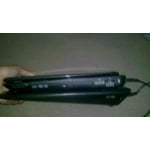
I brought this laptop cooling fan few months ago. I brought it because I wanted a quiet laptop fan to take to class with me on the daily basis. Well it's quiet (you just hear light white noise when it's on), but it doesn't fit well in my laptop bag or backpack with my textbooks and laptop (and I have a big backpack). It's kinda chunky, so I just use it when I'm at home. I like that the fan has a slope (it makes it easier to type). The blue light is kinda cool but you can't see it when a laptop is on top (which I expected). The fan speed control is just a dial on the right side on the cooler. There doesn't seem to be a huge difference between the lowest fan speed and the highest. I usually have it turned all the way up. BUT my laptop feels really warm even when I use this cooling fan. My laptop doesn't get burning hot when I use this but sometimes my laptop's internal fan still turns on when this fan is on. I do use my laptop for long periods of time sometimes though so that could effect the fan's performance. I wanted something that wouldn't make my laptop overheat or get too hot because I've had two other laptops die because of overheating problems. Another thing, I wouldn't recommend this product if your laptop is bigger than 15.6" because as you can see in my picture my 15.6" laptop almost covers the top of the cooling pad. Anything larger and the sides would be hanging off of the laptop. The only reason why I'm recommending this is because I used a netbook on this before and it kept the netbook cool so it does work on some computers. I took off stars because of the size and it doesn't get my laptop as cool as I wanted it to. It stills runs like a brand new fan but I'm going to try something else for my laptop. My pictures are of my 15.6" laptop on top of the cooling fan, and the side of the cooling fan so that you can see the slope of it.
