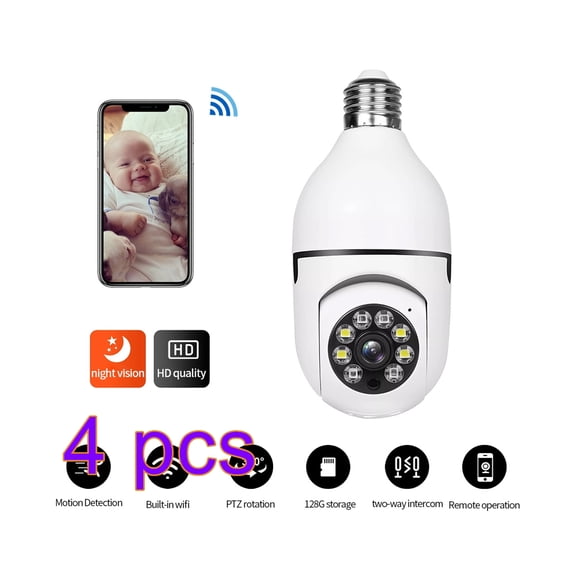
360° 1080P IP E27 Light Bulb Camera 5G Wi-Fi IR Night Smart Home Wireless Security Spefication:
Power Supply: E27
Megapixels: 2MP
Color: White
Maximum Resolution: 1080p
Type: Light Bulb Camera
Smart Home Protocol: Wi-Fi
Operating Sound Rating: 90 dB
Features: Night Light, Smart Light
Alert Notification: Yes
Audio: Two-Way Audio
Packaging List: 1*Light Bulb Camera
The questions you are worried frequently: ♦️Q: Can’t turn on the power? The camera does not work? Indicator light not blinking? A: Bulb cameras do not have batteries, you need to install into the light socket and power up the socket. When you power it on, wait a minute, bulb camera will rotate and self-test, indicating that it can work properly. Please be aware that the status light will not flash, this is normal.
♦️Q: Won't connect to internet/wifi/network? A: 1.Please ensure that the bulb camera can be powered on and self-tested properly. (we done much strictly check before ship)
2.Please install it close to the router, the camera requires a strong WiFi signal.
3.Please ensure that your WiFi information is entered correctly. 4.Please reset the bulb camera, it will take longer to set up the first time.
♦️Q: Why can’t my phone receive alert notifcations? A: 1.Please make sure you have turned on the motion detection alert switch and set the appropriate alarm sensitivity.
2.Please make sure your phone system permissions allow our App’s to perform message push.
3.Please confrm to open the message push settings in the App, open the App, click Me→ Message Center, click the button in the upper right, enable notification.
4.Alarm interval 1-3-5 minutes, which means only one alarm can sound during the period.
♦️Q: Display offline? A: 1.Confrm whether there is a power failure from the router or network disconnection, if so, it takes a while for the router to restore the network, check again after 2 minutes if the device is back online. 2.Ensure the router has been replaced or the WiFi name, password, etc. have been modifed, if so, the device needs to be removed and re-added. 3.Check whether the frmware is the latest version, App side check path: Home - click the device icon - click the top right button - check for updates. 4.If the device appears offline after using for a period of time, but after restarting the router or rewiring the device, the device is back to normal, it means that the router is overloaded due to long-term high load use, you need to replace a router with a stronger load capacity or reduce the number of devices connected to the router. 5.Remove the device from the app and then reset the bulb camera by inserting a long pin into the reset hole. Wait for the self-test to complete and then go to pair and connect the camera again.