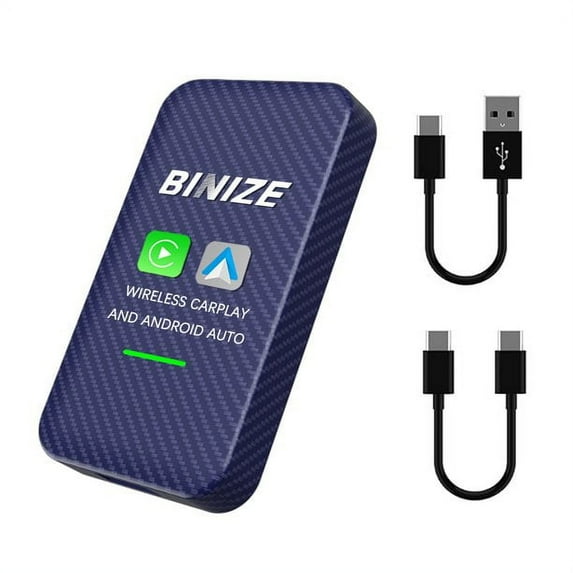
【Wireless Android Auto & Wireless CarPlay】CarPlay wireless adapter converts your wired CarPlay and Android Auto to wireless, avoid the trouble of not having a cable to connect. No matter CarPlay or Android Auto are simpler and safer ways to use your phone in your car. With this feature, users can listen to voicemail, send and receive texts, and listen to music all in a way that allows you to stay focused on the road.
【Plug and Play to set up】 provide 2 cables for connecting the wireless CarPlay adapter to your car. Needless to download any app to set up. This AA wireless Android Auto dongle is handy and small size occupying not much space.
【Compatible with vehicle with OEM Wired CarPlay】This 2in1 Android Auto wireless dongle fits perfectly with Factory Wired CarPlay. Users can get magic box CarPlay streaming in their vehicle. iPhone support iPhone 6 and above, iOS 10 and above version. Supported Android phone: Android 9.0 and above, some require. Android 11.0 and above version.
【OTA Online Upgrade】This Android Auto dongle with Linux intelligent system gives users a smooth operation, and fast response on the stereo screen. A good supplement for car to connect CarPlay and Android Auto wirelessly. Easy steps to update the adapter.
【Make your a smart vehicle】This Apple CarPlay wireless dongle is compatible with original car steering wheel control buttons,users can control the stereo by press the buttons or operate the car stereo via calling Siri or other voice assistant.
Steps to get Wireless CarPlay / Android Auto (Note: Android Auto is an optional function):
1. Plug the adapter into the car’s USB port
2. Turn on the WiFi and Bluetooth of the iPhone/Android phone
3. Enter the Bluetooth interface on iPhone/Android phone, and search for the Bluetooth name displayed on the car screen
4. Click the Bluetooth name on your phone to pair
5. Red light: connecting
Green light: successfully connected
Specification:
-Product Size: 46X12X80 mm
-Connection method: Wifi & Bluetooth
-Material: Carbon fiber shell
-Supported Vehicles: Car with factory wired CarPlay
-Power input: 5V 1A
-Power output: 5V 1A
-Power consumption: 0.75W
-Supported iPhone: iPhone 6 and above, iOS 10 and above version
-Supported Android phone: Android 9.0 and above, some require Android 11.0 and above version
Compatible Vehicle(for reference only, make sure your vehicle comes with OEM wired CarPlay): https://docs.google.com/spreadsheets/d/1Mjg8_s_-hb80YU1gqoKP_Rr61mS4Qz93/edit?usp=sharing&ouid=115568522246817318276&rtpof=true&sd=true