

Blackweb in Electronics by Brand




About Blackweb in Electronics by Brand - Walmart.com
You can explore black web accessories for everyday tech setups, from charging to audio, with practical options designed for common devices. You’ll find this category especially useful when you want matching accessories across phones, tablets, TVs, and workstations.
Choosing blackweb by product category
You can narrow black web electronics by starting with how you’ll use them most often. You may need audio gear for listening, cables for connections, chargers for power, or mounts for hands-free viewing.
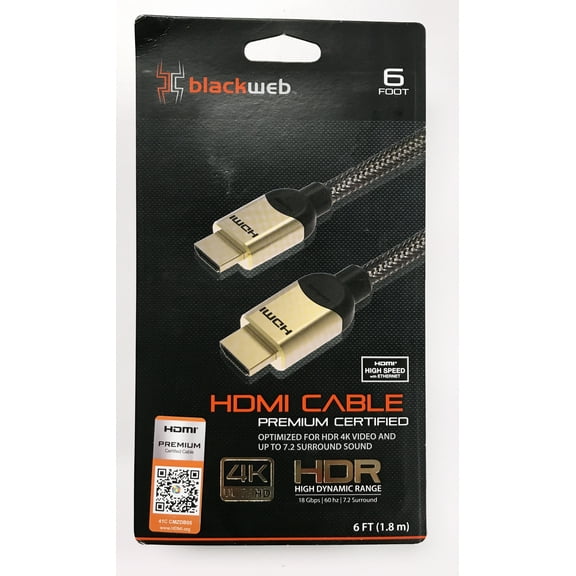
If you stream music or calls, you can compare wireless and wired audio options for your routine. If you connect screens or gaming gear, you can focus on HDMI cables and other cord types.
For desks, cars, and travel bags, you can use chargers and mounts to keep your setup organized. You’ll notice these categories solve different needs without forcing you into extras you may not use.
- You can choose audio accessories for listening, calls, and daily media use.
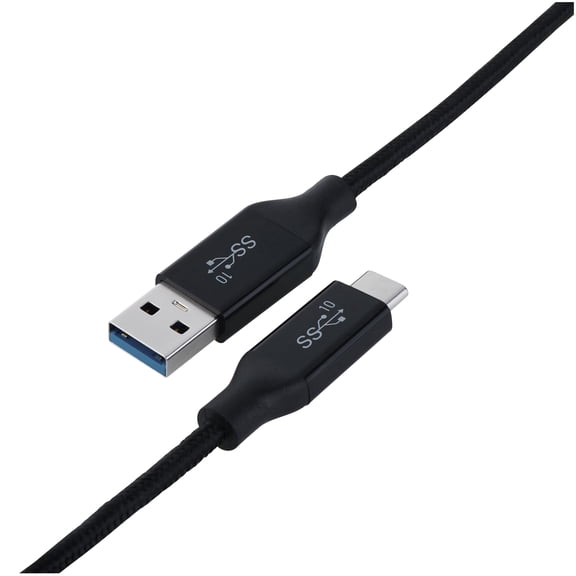
- You can choose cables for charging, syncing, and HDMI-enabled displays.
- You can choose chargers for home, office, car, and travel routines.
- You can choose mounts when you want steady viewing and easier device access.
How to compare device compatibility
You should check device compatibility first because connector type shapes your entire setup. You can compare universal, iOS, Android, and HDMI-enabled options based on the gear you already use.
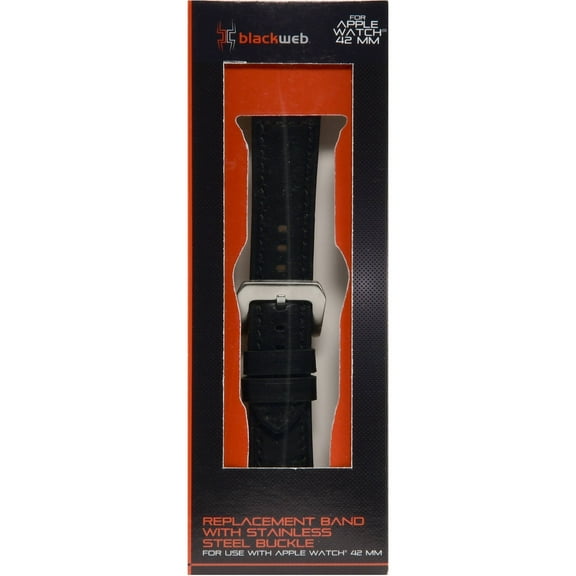
If you charge newer phones or tablets, you may want USB-C connections for current ports. If you use Apple devices, you should confirm the listed fit before choosing a charging or audio accessory.
For speakers or headphones, you can also compare Bluetooth version details when wireless pairing matters. You’ll get a smoother setup when your accessory matches your device and preferred connection method.
When you connect TVs, monitors, or consoles, you should verify HDMI-enabled support and cable length. You can avoid frustrating swaps when you measure your space before choosing.
What to look for in connectivity and setup
You can choose wired accessories when you want a direct connection and simple plug-in use. You may prefer wireless or Bluetooth options when you move around often or want fewer cords on your desk.
For charging stations and cables, you should check whether the power format matches your device needs. You can keep setup simple by matching the port shape, charging style, and intended location.
If you use accessories in several rooms, you may want universal options that move easily between devices. You’ll appreciate straightforward setup when you’re switching between work calls, playlists, and streaming screens.
With mounts, you can compare placement style and viewing angle before you decide. You should think about where your phone or tablet sits most often, such as a dash, desk, or counter.
How build details affect daily use
You can get more consistent day-to-day use when you look closely at build details and materials. You should compare connector fit, cable thickness, button placement, and mount grip for everyday handling.
For cables, you may want reinforced ends because those spots see the most bending. For chargers, you can look for compact shapes that fit neatly into outlets, bags, and shared spaces.
Audio accessories should feel comfortable during longer listening sessions and easy to control while moving. You can also compare finishes like black, gray, blue, and metallic to match your devices.
These details matter because you’re likely using these accessories every day, not once in a while. You’ll notice the difference when your cord reaches comfortably or your mount stays aligned on a busy commute.
Matching black web electronics to your routine
You can build a more useful setup by matching features to where and how you use tech. You may want black web electronics for commuting, remote work, gaming, travel, or shared family spaces.
If you commute, you can pair a car mount with a charger that fits your phone connection. If you work from home, you may want audio accessories and cables that keep calls and screens running smoothly.
For dorm rooms or apartments, you can use HDMI cables and compact chargers where space feels tight. If you share devices at home, you should consider universal accessories that support multiple users more easily.
You can also coordinate finish and connectivity across your setup for a cleaner look and simpler use. When your accessories match your devices and routine, you’ll spend less time troubleshooting connections.
Why black web works for everyday accessories
You can approach this category as a practical source for common tech essentials and add-on gear. You’ll have an easier time choosing when you compare compatibility, connectivity, category, and finish together.
That decision process helps you pick accessories that fit your devices, your spaces, and your daily habits. You’ll end up with a setup that feels simpler to connect, carry, and use.