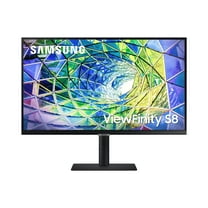
SAMSUNG 27” Class 4K UHD (3840 x 2160) LED Monitor - LS27A800UJNXGO
Hero image 0 of SAMSUNG 27” Class 4K UHD (3840 x 2160) LED Monitor - LS27A800UJNXGO, 0 of 11

SAMSUNG 27” Class 4K UHD (3840 x 2160) LED Monitor - LS27A800UJNXGO

3.9 stars out of 41 reviews
(3.9)|
41 ratings

Key item features

  • High Resolution: Whether gaming or watching a movie, bask in detail thanks to the 4K 3840 x 2160 resolution.
  • HDR10 Support: HDR10 support ensures you get the full impact of HD image quality.
  • Adaptive Picture: Adaptive Picture technology automatically adjusts brightness and color temperature depending on the environment using an embedded brightness sensor.
  • USB 3.1 Gen 1: USB 3.1 Gen 1 features a maximum throughput of 5 Gb/s and is synonymous with USB 3.2 Gen 1 and USB 3.0.
  • USB Type-C Input: A USB Type-C input provides 90W charging and a data connection.
  • Comfortable Viewing: Low blue light and flicker-free screen technologies ensure a comfortable and safe viewing experience.
  • Ergonomic Stand: Take advantage of an ergonomic height-adjustable stand that swivels, tilts, and pivots for ideal positioning.
Generated by AI
Current price is Now $299.00
You save $47.49
was $346.49
Price when purchased online
  • Free shipping
  • Free 15-day returns
Walmart Protection Plan by Allstate

(Only one option can be selected at a time)

How do you want your item?

How do you want your item?
Columbus, 43215
Arrives between Feb 7 - Feb 9
|
Sold and shipped by Twine
4.193411264612115 stars out of 5, based on 941 seller reviews(4.2)
Report an issue with this seller
Free 15-day returns

About this item

Product details

Specifications

Warranty

Warnings

Compare with similar items

Comparison Overview:
Product

Viewing this item

SAMSUNG 27” Class 4K UHD (3840 x 2160) LED Monitor - LS27A800UJNXGO
current price Now $299.00, Was $346.49
SAMSUNG 27” Class 4K UHD (3840 x 2160) LED Monitor - LS27A800UJNXGO
3.9 out of 5 Stars. 41 reviews
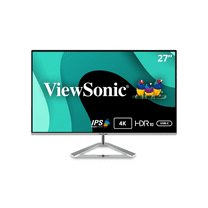
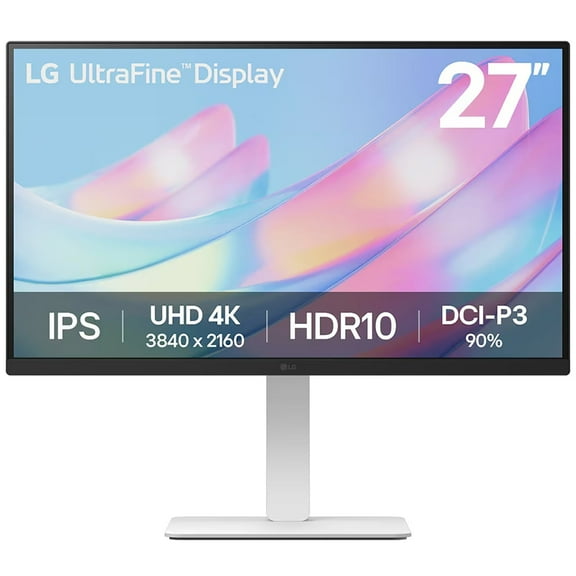
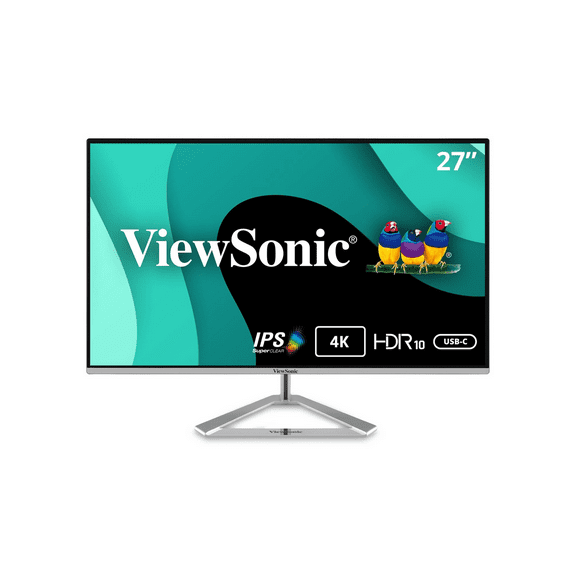
ViewSonic Thin-Bezel 27" 4K Ultra HD 60Hz LED Monitor Silver (VX2776-4K-MHDU)
current price Now $297.29, Was $319.99
ViewSonic Thin-Bezel 27" 4K Ultra HD 60Hz LED Monitor Silver (VX2776-4K-MHDU)
Samsung QB24C 24" Commercial UHD LED Display 250 Nit
current price $319.99
Samsung QB24C 24" Commercial UHD LED Display 250 Nit
SAMSUNG 27" Class ViewFinity S61B QHD IPS 75Hz AMD FreeSync Monitor - LS27B610EQNXZA
current price Now $217.49, Was $249.99
SAMSUNG 27" Class ViewFinity S61B QHD IPS 75Hz AMD FreeSync Monitor - LS27B610EQNXZA
4.5 out of 5 Stars. 43 reviews
Comparison Chart:
Screen size27"SAMSUNG 27” Class 4K UHD (3840 x 2160) LED Monitor - LS27A800UJNXGO27 inViewSonic Thin-Bezel 27" 4K Ultra HD 60Hz LED Monitor Silver (VX2776-4K-MHDU)23.8"Samsung QB24C 24" Commercial UHD LED Display 250 Nit27 inSAMSUNG 27" Class ViewFinity S61B QHD IPS 75Hz AMD FreeSync Monitor - LS27B610EQNXZA
Resolution4K UHDSAMSUNG 27” Class 4K UHD (3840 x 2160) LED Monitor - LS27A800UJNXGO4K UHDViewSonic Thin-Bezel 27" 4K Ultra HD 60Hz LED Monitor Silver (VX2776-4K-MHDU)1080pSamsung QB24C 24" Commercial UHD LED Display 250 NitQHDSAMSUNG 27" Class ViewFinity S61B QHD IPS 75Hz AMD FreeSync Monitor - LS27B610EQNXZA
Refresh rate60 HzSAMSUNG 27” Class 4K UHD (3840 x 2160) LED Monitor - LS27A800UJNXGO60 HzViewSonic Thin-Bezel 27" 4K Ultra HD 60Hz LED Monitor Silver (VX2776-4K-MHDU)-Samsung QB24C 24" Commercial UHD LED Display 250 Nit1 HzSAMSUNG 27" Class ViewFinity S61B QHD IPS 75Hz AMD FreeSync Monitor - LS27B610EQNXZA
DisplayLEDSAMSUNG 27” Class 4K UHD (3840 x 2160) LED Monitor - LS27A800UJNXGOLCDViewSonic Thin-Bezel 27" 4K Ultra HD 60Hz LED Monitor Silver (VX2776-4K-MHDU)ADSSamsung QB24C 24" Commercial UHD LED Display 250 NitLCDSAMSUNG 27" Class ViewFinity S61B QHD IPS 75Hz AMD FreeSync Monitor - LS27B610EQNXZA
Now hiding additional rows in the Table
Customer ratings & reviews

3.9 out of 5 stars
stars41 ratings39 reviews
How item rating is calculated

Reviews summary

Pros
  • : Provides excellent image quality with high pixel density.
  • : Single cable for laptop charging and display.
  • : Display shows high contrast and sharp colors.
  • : Monitor features a sharp and clear display.
Cons
  • : Screen brightness may be insufficient in certain environments.
  • : Only one hdmi port restricts device connections.
Generated by AI

Customer images

  • +4 images
Filtered and sorted results would be available on the new 'Customer ratings & reviews' page.
Sort by |

Showing 1-3 of 39 reviews

Dec 1, 2024
RML
5 out of 5 stars review

Verified Purchase

Great monitors

I liked it so much I order another. I have two monitors to my Apple machine. If you get one, download BetterDisplay to get its full capabilities.

Incentivized Review
Helpful?6RYH1NPCFOTJ642762981
Nov 2, 2021
Computerguy
5 out of 5 stars review

with a little tweak, the S80AU is excellent.

it was significantly dim when i first turn on the screen, but i resolved the dim issue with a few tweaks first, i turned off eco sensor mode in system menu which i believe has a big impact on the low brightness of the screen. eco mode on any screen will decrease brightness to save energy, so it makes sense to turn off eco mode to get the full power of your monitor. i also increased brightness to 85, set black level to normal, and game mode to always on and it did the trick. the result was an amazing screen with more than enough brightness and amazing color details. you can see the s80ua on the right side looks brighter than the thinkvision t27-p10 (1 of the best monitor out there) overall, with a little tweaking, the samsung monitor s80ua is excellent with more than enough brightness.

Review from Samsung US
Helpful?6RYH1NPCFOTJ642762981
Feb 9, 2022
JLoo
5 out of 5 stars review

Is GREAT but only after Fixing Settings

i couldn't believe it but after having this for 2 weeks, i finally went online to look at other reviewers' comments. turning off eco sensor mode makes a huge difference in the screen brightness!!! once i turned off eco sensor mode, which is somewhat hidden in the system menus, this monitor lit up like a christmas tree! it is now brighter than more viewsonic monitor that has 350 maximum brightness on current settings. samsung needs to ship this monitor with the eco sensor mode turned off by default. so many reviewers complain about the low brightness when they have no idea it's probably mainly due to this ridiculous default setting!!! easy fix??? good monitor but please educate your buyers or at least explain to them how to increase brightness

Review from Samsung US
Helpful?6RYH1NPCFOTJ642762981