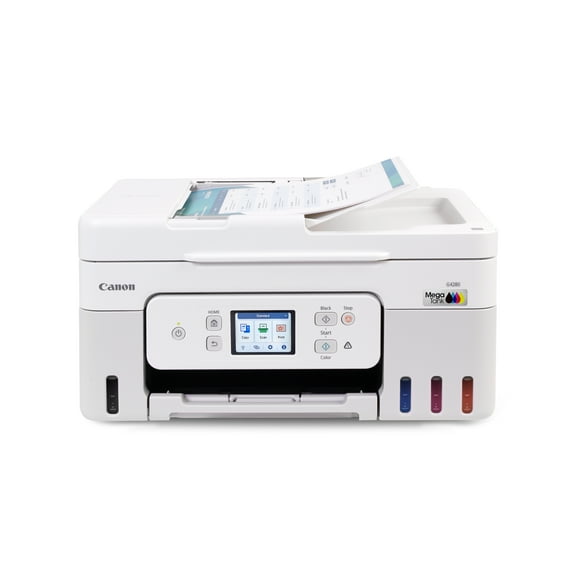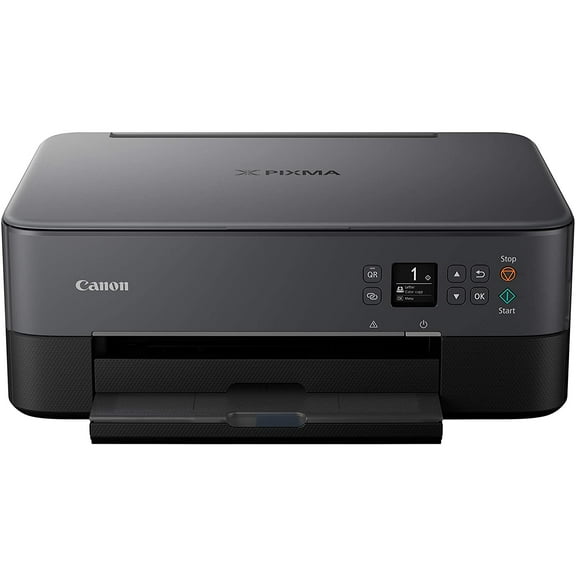
Canon PIXMA G4200 Wireless MegaTank All-In-One Printer
Hero image 0 of Canon PIXMA G4200 Wireless MegaTank All-In-One Printer, 0 of 9

Canon PIXMA G4200 Wireless MegaTank All-In-One Printer

4.2 stars out of 47 reviews
(4.2)|
47 ratings

Key item features

Canon PIXMA G4200 Wireless MegaTank All-In-One Printer
Current price is $674.00
Price when purchased online
Out of stock

How do you want your item?

How do you want your item?
Out of stock
Report an issue with this seller

About this item

Product details

Specifications

Warranty

Warnings

Customer ratings & reviews

4.2 out of 5 stars
stars47 ratings46 reviews
How item rating is calculated

Reviews summary

Pros
  • : Produces vibrant and crisp images.
  • : Produces exceptional print and copy quality for various media.
  • : Setup directions are straightforward.
  • : Shows remaining ink amounts.
  • : Setup process takes around 20 minutes and is straightforward.
Neutral
  • : Can be seamless, but setup may vary.
Generated by AI
Filtered and sorted results would be available on the new 'Customer ratings & reviews' page.
Sort by |

Showing 1-3 of 46 reviews

Feb 3, 2017
Beata
5 out of 5 stars review

Best printer I 've owned!!!

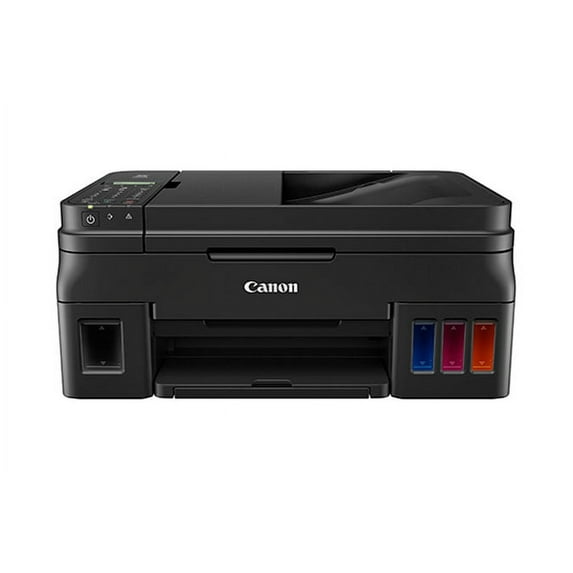
Canon Pixma G4200 is the best all in one printer I've owned. It was very easy to assemble. Took me about 20 min to have it up and running. The best part about it is that I can clearly see how much ink is left, and I don't need to dig in the middle of the printer to replace cartridges. The color containers is where we put color after you see you're running out. It's a big plus, cause I don't have much room in my office so the printer is on the shelf. With my old printers, everytime I wanted to replace the cartridges I had to take the whole printer out and replace the cartridges. Not anymore, this one saves me a lot of time. Wireless set up was super easy. I connected two computers, a smartphone, and a ipad with no problems at all. We use the printer for business and home, so print about 50 pages, or more, a day. I have not used 1/4 of the ink for 10 days, comparing to my last printer, the ink would've been halfway used. That means it's gonna last longer, another bonus I don't need to replace the cartridges every month! I should mention that I was sent free sample to use for this review, but I would gladly pay for it cause it's worth every penny. As a business owner a good printer is a staple, and products that make my work easier are worth the price. Canon Pixma G4200 is a great, all in one, printer , fax, copier, it's a staple in every office/house. I would happily recommend it to anyone.

Review from usa.canon.com
Helpful?4HG8CJMU5TA8573223486
Jan 25, 2017
Chrissy78
5 out of 5 stars review

Life Saver! Time Saver!

The Canon Pixma g4200 is the magic genie of printing. My husband and I researched printers before choosing the g4200! It has premium high quality pictures and crisp lettering. It keeps up.with printing hundreds of invoices a day! And teenagers many homework projects!The setbuo took less than 15 minutes and we were printing! Directions were easy to follow and clear. The refillable ink containers and amount are our favorite quality of this amazing all in one printer. The ink containers hold 30 times as much in as 30 ink cartridges!What a time saver life saver! It is quick and keeps up with four attached computers and lap tops.It never let`s us down! The Canon Pixma g4200 has made our life easier because Canon has identified the ink cartridge constant replacement issue and solved it with the refillable ink containers in the Pixma g4200! Thank you Canon! -I received a free product for an honestband accurate review.

Review from usa.canon.com
Helpful?4HG8CJMU5TA8573223486
Jul 21, 2018
mfwage
4 out of 5 stars review

I loved everything but the set up.

Every think was perfect until I started installing the software. First it said to go to cannon.com/ijsetup, it always went to the corporate site nd I finally had to google may way in. Then it was fairly easy. Except once I had installed the app, etc. I couldn't use it to print doc's. After fooling around 20 minutes I realized I didn't need anything installed for printing with wifi, I would liked a brief up front note that let me know that. I've printed a bit things since and think I'll save a ton the ink is easily replaced and I won't have to slow away a cartridge that still has a few pages left in it. Pl us the printer cost was lower than any othe tank p run er I've seen!

Review from usa.canon.com
Helpful?4HG8CJMU5TA8573223486