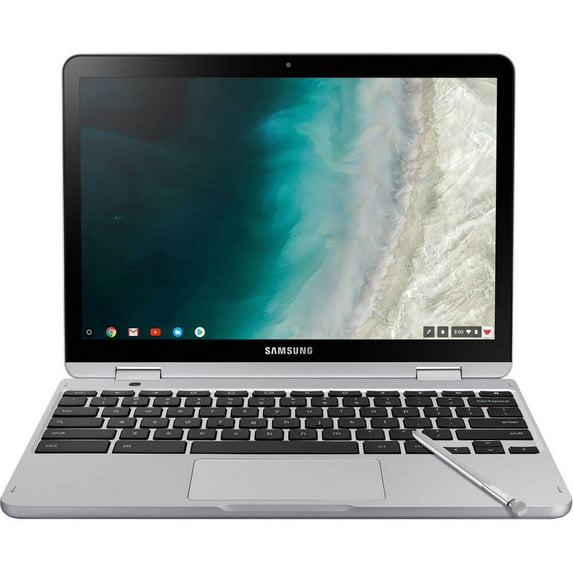
Samsung Chromebook Plus V2 12.2" Touchscreen, Intel Core M m3-7Y30, 4GB RAM, 64GB SSD, Chrome OS, Light Titan, XE520QAB-K02
Hero image 0 of Samsung Chromebook Plus V2 12.2" Touchscreen, Intel Core M m3-7Y30, 4GB RAM, 64GB SSD, Chrome OS, Light Titan, XE520QAB-K02, 0 of 4

Samsung Chromebook Plus V2 12.2" Touchscreen, Intel Core M m3-7Y30, 4GB RAM, 64GB SSD, Chrome OS, Light Titan, XE520QAB-K02

3.6 stars out of 16 reviews
(3.6)|
16 ratings

Key item features

Samsung Chromebook Plus V2 12.2" Touchscreen, Intel Core M m3-7Y30, 4GB RAM, 64GB SSD, Chrome OS, Light Titan, XE520QAB-K02
  • 360° rotating screen with a built-in pen
  • Front and rear cameras. Google Play Store ready.
Current price is $599.99
Price when purchased online
Out of stock

How do you want your item?

How do you want your item?
Out of stock
Report an issue with this seller

About this item

Product details

Specifications

Warranty

Customer ratings & reviews

3.6 out of 5 stars
stars16 ratings16 reviews
How item rating is calculated

Customer images

  • +3 images
Filtered and sorted results would be available on the new 'Customer ratings & reviews' page.
Sort by |

Showing 1-3 of 16 reviews

Jul 25, 2019
EleaticStranger
5 out of 5 stars review

Blown Away

Overall amazing device. I bought a Samsung chromebook six years ago, and even though it was passed it's update cycle, it still functioned quite well. Still, it was time for a new chromebook, so I stuck with Samsung even after having read several professional reviews that didn't like the Plus V2 as much as the Pro. I have no basis for comparison, but I can tell you that I'm no less than shocked by the build quality of this device. The screen is beautiful - better than my new Mac at work! - and plenty bright, so whatever the technical spex may be, it's still a joy to look at. The keyboard is perhaps the standout feature, however. It feels great. I honestly can't imagine a use case for i3, i5, i7 processors you can find - and pay a ton of money for - in other chromebooks. The m3 processor in this device is lightning fast. Right now, I'm pushing a 4K external monitor, watching The Last Jedi on YouTube, and writing this review with about 10 other tabs open, and it doesn't even stutter. I didn't think having Android apps would be a huge deal, but now that I'm using PS Messenger, MS Word, and a couple others, I gotta say it's really quite nice. I could go on, but why bother.... This device is a steal for the MSRP and you can likely find some great deals if you look around.

Review from samsung.com
Helpful?5SQNJ8PESEDK206338311
May 11, 2019
ddavis2003
5 out of 5 stars review

Excellent Tool

I'm going on week 2 (today May 11, 2019). I used Microsoft laptops/desktops and Linux laptops. This is my first Chromebook, now based on "my needs" I'll say this tool fits me. When you include the Google cloud suite... such as google drive, google doc and so, I found that everything comes together like a perfect home made soup. If you purchase this device make sure you take your time and fully understand all the small things. As a example, double tap the track pad will provide different results. It could be spell checking, choosing the incognite google browser or just changing the wallpaper on the desktop. All in all, the small things make a huge difference with your experience. As for the hardware, Samsung did a great a job. Its fast and built to last. The display is very sharp for videos also the battery will last for a day and a good 4 hours watching movies. I recommended this to everyone..

Review from samsung.com
Helpful?5SQNJ8PESEDK206338311
Jul 16, 2020
Donny
5 out of 5 stars review

Solid choice vs. PC

i was surprised of the performance and durability given the price point. i was expecting a much more basic machine, instead it is solid in feel, shape and casing. the features respond well. the pen the keys, camera, etc. being a pc users i find/found it a little cumbersome but the transition does not take long if you know your key stroke short cuts of a typical pc. kids are very familiar with it and how its systems given most schools are using them today. i don't see why these machines do not dominate the laptop market for the student or light user base. very happy and recommend this product (i also got a 64g memory card in case the kids break the device i can simply take the data).

Review from samsung.com
Helpful?5SQNJ8PESEDK206338311