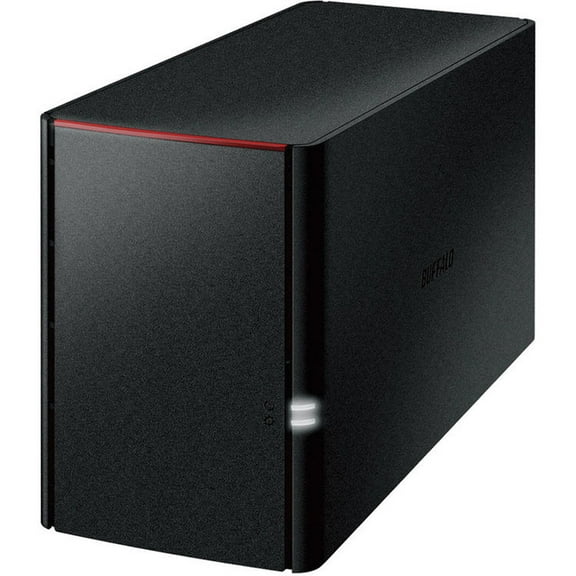
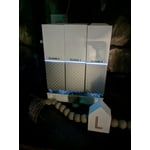
WD 3TB My Cloud Home Personal Cloud Storage - for PC/Windows & Mac (WDBVXC0030HWT-NESN)
Hero image 0 of WD 3TB My Cloud Home Personal Cloud Storage - for PC/Windows & Mac (WDBVXC0030HWT-NESN), 0 of 4

WD 3TB My Cloud Home Personal Cloud Storage - for PC/Windows & Mac (WDBVXC0030HWT-NESN)

2.4 stars out of 361 reviews
(2.4)|
361 ratings
Hard Drive Capacity:3 TB-Out of stock

Key item features

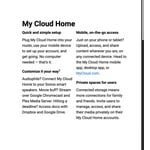
  • Centralized Storage: Provides a single location for organizing and storing all digital content, including photos, videos, music, and various files.
  • Effortless Setup: Features a quick and straightforward setup process that can be completed using a mobile phone.
  • Remote Accessibility: Offers convenient on-the-go access to stored content via the My Cloud Home mobile app, desktop application, or MyCloud.com.
  • Automatic Backup: Includes an auto-backup function specifically for photos and videos stored on mobile phones.
  • External Import: Equipped with a USB port for importing photos, videos, and documents from USB flash drives and external hard drives.
  • Content Discovery: Facilitates easy content retrieval through a file search feature.
  • Shared Access: Allows users to simply invite family and friends to share access to the My Cloud Home device.
  • System Compatibility: Supports backup for both PC and Mac computers, ensuring broad compatibility.
Generated by AI
Current price is $267.81
Price when purchased online
Out of stock

How do you want your item?

How do you want your item?
Out of stock
Report an issue with this seller

About this item

Product details

Specifications

Warranty

Warnings

Customer ratings & reviews

2.4 out of 5 stars
stars361 ratings356 reviews
How item rating is calculated

Reviews summary

Pros
  • : Uploading process is quick and efficient.
  • : Setup requires minimal configuration.
Cons
  • : Device restrictions limit direct file access and transfer, requiring internet connection.
  • : Device connection and network options can be unreliable, affecting data access.
  • : Frequently drops or slows, limiting data access.
Generated by AI

Customer images

  • +5 images
Filtered and sorted results would be available on the new 'Customer ratings & reviews' page.
Sort by |

Showing 1-3 of 356 reviews

Sep 4, 2021
JohnN
3 out of 5 stars review

Seller Verified Purchase

My Cloud Home

My Cloud Home is a basic product with no features to manage drive. Their is no administrative account to oversee invitees accounts. You also are not able to access it without an account. When I sent back my My Live Book, I thought I was getting a similar functioning drive but I was wrong. You cannot use any of the WD backup products available only Windows 10 file history. I wish WD would add some feature to see it on my local network and manage the drive.

Review from Western Digital
Helpful?63SHNNXSP4V8299061697
reply from Supplier Response

Hello, We regret hearing your experience with the WD My Cloud Home drive and appreciate your time for providing feedback. The My Cloud Home plugs directly into your Wi-Fi router at home so you can easily save, organize, and control all your digital content at a central place and wirelessly access it all from anywhere. The Desktop Sync feature within our WD Discovery app for Windows and macOS provides access to your synced folders in the event the My Cloud Home loses access to the Internet. "My Cloud Home Desktop Sync Setup and Configuration": Search for knowledge base article: 1185 Please be informed that the WD My Cloud Home supports Windows, macOS and 3rd party backup software using the local public network shares. "How to Backup a Windows or macOS Computer to a My Cloud Home": Search for knowledge base article: 7839 The Plex Media Server organizes your photos, videos, music, movies, and TV shows giving you instant access to them anytime, anywhere. "How to Enable and Configure Plex Service on My Cloud Home": Search for knowledge base article: 7181 You may want to consider our pro-series of My Cloud NAS devices, such as the PR2100 or PR4100; which supports the advanced features you're looking for; such as a web-based dashboard, public and private shares mappable on Mac or PC and more. We're sorry to hear you returned the drive before we had the opportunity to make this right. We would like to directly work with you to gather more details about the issue so that we can provide appropriate resolution. We suggest you contact our support team for any queries and concerns with Western Digital products. You can contact us from the below provided details. We will be happy to help you. Need Help? Please visit our "'Contact Us" page.

Sep 1, 2021
Walmart customer
3 out of 5 stars review

Seller Verified Purchase

Doesn't work with Acronis True Image

It was easy to set up and worked, but I eventually found out that it would not work with Acronis True Image backup software. Partly my fault because I didn't ask the right questions before purchase, and I eventually was shown the page where that limitation was revealed, but it isn't in the upfront description.

Review from Western Digital
Helpful?63SHNNXSP4V8299061697
reply from Supplier Response

Hello, We're sorry to hear about your user experience with the WD My Cloud Home and appreciate your time for providing this review. We were unable to locate you in our system with the information provided in the review. We want an opportunity to make this right and assist you directly to get your concern addressed by our next level of support. All our products must pass our stringent quality standards before leaving our factory to be free from defects in materials and craftsmanship. We stand behind our products throughout the device's factory warranty period. Please contact us via the phone with reference to the review to ensure an overall good experience with Western Digital. Need Help? Please see our "'Contact Us" page for information.

Oct 14, 2021
Huck the IT guy
3 out of 5 stars review

Seller Verified Purchase

Hardware working okay; Acronis software not

Thankfully I'm an IT guy because "My Cloud Home" is not easy to setup and install. You see the term "Home" and think it will be easy-as-pie for anyone. It isn't. They don't make it clear that there a new separate Discovery app for My Cloud Home. And forget trying to install the promised Acronis backup software -- it is not compatible (you have to figure that out on your own). Acronis is the single biggest reason I bought a WD NAS unit. Not having Acronis work, and not spelling that out before purchase, is a HUGE disappointment. WD has always been our gold-standard, sadly not now.

Review from Western Digital
Helpful?63SHNNXSP4V8299061697
reply from Supplier Response

Hello, We regret to hear that the WD My Cloud Home Cloud Storage Device didn't meet your expectations and thank you for sharing your valuable feedback with us. Please know that the My Cloud Home is not a NAS, rather it is a personal cloud device with a focus on remote/mobile access. The My Cloud Home is compatible with the WD Discovery software for Windows and macOS, your user account - or better spoken - your storage capacity on the My Cloud Home - will be mapped automatically into your file explorer or Finder as an additional drive letter. Please be informed that Files larger than 5 GB cannot be uploaded using the My Cloud Home web app. However, you can upload larger files using the My Cloud Home Desktop app. Please follow the instructions mentioned in the KBA given below "Error Uploading Large Files with My Cloud Home Web App" http://support-en.wd.com/app/answers/detail/a_id/13946/ This drive letter resists permanently, you don't need to struggle to establish the internet connection to your My Cloud Home device at your home, this will be done by WD Discovery software. Besides the mapped drive letter to your My Cloud Home, WD Discovery offers also the ability to easily synchronize local folders to your My Cloud Home. "Differences Between My Cloud and My Cloud Home" http://support-en.wd.com/app/answers/detail/a_id/7758/ The Desktop Sync feature within our WD Discovery app for Windows and macOS provides access to your synced folders in the event the My Cloud Home loses access to the Internet. Please refer to the following links to explore more about the WD My Cloud Home. "My Cloud Home Online User Guide and Solutions" http://support-en.wd.com/app/answers/detail/a_id/21182/ "WD Discovery Online User Guide for My Cloud Home" http://support-en.wd.com/app/answers/detail/a_id/16005/ We suggest you contact our support team so that we could gather more information from you to isolate the issue and provide an appropriate resolution. Need Help? Please visit our "'Contact Us" page.