
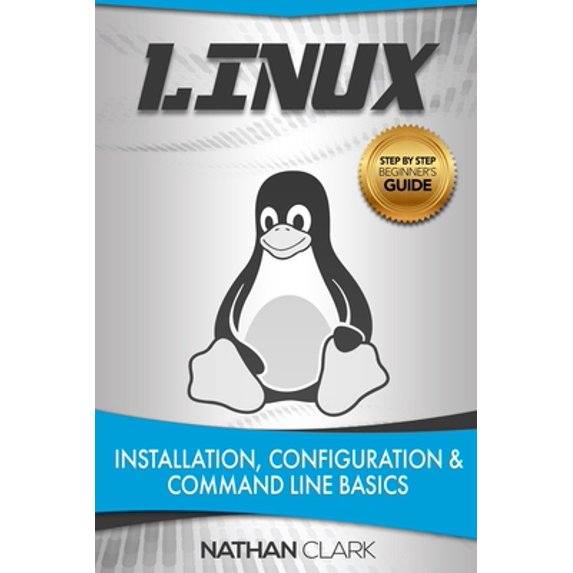
Pre-Owned Linux: Installation, Configuration and Command Line Basics (Paperback) 1723910465 9781723910463
Key item features
This book was written with the intention of being used by those who have very little to no experience in the Linux environment. Because of this every concept, command and step is discussed in meticulous detail to ensure you are able to thoroughly understand and implement it on your own. Complete Installation Guide
We take you step by step through setting up a Linux system from scratch, including screenshots for every step. This comprehensive installation guide also covers adding a Graphical User Interface, installing additional software, and choosing a terminal-based or graphical file manager. Simplifying the Command Line
Terminals, shells and the command line are terms that make most newcomers to Linux run for the hills. We explain these concepts in detail, and then go even further by covering numerous essential terminal commands to help you deal with files and directories, text processing, users and groups, process management, networks, and the help system. Key Topics
- What is Linux?
- From UNIX to Linux
- A Brief History of Linux
- Linux Range of Use
- Linux Certifications
- Software Licenses
- Linux in Day-to-Day Life
- What is a Linux Distribution?
- Which Linux Distributions Exist?
- Setting up a Linux System
- Types of Installations
- Installing Linux Step-by-Step
- Adding a Graphical User Interface
- Adding Additional Software
- Exiting Linux
- Navigating Linux
- The Filesystem Hierarchy Standard (FHS)
- Commands for Directories
- Terminal-based File Managers
- Graphical File Managers
- Introduction to Linux Terminals
- What is a Terminal?
- What is a Shell?
- Available Shells
- Essential Linux Commands
- Files and Directories
- Output and d104 Processing
- Users and Groups
- Process Management
- Network and System Information
- Getting Help
- Man Pages
- Info Pages
- Integrated Help
- External Help
Specs
- Book formatPaperback
- Fiction/nonfictionNon-Fiction
- Publication dateSeptember, 2018
- Pages120
- PublisherIndependently Published
- Original languagesEnglish
- Free shipping
Free 30-day returns
How do you want your item?
About this item
Product details
This book was written with the intention of being used by those who have very little to no experience in the Linux environment. Because of this every concept, command and step is discussed in meticulous detail to ensure you are able to thoroughly understand and implement it on your own. Complete Installation Guide
We take you step by step through setting up a Linux system from scratch, including screenshots for every step. This comprehensive installation guide also covers adding a Graphical User Interface, installing additional software, and choosing a terminal-based or graphical file manager. Simplifying the Command Line
Terminals, shells and the command line are terms that make most newcomers to Linux run for the hills. We explain these concepts in detail, and then go even further by covering numerous essential terminal commands to help you deal with files and directories, text processing, users and groups, process management, networks, and the help system. Key Topics
- What is Linux?
- From UNIX to Linux
- A Brief History of Linux
- Linux Range of Use
- Linux Certifications
- Software Licenses
- Linux in Day-to-Day Life
- What is a Linux Distribution?
- Which Linux Distributions Exist?
- Setting up a Linux System
- Types of Installations
- Installing Linux Step-by-Step
- Adding a Graphical User Interface
- Adding Additional Software
- Exiting Linux
- Navigating Linux
- The Filesystem Hierarchy Standard (FHS)
- Commands for Directories
- Terminal-based File Managers
- Graphical File Managers
- Introduction to Linux Terminals
- What is a Terminal?
- What is a Shell?
- Available Shells
- Essential Linux Commands
- Files and Directories
- Output and Text Processing
- Users and Groups
- Process Management
- Network and System Information
- Getting Help
- Man Pages
- Info Pages
- Integrated Help
- External Help
This book was written with the intention of being used by those who have very little to no experience in the Linux environment. Because of this every concept, command and step is discussed in meticulous detail to ensure you are able to thoroughly understand and implement it on your own. Complete Installation Guide
We take you step by step through setting up a Linux system from scratch, including screenshots for every step. This comprehensive installation guide also covers adding a Graphical User Interface, installing additional software, and choosing a terminal-based or graphical file manager. Simplifying the Command Line
Terminals, shells and the command line are terms that make most newcomers to Linux run for the hills. We explain these concepts in detail, and then go even further by covering numerous essential terminal commands to help you deal with files and directories, text processing, users and groups, process management, networks, and the help system. Key Topics
- What is Linux?
- From UNIX to Linux
- A Brief History of Linux
- Linux Range of Use
- Linux Certifications
- Software Licenses
- Linux in Day-to-Day Life
- What is a Linux Distribution?
- Which Linux Distributions Exist?
- Setting up a Linux System
- Types of Installations
- Installing Linux Step-by-Step
- Adding a Graphical User Interface
- Adding Additional Software
- Exiting Linux
- Navigating Linux
- The Filesystem Hierarchy Standard (FHS)
- Commands for Directories
- Terminal-based File Managers
- Graphical File Managers
- Introduction to Linux Terminals
- What is a Terminal?
- What is a Shell?
- Available Shells
- Essential Linux Commands
- Files and Directories
- Output and d104 Processing
- Users and Groups
- Process Management
- Network and System Information
- Getting Help
- Man Pages
- Info Pages
- Integrated Help
- External Help
What is Pre-Owned: Like New?
What is the Walmart Pre-Owned Program?
Walmart Pre-Owned allows you to find previously owned, well-cared-for items from Walmart’s trusted & performance-managed sellers. Shopping Pre-Owned allows you to bring home the best-quality picks at even lower prices, in addition to extending the life of an item & reducing waste. Find your favorites & shop a range of conditions in every category.
Why Walmart Pre-Owned?
Trusted sellers & quality items
Each Pre-Owned item listed comes from Walmart’s trusted performance-managed sellers, to ensure you get quality items.

Quality you can afford
Save even more on top brands & your most-loved items.

30-day free returns
Don’t love it? Most items offer a 30-day* free return policy, for added peace of mind.
Sustainability
Shopping Pre-Owned helps in extending the life of an item & reducing waste.
Product image for illustration purposes only. The item you receive may vary from the image in minor ways, such as slight differences in appearance, color, and/or design. *Exceptions apply during holiday season, and on certain electronics, collectibles, and jewelry.
Pre-Owned: Like New
What is the Walmart Pre-Owned Program?
Walmart Pre-Owned allows you to find previously owned, well-cared-for items from Walmart’s trusted & performance-managed sellers. Shopping Pre-Owned allows you to bring home the best-quality picks at even lower prices, in addition to extending the life of an item & reducing waste. Find your favorites & shop a range of conditions in every category.
Why Walmart Pre-Owned?

Trusted sellers & quality items
Each Pre-Owned item listed comes from Walmart’s trusted performance-managed sellers, to ensure you get quality items.
Quality you can afford
Save even more on top brands & your most-loved items.

30-day free returns
Don’t love it? Most items offer a 30-day* free return policy, for added peace of mind.

Sustainability
Shopping Pre-Owned helps in extending the life of an item & reducing waste.
Product image for illustration purposes only. The item you receive may vary from the image in minor ways, such as slight differences in appearance, color, and/or design. *Exceptions apply during holiday season, and on certain electronics, collectibles, and jewelry.
