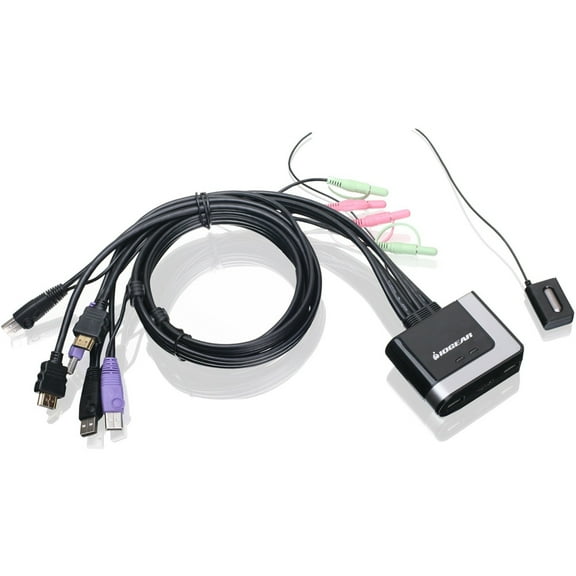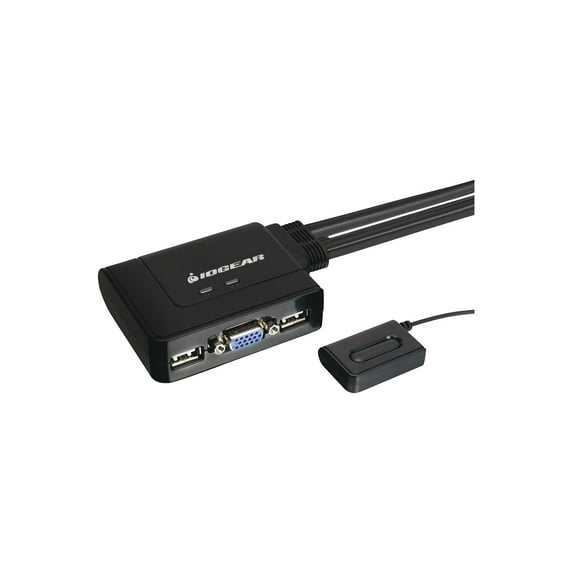
IOGEAR GCS22u 2-Port USB KVM Switch
Hero image 0 of IOGEAR GCS22u 2-Port USB KVM Switch, 0 of 2

IOGEAR GCS22u 2-Port USB KVM Switch

4.5 stars out of 42 reviews
(4.5)|
42 ratings

Key item features

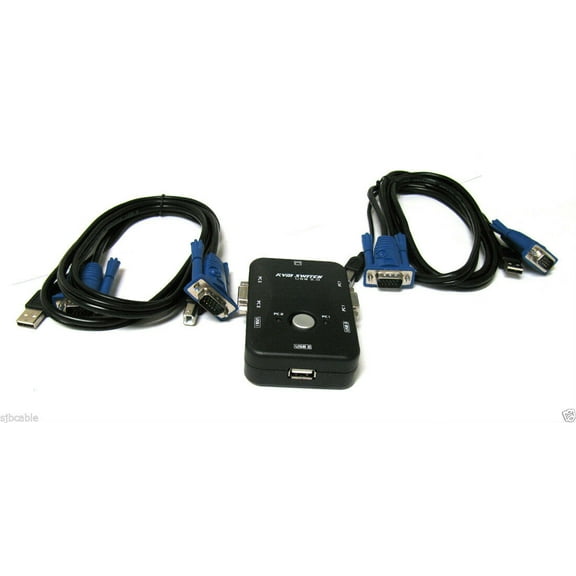
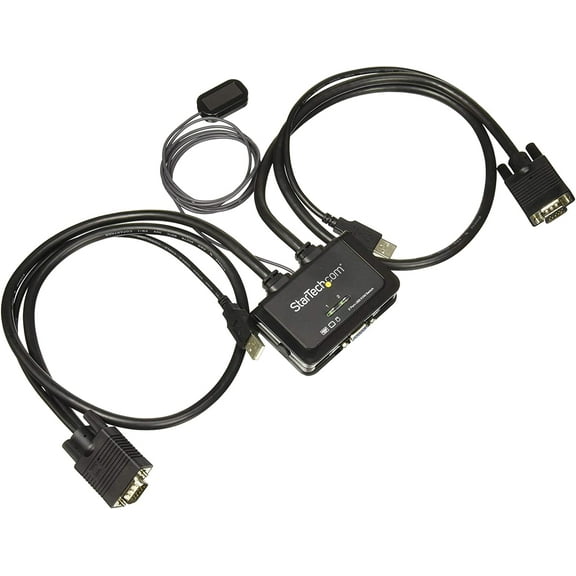
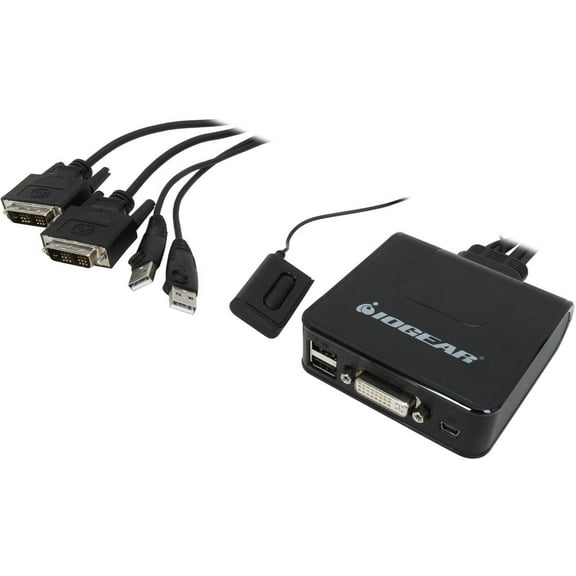
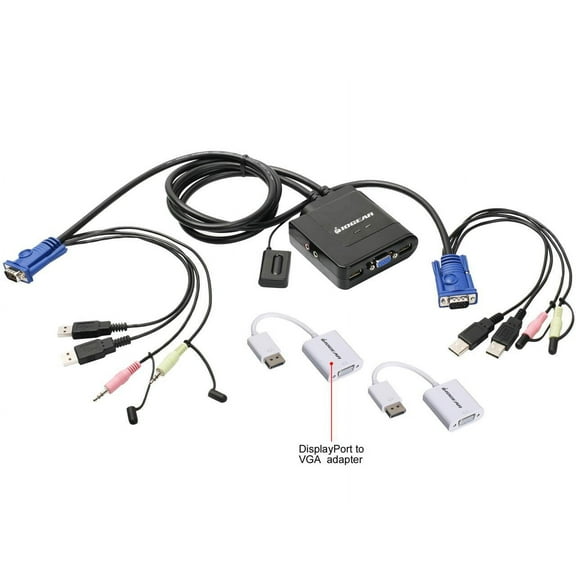
  • Core Functionality: This 2-port USB KVM switch enables users to share a single VGA monitor, USB mouse, and USB keyboard between two computers.
  • Seamless Switching: Users can effortlessly switch between connected computers using the included wired remote switch button.
  • Broad Compatibility: The switch supports multiple operating systems, including Windows 2000 or higher, Mac OS 9.0 or higher, and Sun Solaris 9 or higher, with full Mac keyboard support.
  • Integrated Design: It offers an out-of-box solution with 6-foot integrated cables, eliminating the need for additional cable purchases.
  • Technical Specifications: Features a maximum video resolution of 2048 x 1536 (DDC2B) and supports programmable mice.
  • Physical Attributes: Constructed with a plastic housing case, it measures 7.9"(H) x 6.4"(W) x 2.4"(D) and weighs 1.46 lbs.
Generated by AI
Current price is Now $35.00
You save $11.46
was $46.46
Price when purchased online
  • Free shipping
  • Free 30-day returns

How do you want your item?

How do you want your item?
Columbus, 43215
Arrives by Thu, Feb 26
|
Sold and shipped by FRISM
1 star out of 5, based on 1 seller review(1.0)
Report an issue with this seller
Free 30-day returns

More seller options (3)

Starting from $36.96

About this item
Product details

Specifications

Warranty

Warnings

Customer ratings & reviews

4.5 out of 5 stars
stars42 ratings39 reviews
How item rating is calculated
Filtered and sorted results would be available on the new 'Customer ratings & reviews' page.
Sort by |

Showing 1-3 of 39 reviews

Jul 29, 2014
rsorb61
5 out of 5 stars review

Verified Purchase

This inexpensive KVM works great

The KVM was very easy to install and use. Even a non-techy ought to be able to install and use it. I like the toggle button that can be positioned conveniently and I really like that I don't have to remember another cryptic key combination. So now I can have my old reliable Linux box and the new Windows 7 machine running at my desk. I'm quite pleased.

Helpful?5720E89JY3HD10299065
Mar 28, 2014
spudsx2
5 out of 5 stars review

Verified Purchase

Performed better than expescted!

This is a terrific device. I hooked it to my Dell Desktop with XP and my Dell Laptop with windows 7 and the Desktop worked if the laptop was on or off or in sleep mode and the laptop also worked with the desktop on or off or in sleep mode. This Iogear KKVM had no audio connectors and I expected there would be no sound on the laptop but both devices had sound I suspect due to the laptop internal sound source. At first I could not get my normal screen resolution on my 17" LED monitor as the monitor auto adjust kept setting the resolution lower. I then set the desktop to its normal 1366 X 768 setting and restarted the computer and it retained the correct setting. On the laptop it took a little tweaking as the laptop maximum was 1280 X 800 but I got the best result at 1280 X 720( restart the laptop) which gave excellent resolution on the laptop screen and pretty good picture on the monitor. From where I had the laptop positioned the VGA cable reached fine to the laptop VGA port on the left but came up short when attempting to connect the USB keyboard and mouse connections on the right side. I could have moved the laptop but instead I connected the K and M to a USB hub with a 12" cable that was already attached to the laptop. I was worried this might not allow the keyboard and mouse to work from a hub but they worked just fine. This KVM suited my needs perfectly and maintained great picture quality on both devices and sound on both devices. Highly recommend.

Helpful?5720E89JY3HD10299065
Aug 4, 2014
Walmart customer
5 out of 5 stars review

Verified Purchase

Great Experience

I work from home, and I got tired of having 2 monitors, 2 keyboards, 2 mice. I had to move them around to work, then to check personal emails over lunch break and at the end of the day. I now can use my same monitor, keyboard, and mouse for both computers. Simply hook everything up. The directions are easy to follow. There is no software to install. There is one button to press to toggle between the 2 computers. Very slick. Result = much cleaner desk.

Helpful?5720E89JY3HD10299065