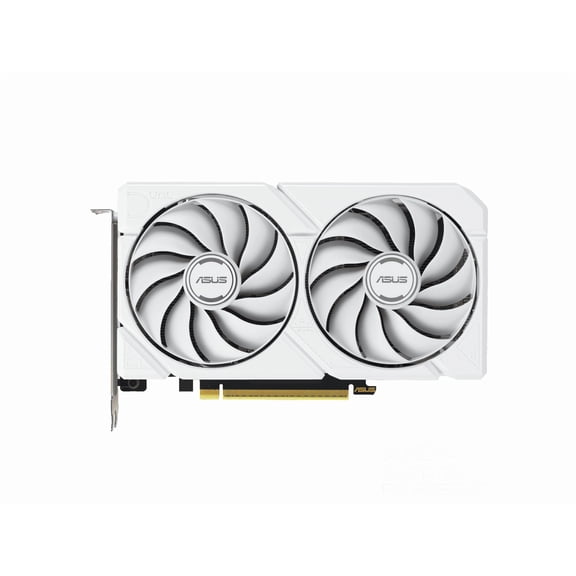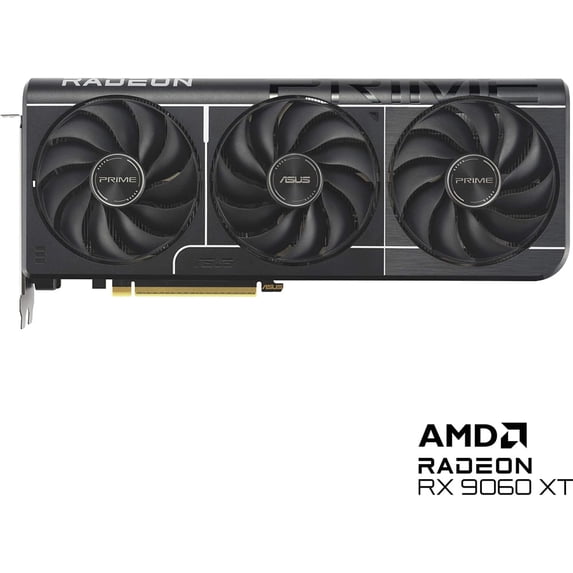
ASUS Prime Radeon RX 9060 XT 8GB GDDR6 OC Edition Graphics Card - PRIME-RX9060XT-O8G
Hero image 0 of ASUS Prime Radeon RX 9060 XT 8GB GDDR6 OC Edition Graphics Card - PRIME-RX9060XT-O8G, 0 of 11

ASUS Prime Radeon RX 9060 XT 8GB GDDR6 OC Edition Graphics Card - PRIME-RX9060XT-O8G

|3 ratings

Key item features

  • Powerful Performance: Features an AMD Radeon RX 9060 XT GPU with 8GB GDDR6 memory, supporting OpenGL 4.6 API and PCI Express 5.0 for realistic gaming and efficient data transfer.
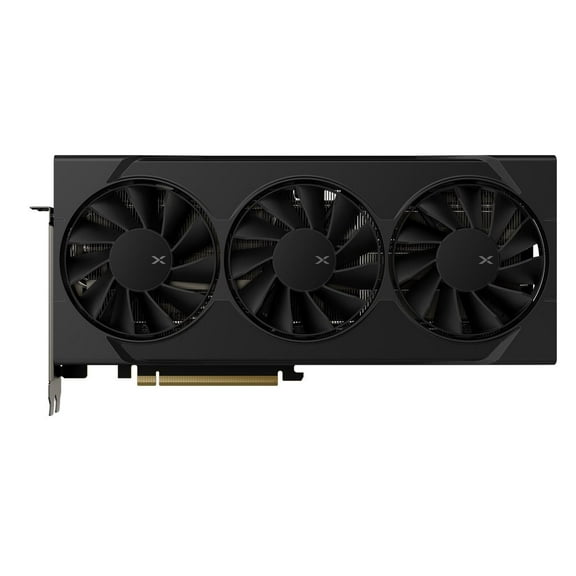
  • Advanced Cooling: Utilizes a 2.5-slot design with three Axial-tech fans, 0dB technology for silent operation under light loads, dual ball fan bearings for durability, and a vented backplate for enhanced heat dissipation.
  • Optimized Thermals: Incorporates MaxContact design, expanding the heat spreader surface area by 5% for improved GPU temperatures, complemented by an extensive heatsink array.
  • Enhanced Durability: Built with ASUS GPU Guard to reduce crack risk, a protective backplate for structural rigidity, and a corrosion-resistant grade 304 stainless steel mounting bracket.
  • Smart Engineering: Offers Dual BIOS for performance or quiet modes, and Auto-Extreme Technology for an automated manufacturing process that reduces thermal strain and environmental impact.
  • Software Control: Includes ASUS GPU Tweak III utility for real-time monitoring and tuning of critical parameters like core clocks, memory frequency, and voltage settings.
Generated by AI
Price when purchased online
Walmart Protection Plan by Allstate

(Only one option can be selected at a time)

More seller options (1)

Starting from $548.34

About this item

Product details

Specifications

Warranty

Customer ratings & reviews

3.7 out of 5 stars
stars
3 ratings3 reviews
How item rating is calculated
Filtered and sorted results would be available on the new 'Customer ratings & reviews' page.
Sort by |

Showing 1-3 of 3 reviews

Jan 22, 2026
chris
5 out of 5 stars review

Verified Purchase

Worked as it should!

Helpful?6LYB0QUSNG4O16945860910
Mar 2, 2026
deadlyhannah
4 out of 5 stars review

Seller Verified Purchase

9060XT gpu

love it so much only slight overheats. Graphics always look so beautiful. I've been playing resident evil 9 and I have had not a single issue.

Review from https://www.asus.com
Helpful?6LYB0QUSNG4O16945860910
Mar 9, 2026
Nvidia user here
2 out of 5 stars review

Seller Verified Purchase

Rough start

I bought this two days ago and I'm just playing today bc I couldn't figure out how too make it display 3 monitors into 1. All bc the section I needed disappeared so I unknowingly had to reinstall. Eyesight. It wasn't there. And I still can't get my surround to connect via Bluetooth or 3.5mm. And using my headphones the sound pops in and out like it's a record skipping. Did this on another speaker also. I still haven't fixed this. Either issue. My other two towers. No issue. Finally got it to produce sound on a monitor but it took two days! Idk folks. Idk.. very basic things that have taken me 48 hours to half way get working. I'm stressed. lol.

Review from https://www.asus.com
Helpful?6LYB0QUSNG4O16945860910
reply from CLM

Dear Nvidia User, Thank you for your comment. We do understand the inconvenience this may have caused if you experienced difficulty setting up three monitors and connecting your Bluetooth device. We're glad to know you were able to resolved these issues. To configure three monitors smoothly,plug all three displays directly into the card using DisplayPort or HDMI cables. Update to the latest AMD drivers, then use AMD Software: Adrenalin Edition to enable AMD Eyefinity for a combined display or set it to "Extend" in Windows display settings. To connect a srround sound speakers or headphone, ensure the most current Bluetooth driver for your PC was installed and your OS is up to date. Pair Device: On your PC, go to Settings > Bluetooth & devices and click Add device.cPairing Mode: Set your surround sound receiver or soundbar to pairing mode. Select Device: Click on your speaker in the Bluetooth list. Enable Surround: Open the app/settings for your Bluetooth device to activate virtual surround if available. Should you need further assistance with the product, please email me at cl-rodel@asus.com and I would be more than happy to help. Or, you are most welcome to call Product Support Hotline at: 1(888) 678-3688. Also, you can chat with an ASUS live support agent from the link: https://www.asus.com/us/support/article/1135/. Thank you for choosing an ASUS product. Regards, Rodel ASUS Customer Loyalty