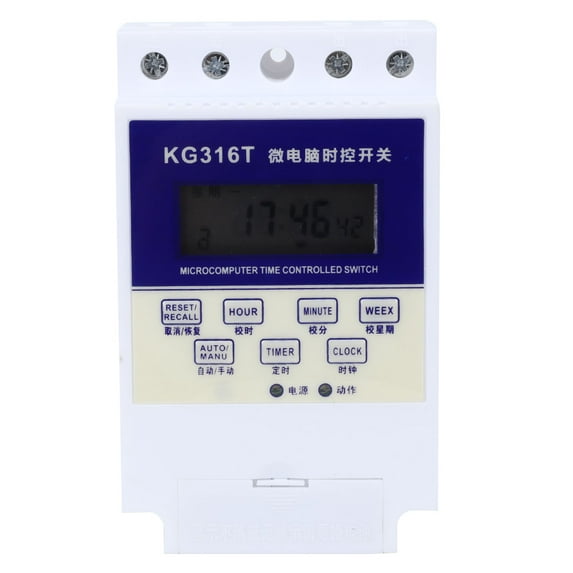
12V 15A Microcomputer Timer Smart Time Control Switch for Street Lights
Condition: 100% Brand NewItem Type: Time SwitchMaterial: PC Flame Retardant MaterialRated Insulation Voltage Ui: AC380VRated Impact Withstand Voltage Uimp: AC1.5kVEach Rated Operating Voltage Ue/Rated Operating Voltage Ie under the category: AC-15 Ue/Ie: AC240V/3A;Ue/Ie: AC380V/1.9AConventional Heating Current Ith: 10ARated Control Power Supply Voltage Us: AC50/60Hz: 12V, 24V, 48V, 220V, 380V (optional)Pollution Degree: 3Shell Protection Rating: IP50Load Power: 10A Relay, 15A Relay, 30A Relay (optional)Taking 30A relay as an example: resistive load: 6KW; inductive load: 1.8KW; motor load: 1.2KW; lamp load: 0.9kWDaily Travel Time Error: Less than or equal to 2 secondsSettings: 16 times turn on and 16 times turn off per daySwitching Time: Can be cycled by day or cycle by weekMaximum Time Control: 168 HoursMinimum Time Control: 1 MinuteMechanical Life: Greater than or equal to 1,000,000 timesElectrical Life: Greater than or equal to 100,000 timesCoordination with Short Circuit Protector (SCPD): It is recommended to use SCPD as RT16-00, 10A circuit breaker, the basic protection type ''1'' type coordination, that is, the relay should not cause harm to people and equipment under short circuit conditions. It is not allowed to continue to use until repair or replacement of parts. When using different types of fuse protectors, the original coordination may fail.Battery: 1 x AAA Battery (Not Included)Product Size: Approx. 12 x 7.5 x 5 cm / 4.7 x 3.0 x 2.0 inWeight: Approx. 201g / 7.1ozOperating:1. Press the ''Timer'' button to enter the timed setting and display 1 on.2. Press the ''Week'' button to set the time to turn on for a certain day or day or day of the week.3. Press ''Hour'' and ''Minute'' respectively to set the time to turn on.4. Press ''Timer'' to enter the timed setting and display 1 off.5. Press the ''Week'' button to set the time to turn on for a certain day or day or day of the week.6. Press ''Hour'' and ''Minute'' respectively to set the on/off time.7. Repeat 1-6 to set the remaining 2-16 switching times. If timing is not required, it will display: ''--:--''.8. Press the ''Clock'' button to end the timing setting and return to the clock running state.9. Press the ''Auto/Manual'' button, the switch sign points to the ''Off'' position, and then to the ''Auto'' position..w-e-text table td,.w-e-text table th,.wang-edit-text table td, .wang-edit-text table th{border: .5pt solid #000;};.w-e-text table,.wang-edit-text table{border: 1px solid #000 !important;}