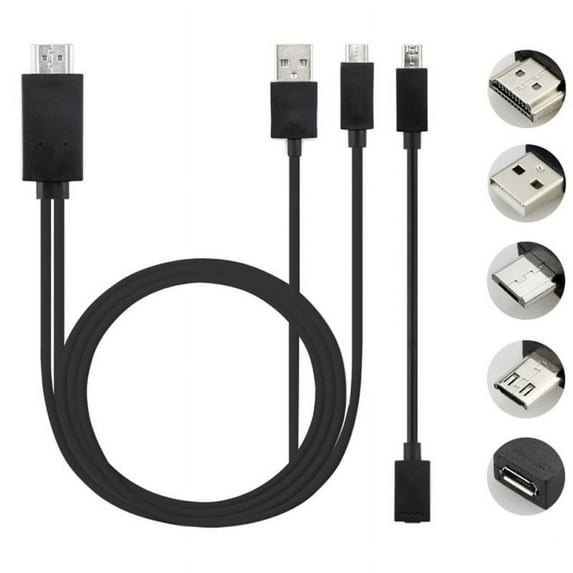
11 Pin Devices:
Galaxy S5, S4 (i9500, i9505), S3 (i9300, i9305)
Galaxy Note 4: SM-N910A, SM-N910P, SM-N910T, SM-N910V
Galaxy Note 3: N5100, N9000, N9006
Galaxy Tab 3 8.0 (T310), Tab 3 10.1 (P5210), Note 8 (N5110), Pro Note
Galaxy Note 2: N7100, N7105
5 Pin Devices:
Galaxy S2 (i777), HTC EVO View 4G HTC One M8, Optimus GJ (LG-E975W), Optimus G (LG-F180L), Sony Xperia series, Asus Padfone 2, Alcatel ONE TOUCH 997D
NOT FOR Galaxy tab 3 7.0, Note 10.1, Note 3 N9008V, Google nexus 5 7, LG G2 G3
How to use it:
1. For 5-pin devices: connect the Mirco USB (MHL) cable directly to your devices; For devices with 11 pins: first connect the adapter to Mirco USB (MHL) and then connect it to your devices
2. Connect the HDMI cable to your TV and change the TV to an HDMI channel
3. Connect the USB cable to the power adapter (for rent 5V 1A)
4. Restart your devices after completing the complete connection.
Size (LWH): 4.72 inches, 2.36 inches, 0.39 inches
Weight: 0.64 ounces
(Length: Short: 0.25m, Length: 1.8m)