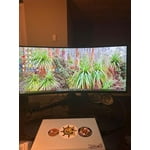
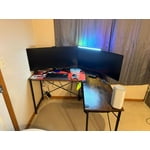
(2 pack) onn 34" Curved Ultrawide WQHD (3440 x 1440p) 120Hz Bezel-Less Office Monitor with Cable, Black

Key item features

    • onn 34" Curved Ultrawide WQHD Monitor, Black
    • 34" (34" actual diagonal) curved ultrawide WQHD monitor
    • 3440 x 1440 resolution
    • Ultrawide quad high definition (WQHD)
    • 120Hz refresh rate
    • 5ms response time (with Overdrive on)
    • 1ms response time (with Trailing Reduction on)
    • Monitor curvature: R1500 mm
    • Bezel-less display
    • Anti-glare screen with low blue light adjustment
    • Aspect ratio: 21:9
    • Adjustable stand with tilt: +20 degrees to -5 degrees
    • Compatible with Windows, MacOS, and ChromeOS
    • VESA: 100 x 100 mm
    • Connections: 2 HDMI ports, 1 DisplayPort, 1 3.5mm headphone jack
    • What’s in the Box? 1- curved ultrawide WQHD monitor 34", 1- HDMI cable 6’ (1.85 m), 1- AC power cable 6’ (1.85 m), 1- monitor stand, 1- Quick Start Guide
  • onn. 34" Curved Ultrawide WQHD 1440p 100Hz 5ms Bezel-less Office Monitor:

    • New 34" (34" actual diagonal) 1440p Curved WQHD bezel-less office monitor, Black
    • QHD 3440 x 1440p resolution
    • 100Hz refresh rate
    • 5ms (TR) response time
    • Monitor curvature R1500 mm
    • Anti-glare screen with low blue light adjustment
    • Square-shaped stand frees up desk space
    • Aspect ratio: 21:9
    • Stand adjusts: Tilt (+20 degrees/-5 degrees)
    • VESA pattern: 100 x 100 mm
    • Windows and Mac compatible
    • Connections: 1 DisplayPort, 2 HDMI, and Headphone
    • What's in the box? 1 Curved Ultrawide WQHD office monitor (34"), 1 HDMI cable 6 ft (1.85 m), 1 AC/DC adapter with power cable 4.92 ft (1.5 m) + DC power cable 4.92 ft (1.5 m), 1 monitor stand (2 pieces), 1 Quick Start Guide
Price when purchased online
Not Available

How do you want your item?

How do you want your item?
Not available
Report an issue with this seller

About this item

Product details

Specifications

Customer ratings & reviews

4.3 out of 5 stars
stars522 ratings199 reviews
How item rating is calculated

Reviews summary

Pros

  • : Provides great quality at a reasonable cost.
  • : Display is crisp and clear with ample space.

Neutral

  • : Can produce vibrant hues, but may lack precision and consistency.
Generated by AI

Customer photos

  • +13 images
Filtered and sorted results would be available on the new 'Customer ratings & reviews' page.
Sort by |

Showing 1-3 of 199 reviews

Oct 12, 2025
Nicholas
Item details
Multipack quantity: 1
5 out of 5 stars review

Verified Purchase

Excellent choice

This monitor is an excellent replacement for the two separate monitors I was using. Very easy setup, was no problem connecting to my Dell computer. Imaging is clear and sharp across the screen. I highly recommend this for its ease of use and quality.

Helpful?10SJBP3OTS2Q5625404082
Sep 14, 2024
MadgeOfTexas
Top Reviewer
Item details
Multipack quantity: 1
4 out of 5 stars review

Verified Purchase

Good choice but limitations

Good choice. A couple of shortfalls but great for the cost. One issue is the menu feature that is not seamless. I have to keep "playing around with the button" to get the menu to come up. Another issue is the connectivity; it does waver sometimes. Too often, I have to keep turning everything off and start over to get the monitor to connect to my laptop.

Helpful?10SJBP3OTS2Q5625404082
reply from onn. Support

Hello, dear users. We are very sorry for the inconvenience. If you have any after-sales problems, you can contact our service provider through the following email:onncomptech@gmail.com,Or contact by phone:888-392-8288. Thank you for your understanding and support.

Sep 9, 2024
Liam
Item details
Multipack quantity: 1
4 out of 5 stars review

Verified Purchase

Good monitor. but HDMI services need HDR activated

Nice screen for office work. Excel spreadsheets are clear and cover a wide range. When I connected first none of the HDMI ports would work, only the display port connection worked. Unfortunately, only the HDMI cable was included. Called support line and they told me to change cables and use cable on another monitor which worked well. Problem was not the cable. They could not help further. Fortunately, I had a display port cable and connected, and the monitor worked. With the display port cable connected and monitor working I could open display settings on my computer. It had RSS setting turned off. Turned on HDR services and all worked well after that through the HDMI.

Helpful?10SJBP3OTS2Q5625404082
reply from onn. Support

Hello, dear users. We are very sorry for the inconvenience. If you have any after-sales problems, you can contact our service provider through the following email:onncomptech@gmail.com,Or contact by phone:888-392-8288. Thank you for your understanding and support.